

This release introduces the highly anticipated DeepGamma Suite, theme customization, trading safety improvements, and several indicator enhancements. Please review the important notes below.

DeepGamma Suite
The DeepGamma Suite is here.
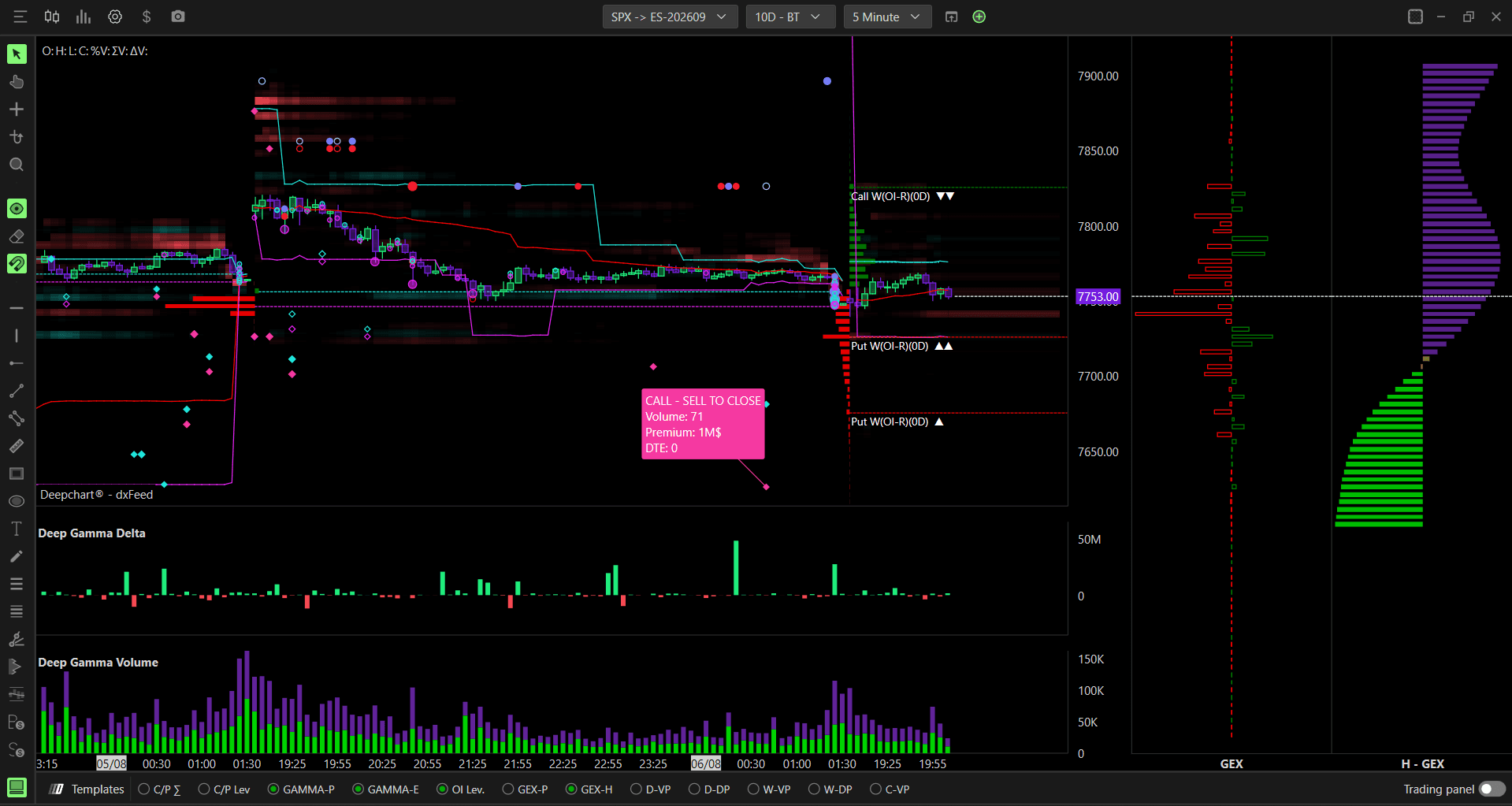
DeepGamma brings real options data directly into your order flow software — giving you a complete view of Market Maker positioning, gamma exposure, and options flow without switching between platforms.
Powered by real CBOE participant data for SPX, DeepGamma shows you exactly where Market Makers are positioned, how gamma exposure is distributed across strikes, and where the real options flow is happening — all in real time, directly on your chart.
Key Highlights
SPX — 1-minute updates powered by CBOE advanced data to identify Market Maker positioning
NDX, QQQ, and SPY — classic options and gamma indicators
9 months of options backtesting available on SPX
Accessing the Option Chart
Go to New in the top menu.
Click Option Chart.
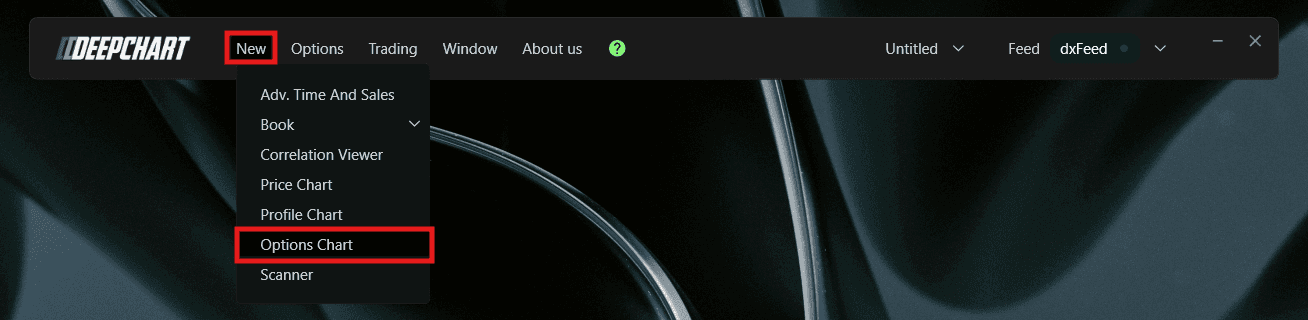
A Select Instrument dialog will appear. Select your preferred instrument: NDX, QQQ, SPX, or SPY.
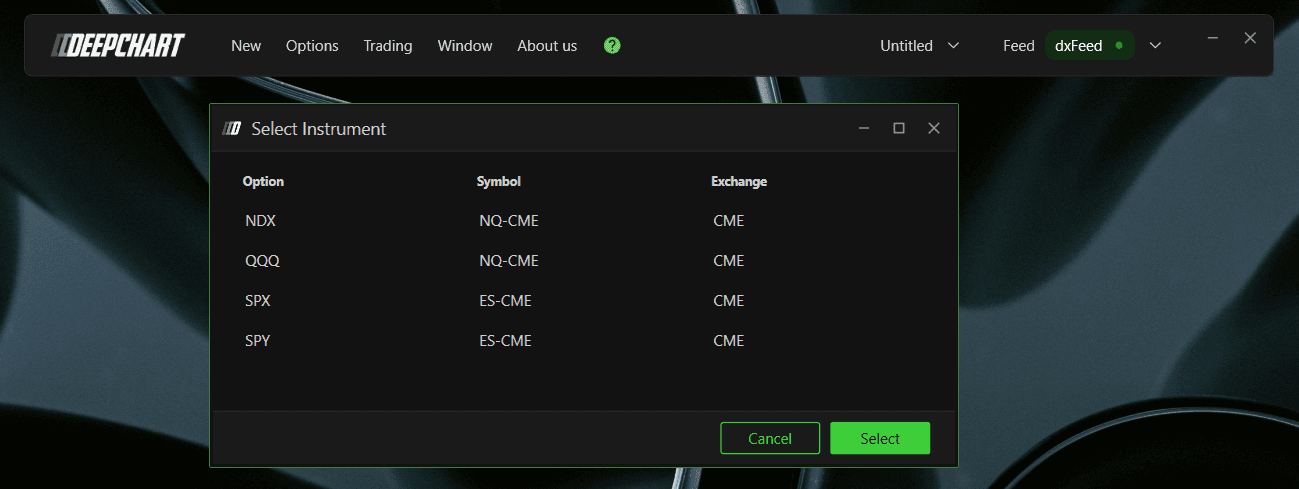
Click Select to open the chart.
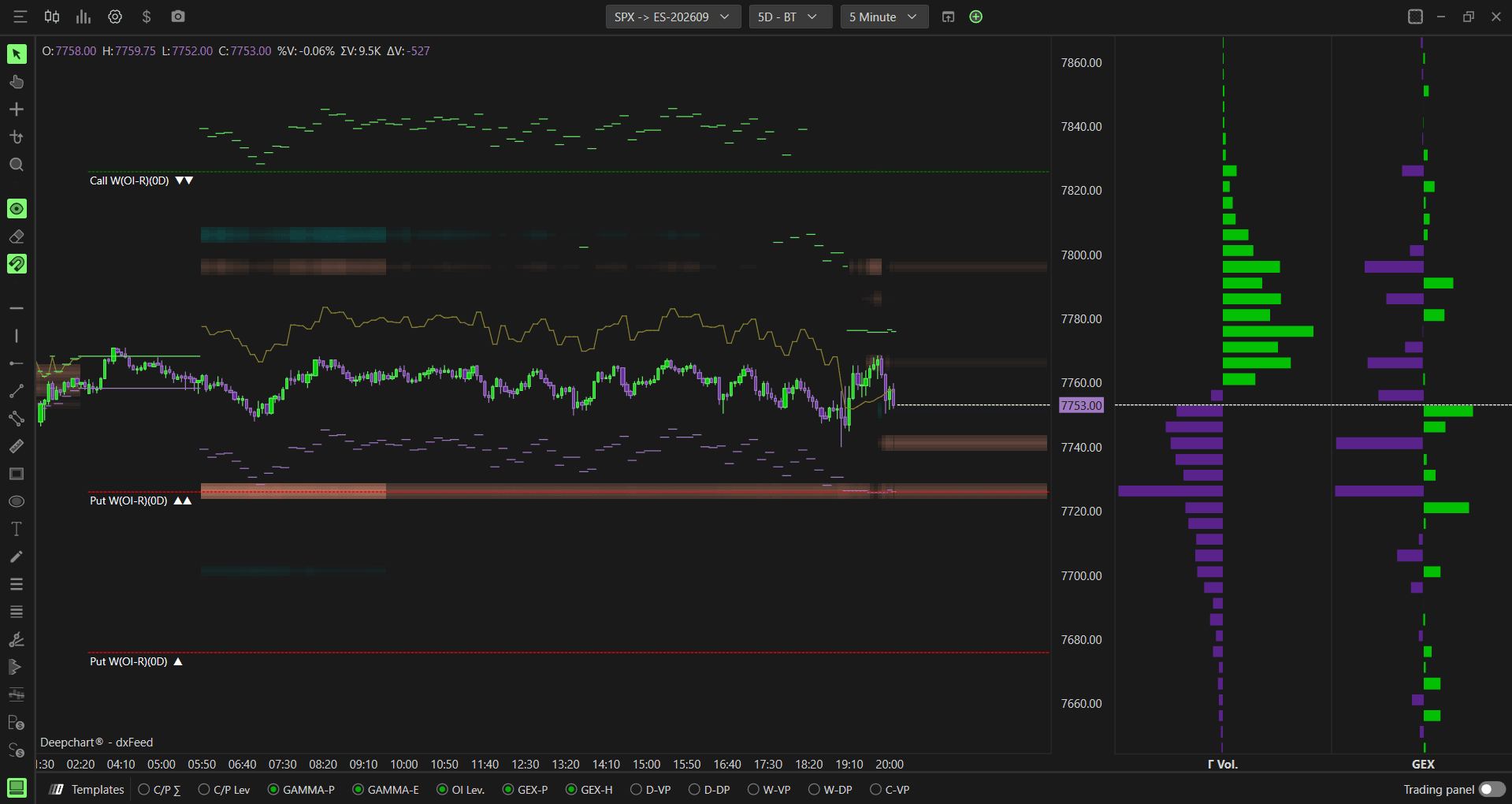
Templates Bar
At the bottom of the Option Chart, you will find the Templates Bar — a quick-access toolbar with shortcuts to instantly load the most commonly used indicators:
C/P Σ — Call/Put Profile: displays the call and put volume profile across strikes
C/P L — Call/Put Levels: plots key call and put levels directly on your chart
GAMMA-P — Gamma Profile: displays the gamma volume profile across strikes
GAMMA-E — Gamma Envelopes: plots Zero Gamma, Major Gamma, and Minor Gamma levels on your chart
OI (RT) — Option Levels: plots key Open Interest levels in real time. The data source can be switched between Open Interest RT, GEX, and Market Maker data
GEX-P — GEX Profile: displays the real Market Maker gamma exposure profile powered by CBOE data
GEX-H — GEX Heatmap: shows real-time Market Maker gamma exposure as a heatmap on your chart

Simply click any shortcut to instantly load the indicator on your chart. You can also right-click any tab to access its settings directly.
More indicators and tools will be added in future updates. For a full breakdown of each indicator, visit the DeepGamma Help Center.
Templates and Workspaces
Templates
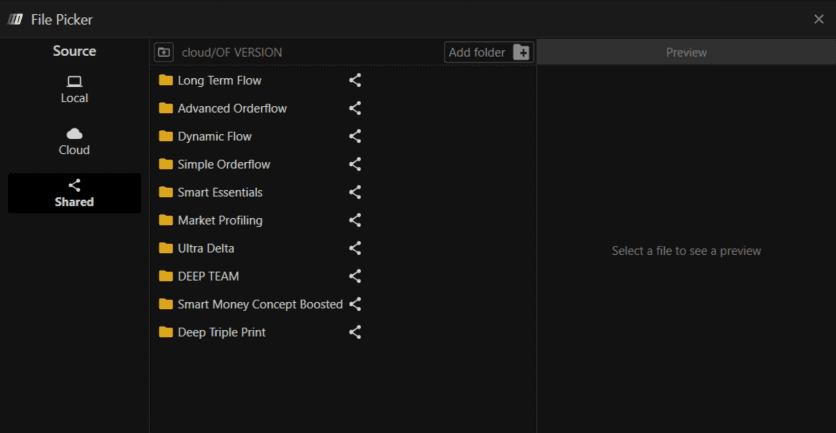
Templates are currently available for ES, NQ, and GC at the Orderflow version level and can be accessed by all DeepChart users.
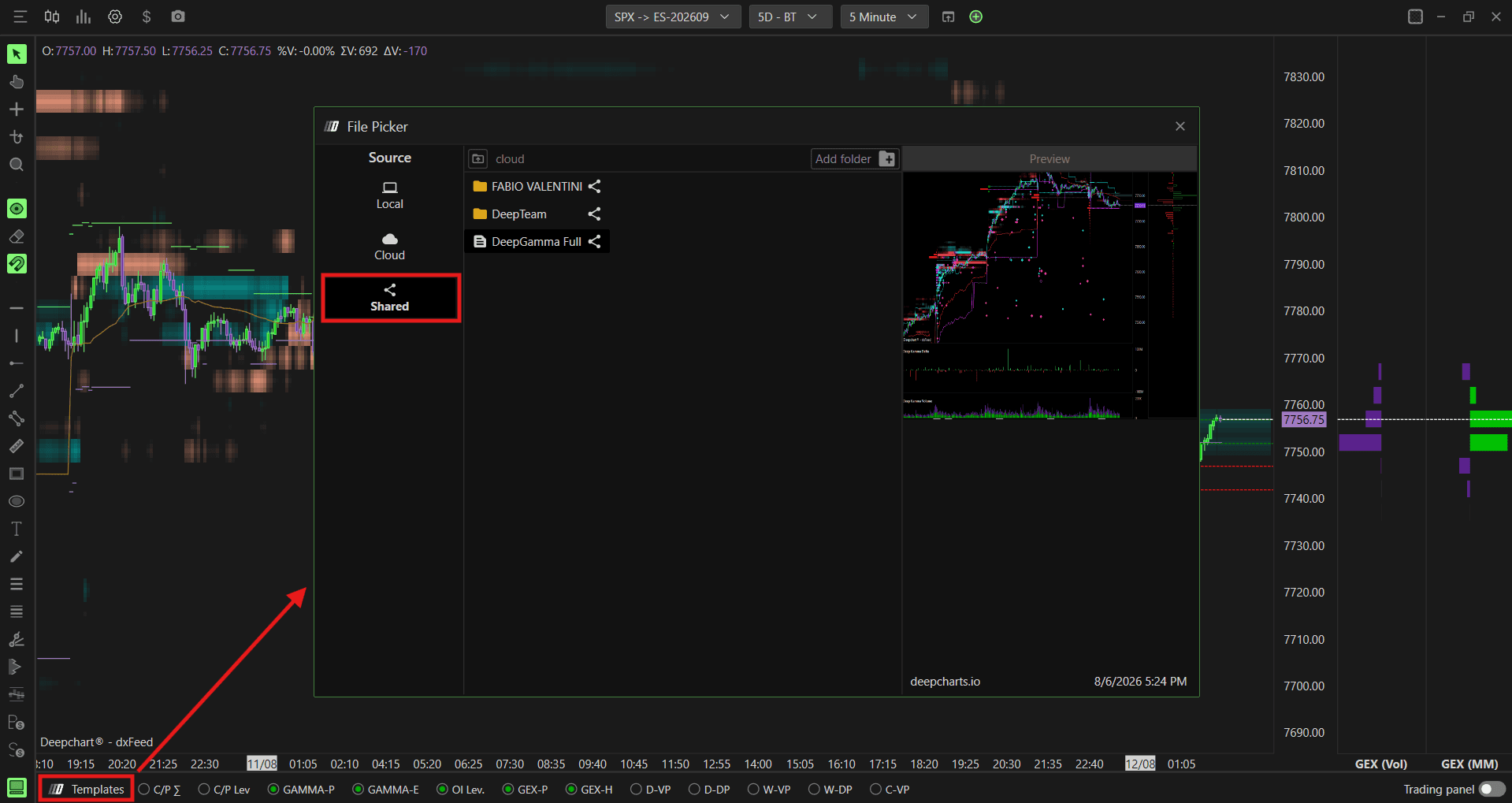
Path: Templates → Shared → OF Version
Workspaces
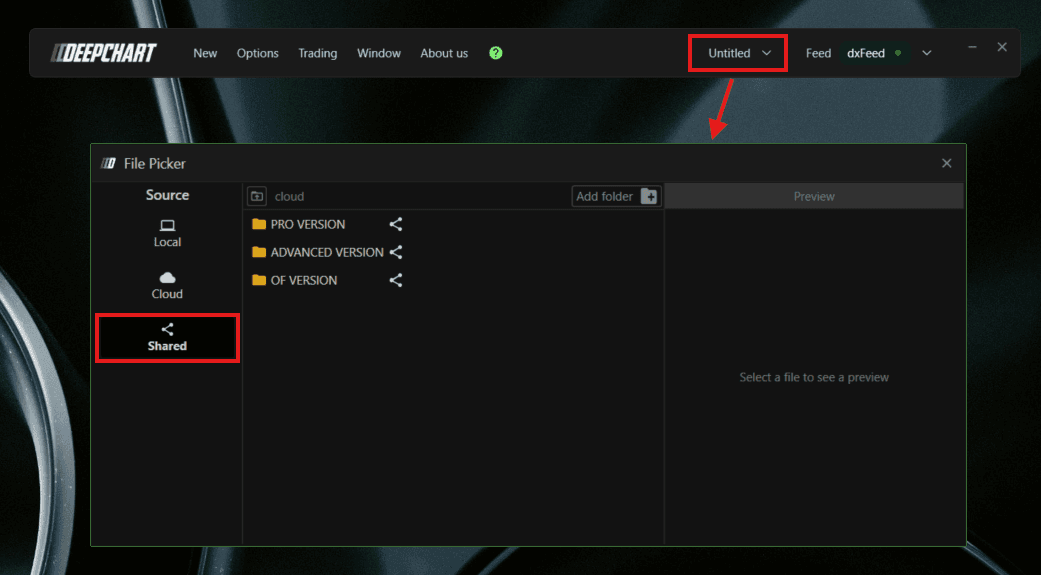
Three workspace versions are available based on your subscription:
Pro — access to all workspaces, including Pro, Advanced, and Orderflow
Advanced — access to Advanced and Orderflow workspaces only
Orderflow — access to Orderflow workspaces only. Pro workspaces cannot be opened because they require DeepGamma
Path: Open → Shared → Pro Version / Advanced Version / OF Version
Option Chart Templates
Dedicated templates are available for the Option Chart for DeepGamma users, giving you quick access to preconfigured option chart layouts.
Path: Option Chart → Template → Shared
Advanced DOM
Multiple Indicator Profiles
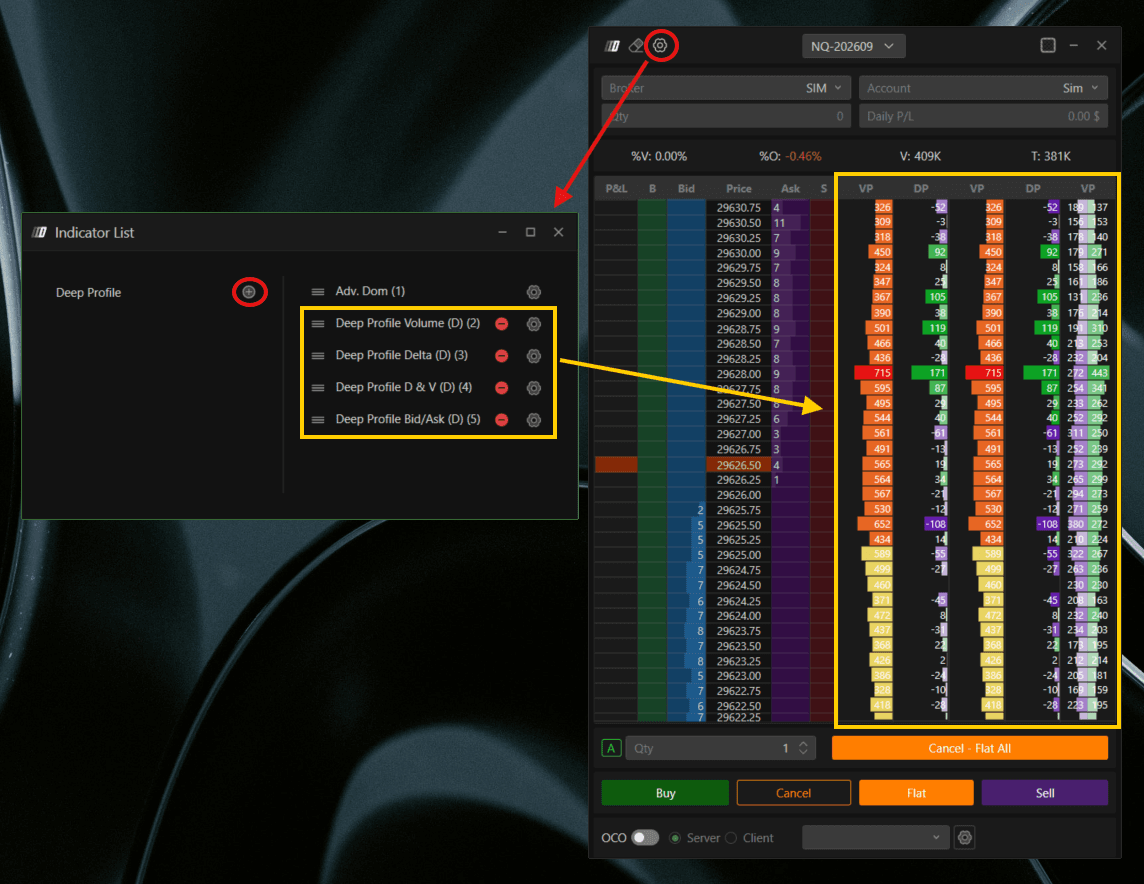
You can now add multiple indicators, or profiles, to the Advanced DOM simultaneously. Profiles can be reordered with a customizable up-and-down arrangement to suit your preferred layout.
Theme
Skin Customization
You can now create fully custom app themes, with all colors automatically applied across all windows and indicators.
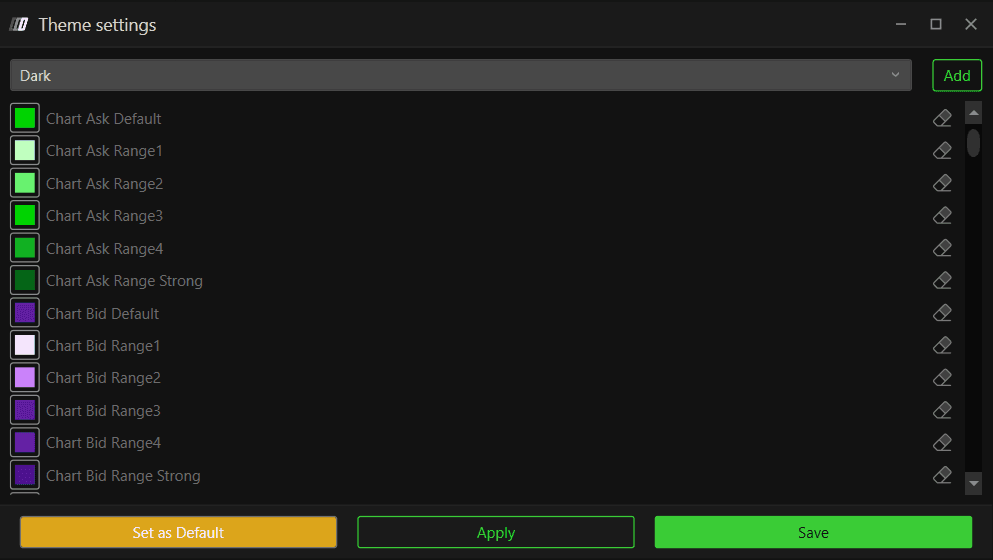
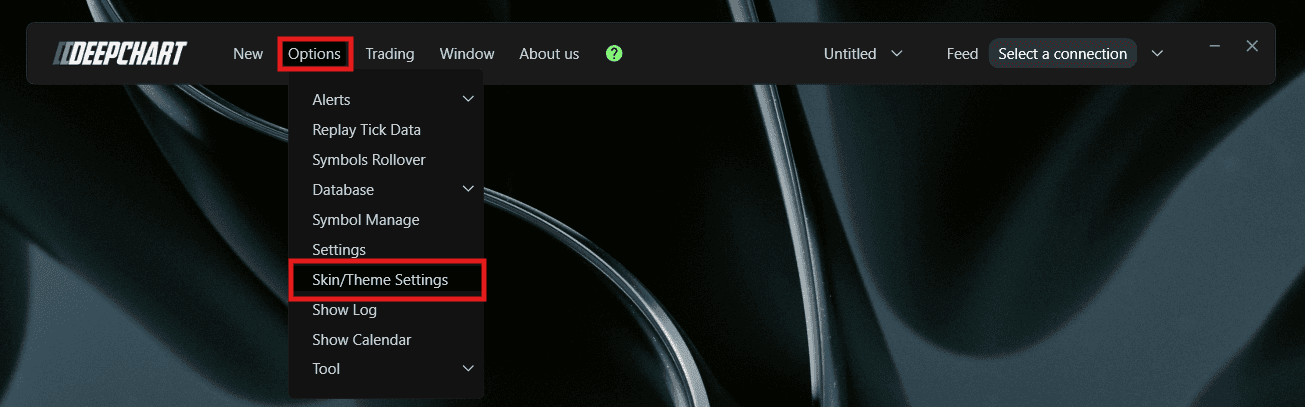
Location: Options → Settings → Theme
Trading
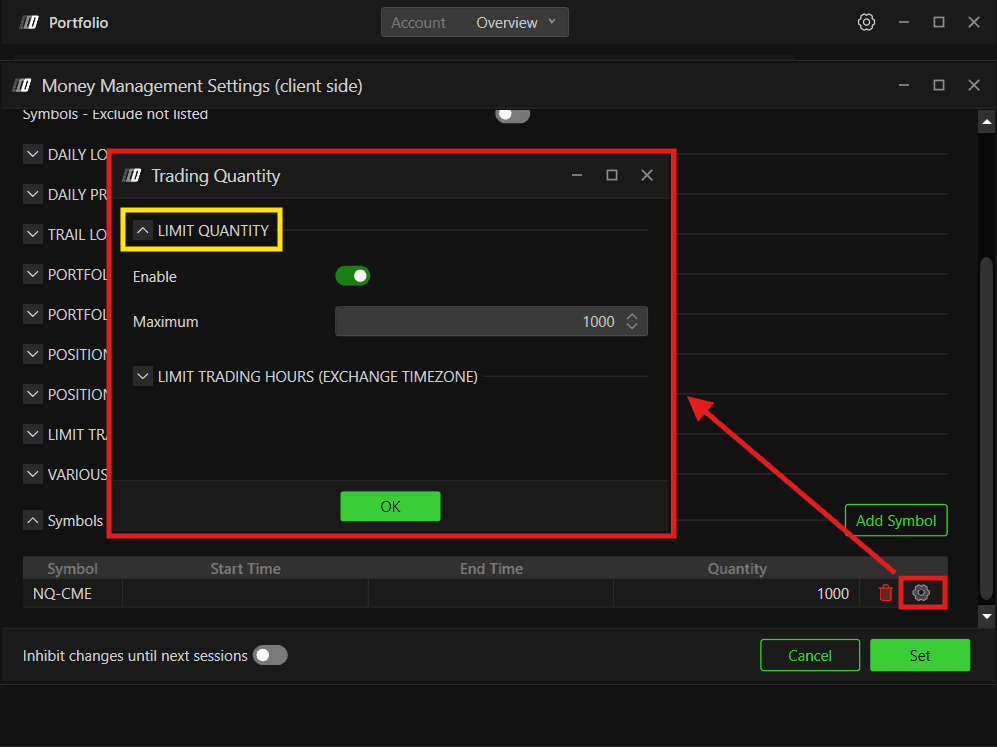
Risk Manager — Quantity Limit
The Quantity Limit setting has been brought back to the Risk Manager and enhanced with checks across pending orders as well.
Stop and Target ALL
Stop and Target ALL was previously available only on dxFeed Prop because it required server-side support. It is now available across all connections. Where server-side support is unavailable, DeepChart handles it directly on the client side.
Location: Options → Settings → Trading

Important: If unusual behavior interrupts your session, the platform will not automatically adjust your Stop and Target ALL orders. Manual intervention is required to ensure the orders reflect your current position.
Indicators
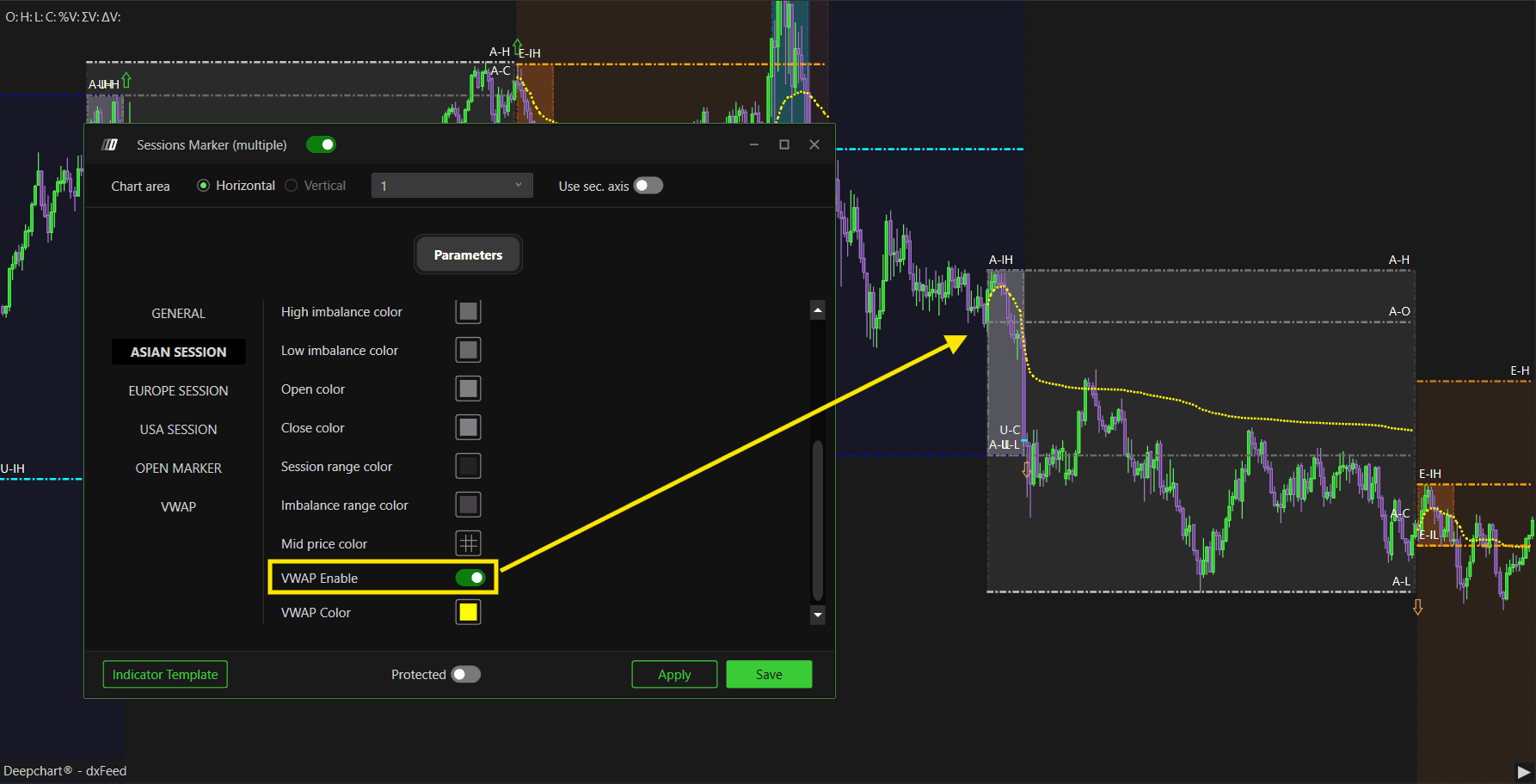
Session Marker
VWAP has been added to the Session Marker indicator
Session Marker has been split into two separate indicators: Session Marker (Multiple) and Session Marker (Single)
Session Marker levels can now be extended
Overlay Timeframe Vertical
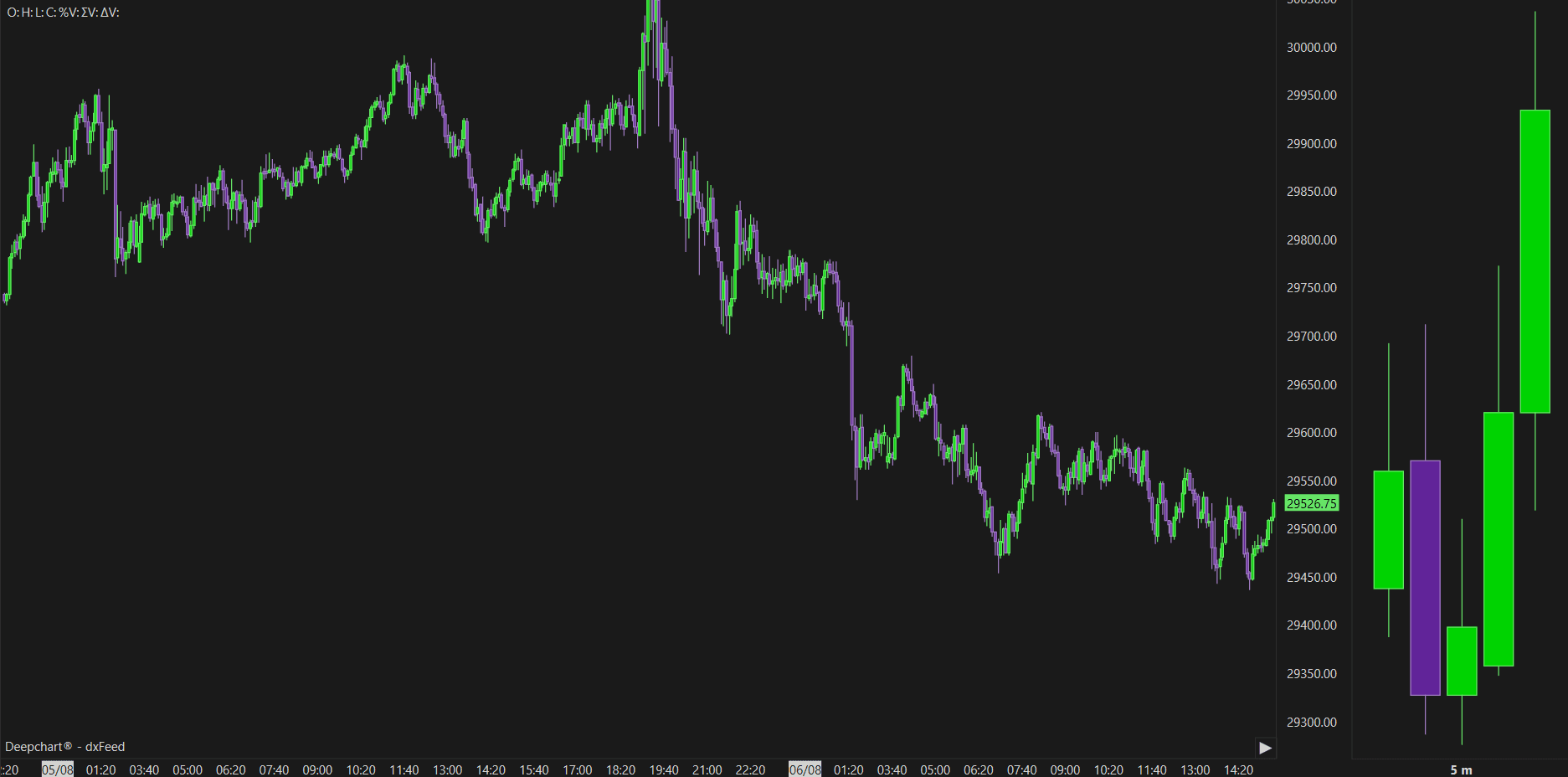
A new Overlay Timeframe Vertical indicator has been introduced. You can now place a higher timeframe in a vertical chart area, making it easier to monitor potential breakouts on important timeframes.
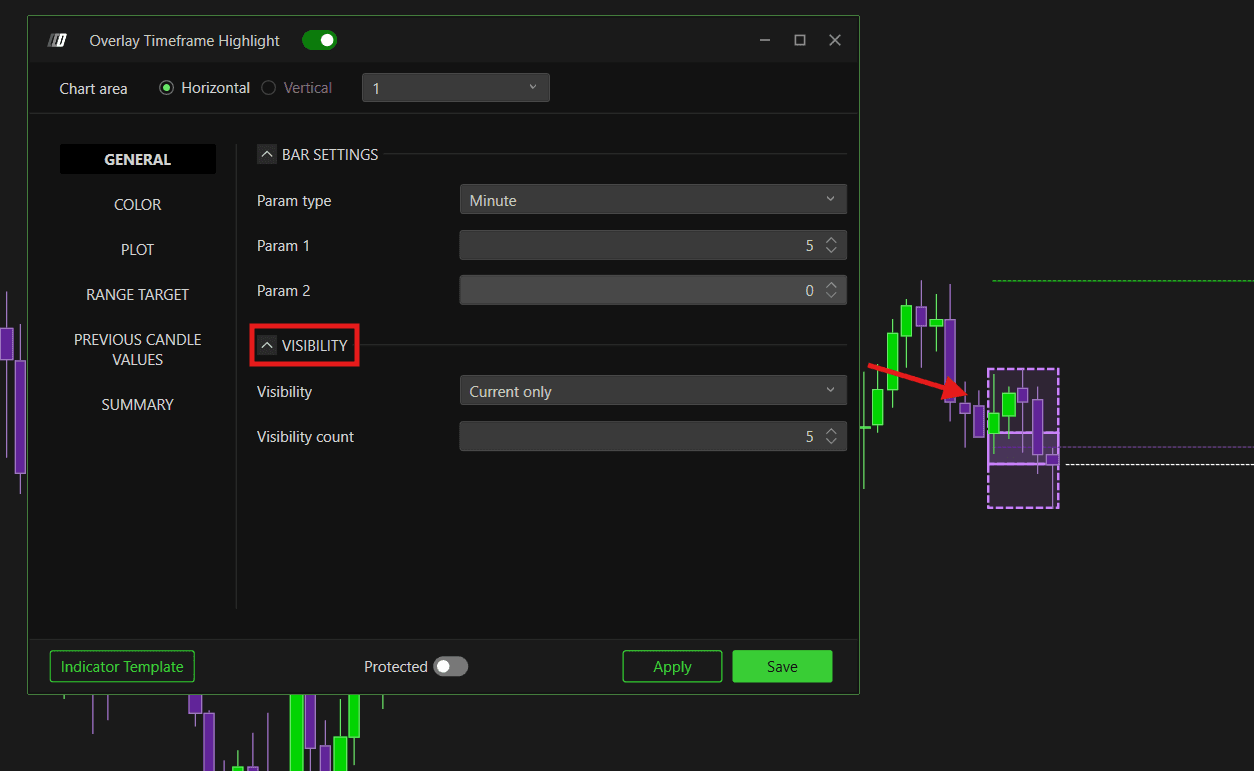
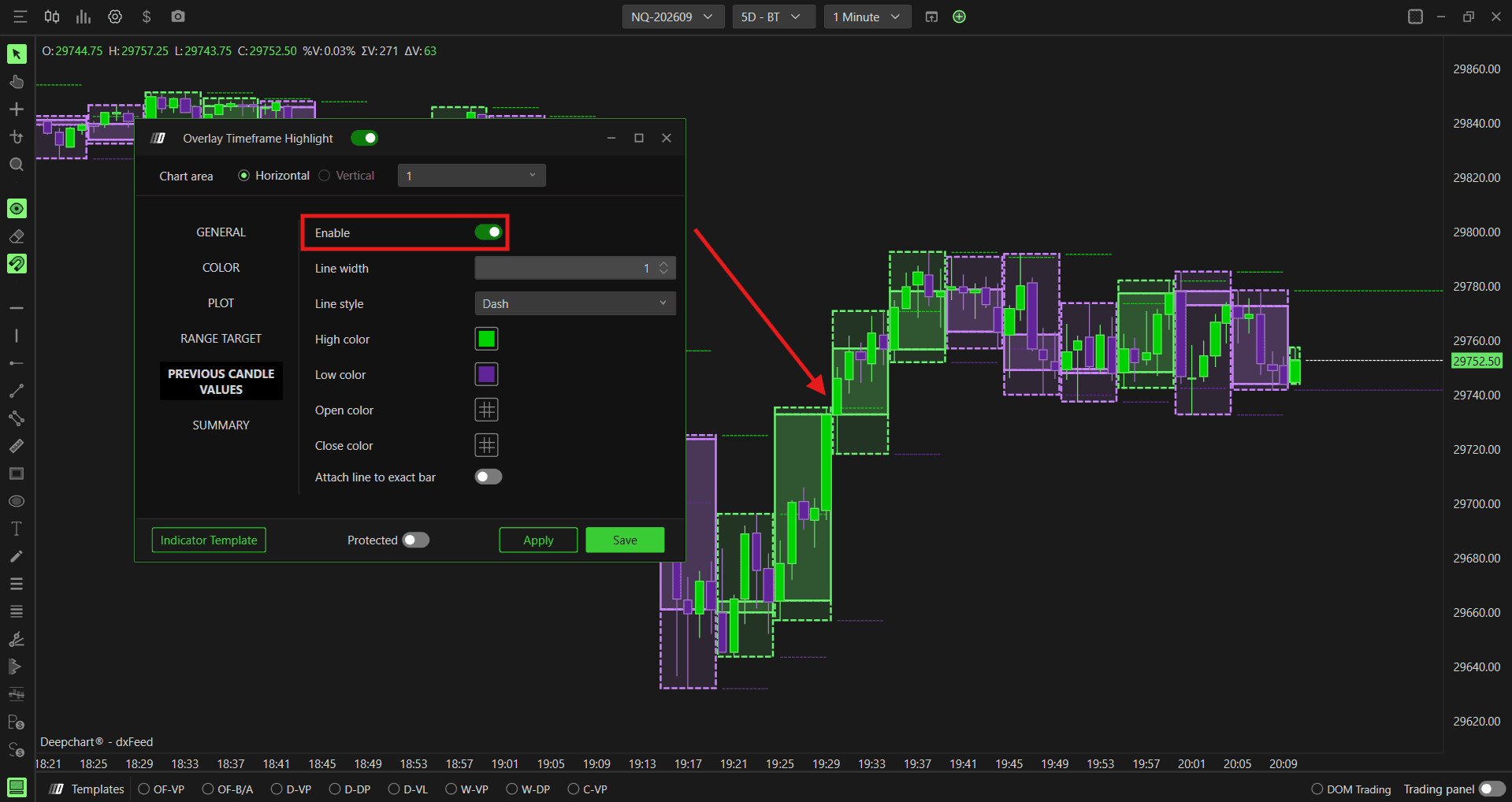
Overlay Timeframe Highlight
Limit the number of visible candles
Extend values from the previous bar
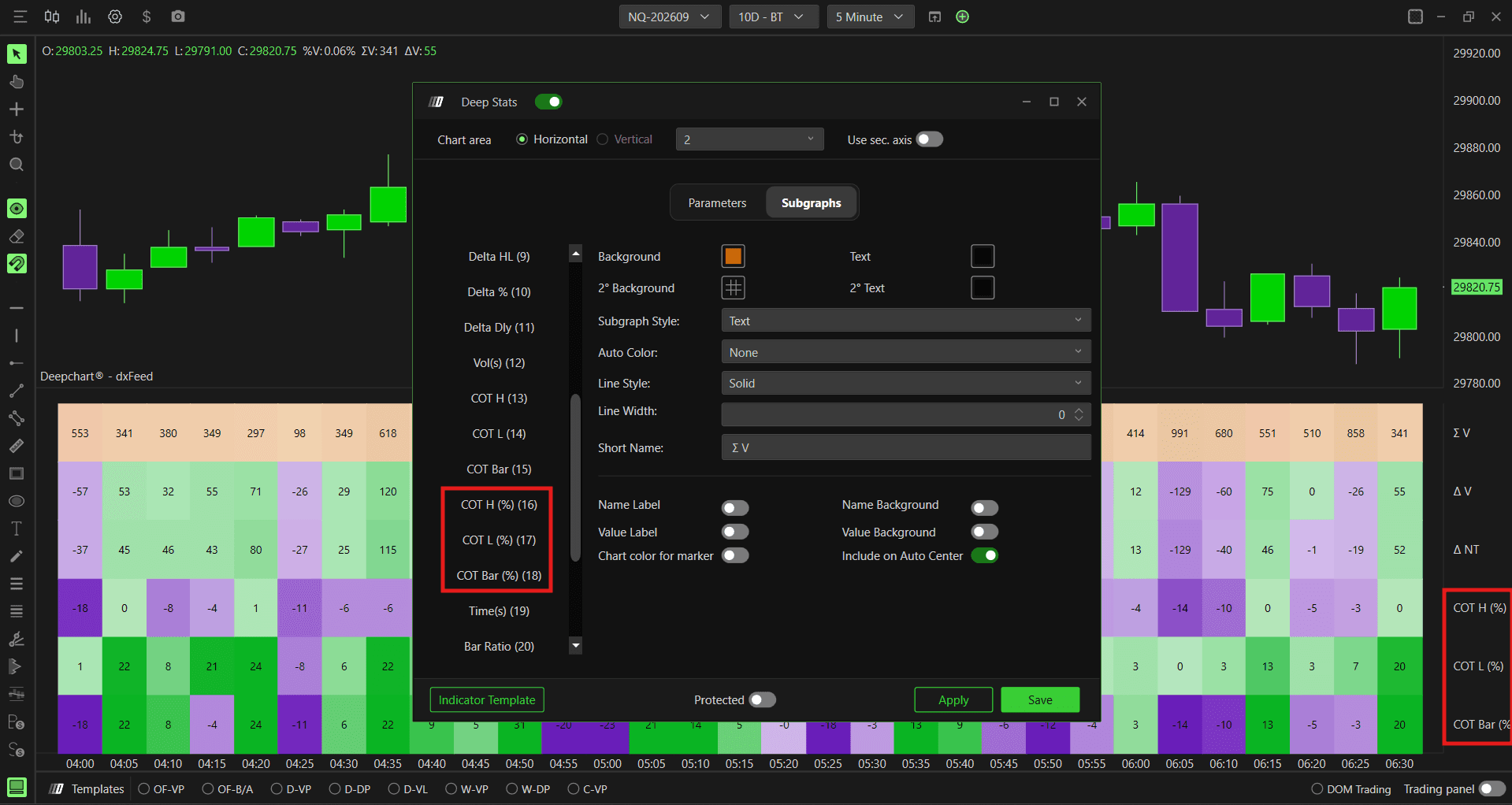
Deep Stats
COT percentage has been added to the Deep Stats indicator.
Time Filter
Time filtering has been added to the following indicators:
Auction Gap Tracker
Unfinished Auction
Imbalance Tracker
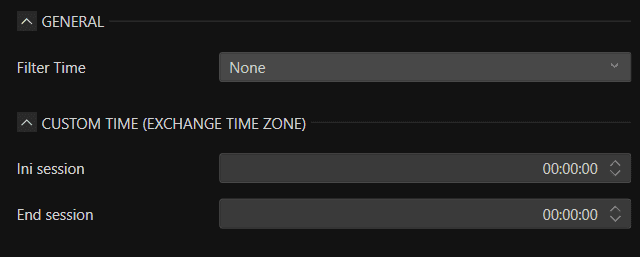
These indicators can also reset their lines automatically when the ETH/RTH session starts.
Deep Trades
Deep Trades can now display text directly on the chart.
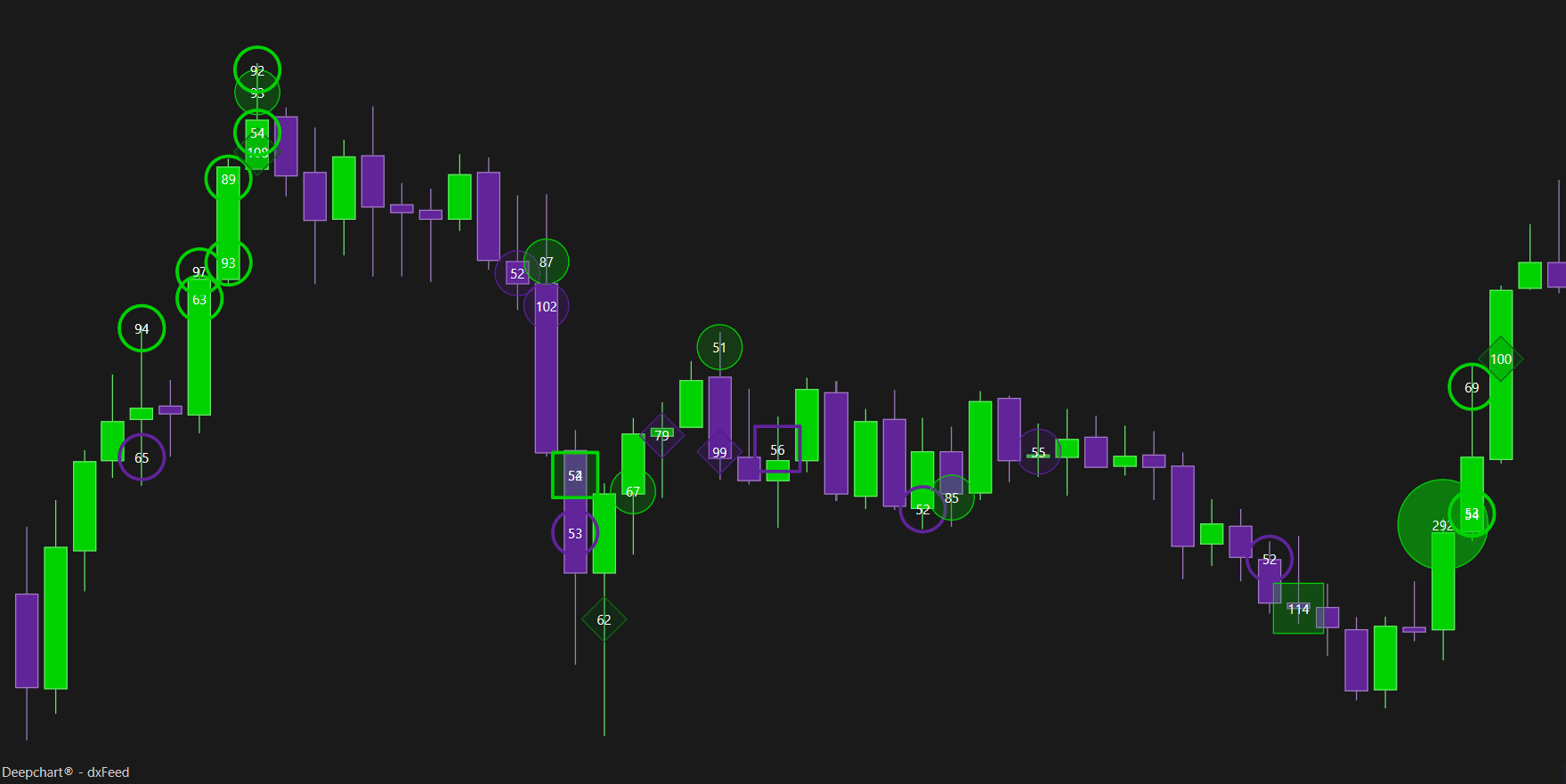
Big Trades and Deep Trades
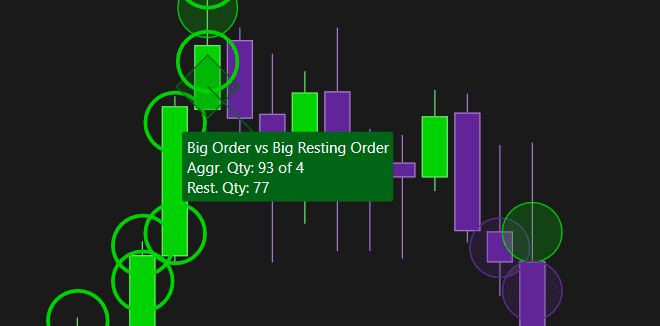
Tooltip and hover support has been added to both indicators, making detailed order information available without leaving the chart.
Various
Improved Rithmic connectivity for the NG symbol
Added support and symbols for single-stock futures
Final Notes
This update marks a significant milestone with the launch of the DeepGamma Suite, bringing real CBOE participant data directly into your order flow software for the first time. Alongside this, we have continued to improve trading safety, indicator flexibility, and the overall platform experience.
As always, feedback from active users continues to guide ongoing development. We will keep working to bring you the most accurate and powerful tools to help you trade better.

Deepcharts Team
·
Share this on
