Anleitung

Updated:

Datenfeed kaufen / Zugangsdaten erhalten

Datenfeed kaufen / Zugangsdaten erhalten

Anleitung zum Hinzufügen eines neuen Data-Feed-Abonnements zu Ihrem Konto.

Anleitung zum Hinzufügen eines neuen Data-Feed-Abonnements zu Ihrem Konto.

No headings found on page

Gehen Sie zu my.deepcharts.com

  • Gehen Sie links zu Data Feed.

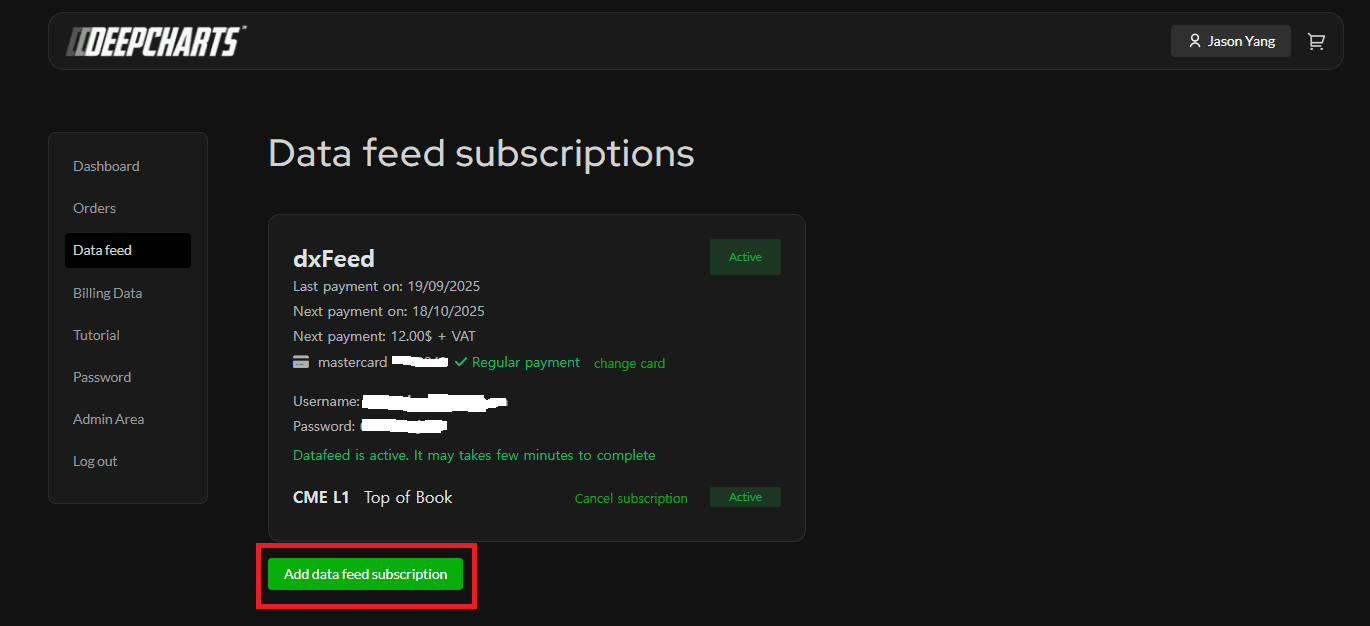
  • Klicken Sie auf Add data feed subscription
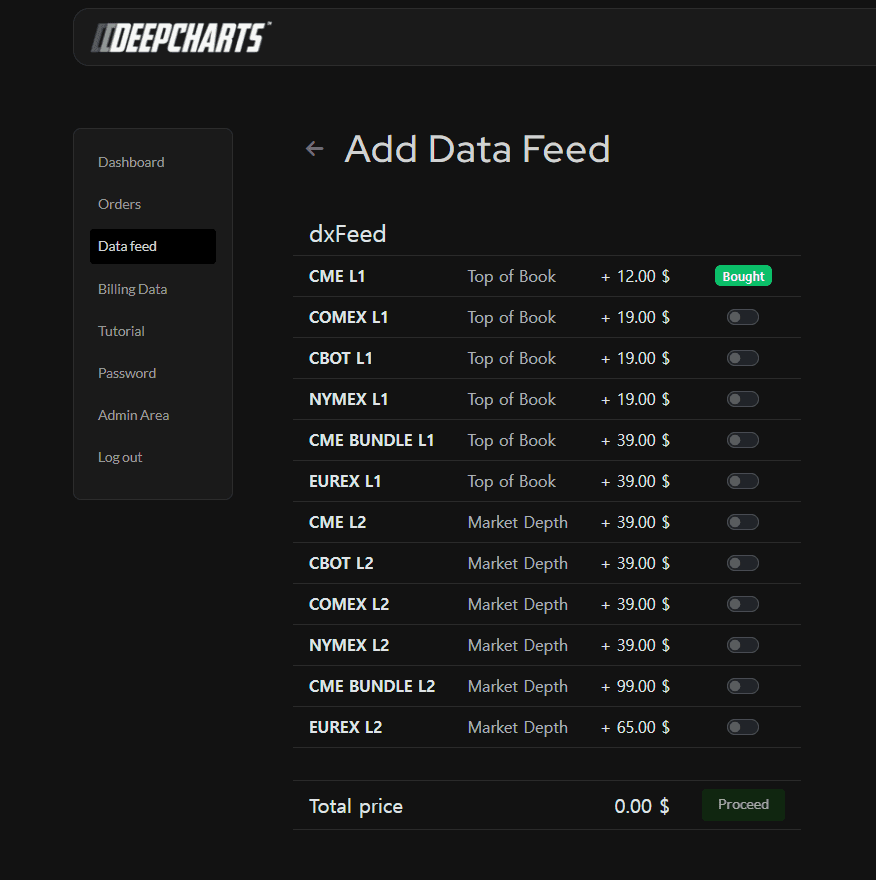
     Wählen Sie den gewünschten Data Feed und fahren Sie mit der Bestellung fort
    Geben Sie dann Ihre Kartendaten ein und klicken Sie auf Pay

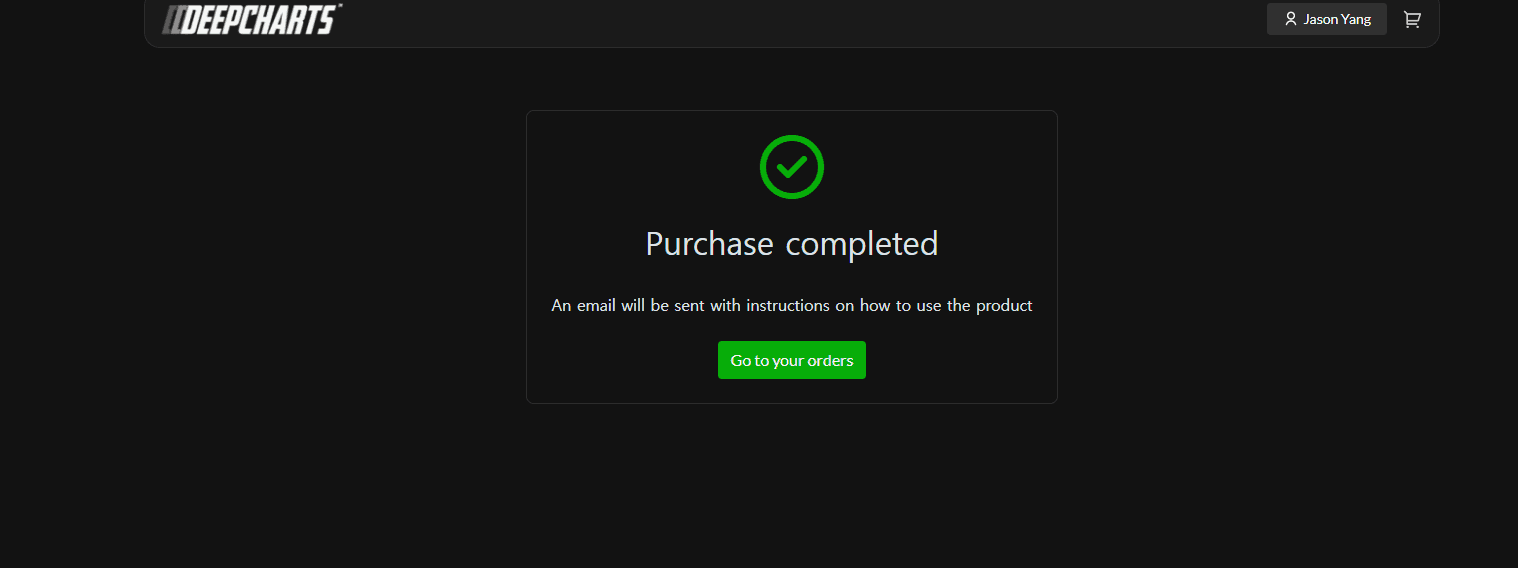
    Nach erfolgreichem Abschluss werden Sie hierhin weitergeleitet:
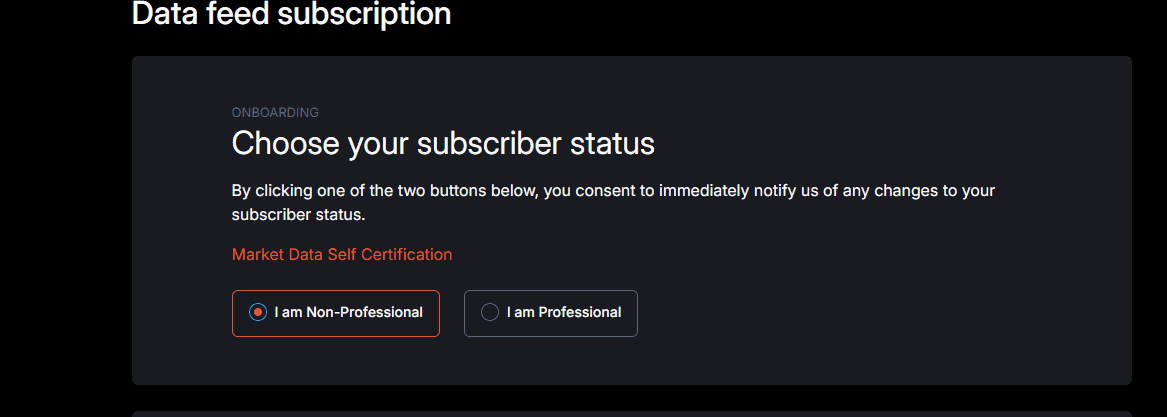
    Gehen Sie zurück zu Data Feed; dort müssen Sie den Vertrag unterschreiben.

    Wählen Sie den Subskriptionsstatus (non-professional) und geben Sie Ihre Daten ein:
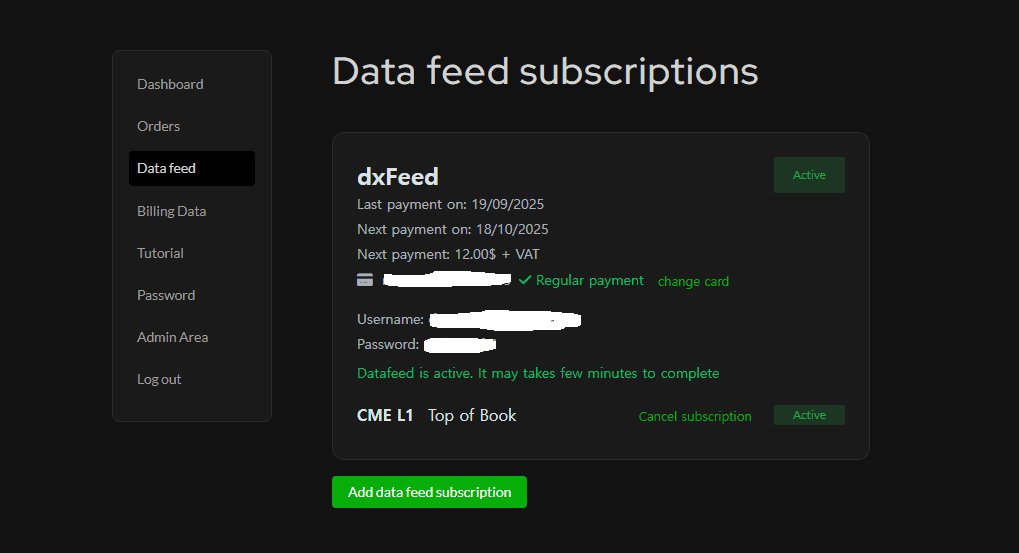
    Sobald Sie den Vertrag unterschrieben und fortgefahren sind, gehen Sie zurück zu Data Feed; dort sehen Sie Ihren Benutzernamen und Ihr Passwort (im Bild ist es unkenntlich gemacht)

Tools for futures, currency & options involves substantial risk & is not appropriate for everyone. Only risk capital should be used for trading.

Testimonials appearing on this website may not be representative of other clients or customers and is not a guarantee of future performance or success.

Tools for futures, currency & options involves substantial risk & is not appropriate for everyone. Only risk capital should be used for trading. Testimonials appearing on this website may not be representative of other clients or customers and is not a guarantee of future performance or success.

Deepcharts © 2026 All right reserved

Tools for futures, currency & options involves substantial risk & is not appropriate for everyone. Only risk capital should be used for trading. Testimonials appearing on this website may not be representative of other clients or customers and is not a guarantee of future performance or success.

Deepcharts © 2026 All right reserved