Anleitung

Updated:

Symbol-Rollover (Kontraktmonatscode ändern)

Symbol-Rollover (Kontraktmonatscode ändern)

No headings found on page

Hier wird gezeigt, wie man ein symbol rollover durchführt (Aktualisierung des Kontraktmonats-Codes)

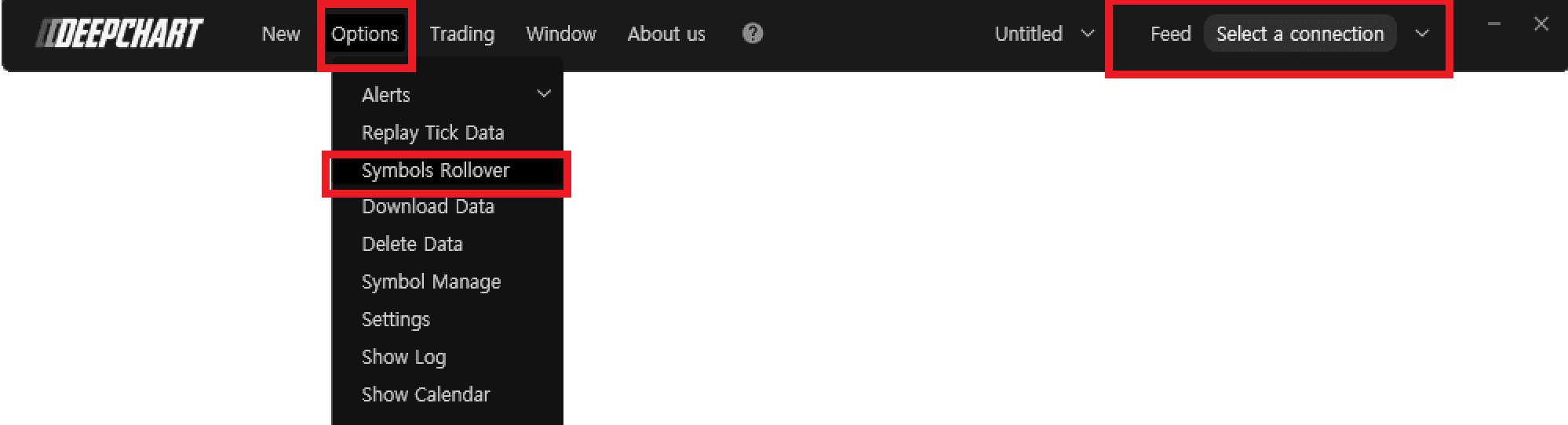
  1. Stellen Sie sicher, dass Sie den Preis-Chart geschlossen und den Data Feed getrennt haben.

  2. Gehen Sie zu Optionen > Symbol Rollover

  3. Im Fenster Manage Rollover klicken Sie auf das gewünschte Symbol und drücken Sie Perform Rollover.

Tools for futures, currency & options involves substantial risk & is not appropriate for everyone. Only risk capital should be used for trading.

Testimonials appearing on this website may not be representative of other clients or customers and is not a guarantee of future performance or success.

Tools for futures, currency & options involves substantial risk & is not appropriate for everyone. Only risk capital should be used for trading. Testimonials appearing on this website may not be representative of other clients or customers and is not a guarantee of future performance or success.

Deepcharts © 2026 All right reserved

Tools for futures, currency & options involves substantial risk & is not appropriate for everyone. Only risk capital should be used for trading. Testimonials appearing on this website may not be representative of other clients or customers and is not a guarantee of future performance or success.

Deepcharts © 2026 All right reserved