Trading

Updated:

Portfolio (Wallet)

Portfolio (Wallet)

Überwachen Sie Ihre Assets und verfolgen Sie Echtzeit-Saldoaktualisierungen über verschiedene Unterkonten in der Portfolio-Wallet-Oberfläche

Überwachen Sie Ihre Assets und verfolgen Sie Echtzeit-Saldoaktualisierungen über verschiedene Unterkonten in der Portfolio-Wallet-Oberfläche

No headings found on page

Portfolio

So öffnen Sie das Portfolio:

  1. Klicken Sie im Menü Trading in DeepCharts.

  2. Wählen Sie Show Portfolio.

Übersicht

Das Portfolio zeigt:

  • Verbundene Broker und ihre Konten

  • Verkäufe

  • Tägliches P/L (Profit & Loss)

  • Offenes P/L (aktuelle Positionen)

Dieser Bereich ermöglicht es Ihnen, Ihre Konten und Ihre Trading-Performance auf einen Blick zu überwachen.
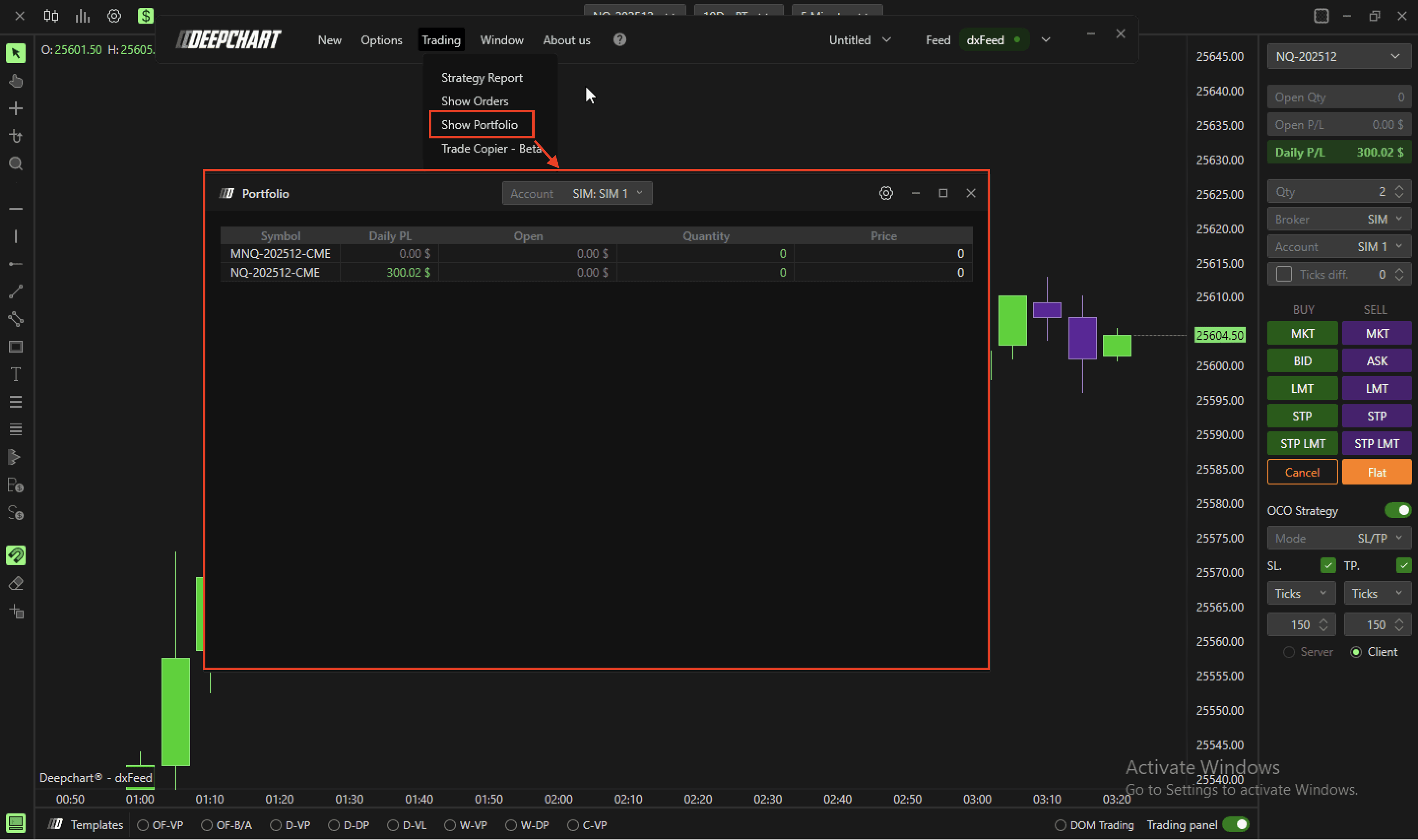

Table of Contents

No headings found on page

Tools for futures, currency & options involves substantial risk & is not appropriate for everyone. Only risk capital should be used for trading.

Testimonials appearing on this website may not be representative of other clients or customers and is not a guarantee of future performance or success.

Tools for futures, currency & options involves substantial risk & is not appropriate for everyone. Only risk capital should be used for trading. Testimonials appearing on this website may not be representative of other clients or customers and is not a guarantee of future performance or success.

Deepcharts © 2026 All right reserved

Tools for futures, currency & options involves substantial risk & is not appropriate for everyone. Only risk capital should be used for trading. Testimonials appearing on this website may not be representative of other clients or customers and is not a guarantee of future performance or success.

Deepcharts © 2026 All right reserved
