Anleitung

Updated:

Sprache, Design und Benachrichtigungstöne anpassen

Sprache, Design und Benachrichtigungstöne anpassen

No headings found on page

1. So greifen Sie auf die Einstellungen zu

  1. Klicken Sie auf Optionen

  2. Wählen Sie Einstellungen

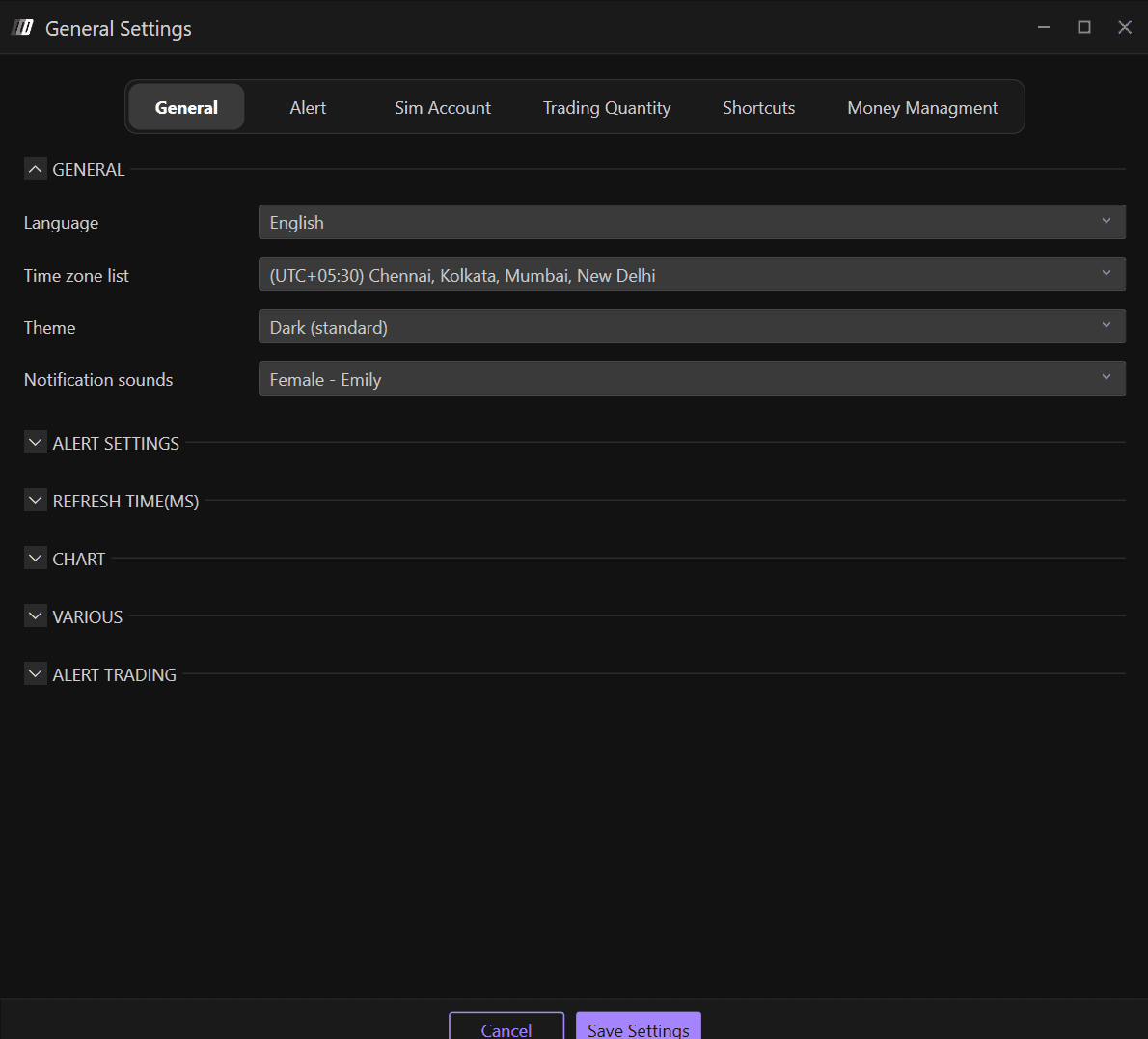
  3. Navigieren Sie zum Abschnitt Allgemein

Im Abschnitt Allgemein finden Sie die allgemeinen Einstellungen von Deepcharts, wo Sie Folgendes ändern können:

  • Sprache

  • Zeitzone

  • Theme: Plattformdarstellung

  • Benachrichtigungstöne

2. Sprache

Verfügbare Sprachen:

  • Englisch

  • Italienisch

  • Spanisch

  • Deutsch

  • Chinesisch

3. Theme: Plattformdarstellung

Verfügbare Themes in Deepcharts:

  • Dunkel

  • Dunkel (Standard)

  • Blau

  • Hell 

  • Hell (Standard)

  • Lila

4. Benachrichtigungstöne

Passen Sie Ihre Benachrichtigungstöne im Abschnitt Allgemein an. Verfügbare Optionen sind:

  • Weiblich - Emily

  • Weiblich - Daniela

  • Männlich

  • Warzone

Tools for futures, currency & options involves substantial risk & is not appropriate for everyone. Only risk capital should be used for trading.

Testimonials appearing on this website may not be representative of other clients or customers and is not a guarantee of future performance or success.

Tools for futures, currency & options involves substantial risk & is not appropriate for everyone. Only risk capital should be used for trading. Testimonials appearing on this website may not be representative of other clients or customers and is not a guarantee of future performance or success.

Deepcharts © 2026 All right reserved

Tools for futures, currency & options involves substantial risk & is not appropriate for everyone. Only risk capital should be used for trading. Testimonials appearing on this website may not be representative of other clients or customers and is not a guarantee of future performance or success.

Deepcharts © 2026 All right reserved