Allgemein

Updated:

Neuen Kurschart öffnen

Neuen Kurschart öffnen

Folgen Sie diesen Schritten, um über das Hauptmenü ein neues Kurschart-Fenster zu öffnen.

Folgen Sie diesen Schritten, um über das Hauptmenü ein neues Kurschart-Fenster zu öffnen.

No headings found on page
  1. Deepchart-Software öffnen

  2. Stellen Sie sicher, dass Sie mit Data Feed oder Replay Tick Data verbunden sind

  3. Gehen Sie hierhin, um einen Chart zu öffnen: Neu > Kurschart


  4. Wählen Sie Ihre bevorzugte Börse

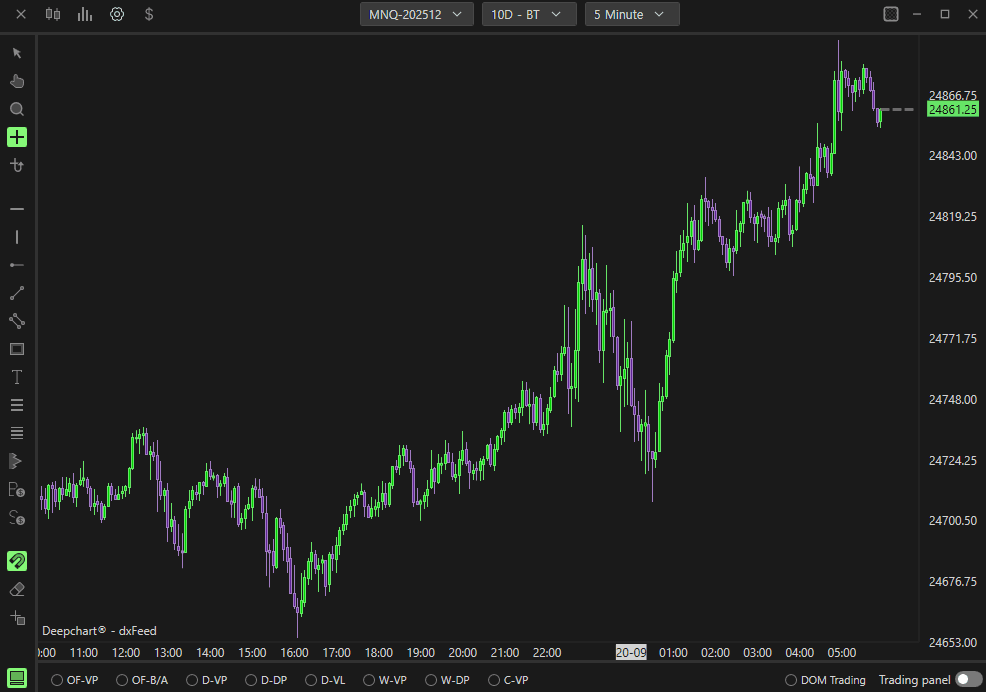
  5. Ein neues Kurschart-Fenster wird geöffnet und Ihre Daten werden geladen. 

  6. Warten Sie ein paar Sekunden, bis deepchart Ihre Daten aufgebaut hat.

  7. Sie sehen den Chart dann so:

Table of Contents

No headings found on page

Tools for futures, currency & options involves substantial risk & is not appropriate for everyone. Only risk capital should be used for trading.

Testimonials appearing on this website may not be representative of other clients or customers and is not a guarantee of future performance or success.

Tools for futures, currency & options involves substantial risk & is not appropriate for everyone. Only risk capital should be used for trading. Testimonials appearing on this website may not be representative of other clients or customers and is not a guarantee of future performance or success.

Deepcharts © 2026 All right reserved

Tools for futures, currency & options involves substantial risk & is not appropriate for everyone. Only risk capital should be used for trading. Testimonials appearing on this website may not be representative of other clients or customers and is not a guarantee of future performance or success.

Deepcharts © 2026 All right reserved