Updated:
DeepChart comes with ready-made Orderflow (OF) Templates and combined Workspaces so you don’t have to build your setup from scratch every time. This article explains what each template contains, how workspaces combine them, and how to access both.
Note: These OF Templates and Workspaces can be accessed on all plans, including Pro, Advanced, and Orderflow Version. They are not limited to a specific plan.

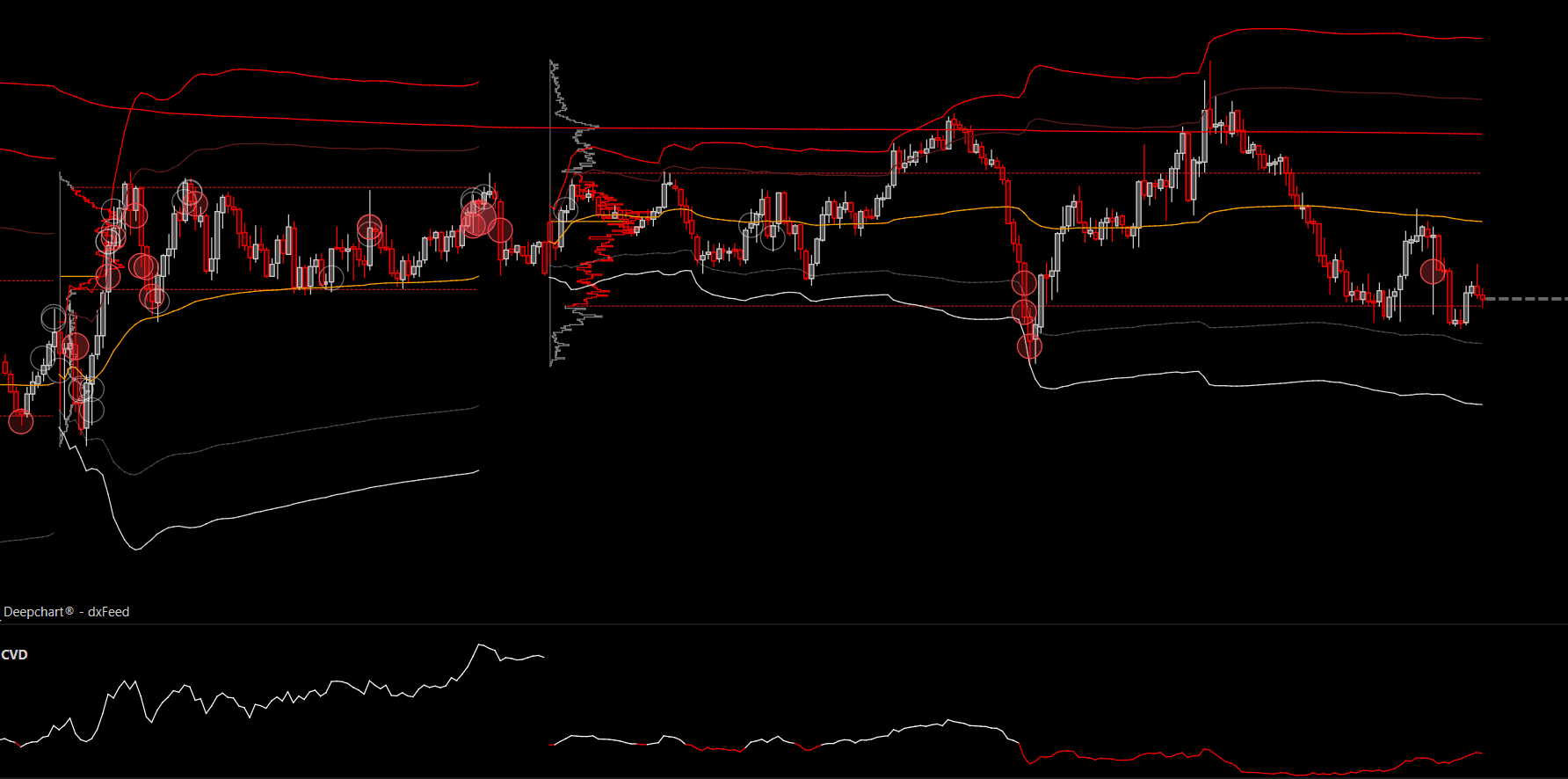
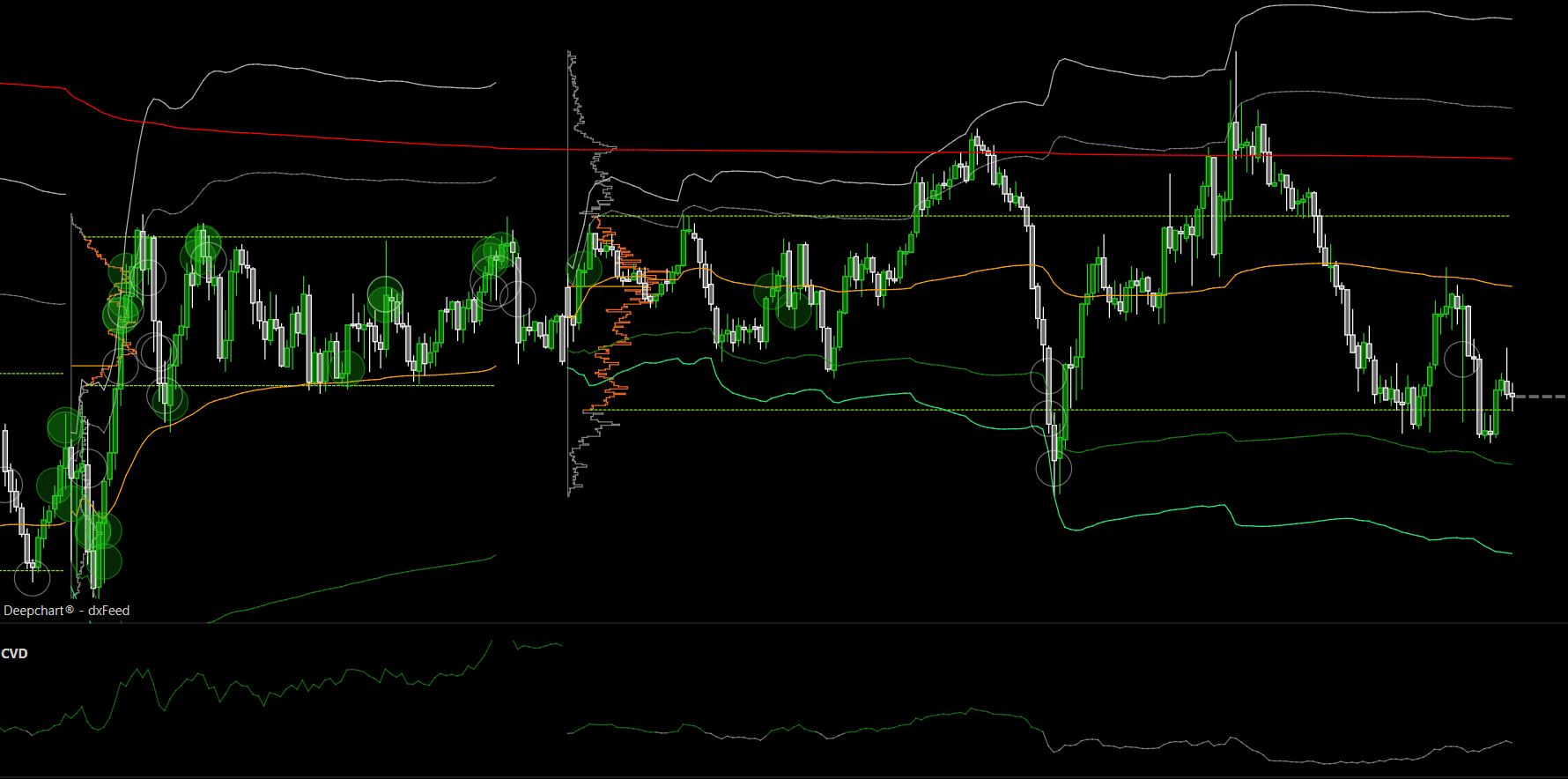
Color Themes
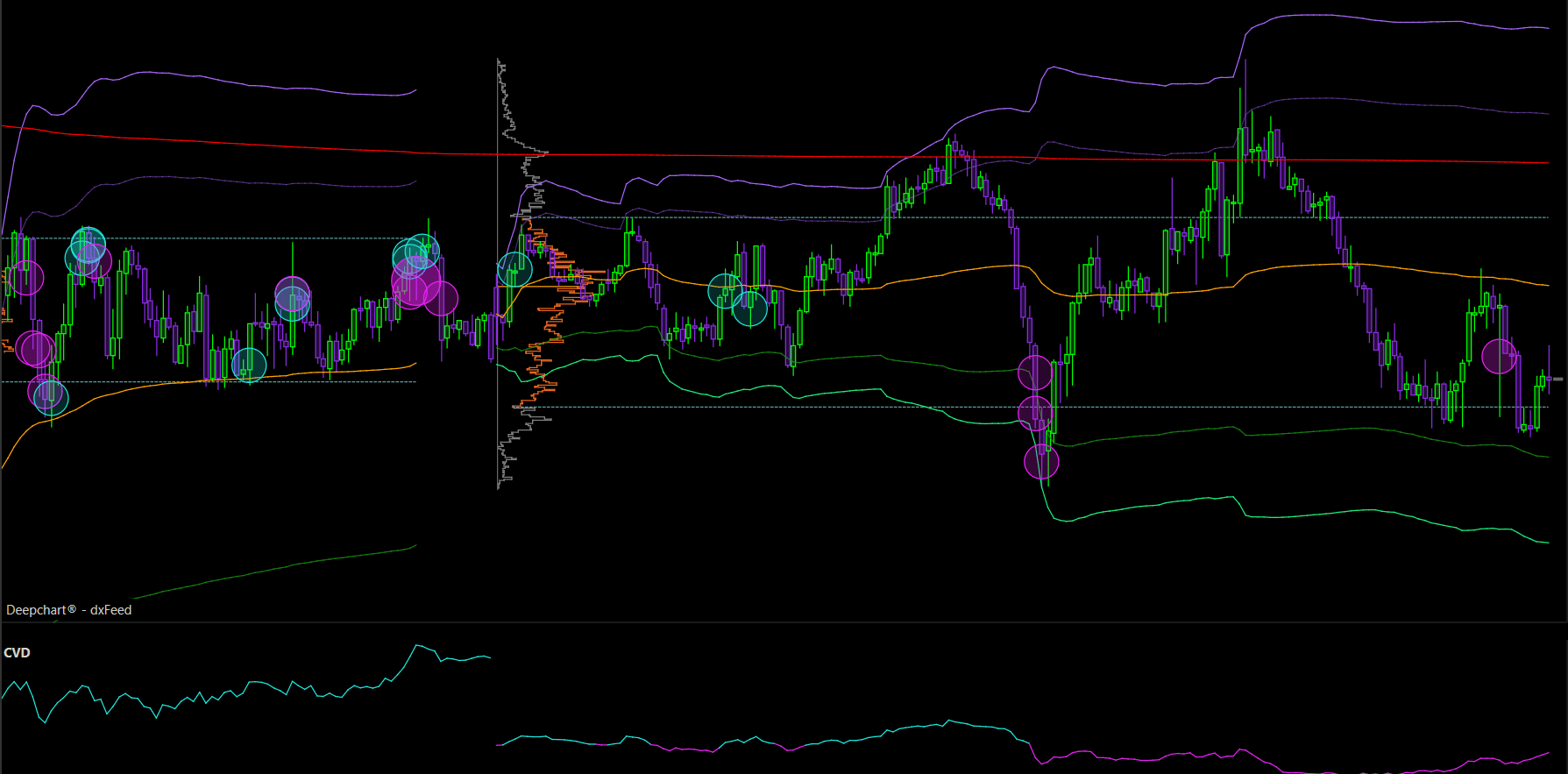
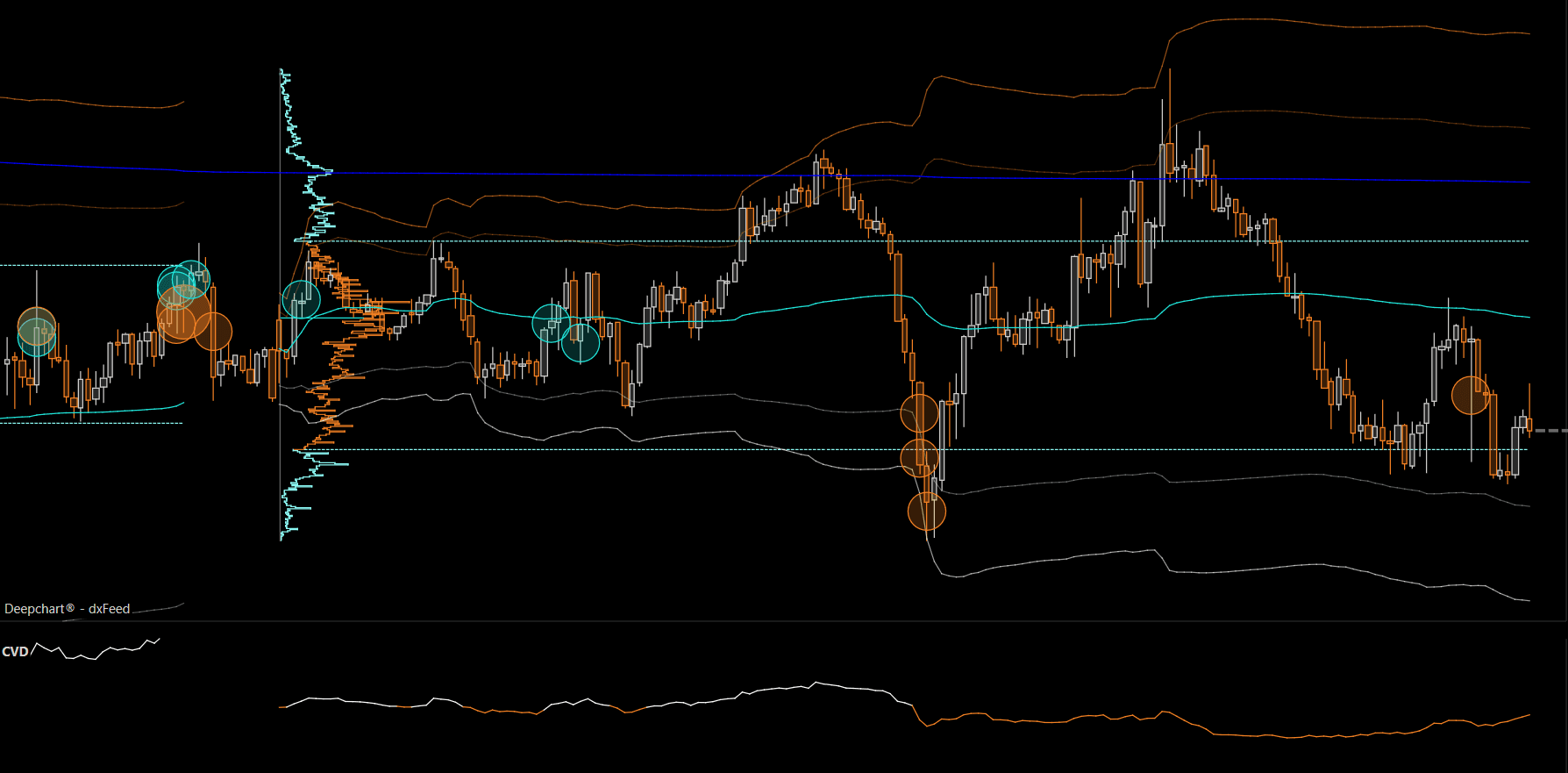
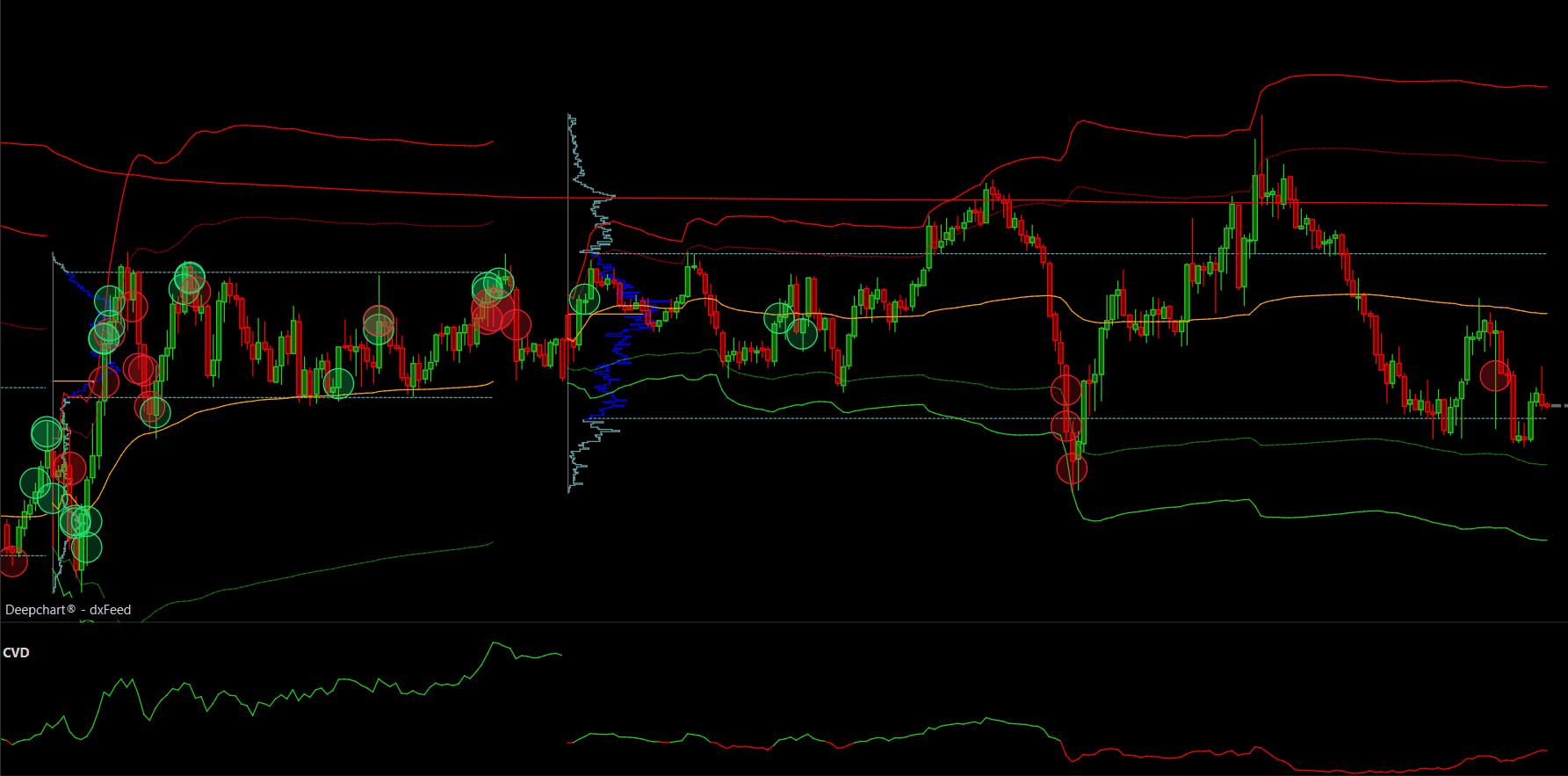
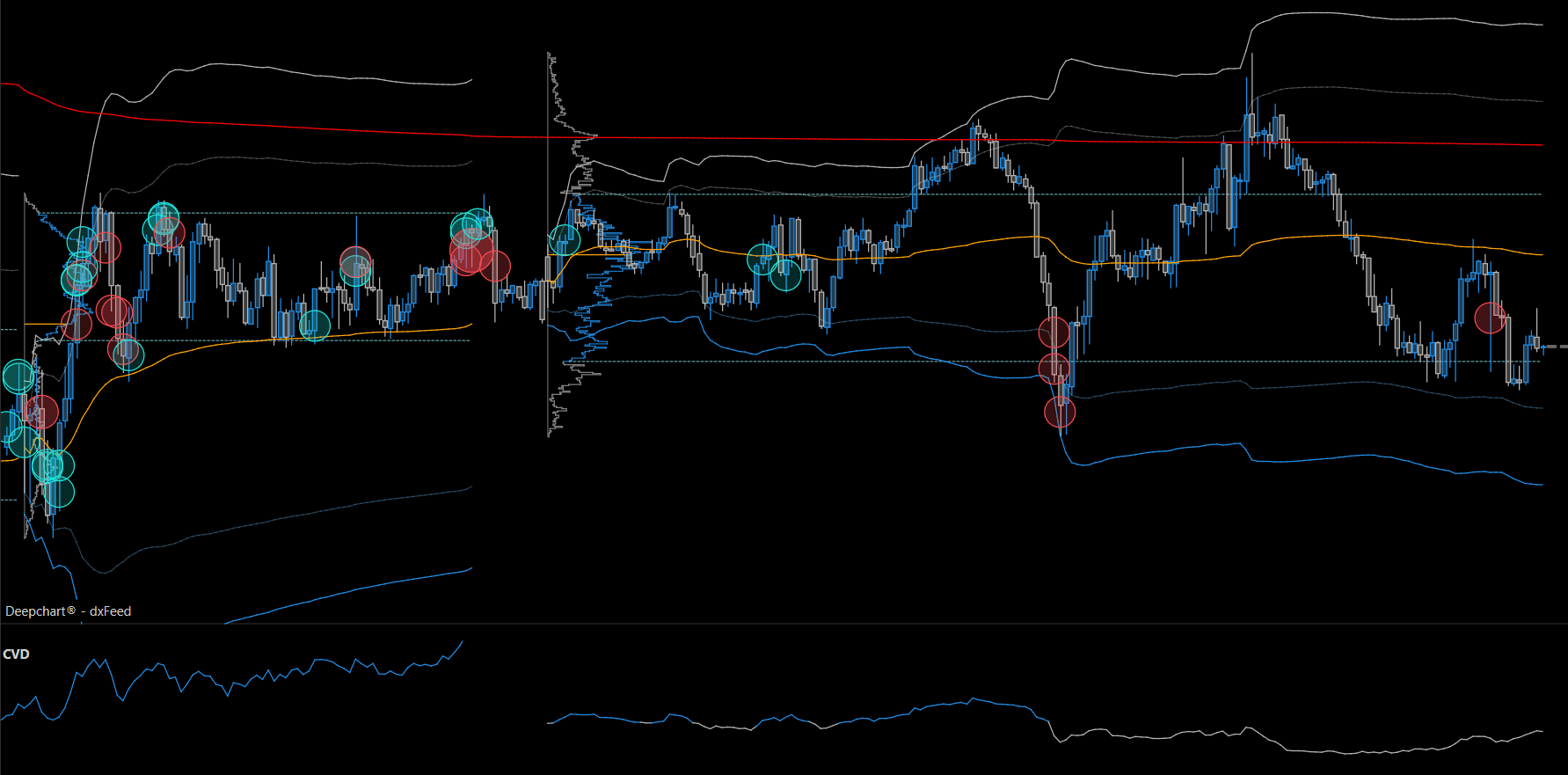
All OF Templates and Workspaces are available in multiple color themes, not just a select few. You can pick whichever color theme is easiest on your eyes without losing any functionality.
DeepVision (Purple & Green)
Apollo (Orange)
Classic Green
Neptune (Blue)
Mars (Red)
SMC
Classic Blue
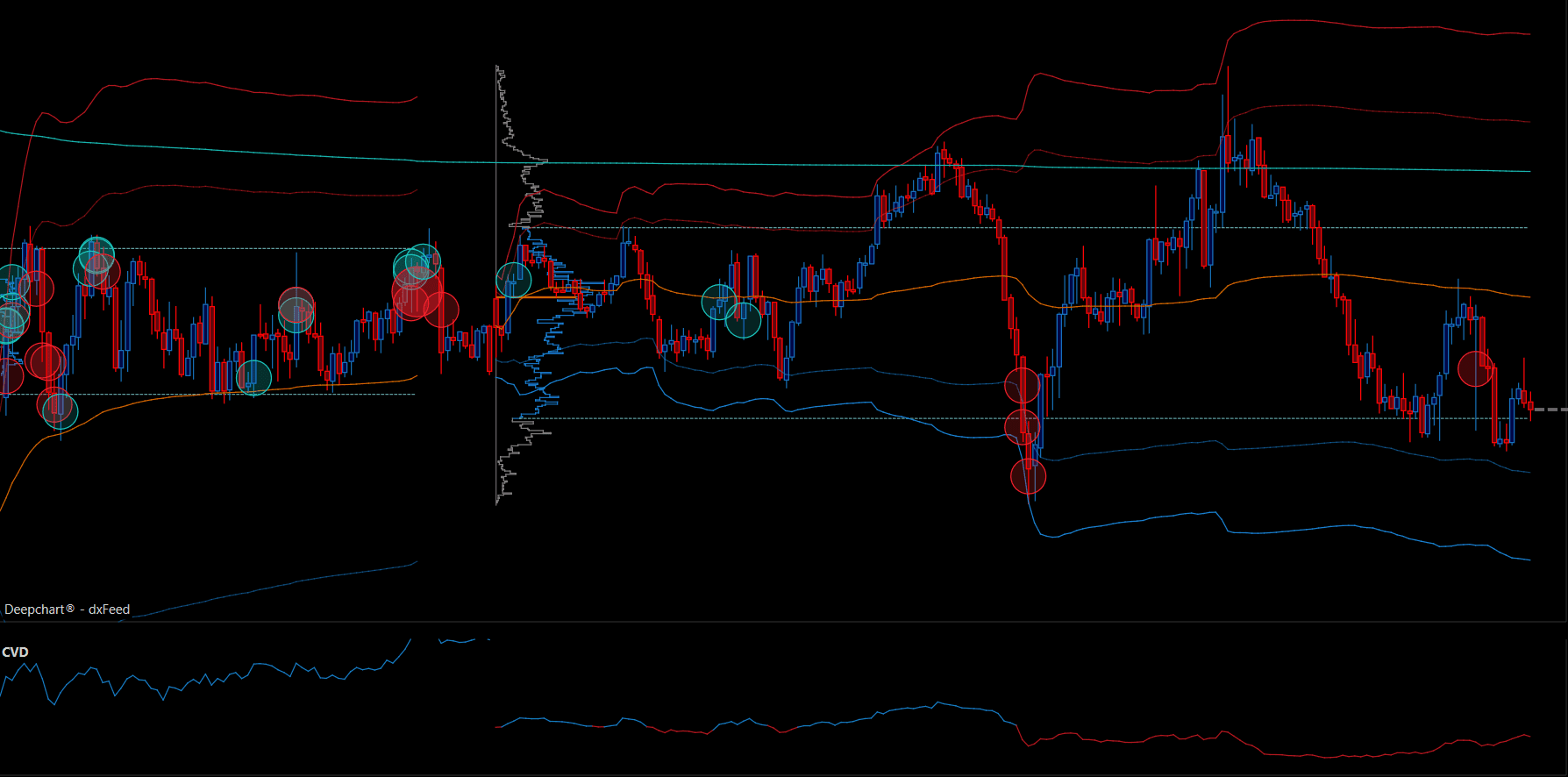
The indicators and logic stay the same across all color variants; only the color scheme changes.
Symbol Specific Configuration
All OF templates, and the workspaces built from them, are configured separately for each symbol: NQ, ES, and GC (DOMination also includes CL).
The tick value used for footprint and BigTrades Filter is different for each symbol, so a single template cannot work the same way across all of them. This is why you will find separate template files for NQ, ES, and GC under each template, and why workspaces are also split by symbol the same way.
NQ: 4 ticks, set manually
GC: 3 ticks, set manually
ES: 1 tick, set automatically
Why the tick value differs
Tick grouping controls how many minimum price increments (ticks) are merged into a single row on the footprint. It is not based on the live price of the instrument, it is based on how many ticks make up one readable row. The unit that row is measured in depends on how the instrument is quoted: NQ and ES are index futures, so their rows are measured in index points, while GC is priced in dollars per ounce, so its rows are measured in dollars.
NQ (4 ticks, manual)
NQ trades in 0.25 point increments, so 4 ticks grouped together equals exactly 1 full index point per row (4 x 0.25 = 1.00)
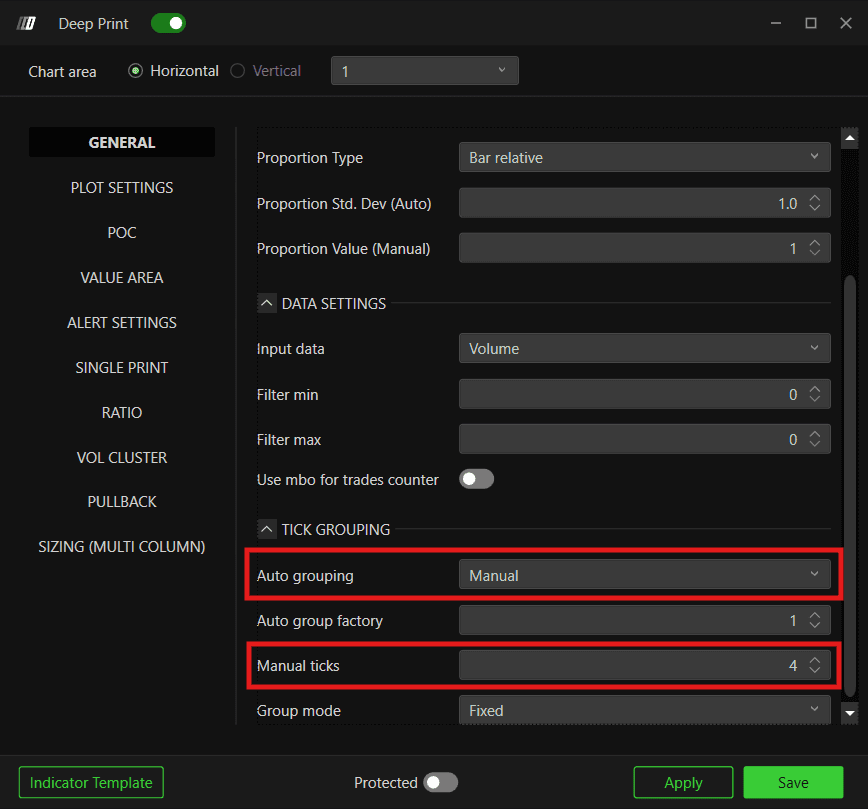
NQ has a thinner order book than ES, so price often skips through the small 0.25 levels quickly. At 1 tick, the footprint would stretch into too many rows and become unreadable. Grouping into 1-point blocks smooths this out and makes real institutional clusters easier to spot.
GC (3 ticks, manual)
GC trades in $0.10 increments, so 3 ticks grouped together equals $0.30 per row (3 x 0.10 = 0.30)
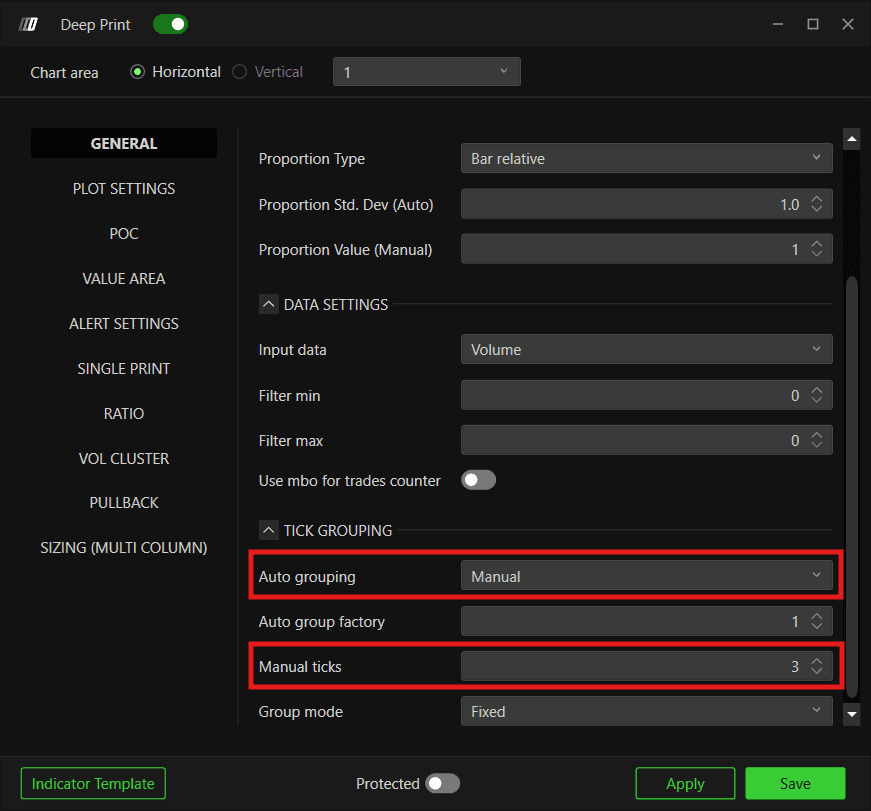
The recommended grouping range for gold typically falls between 2 to 4 ticks ($0.20 to $0.40 blocks), depending on how fast gold is moving. The standard is set at 3 ticks, adjustable within the range if conditions call for it. Gold tends to move in fast bursts, and leaving it ungrouped at 1 tick creates excessive rows during a quick $5 to $10 move. Grouping the ticks keeps the footprint from stretching too tall while still showing clear institutional blocks and absorption levels.
ES (1 tick, auto)
ES has a tick size of 0.25 index points, so 1 tick stays at the raw 0.25 index points per row with no grouping
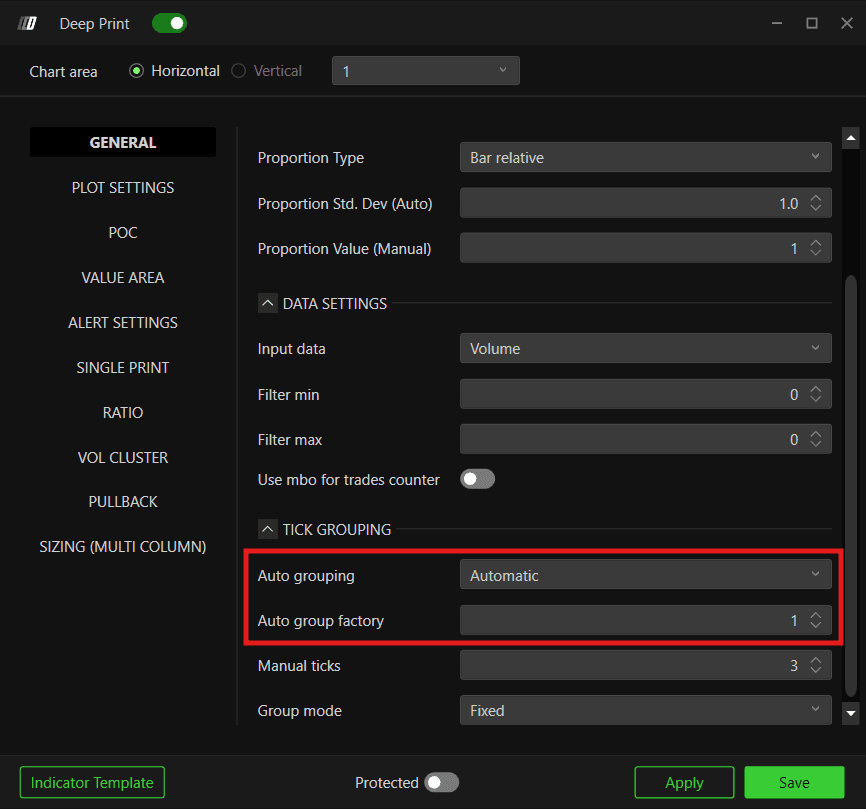
ES is a thick, highly liquid market, with heavy volume resting at nearly every single 0.25 level. Price has to grind through each tick instead of skipping over it, so you want to see the exact fight at every single price step rather than blending it into a wider block. Grouping ticks together would merge separate bid/ask auctions into one averaged row, which hides exactly where institutional orders absorbed pressure or trapped traders. ES also moves at a steady pace with a naturally compact range per bar, so keeping it at 1 tick still gives a clean, readable footprint without stretching the chart, which is why it does not need manual grouping like NQ or GC.
Big Trades Filter
The BigTrades Filter is also configured per symbol, and further tuned per timeframe (5 minute chart vs 1 minute chart).
5 Minute Chart
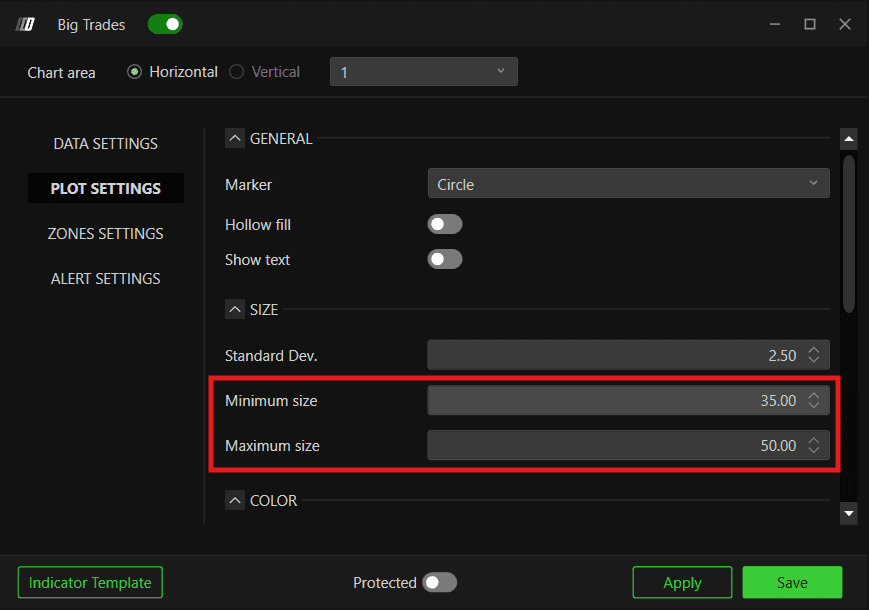
NQ:
Contract 80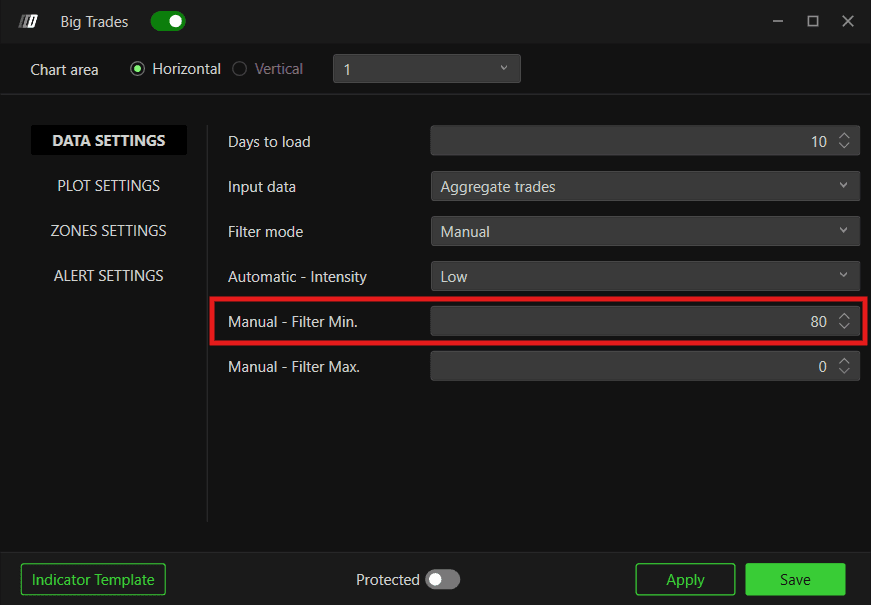
Bubble Size Min 35 and Max 50
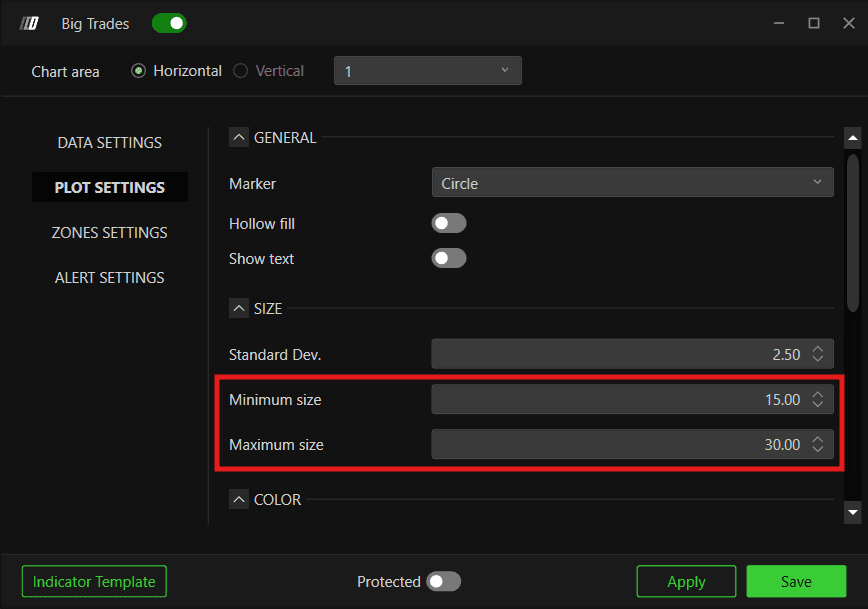
GC:
Contract 60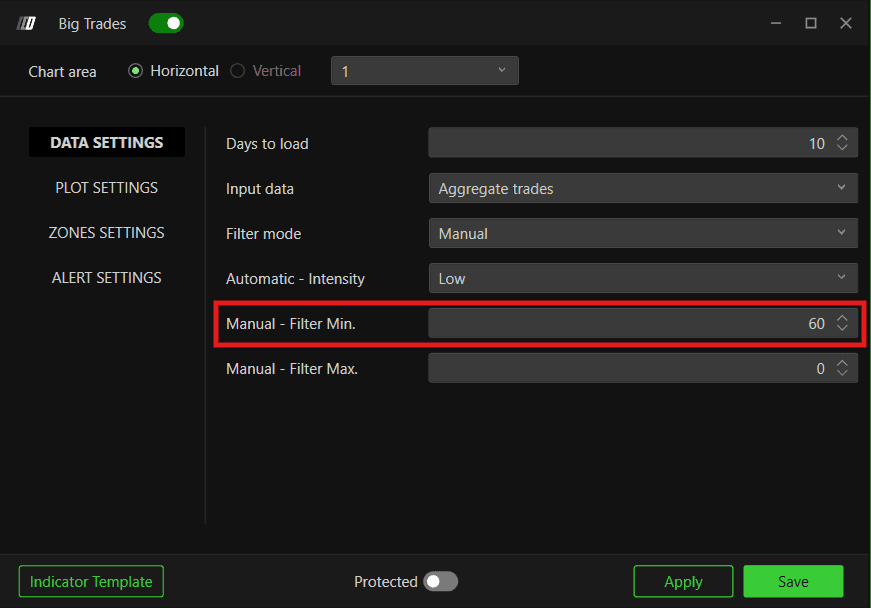
Bubble Size Min 15 and Max 30
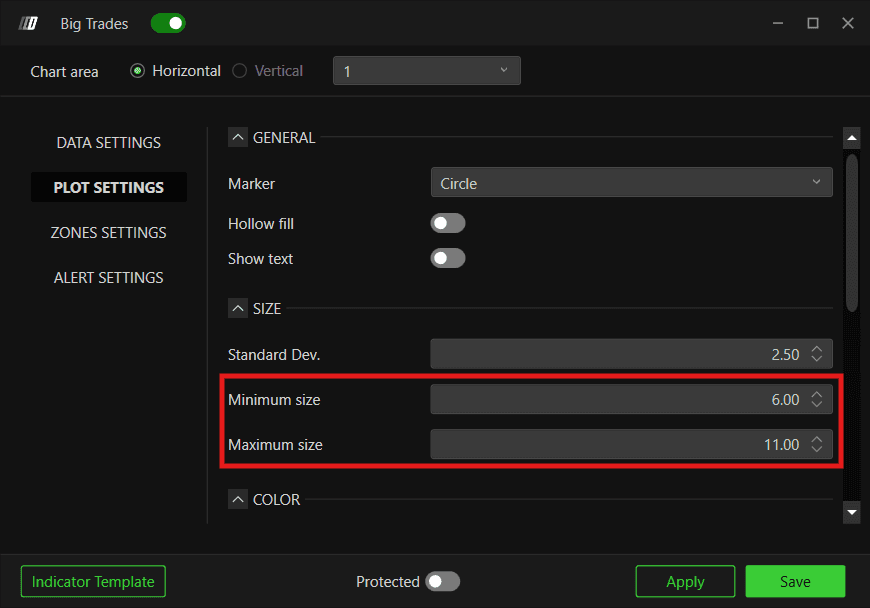
ES:
Contract 170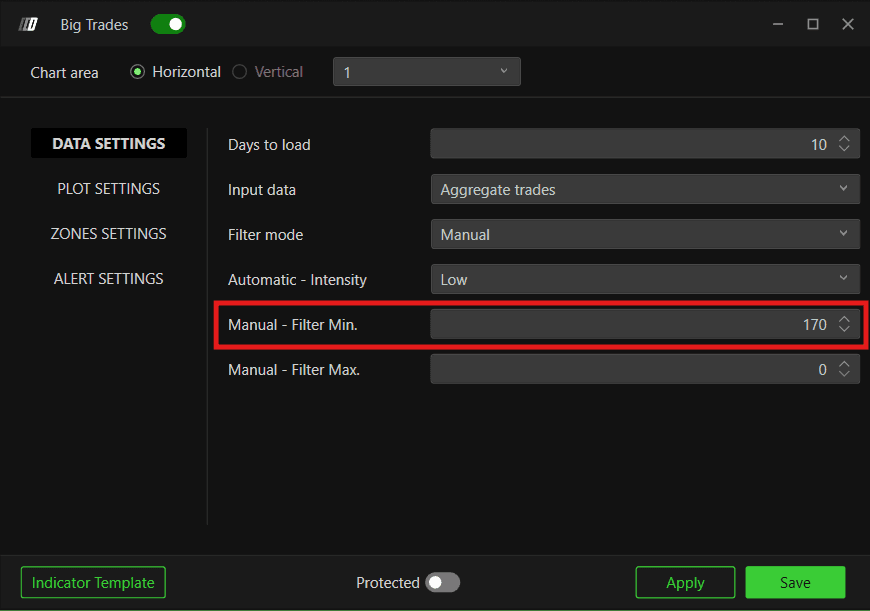
Bubble Size Min 6 and Max 11
1 Minute Chart
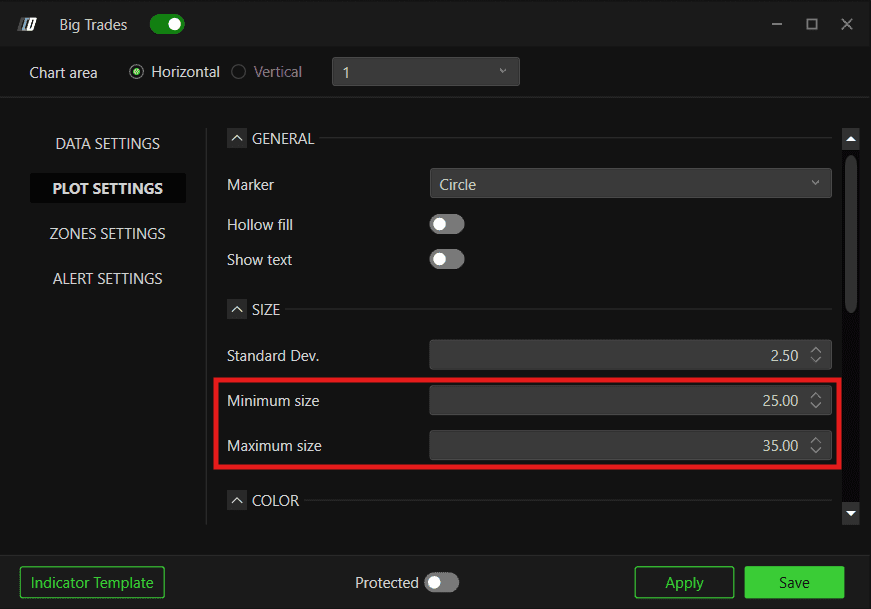
NQ:
Contract 60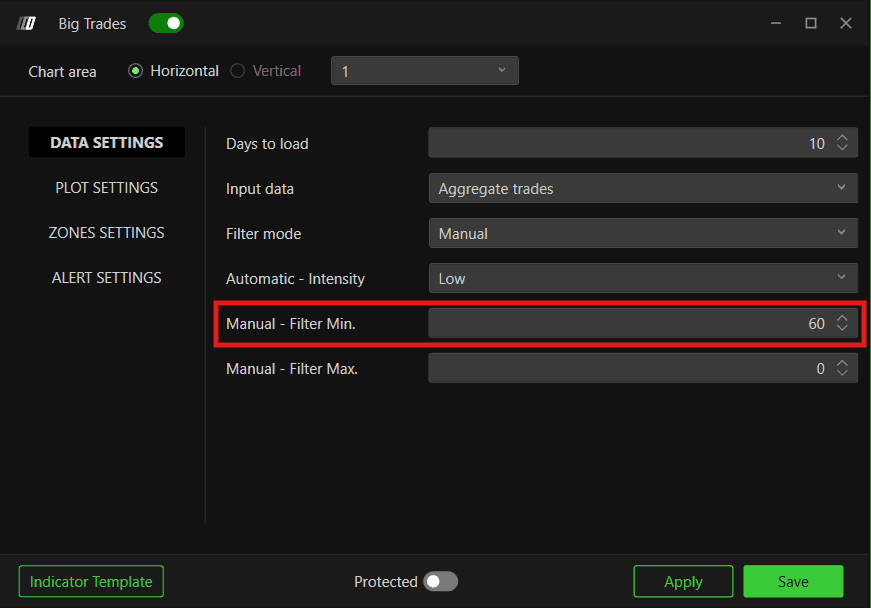
Bubble Size Min 25 and Max 35
GC:
Contract 40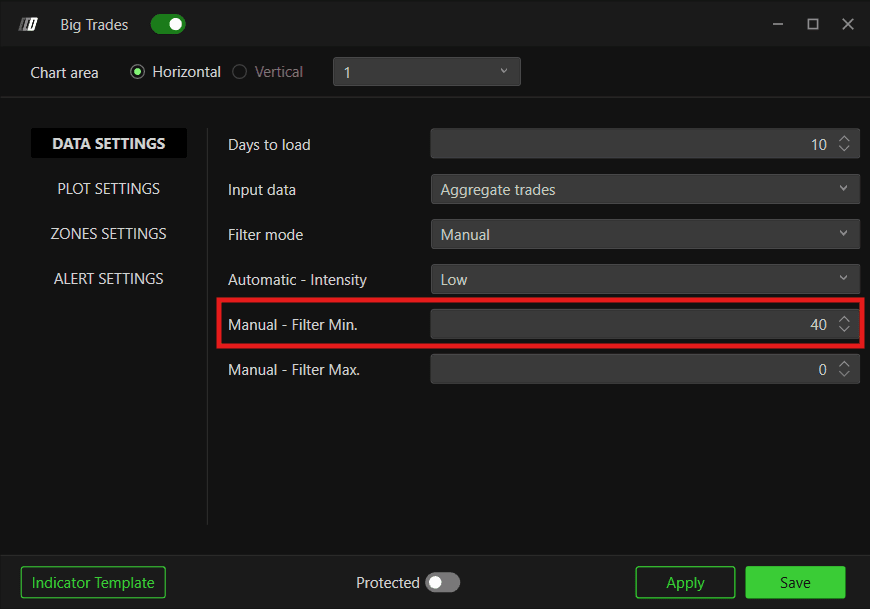
Bubble Size Min 13 and Max 20

ES:
Contract 150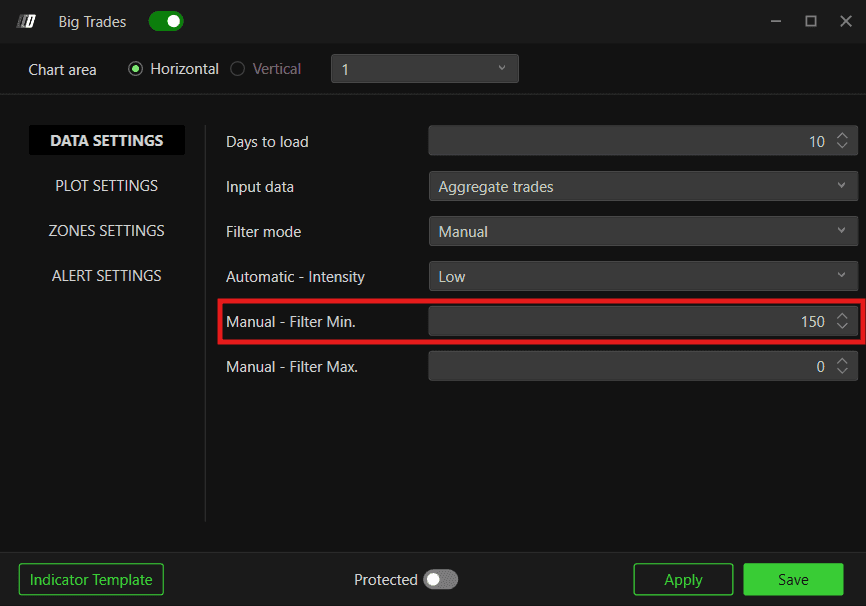
Bubble Size Min 1.20 and Max 6
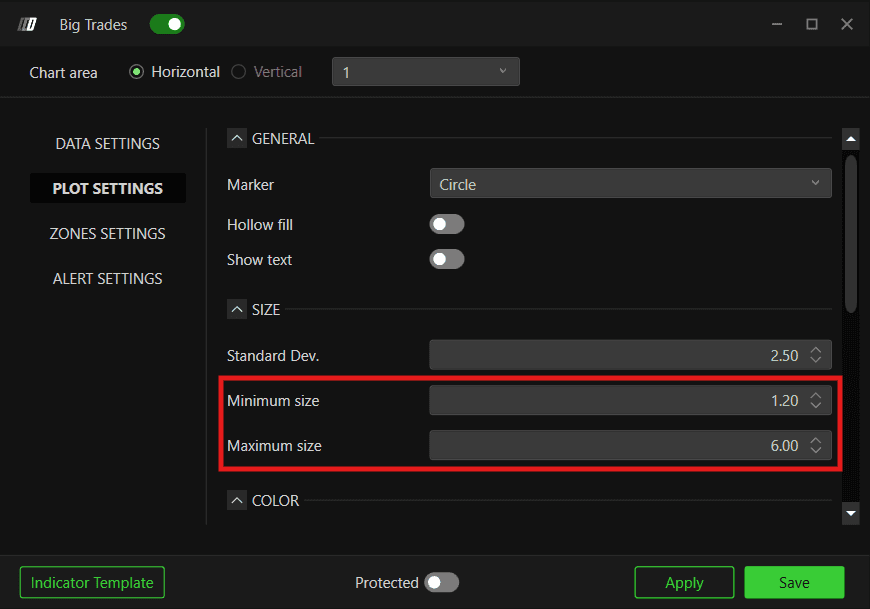
These values were set to give a standardized, consistent view across all templates. There is no hard rule for the BigTrades Filter settings. They can be changed based on market condition, timeframe, and personal preference.
Orderflow (OF) Templates
OF stands for Orderflow. These templates are organized under the OF Version folder. Each template is built for a different trading style, and most templates also come in multiple color variants so you can pick the visual style you prefer.
Templates
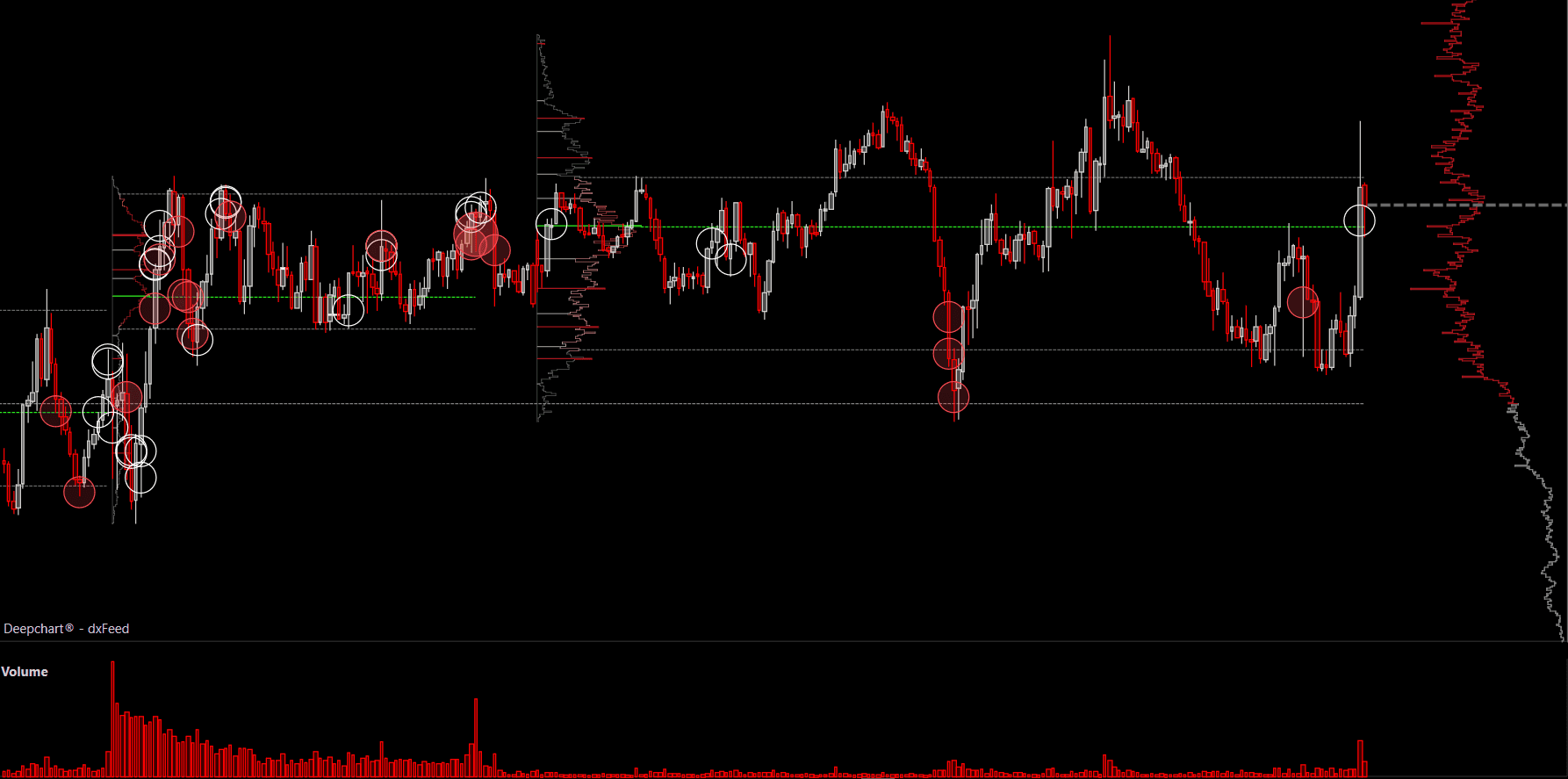
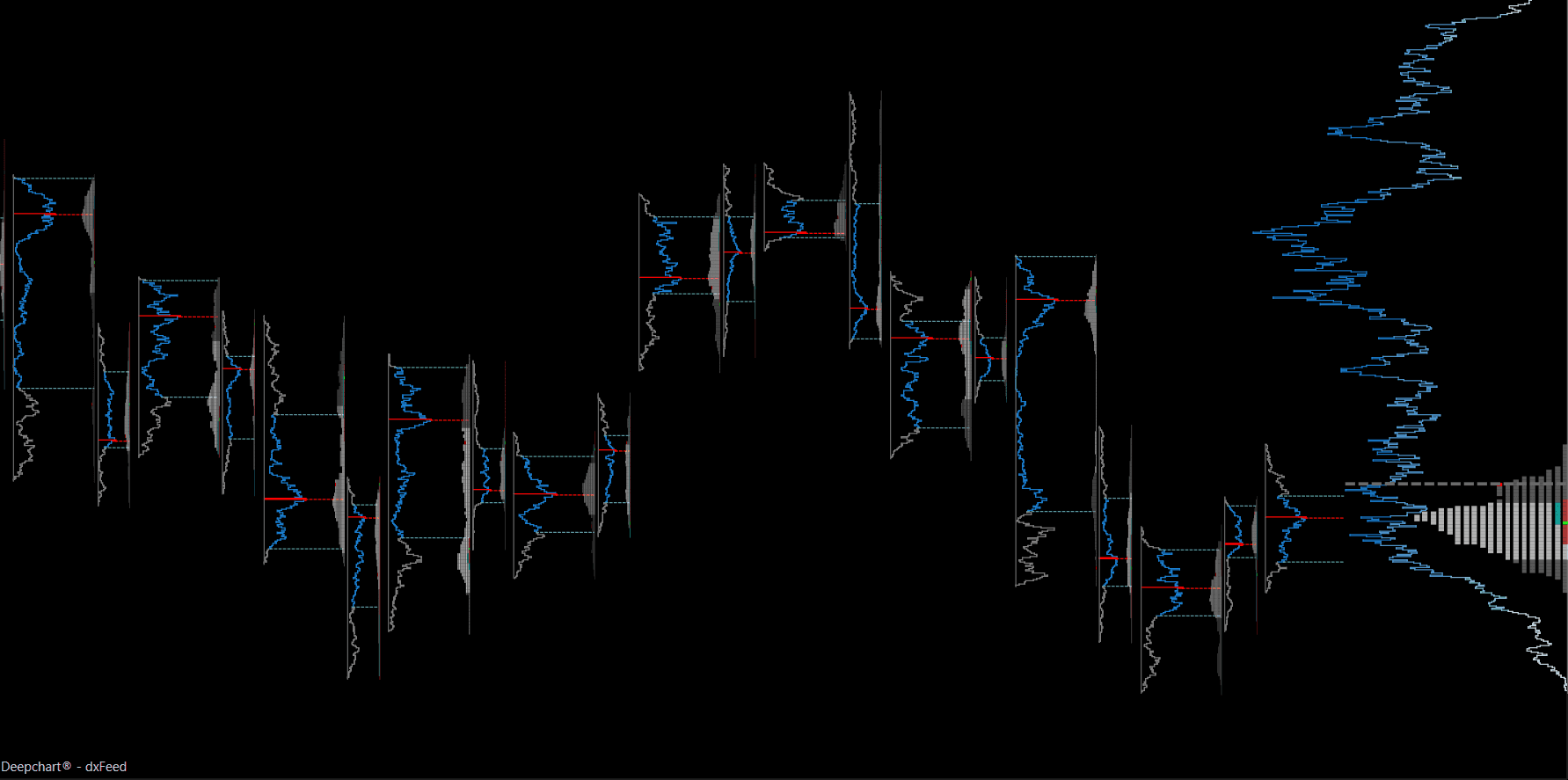
Smart Essential (5m timeframe)
What It Includes
BigTrades
Volume
Volume Profile
Use Case - Good starting point for traders new to orderflow, gives a clean higher timeframe read of volume based support and resistance without footprint clutter.
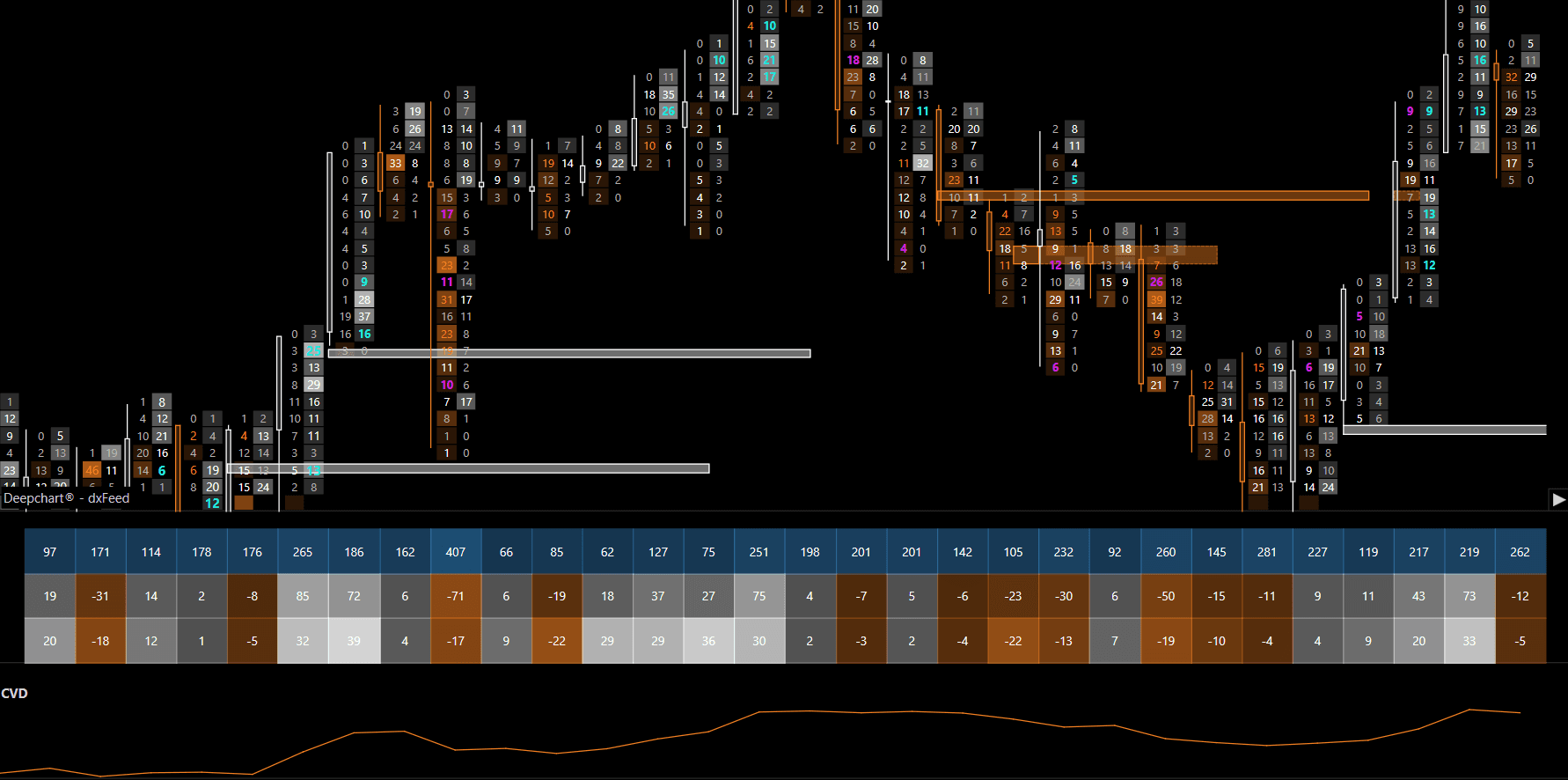
Simple Orderflow (1m timeframe)
What It Includes
B/A footprint
Imbalance Tracker
DeepStats
CVD
Important Levels
Use Case - Shows live buying and selling pressure at each price, useful for scalping and intraday entries around key levels.
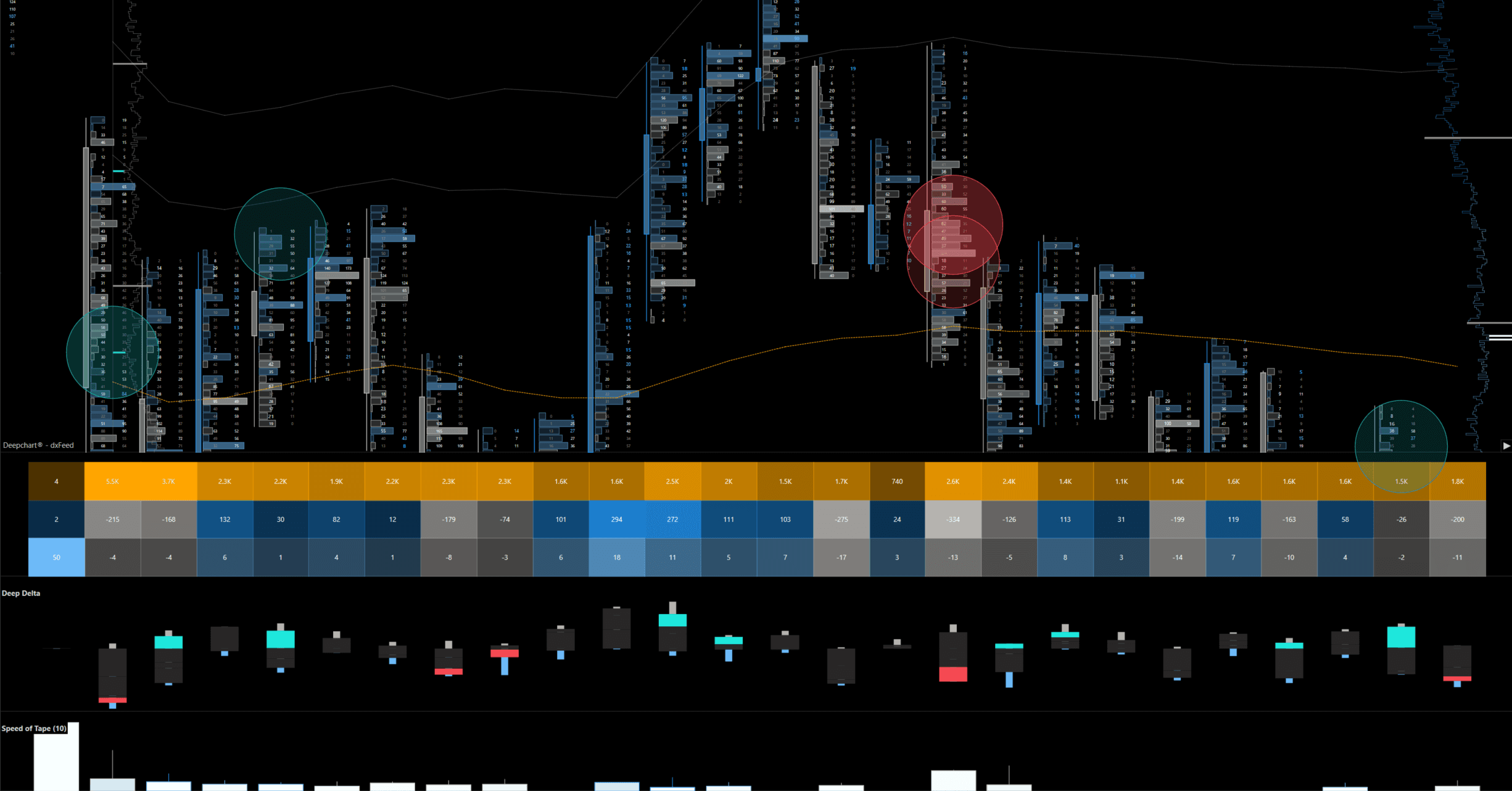
Advanced Orderflow (1m timeframe)
What It Includes
B/A + Delta footprint
BigTrades
DeepStats
Deep Delta
Deep Profile
VWAP
Important Levels
Speed of Tape
Use Case - Full featured template for experienced orderflow traders, gives the complete picture in one chart for precise entry and exit timing.
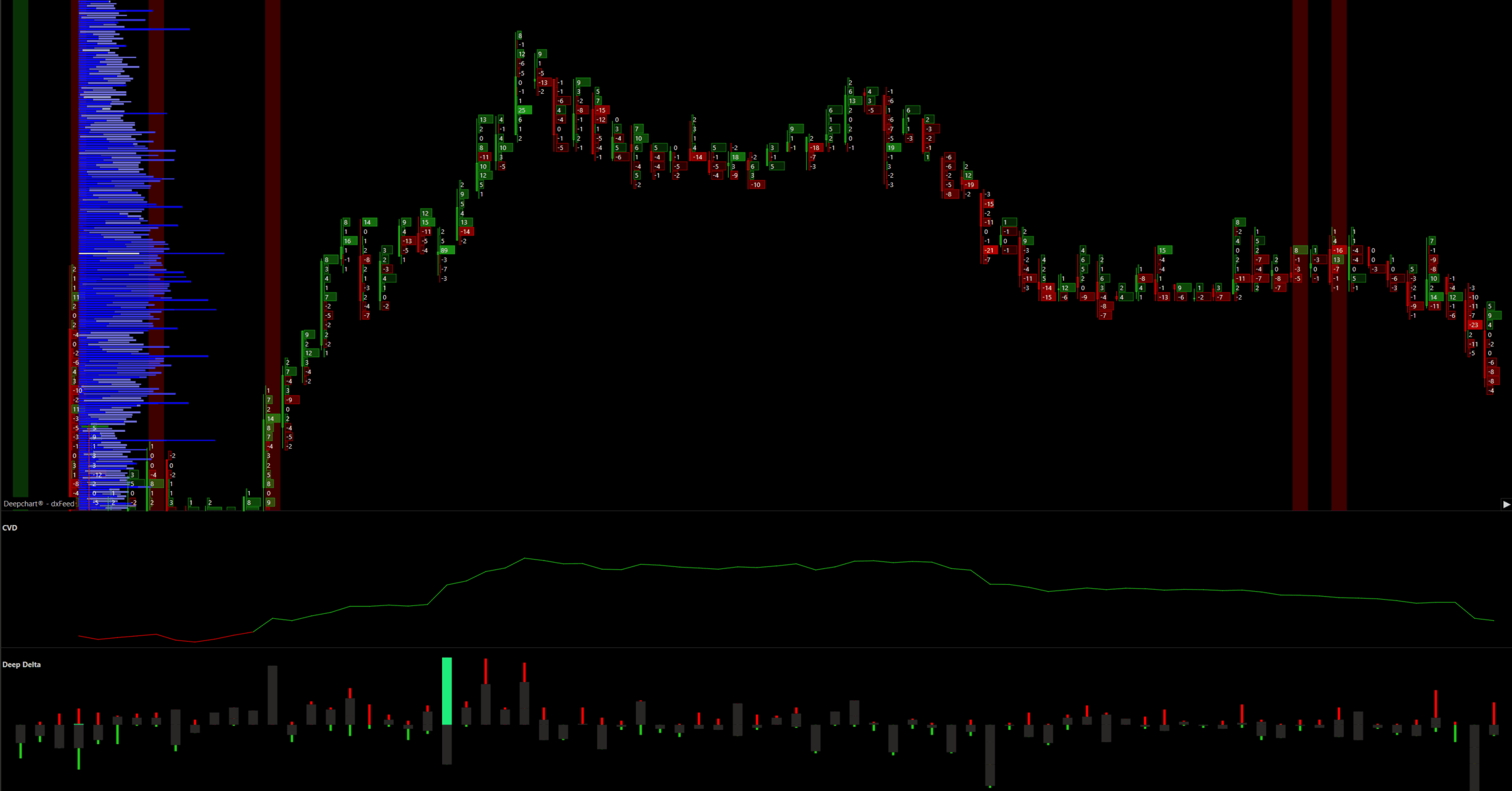
Ultra Delta (1m timeframe)
What It Includes
Delta Footprint
CVD
DeepDelta
Use Case - Isolates buying and selling delta pressure without footprint noise, good for spotting delta divergence and momentum shifts.
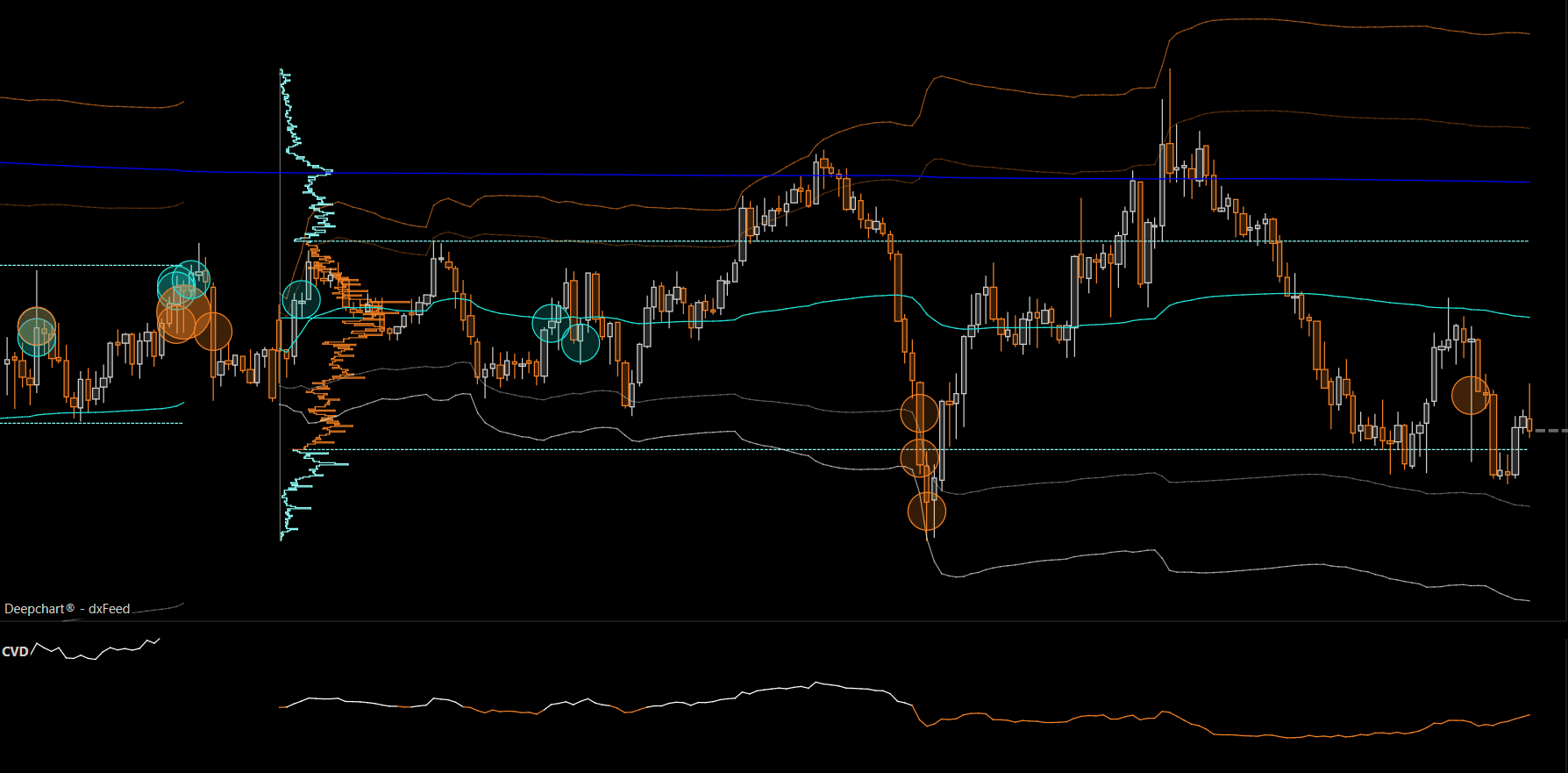
Dynamic Flow (1m timeframe)
What It Includes
VWAP Std
CVD
BigTrades
Use Case - Built around VWAP as a mean reversion or trend anchor, useful for timing entries around VWAP bands using delta and big trade context.
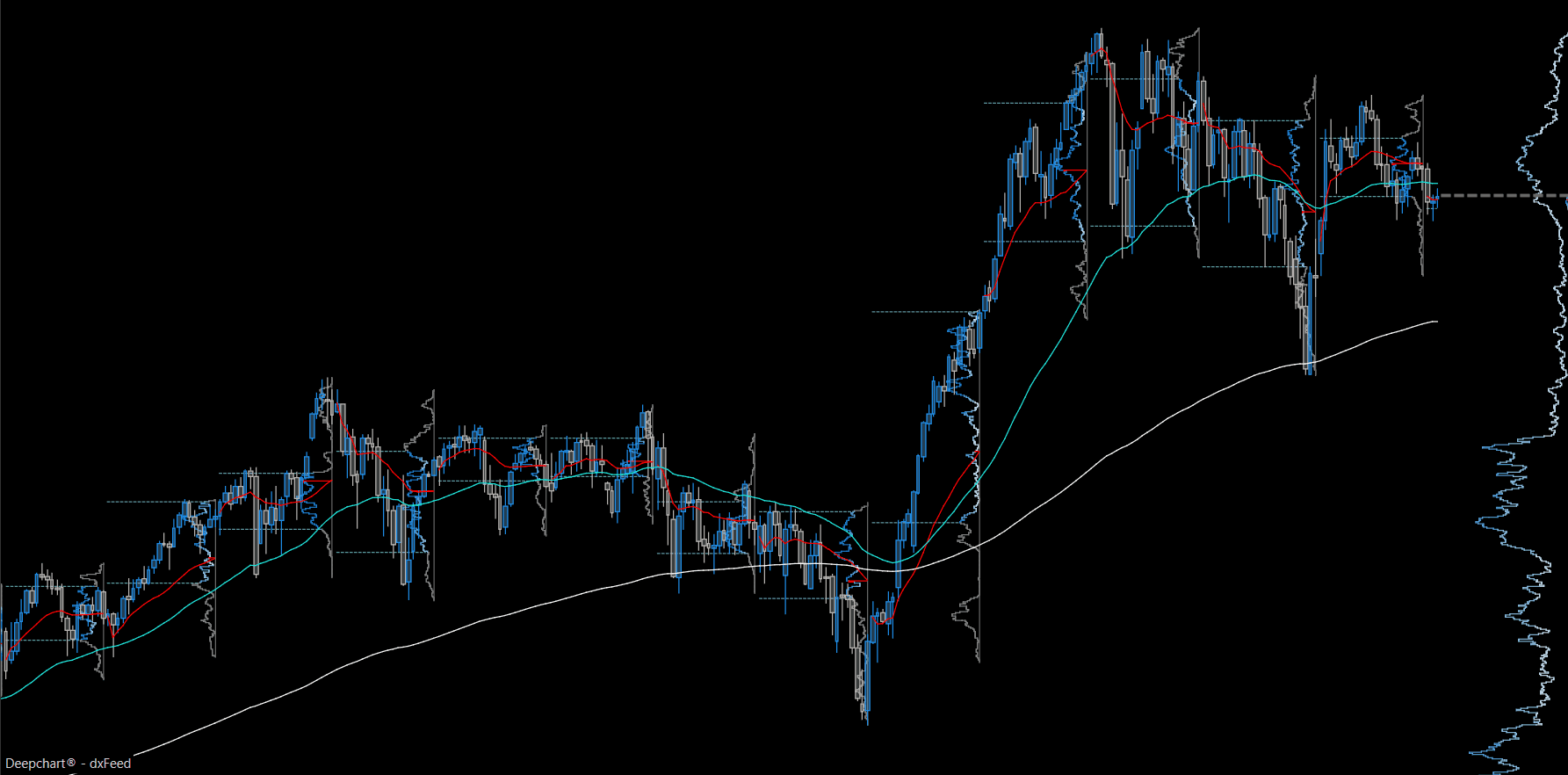
Long Term Flow (1d timeframe)
What It Includes
Weekly Profiles
VWAP
Use Case - Built for swing and position traders, useful for identifying macro support and resistance zones from weekly volume.
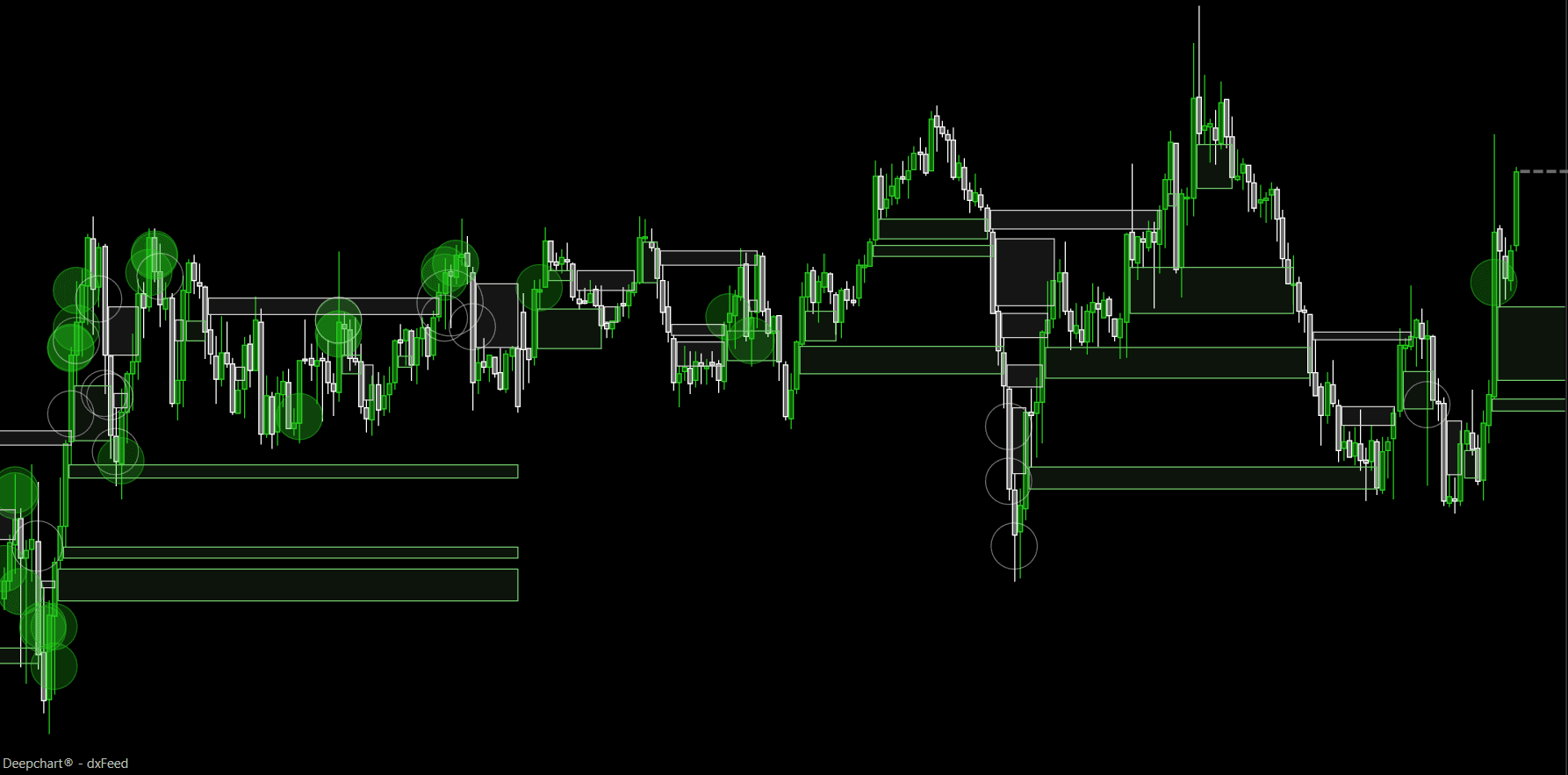
SMC Boosted (5m timeframe)
What It Includes
Profile
BigTrades
Imbalance Tracker
FVG
SMT Divergence
Important Levels
Use Case - Built for Smart Money Concepts style trading, pairs orderflow confirmation such as big trades and imbalance with SMC tools like FVG and SMT divergence.
Market Profiling
What It Includes
ETH + RTH TPO
ETH + RTH Volume Profile
Composite Profile
Use Case - Built for market profile and auction theory style trading, useful for identifying value areas, point of control, and balance or imbalance across the regular trading hours session.
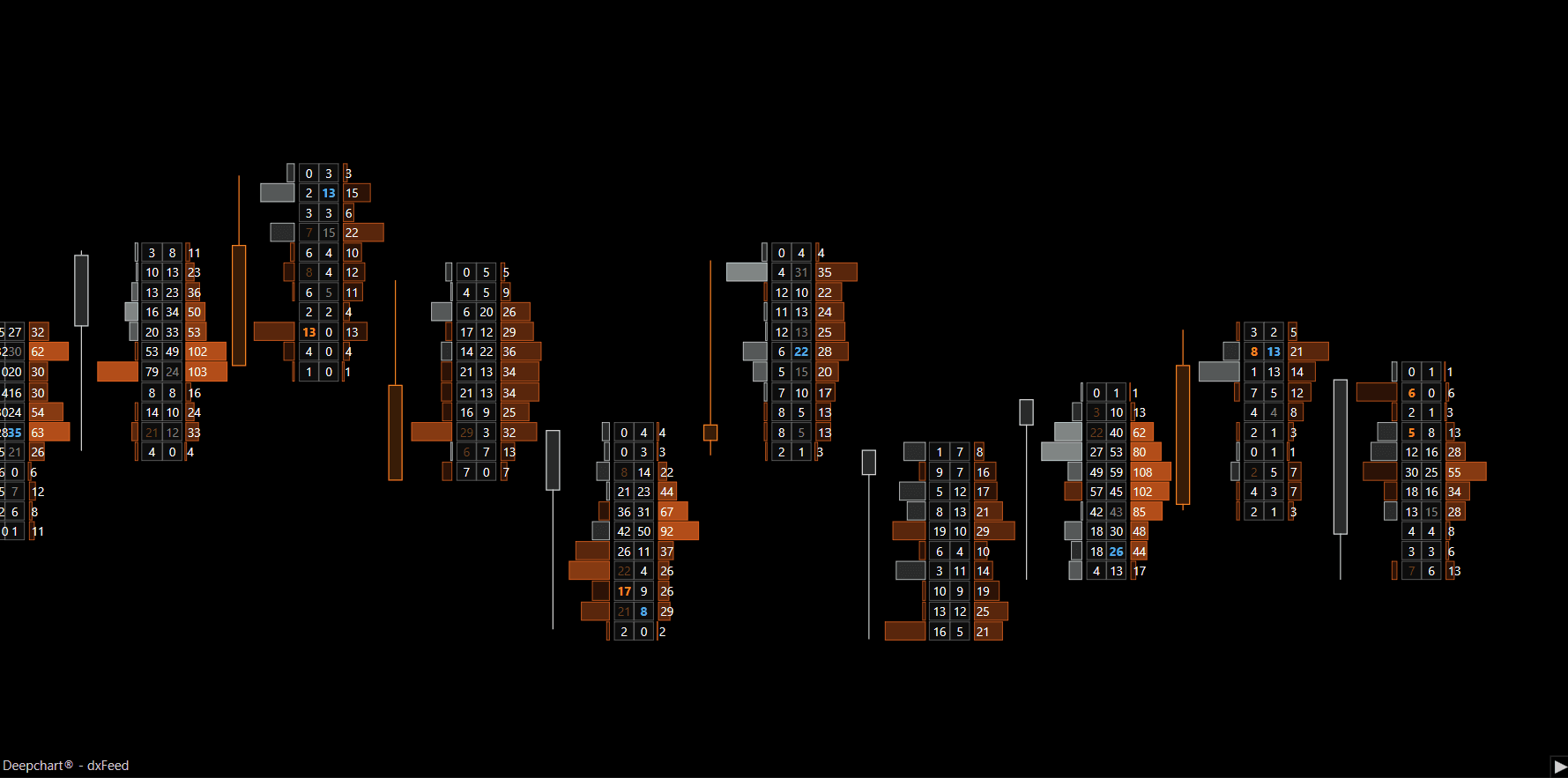
Deep Triple Print (Range Chart)
Footprint range chart template. Each price row shows Delta on the left, Bid/Ask in the center, and Volume on the right.
What It Includes
Full footprint layout with Delta, Bid/Ask, and Volume per price row
Tick grouping set per instrument to keep rows readable (NQ 4 ticks manual, GC 3 ticks manual, ES 1 tick auto)
Range chart based bar formation set per instrument (NQ 40 range, GC 25 range, ES 12 range)
Range Chart
Deep Triple Print uses range bars instead of time based bars. A new bar only forms once price has moved a set number of ticks, not after a fixed number of minutes.
NQ: 40 range (40 ticks = 10 points per bar)
GC: 25 range (25 ticks = $2.50 per bar)
ES: 12 range (12 ticks = 3 points per bar)
The range value follows the same idea as tick grouping. Instruments that move faster or cover more distance per bar need a bigger range value, or every small wiggle would close a new bar and flood the chart with noise. Instruments that move slower or trade in a tighter band can use a smaller range and still get a clean, readable chart. This is why NQ uses the largest range, GC sits in the middle, and ES uses the smallest.
Neither the tick grouping values nor the range values are a fixed rule from the platform or the exchange. They are settings the team has tuned and standardized on. They can be adjusted at any time based on volatility, the session, or preference, as long as the chart stays readable and the real detail is not lost.
Use Case - For traders who want the most granular read of orderflow at each price, not just an overall footprint feel.
How to Access Orderflow (OF) Templates
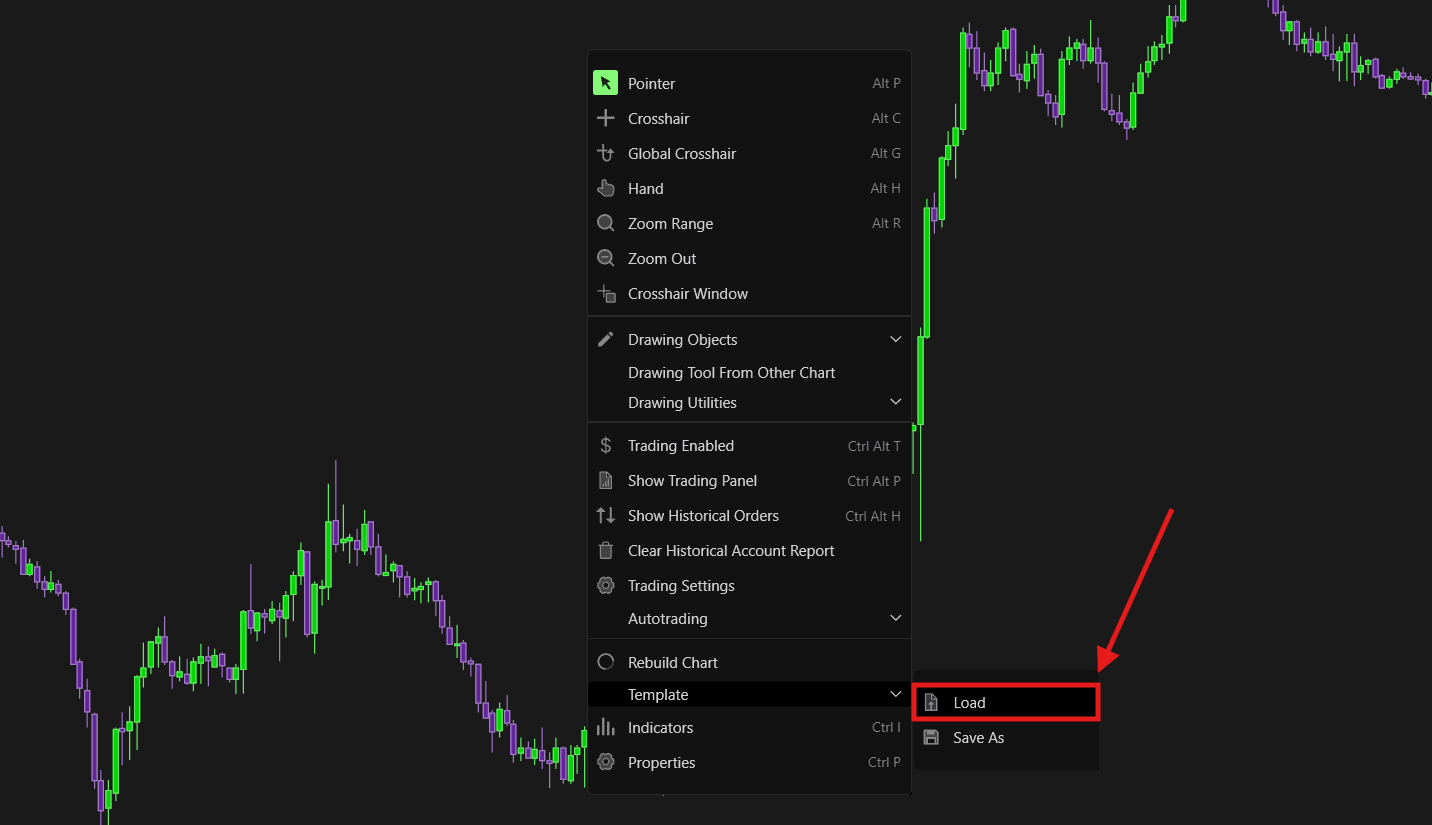
Right click anywhere on the chart.
Select Template, then Load.
A window will pop up. Select Shared.
Open OF Version. This folder holds all the normal Orderflow templates.
You will see the full list of OF Templates (Smart Essential, Simple Orderflow, Advanced Orderflow, Ultra Delta, Dynamic Flow, Long Term Flow, SMC Boosted, Market Profiling, and Deep Triple Print).
Select the template you want to load. If the template has color variants, a further folder (for example Advanced Orderflow > Dark) will show the available color options such as DeepVision, Apollo, Classic Green, Neptune, Mars, SMC, and Classic Blue.
Select the color variant to load it onto the chart.
Workspaces
A Workspace combines multiple OF Templates into a single saved setup, so you get your full trading view in one click instead of loading templates individually.
Bias, Timing, and DOM
What It Includes
Market Profile
Dynamic Flow
Advanced Orderflow
Advanced DOM
Use Case - For traders who want a combined read of market profile, VWAP based bias, footprint, and DOM together in one workspace.
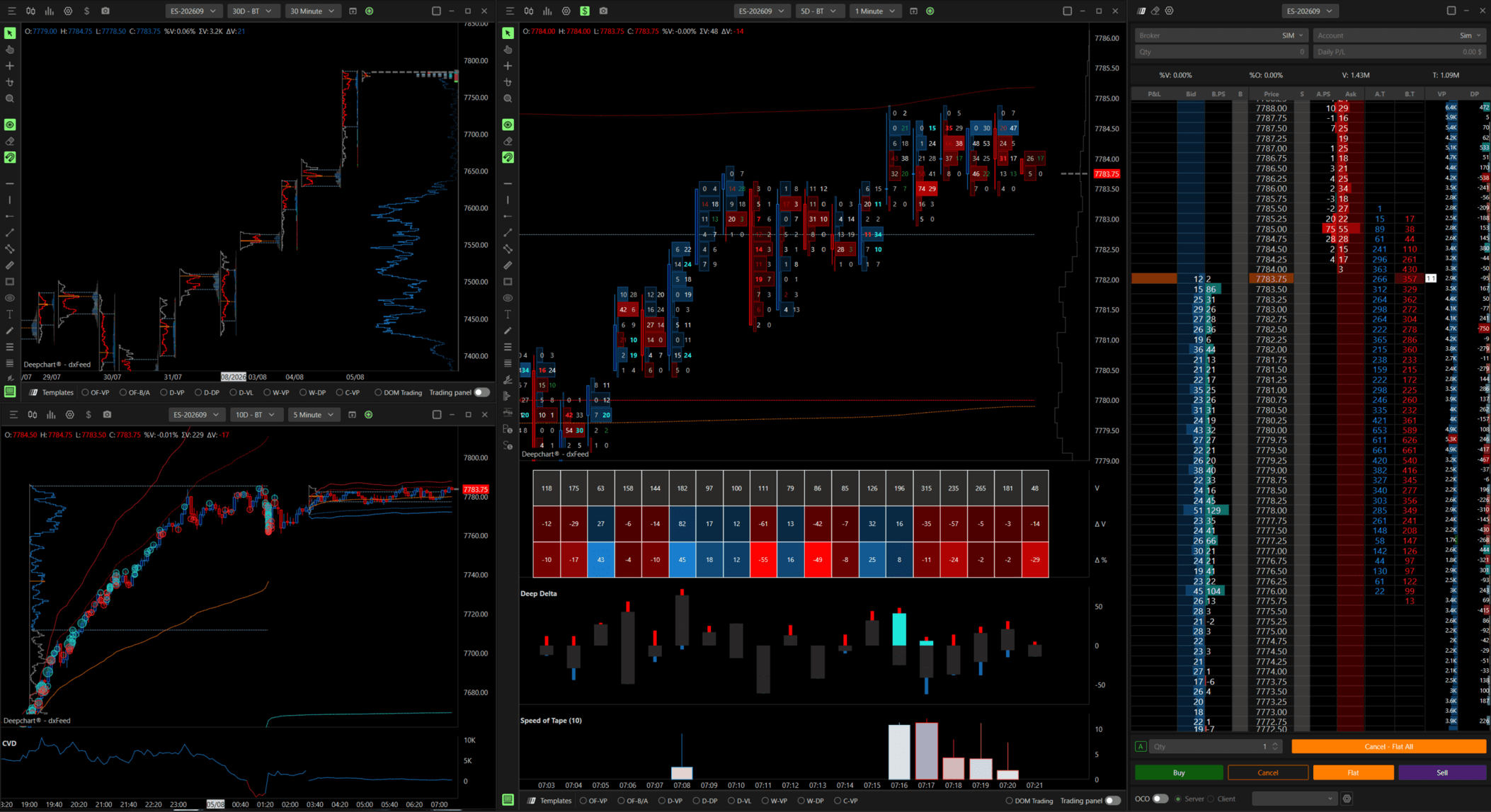
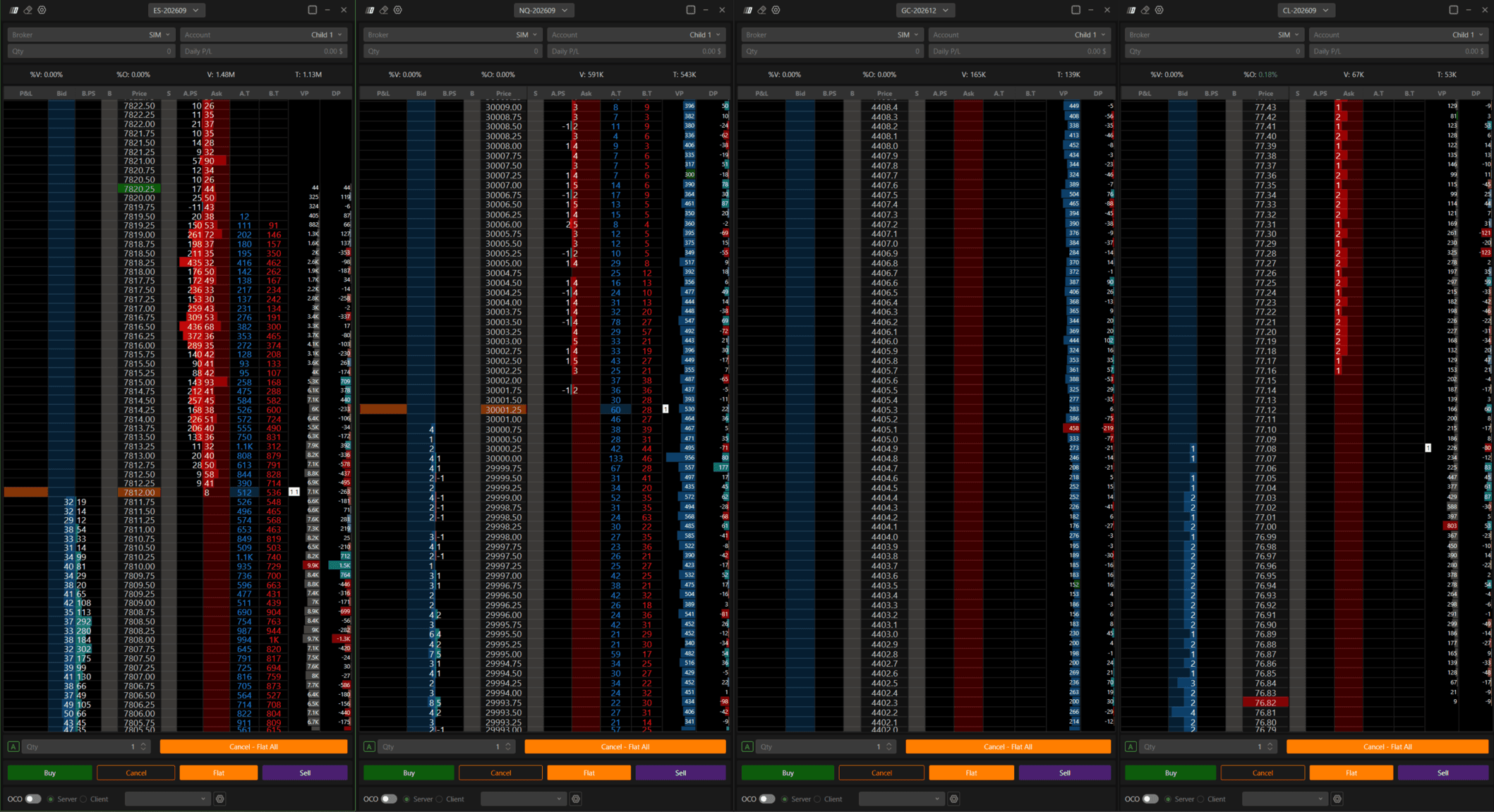
DOMination
What It Includes
4 DOMs: ES, GC, NQ, CL
Use Case - For traders who want to watch DOM (depth of market) for all four instruments side by side in one workspace.
Orderflow Essentials
What It Includes
Smart Essential
Simple Orderflow
Use Case - A lighter combined workspace for traders who want the basics of volume and footprint together, without the full Advanced Orderflow or DOM layer.
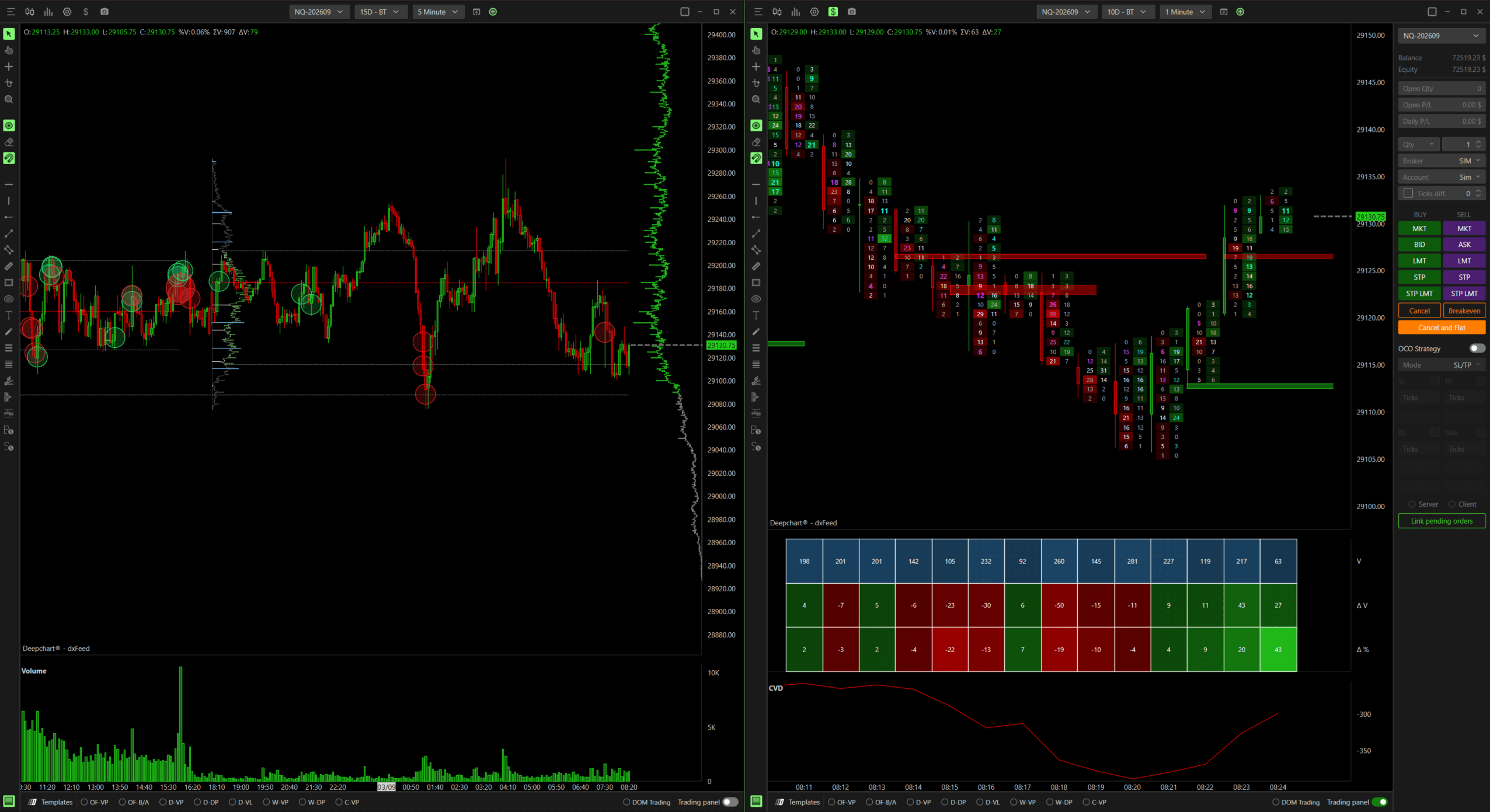
Volumetric, Bias, and Timing
What It Includes
Market Profiling
Dynamic Flow
Advanced Orderflow
Use Case - Similar to Bias, Timing, and DOM but without the DOM layer, for traders who want profile, VWAP bias, and footprint without watching the DOM.
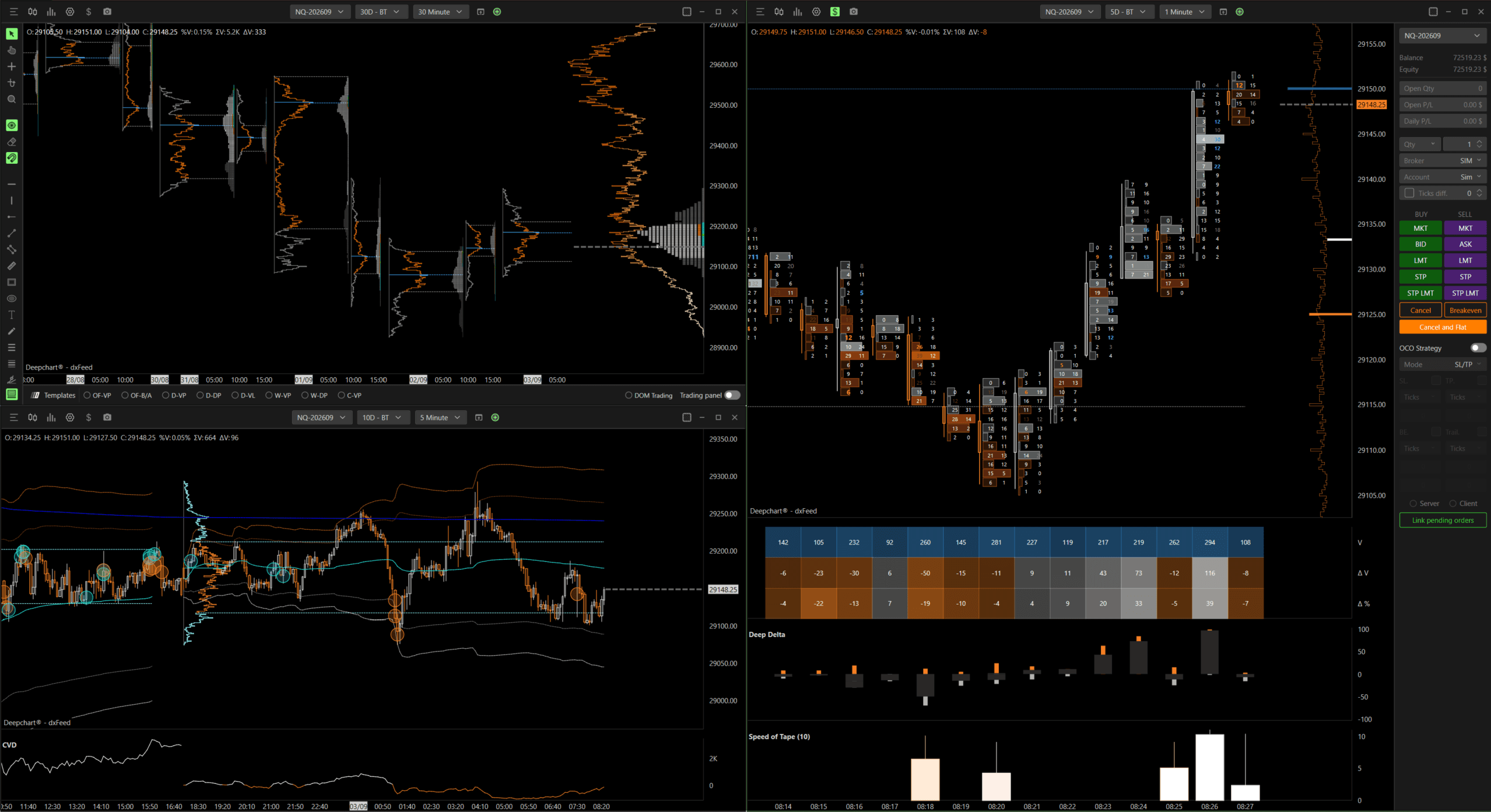
NOTE - Like the individual templates, every workspace is available per symbol (NQ, ES, GC, and CL for DOMination) and per color theme (Classic Blue, Apollo Orange, Classic Green, Mars Red, SMC, DeepVision Purple & Green).
How to Access the Workspace
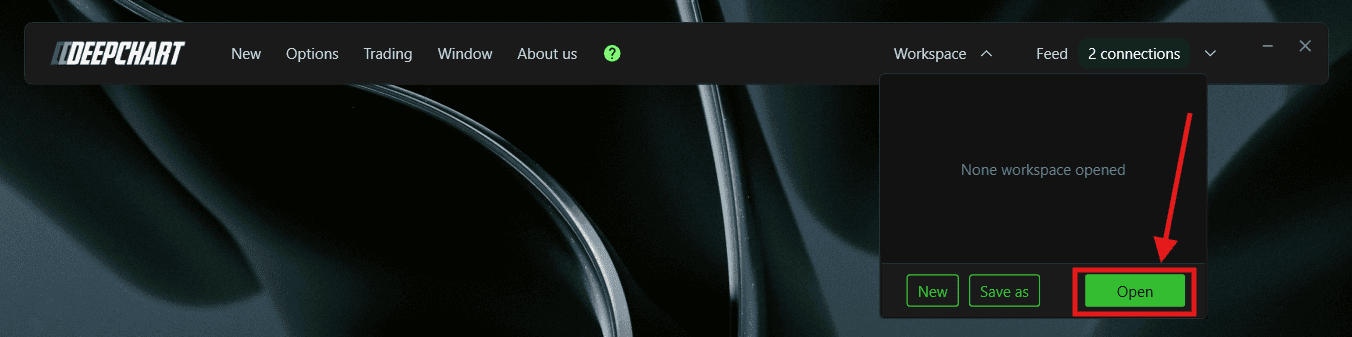
On the DeepChart toolbar, click the workspace name at the top right (for example Option Flow - NQ).
A panel will appear. Click Open.
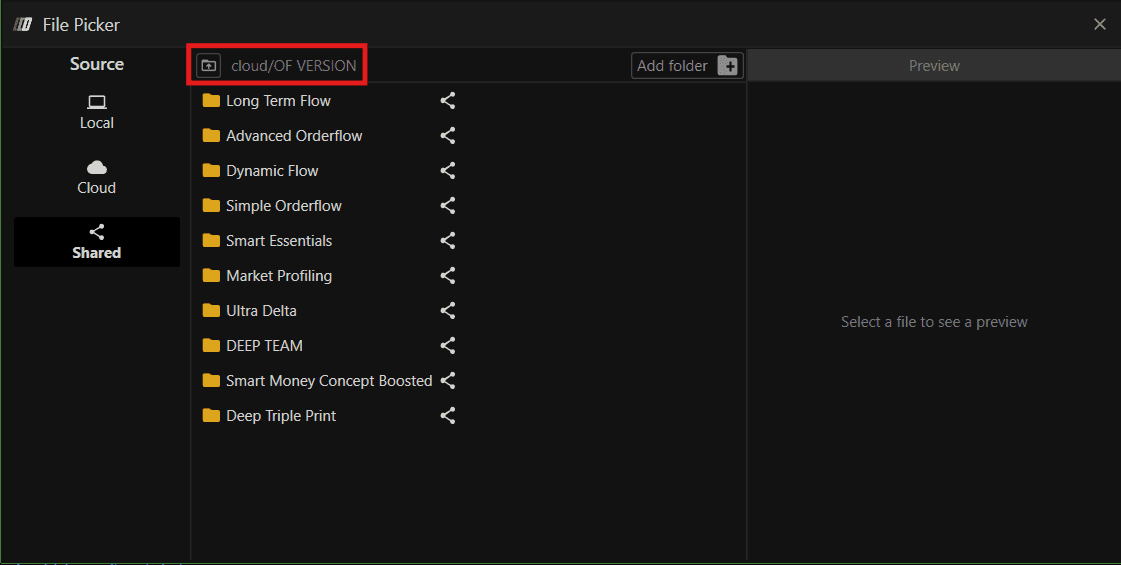
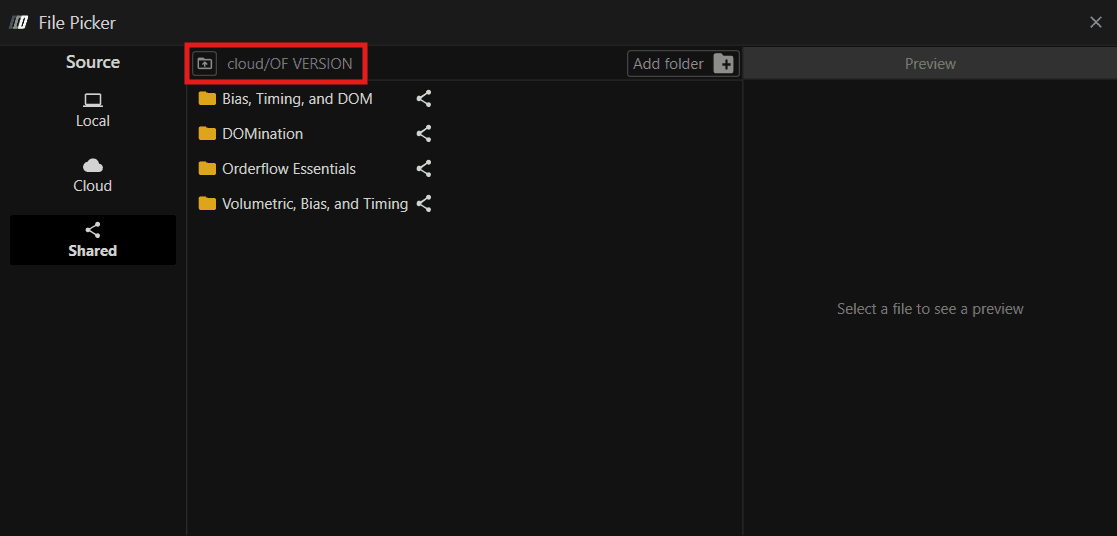
The File Picker window will appear. Select Shared.
Open cloud/OF VERSION. You will see the four workspace folders: Bias, Timing, and DOM, DOMination, Orderflow Essentials, and Volumetric, Bias, and Timing.
Open the workspace you want.
Select the color theme you want (for example Dark > Classic Blue).
Select the file matching your symbol (ES, GC, NQ, or CL for DOMination) to load the workspace.
Conclusion
The OF Templates give you ready-to-use chart layouts for different trading styles, from simple volume based views to full footprint and DOM setups, each already tuned per symbol (NQ, ES, GC, and CL). Workspaces then combine these templates into a single saved setup so you can load your full trading view in one click instead of building it template by template. This keeps your charts consistent and saves time switching between setups during the trading day.
Any Questions?
Our support team is available 24/7 and ready to help you with any question. When reaching out, please include:
Screenshot (if any)
Briefly describe the assistance or support you require
DeepCharts Live Support - Chat with our agents directly using the live chat box on www.deepcharts.com, or click here for 24/7 Live Chat for immediate access.
Email Support - Reach us at support@deepcharts.com, please note that email responses may take a little longer than a live support chat.
