Trading

Updated:

Fenêtre des ordres

Fenêtre des ordres

Gérez et suivez les ordres actifs, les positions et l’historique d’exécution via l’interface dédiée de la fenêtre Orders

Gérez et suivez les ordres actifs, les positions et l’historique d’exécution via l’interface dédiée de la fenêtre Orders

No headings found on page

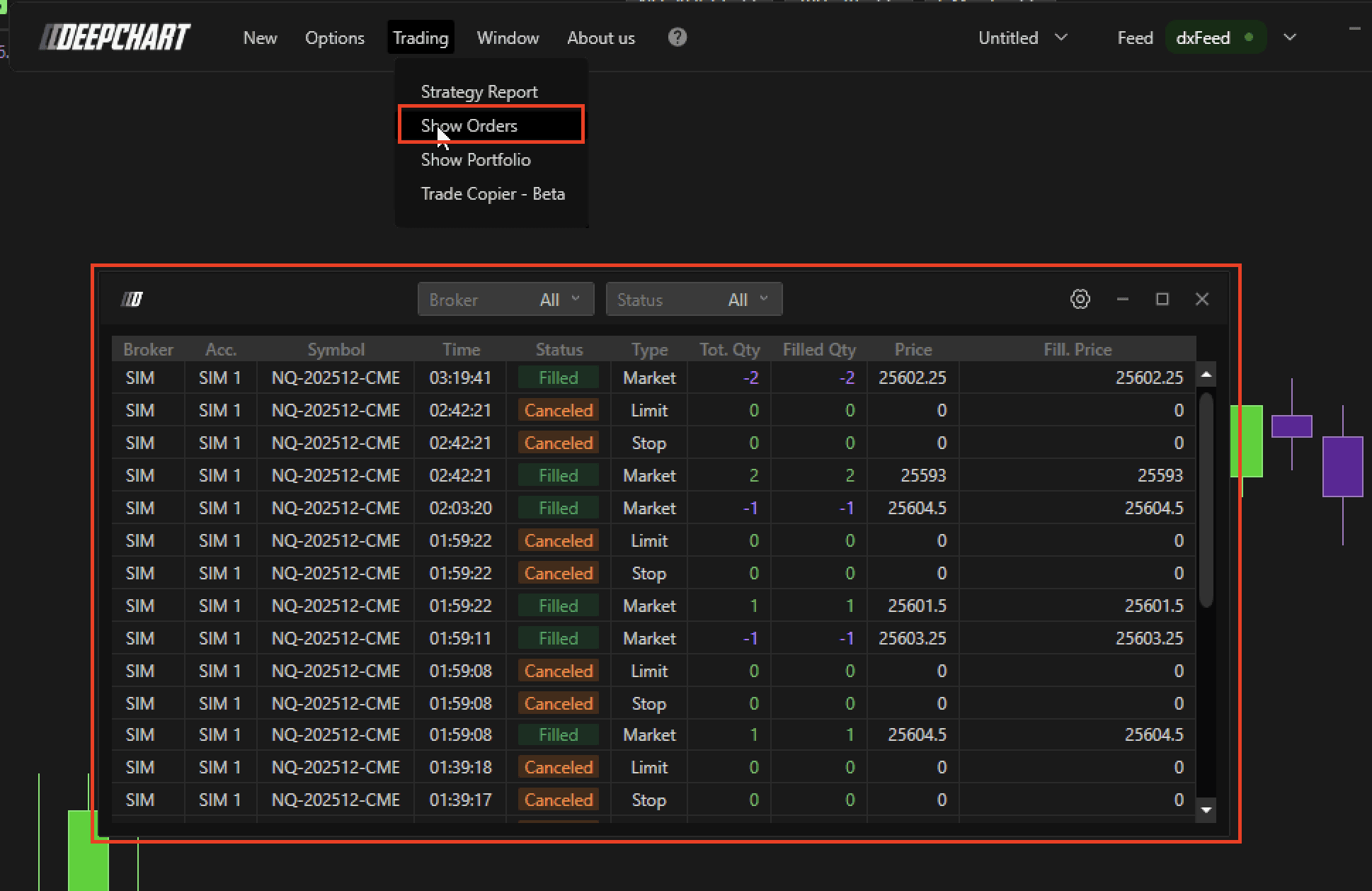
Pour ouvrir la fenêtre des ordres :

  1. Cliquez sur le menu Trading dans DeepChart.

  2. Sélectionnez Show Orders.

Aperçu

Dans la fenêtre des ordres, vous pouvez :

  • Choisir le courtier

  • Filtrer les ordres par type : Placed, Executed ou Cancelled

  • Sélectionner All pour afficher tous les ordres

Astuce supplémentaire

Pour vous assurer qu’il n’y a aucun ordre en attente à la fin de votre session de trading :

  • Dans la section Status, sélectionnez Submitted

  • Cela affichera les ordres encore actifs et pas encore exécutés ou annulés

Cette section vous aide à surveiller tous vos ordres et à éviter de laisser des ordres ouverts involontaires.

Tools for futures, currency & options involves substantial risk & is not appropriate for everyone. Only risk capital should be used for trading.

Testimonials appearing on this website may not be representative of other clients or customers and is not a guarantee of future performance or success.

Tools for futures, currency & options involves substantial risk & is not appropriate for everyone. Only risk capital should be used for trading. Testimonials appearing on this website may not be representative of other clients or customers and is not a guarantee of future performance or success.

Deepcharts © 2026 All right reserved

Tools for futures, currency & options involves substantial risk & is not appropriate for everyone. Only risk capital should be used for trading. Testimonials appearing on this website may not be representative of other clients or customers and is not a guarantee of future performance or success.

Deepcharts © 2026 All right reserved
