Comment faire

Updated:

Données de replay

Données de replay

Voici comment vous pouvez rejouer les données de marché.

Voici comment vous pouvez rejouer les données de marché.

No headings found on page

Ouvrez le logiciel Deepchart

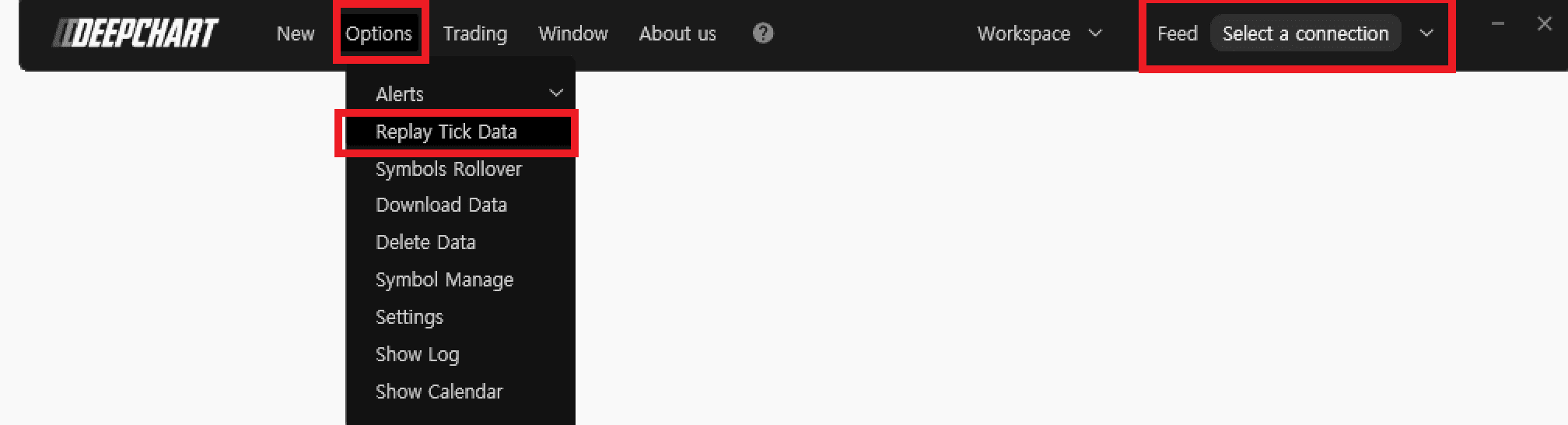
  1. Vérifiez que vous n’êtes connecté à aucun Data Feed. Et fermez tout graphique de prix.

  2. Allez dans Options > Replay Tick Data
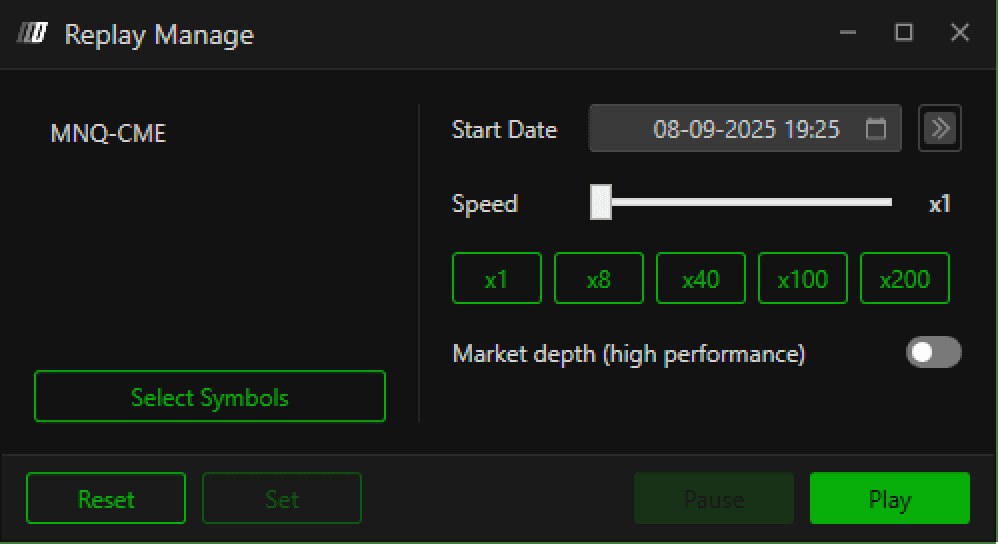
  3. Paramètres de Replay Manage

    1. Appuyez sur Select Symbols pour sélectionner la bourse de votre choix

    2. Pour définir la date et l’heure, cliquez sur l’icône calendrier et sélectionnez / saisissez la date et l’heure de votre choix.

    3. Appuyez sur Set.

  4. Retournez dans Deepchart Software (assurez-vous que Replay Manage est ouvert) et ouvrez un nouveau graphique (New > Price chart) pour la bourse définie dans Replay Manage.

  5. Sélectionnez Play et vous verrez votre graphique rejouer les données. 

  6. Vous pouvez accélérer la lecture en déplaçant le curseur Speed Scroll ou en choisissant une vitesse prédéfinie.

Tools for futures, currency & options involves substantial risk & is not appropriate for everyone. Only risk capital should be used for trading.

Testimonials appearing on this website may not be representative of other clients or customers and is not a guarantee of future performance or success.

Tools for futures, currency & options involves substantial risk & is not appropriate for everyone. Only risk capital should be used for trading. Testimonials appearing on this website may not be representative of other clients or customers and is not a guarantee of future performance or success.

Deepcharts © 2026 All right reserved

Tools for futures, currency & options involves substantial risk & is not appropriate for everyone. Only risk capital should be used for trading. Testimonials appearing on this website may not be representative of other clients or customers and is not a guarantee of future performance or success.

Deepcharts © 2026 All right reserved