Comment faire

Updated:

Comment personnaliser la langue, le thème et les sons de notification

Comment personnaliser la langue, le thème et les sons de notification

No headings found on page

1. Comment accéder aux paramètres

  1. Cliquez sur Options

  2. Sélectionnez Paramètres

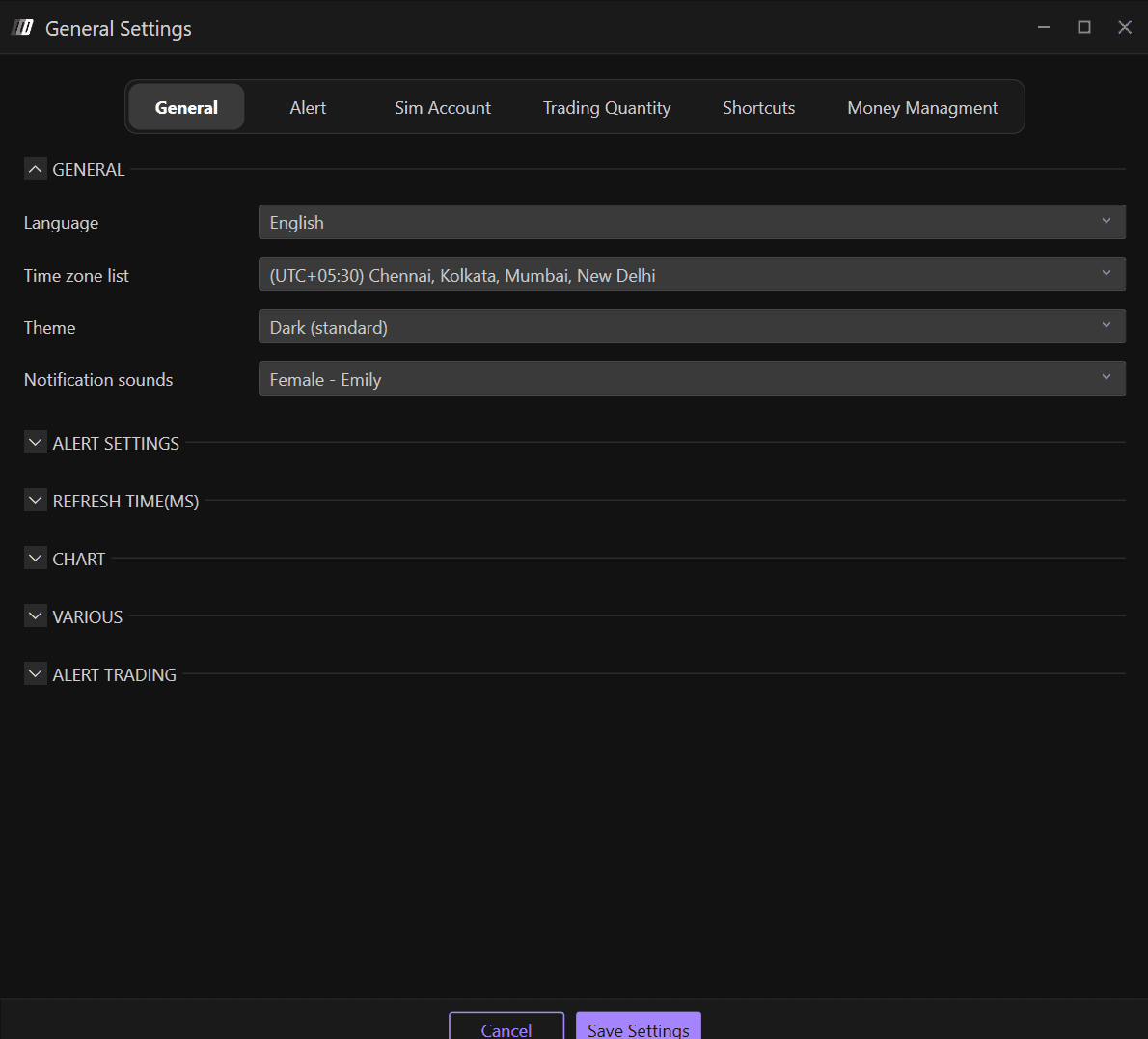
  3. Accédez à la section Général

Dans la section Général, vous trouverez les paramètres généraux de Deepcharts, où vous pouvez modifier :

  • Langue

  • Fuseau horaire

  • Thème : apparence de la plateforme

  • Sons de notification

2. Langue

Les langues disponibles sont :

  • Anglais

  • Italien

  • Espagnol

  • Allemand

  • Chinois

3. Thème : apparence de la plateforme

Les thèmes disponibles sur Deepcharts sont :

  • Sombre

  • Sombre (Standard)

  • Bleu

  • Clair 

  • Clair (Standard)

  • Violet

4. Sons de notification

Personnalisez vos sons de notification d’alerte dans la section Général. Les options de son disponibles incluent :

  • Femme - Emily

  • Femme - Daniela

  • Homme

  • Warzone

Tools for futures, currency & options involves substantial risk & is not appropriate for everyone. Only risk capital should be used for trading.

Testimonials appearing on this website may not be representative of other clients or customers and is not a guarantee of future performance or success.

Tools for futures, currency & options involves substantial risk & is not appropriate for everyone. Only risk capital should be used for trading. Testimonials appearing on this website may not be representative of other clients or customers and is not a guarantee of future performance or success.

Deepcharts © 2026 All right reserved

Tools for futures, currency & options involves substantial risk & is not appropriate for everyone. Only risk capital should be used for trading. Testimonials appearing on this website may not be representative of other clients or customers and is not a guarantee of future performance or success.

Deepcharts © 2026 All right reserved