Updated:
The Deepcharts Risk Manager enables traders to apply professional, automated risk controls directly within the platform.
By defining strict risk management rules, traders can enforce discipline in real time. If any predefined rule is breached, the account is automatically locked for the day (or for a specified duration), ensuring adherence to the trading plan and preventing emotional decision-making.

1. How to Access Risk Manager
Go to Trading in the main navigation bar.
Click Show Portfolio.
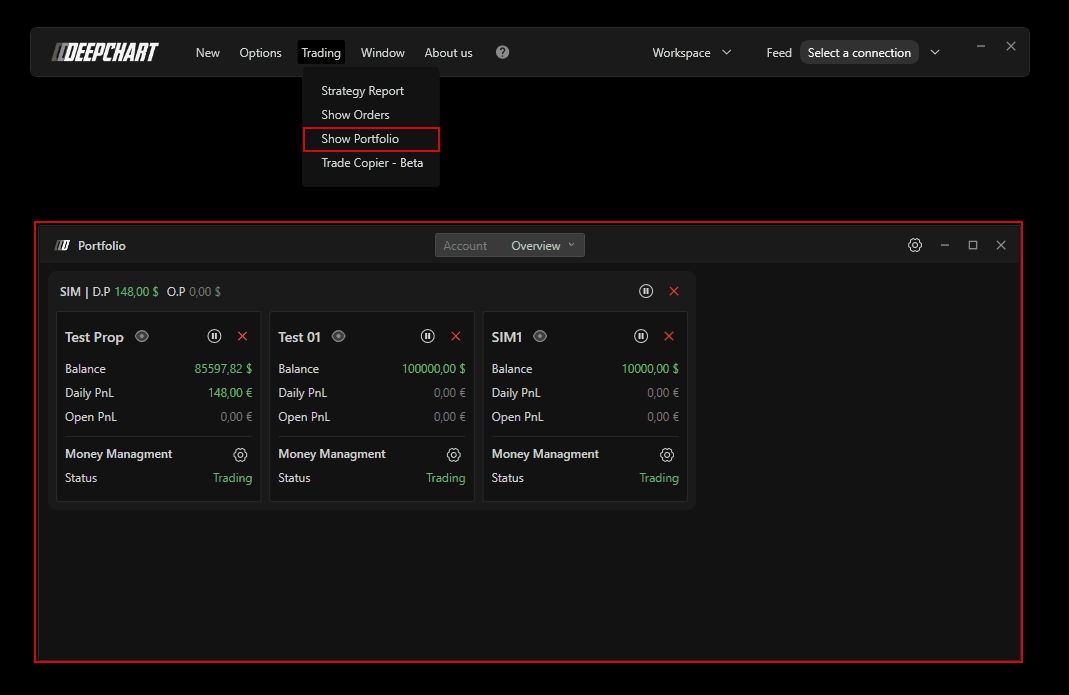
2. Overview Section
In the Overview tab, you can see all accounts connected to Deepchart
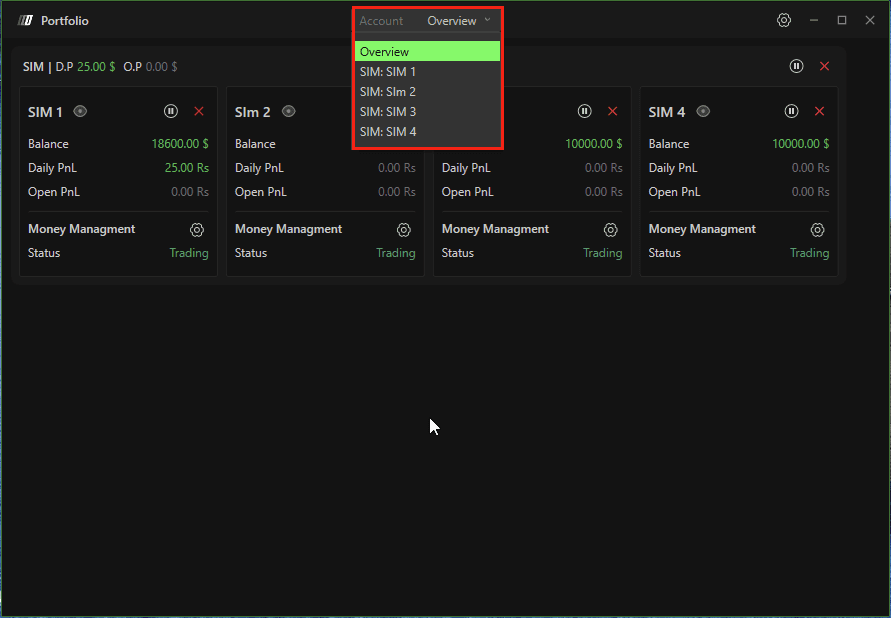
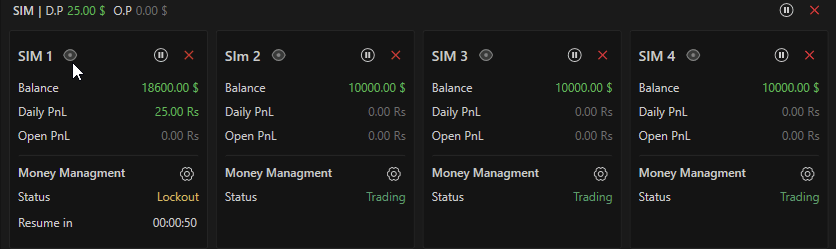
You will see one main card per connection (for example: SIM, Rithmic, Dxfeed).
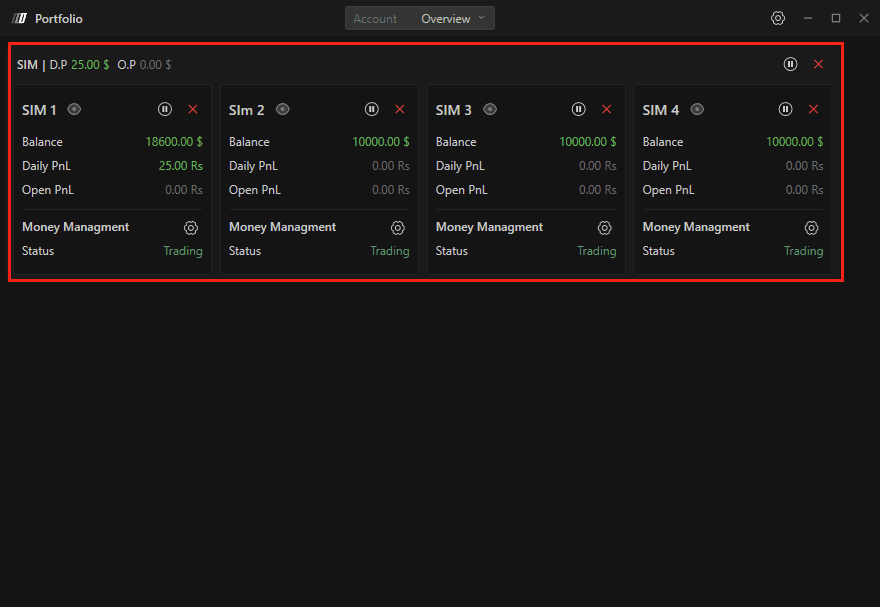
Connection Card Information
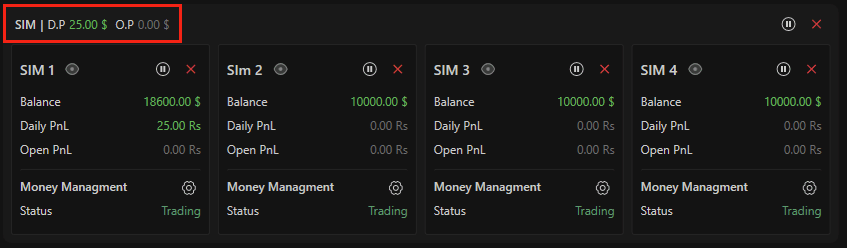
Connection Name (top-left, e.g., SIM)
Daily Profit – Total daily PnL across all accounts under that connection
Open Profit – Current unrealized PnL
Connection-Level Controls
On the right side of the connection card:
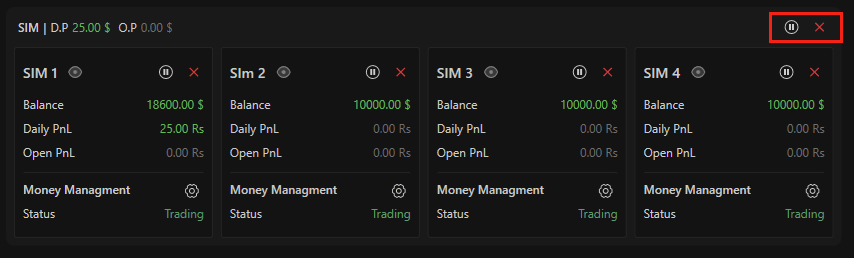
Pause Button
Allows you to pause trading for:
1 minute
10 minutes
30 minutes
60 minutes
Entire session
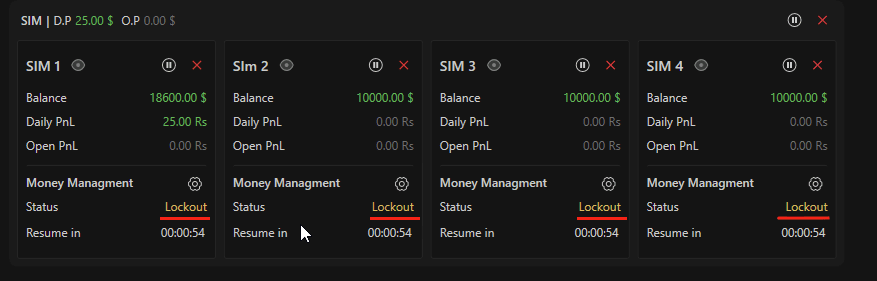
When paused:
All accounts under the connection are locked
“Lockout” status appears
A countdown timer shows when trading will resume
Close Button
Closes (flattens) all open positions across every account under that connection instantly.
3. Individual Account Cards
Each account under a connection has its own control panel.
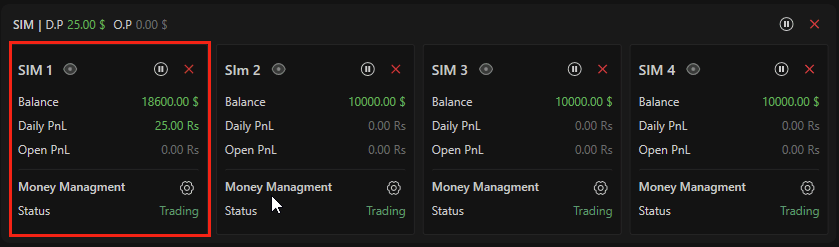
Account-Level Buttons
Eye Button – Opens detailed risk management view of that account
Pause Button – Pauses only that specific account
Close Button – Flattens only that account
Account Information
Balance
Daily PnL
Open PnL
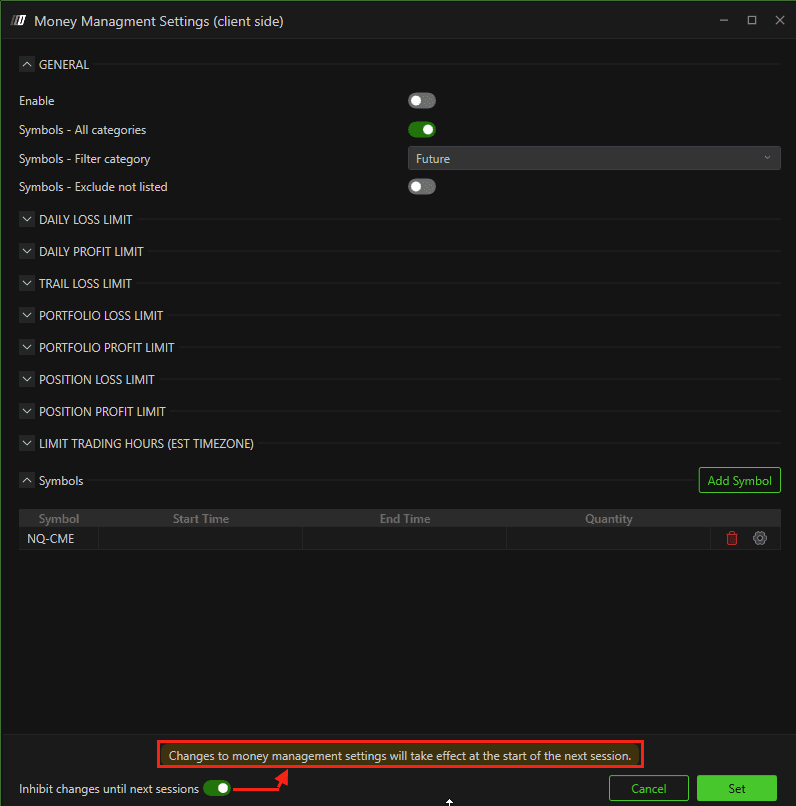
4. Money Management Settings (Client Side)
Click the Settings button to configure risk rules.
You will be prompted to choose:
Account-level settings
Connection-level settings
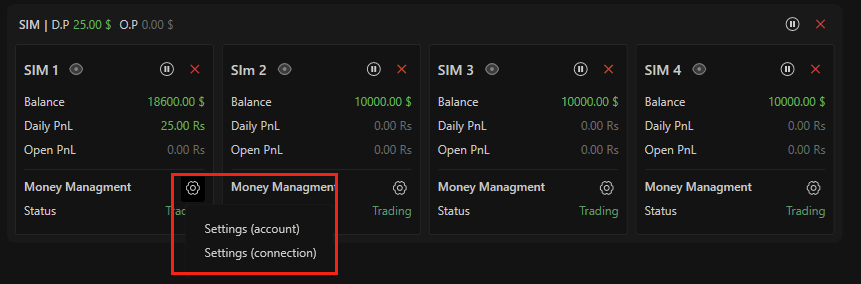
Important: The Risk Manager operates on the client side.
If the platform is closed, the money manager will not function.
5. General Settings
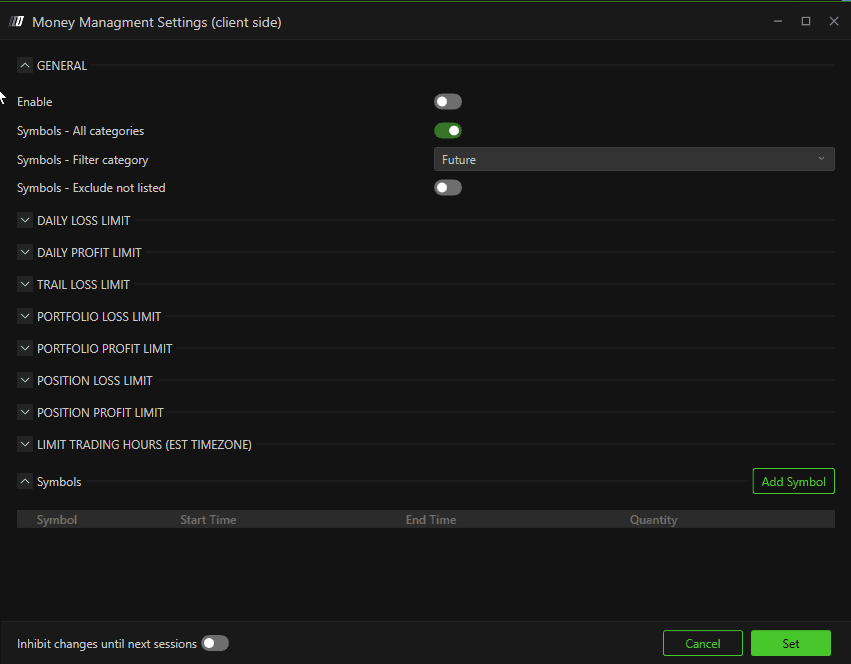
Enable
Activate or deactivate the money manager.
Symbol – Exclude Not Listed
If enabled, you can only trade symbols that you manually add.
Example:
If you want to avoid accidentally trading the Mini instead of the Micro contract, add only the Micro symbol. All other symbols will be blocked.
6. Daily Loss Limit
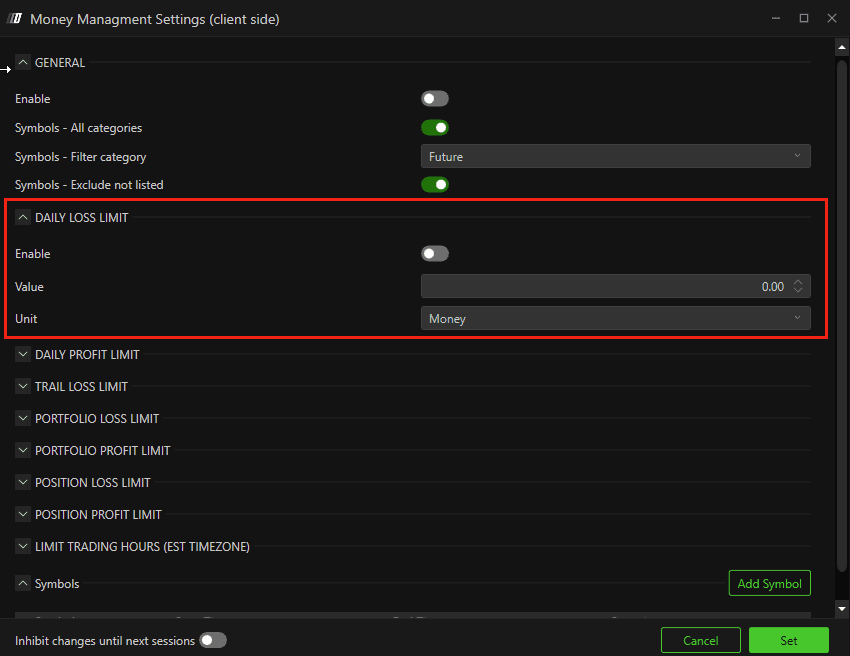
Enable – Activate daily loss protection
Value – Maximum loss allowed
Unit – Money ($) or Percentage (%)
Once breached, the selected action will be triggered.
7. Daily Profit Limit
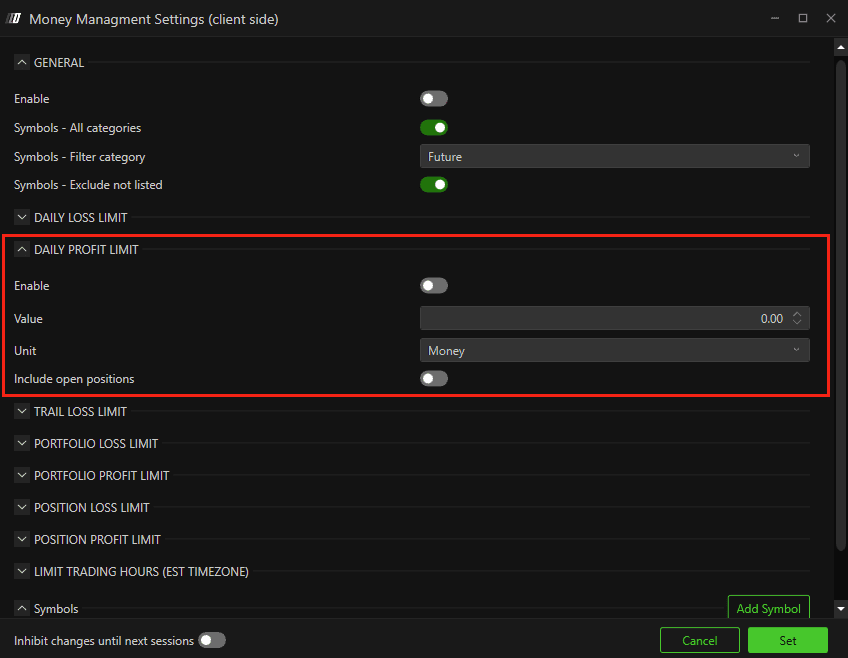
Enable: Activate daily Profit protection
Value: Maximum Profit allowed
Unit – Money ($) or Percentage (%)
Include Open Position – If enabled, open trades will be closed once the limit is reached.
8. Trailing Stop (Daily Trailing Drawdown)
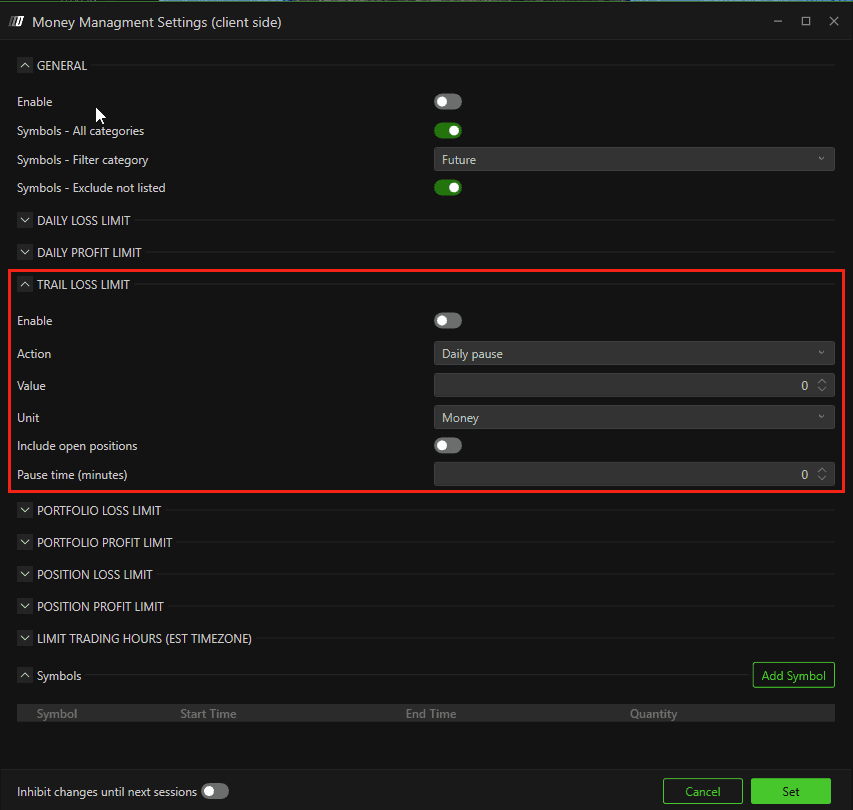
Enable
Activate trailing limit.
Action Options:
Daily Pause – Lock account for the session
Time Pause – Lock account for selected minutes
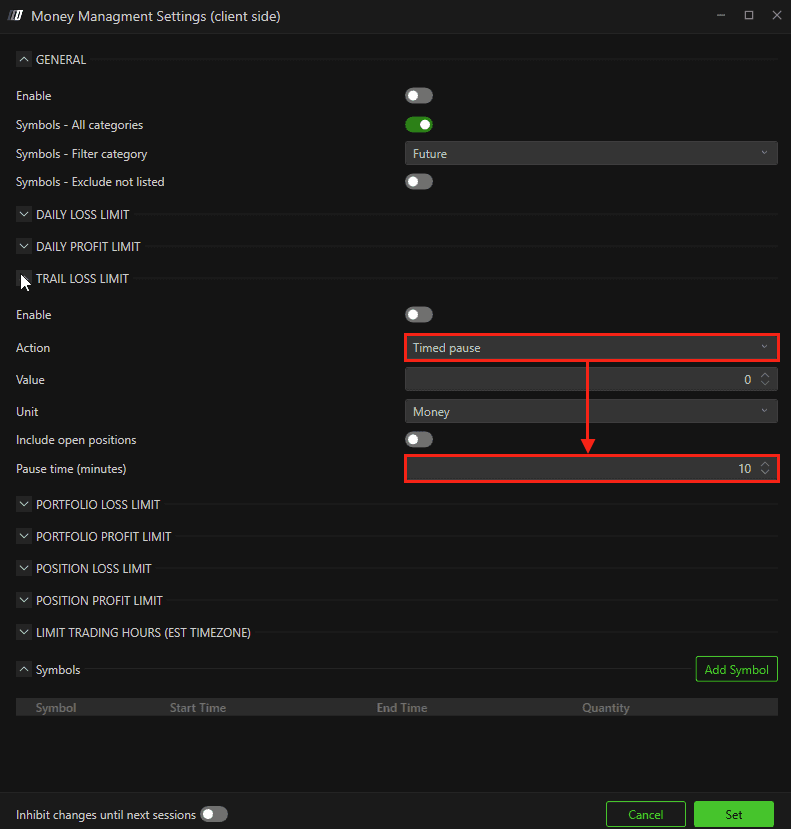
Flat – Close positions but do not lock
Value & Unit
Set in money or percentage.
Include Open Position
If enabled, trailing stop applies to unrealized PnL as well.
Example:
If open profit retraces more than the trailing limit, the system triggers the selected action.
9. Portfolio-Based Limits
Portfolio Loss Limit
Controls total loss across all open positions (e.g., ES + NQ combined).
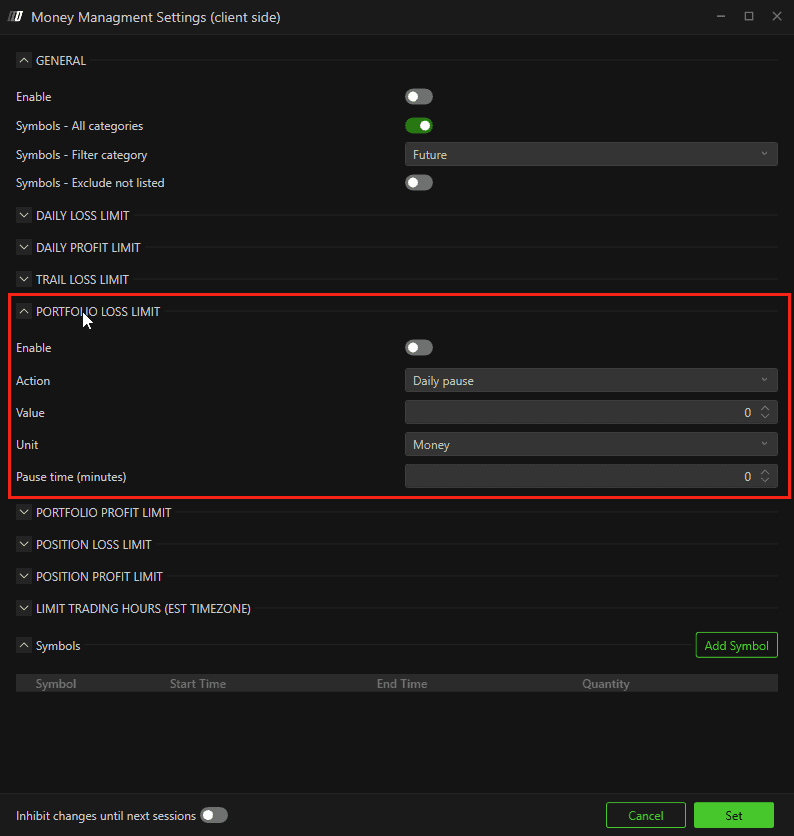
Same configuration options:
Enable
Action
Value
Unit
Portfolio Profit Limit
Same logic as Daily Profit Limit but applied across the entire portfolio.
10. Position-Based Limits
Position Loss Limit
Applies to individual trades.
If exceeded, the position is automatically flattened and action triggered.
Position Profit Limit
Same logic but for profit targets on individual positions.
11. Limit Trading Hours (EST Timezone)
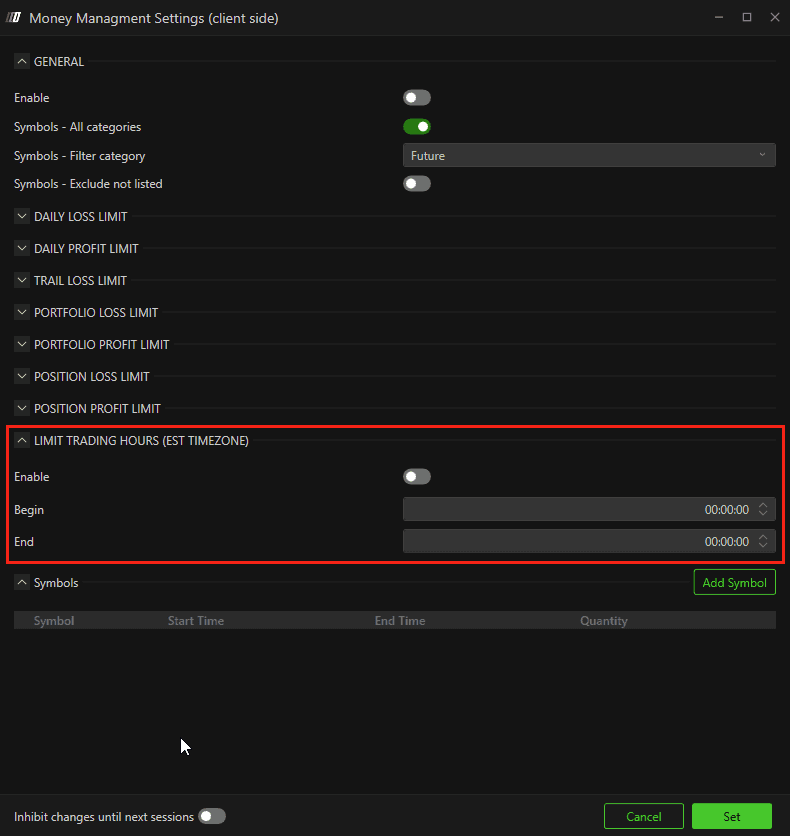
You can restrict trading to specific time windows.
Important:
Time is based on EST timezone
Independent of your PC timezone or chart timezone
Set:
Begin Time
End Time
12. Add Symbol
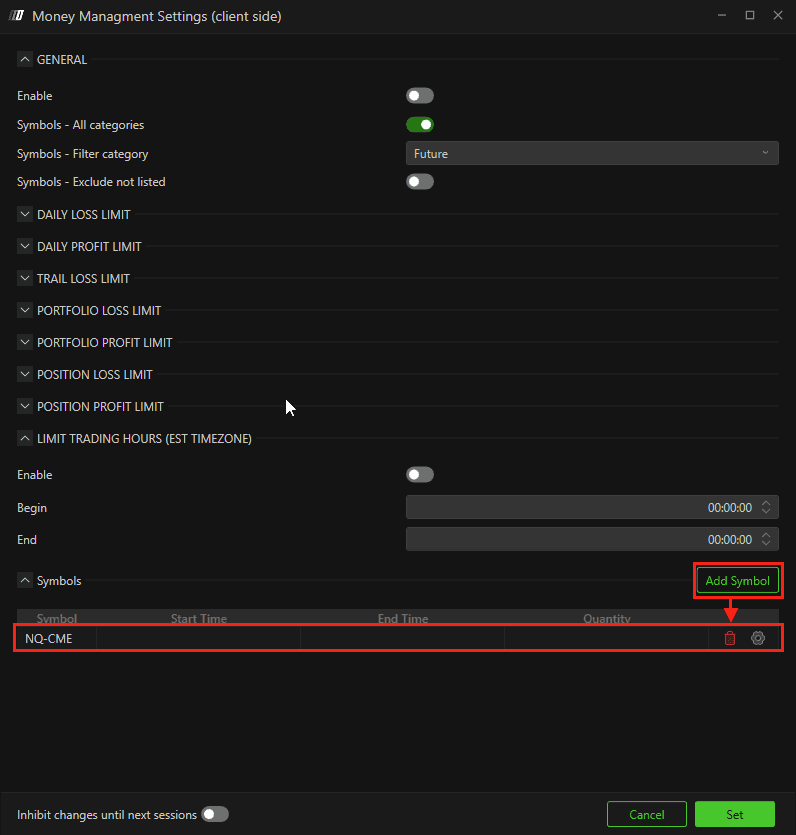
Add or remove symbols allowed for trading.
If Symbol – Exclude Not Listed is enabled:
Only added symbols can be traded.
13. Inhibit Changes Until Next Session
If enabled:
Any changes made to risk settings will only apply on the next trading day.
14. Status
Status may show:
Lockout – The account is locked due to rule violation.
A countdown timer shows when trading will resume.
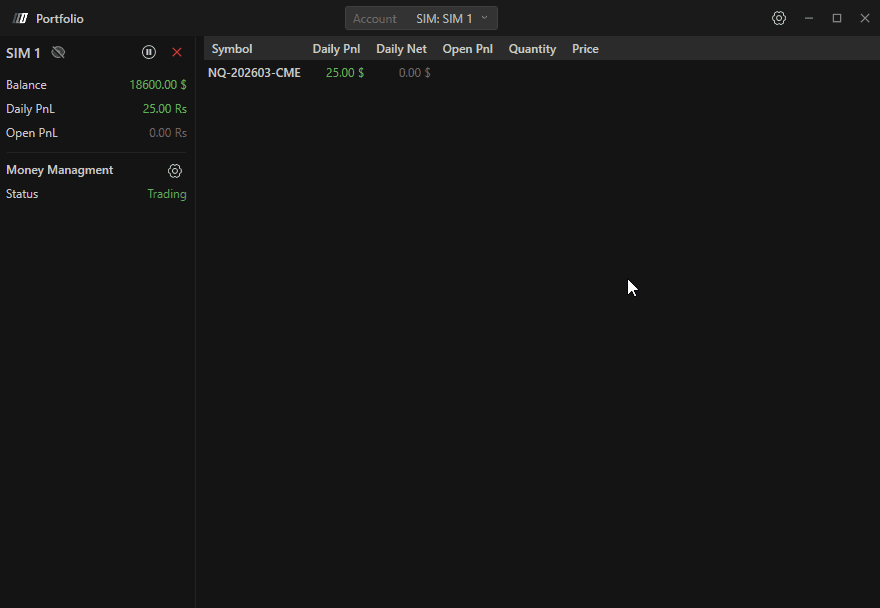
15. Detailed Account View
Click the Eye button to see detailed positions and account risk information.
Important Note
The Risk Manager follows CME timezone (EST) for daily resets.
If locked for the day:
The account automatically unlocks at 18:00 EST.
The only way to unlock the account after the timeout of Risk Manager is triggered is to ask the DeepChart Support team to unlock it from backend, and it can some time.
Summary
The DeepChart Risk Manager provides:
Daily loss & profit limits
Trailing drawdown protection
Portfolio-level risk controls
Position-based limits
Time-restricted trading
Symbol-based protection
Automatic lockout enforcement
It transforms risk management from a discretionary decision into an automated discipline system—ensuring traders strictly follow their predefined risk plan.
