Deep Indicators
Updated:
The Deep Trades indicator highlights aggregated large orders on the chart using visual markers, making it easy to see where the largest buy and sell transactions occurred.

Settings of Use
Open the indicator configuration by clicking its settings icon. The window collects all display options and level controls.
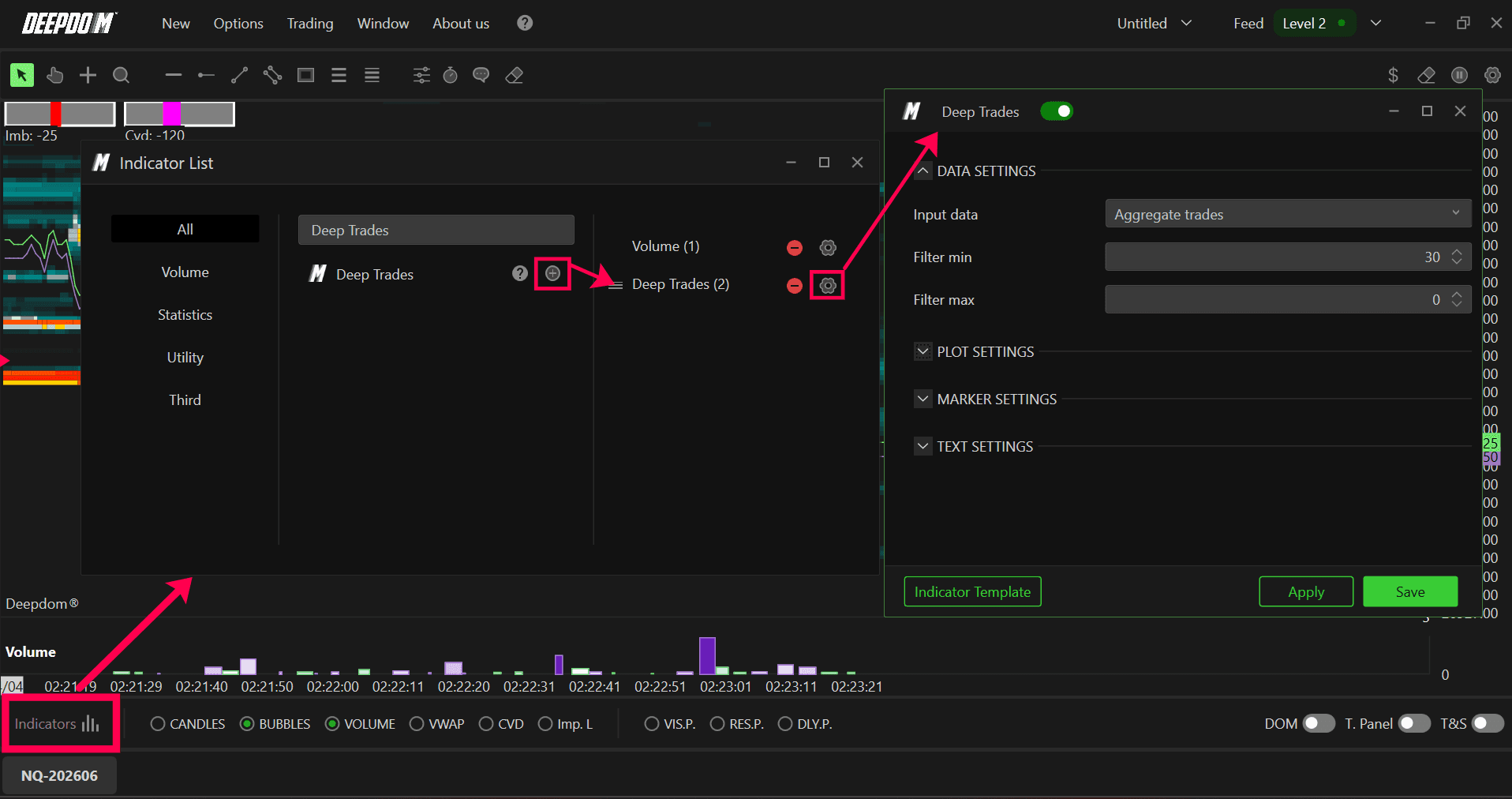
Data Settings
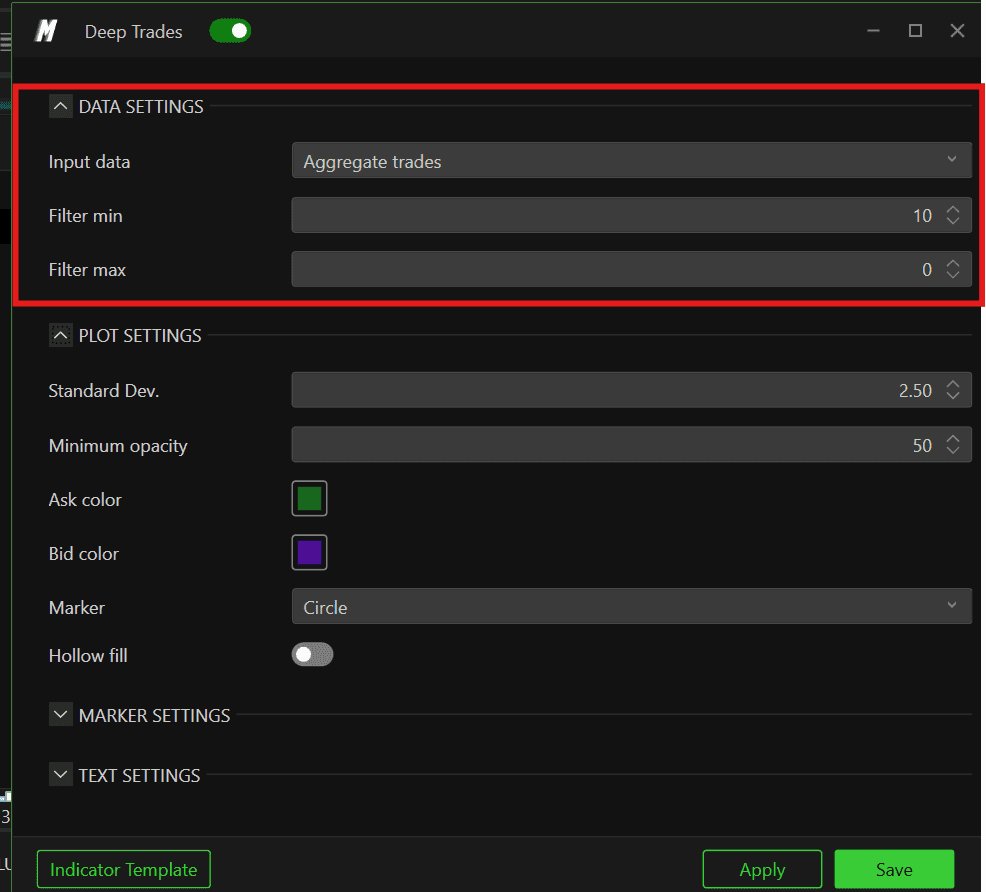
Input data
Choose the Input used for detecting big trades:
Volume – total volume at each price level.
Order – order quantities at each price; useful for order‑flow analysis.
Iceberg – focuses on iceberg‑type activity.
Aggregate Trades – groups small trades executed within a short time window at the same price into a single larger trade.
Min / Max Filter
Min Filter – sets the minimum size required for a trade to be considered a Big Trade.
Max Filter – sets the maximum size. Leaving this at 0 disables the maximum filter. Using different max filters is helpful when running multiple Big Trades indicators with distinct size bands.

Plot Settings
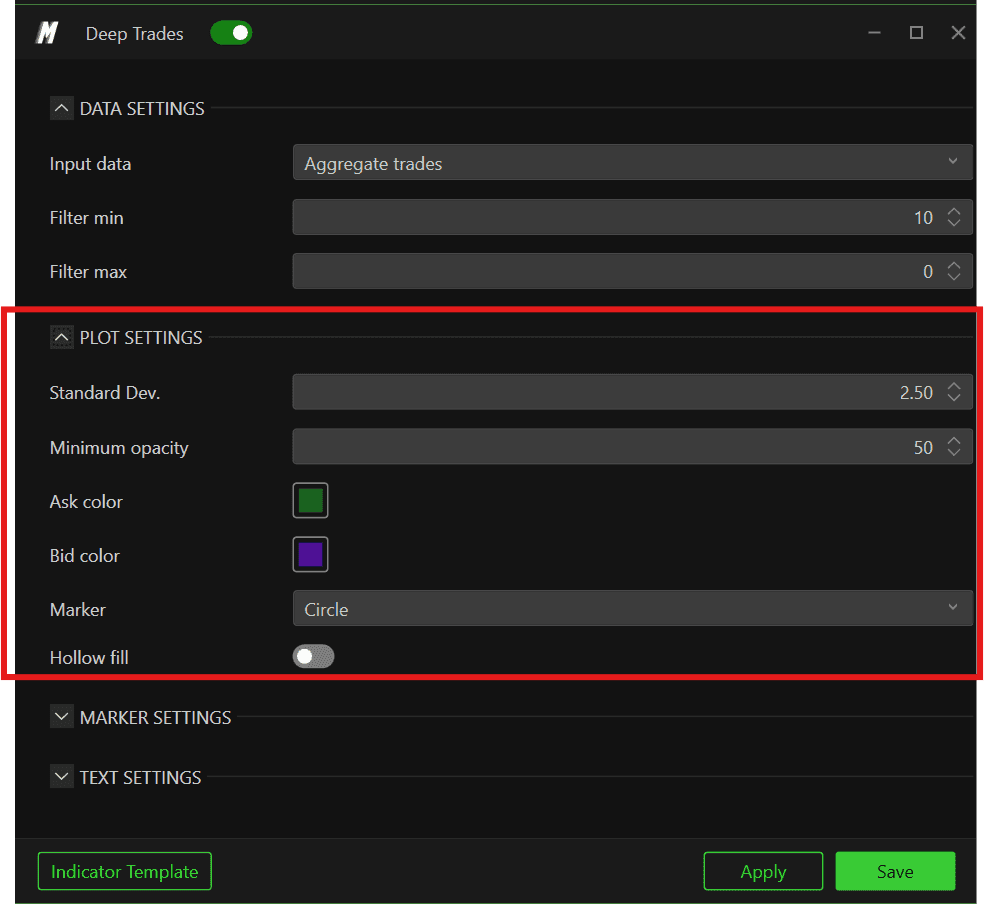
Dev. standard – standard deviation parameter used to scale the marker size according to trade magnitude.
Minimum opacity – lower bound for marker opacity; larger trades get more opaque backgrounds.
Ask/Bid Color – colors applied to Big Trades executed on the Ask (buying) and Bid (selling) side.
Marker – choose the marker shape: Circle, Square, Diamond, or Text.
Hollow fill – when enabled, removes the marker background, leaving only the outline.
Marker and Text Settings
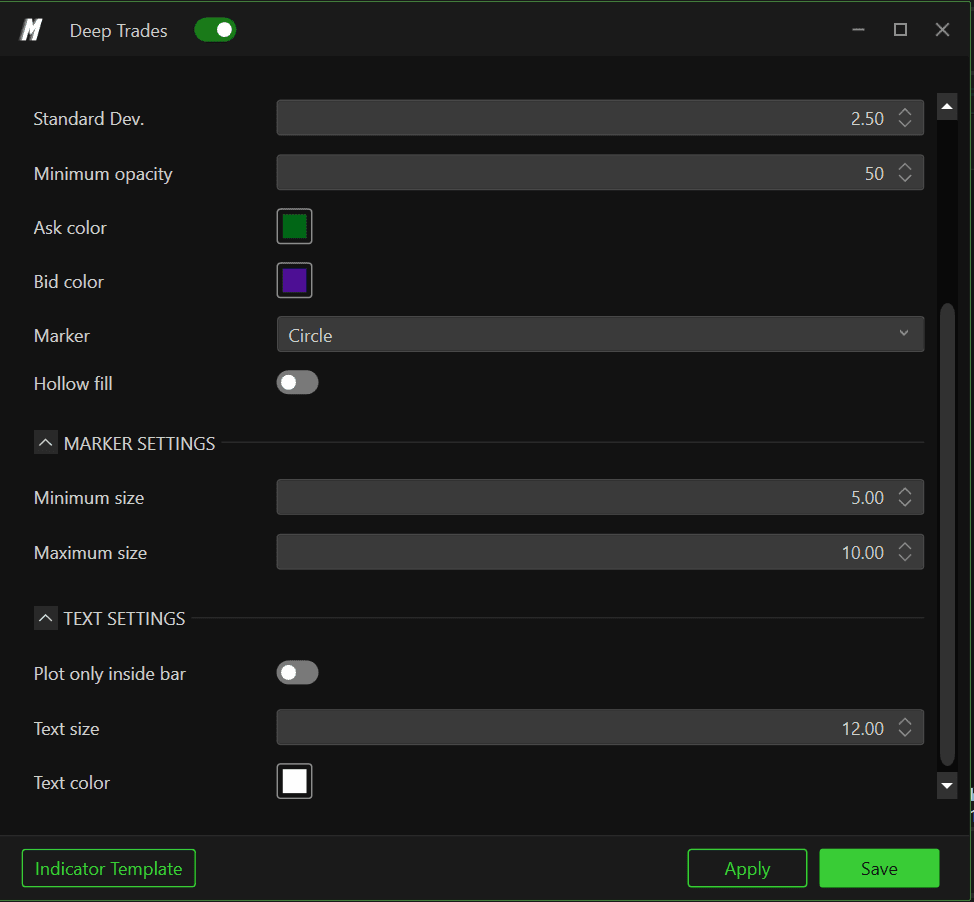
Marker Settings – define minimum and maximum marker sizes to increase the bubble Size
Text Settings – configure font size and color when using text markers.
Trading Applications
1. Locating Large Player Activity
Deep Trades near prior highs/lows or VWAP show where large players either defend a level or initiate new positions. When these markers align with strong delta and volume, you can infer that institutional flow is driving the move.
2. Exhaustion vs. Initiative
A cluster of Deep Trades at the end of an extended trend can mean either:
Continuation: if price pushes through the level and holds, large players are likely initiating in the direction of the break.
Exhaustion: if price quickly snaps back, these trades often represent late chasers being absorbed by passive liquidity.
3. Scaling Decisions
Professional traders watch for Deep Trades against their position as an early sign to scale out or move stops. For example, if you are long into resistance and several large Bid‑side trades fail to push price higher, it may indicate absorption and justify reducing risk.
