Cómo hacer

Updated:

Cómo personalizar el idioma, el tema y los sonidos de notificación

Cómo personalizar el idioma, el tema y los sonidos de notificación

No headings found on page

1. Cómo acceder a la configuración

  1. Haz clic en Opciones

  2. Selecciona Configuración

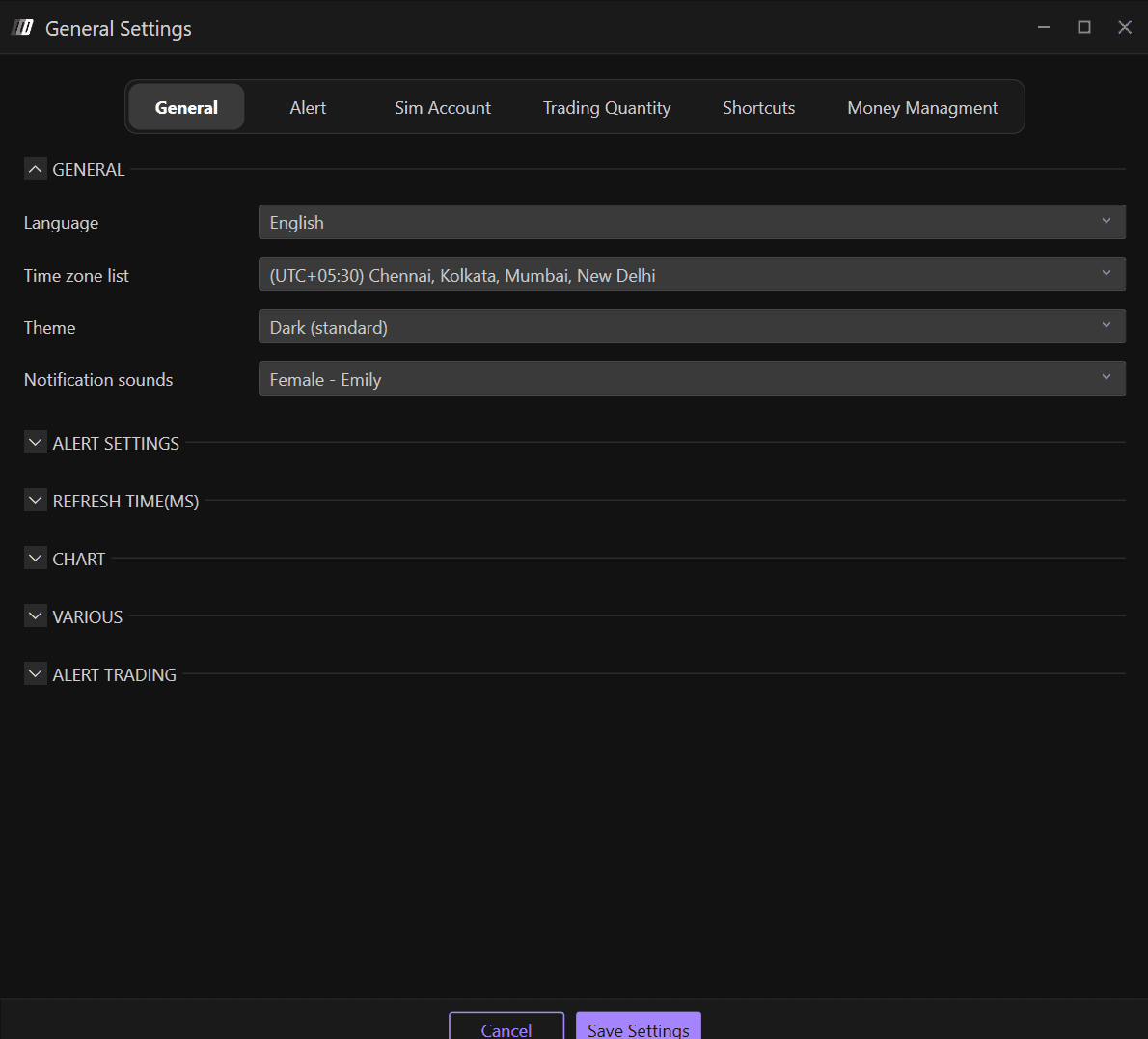
  3. Ve a la sección General

En la sección General, encontrarás la configuración genérica de Deepcharts, donde puedes cambiar:

  • Idioma

  • Zona horaria

  • Tema: apariencia de la plataforma

  • Sonidos de notificación

2. Idioma

Los idiomas disponibles son:

  • Inglés

  • Italiano

  • Español

  • Alemán

  • Chino

3. Tema: apariencia de la plataforma

Los temas disponibles en Deepcharts son:

  • Oscuro

  • Oscuro (Estándar)

  • Azul

  • Claro 

  • Claro (Estándar)

  • Morado

4. Sonidos de notificación

Personaliza los sonidos de las notificaciones de alerta en la sección General. Las opciones de sonido de notificación disponibles incluyen:

  • Femenina - Emily

  • Femenina - Daniela

  • Masculino

  • Warzone

Tools for futures, currency & options involves substantial risk & is not appropriate for everyone. Only risk capital should be used for trading.

Testimonials appearing on this website may not be representative of other clients or customers and is not a guarantee of future performance or success.

Tools for futures, currency & options involves substantial risk & is not appropriate for everyone. Only risk capital should be used for trading. Testimonials appearing on this website may not be representative of other clients or customers and is not a guarantee of future performance or success.

Deepcharts © 2026 All right reserved

Tools for futures, currency & options involves substantial risk & is not appropriate for everyone. Only risk capital should be used for trading. Testimonials appearing on this website may not be representative of other clients or customers and is not a guarantee of future performance or success.

Deepcharts © 2026 All right reserved