Cómo hacer

Updated:

Datos de repetición

Datos de repetición

Así es como puedes reproducir los datos del mercado.

Así es como puedes reproducir los datos del mercado.

No headings found on page

Abra el software Deepchart

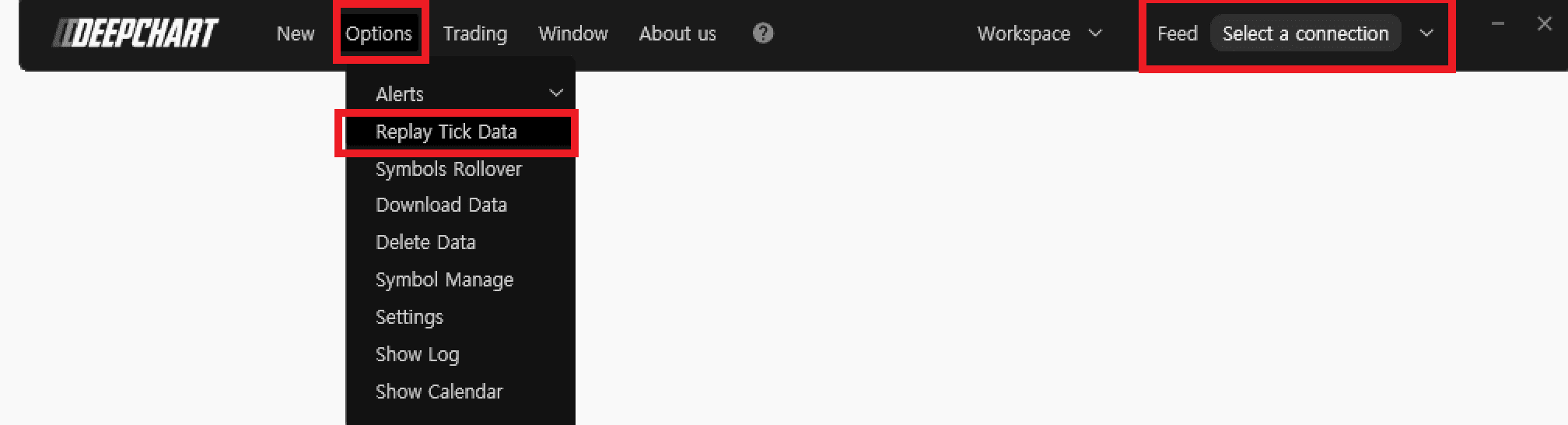
  1. Asegúrese de no estar conectado a ningún Data Feed. Y cierre cualquier gráfico de precios.

  2. Vaya a Opciones > Reproducir datos de ticks
  3. Configuración de Replay Manage

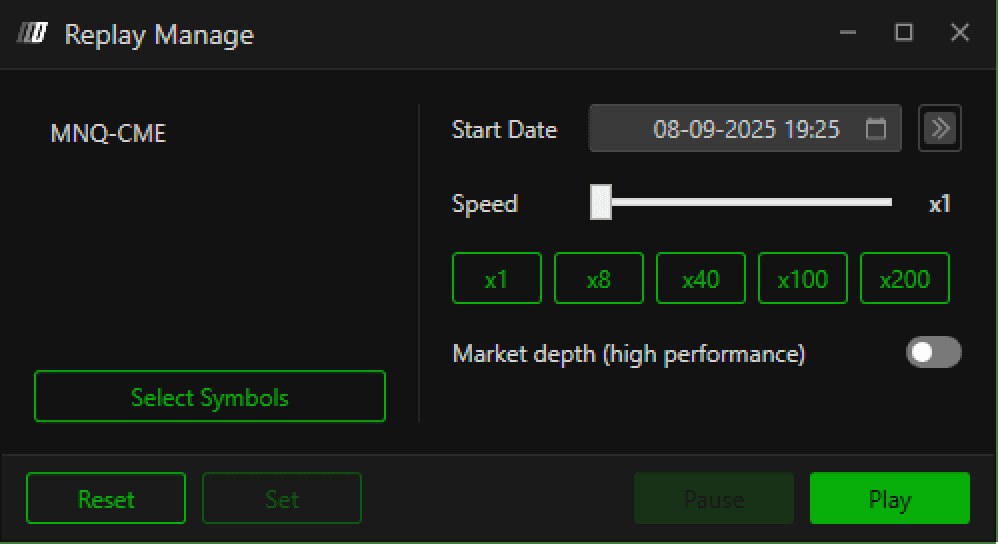
    1. Pulse Select Symbols para seleccionar su bolsa preferida

    2. Para establecer la fecha y la hora, haga clic en el icono del calendario y seleccione / introduzca la fecha y la hora que prefiera.

    3. Pulse Set.

  4. Vuelva al software Deepchart (asegúrese de tener abierto Replay Manage) y abra un nuevo gráfico (New > Gráfico de precios) para la bolsa que haya configurado en Replay Manage.

  5. Seleccione Play y verá cómo su gráfico reproduce los datos. 

  6. Puede acelerar el tiempo de reproducción moviendo el control deslizante Speed Scroll o seleccionando opciones de velocidad preestablecidas.

Tools for futures, currency & options involves substantial risk & is not appropriate for everyone. Only risk capital should be used for trading.

Testimonials appearing on this website may not be representative of other clients or customers and is not a guarantee of future performance or success.

Tools for futures, currency & options involves substantial risk & is not appropriate for everyone. Only risk capital should be used for trading. Testimonials appearing on this website may not be representative of other clients or customers and is not a guarantee of future performance or success.

Deepcharts © 2026 All right reserved

Tools for futures, currency & options involves substantial risk & is not appropriate for everyone. Only risk capital should be used for trading. Testimonials appearing on this website may not be representative of other clients or customers and is not a guarantee of future performance or success.

Deepcharts © 2026 All right reserved