How To

Updated:

Feb 26, 2026

Buying Data Feed / Getting Credential

Buying Data Feed / Getting Credential

Instructions for adding a new data feed subscription to your account.

Instructions for adding a new data feed subscription to your account.

No headings found on page

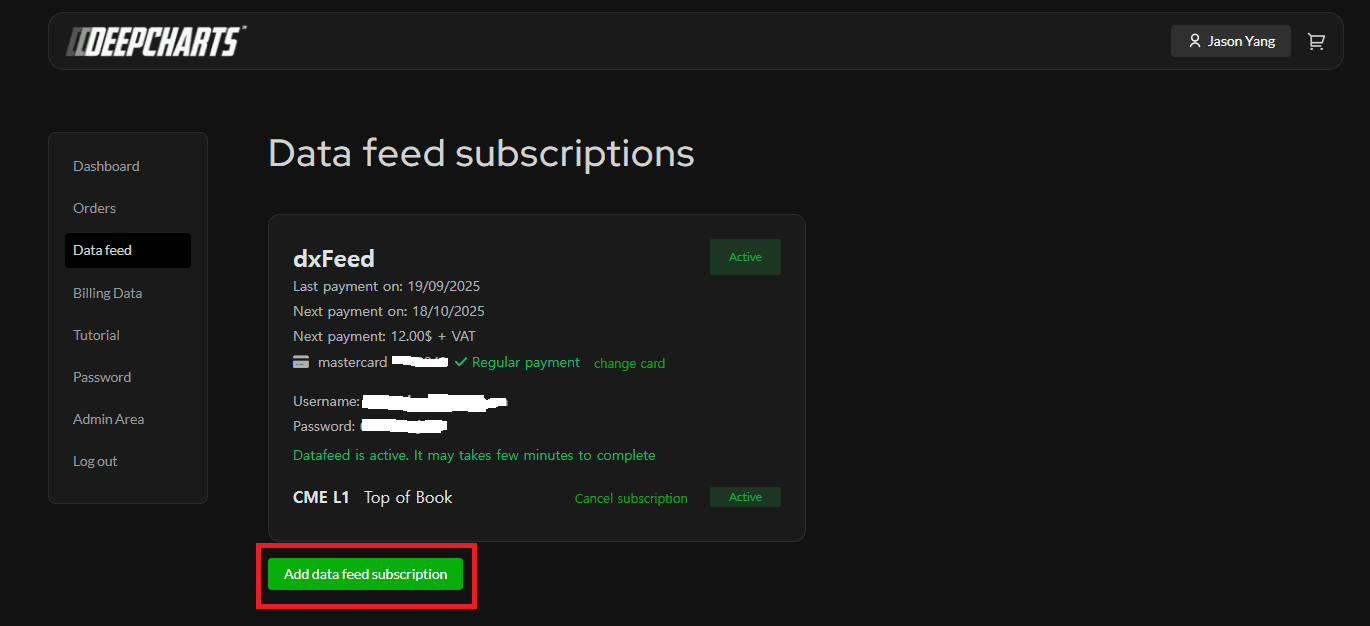
Go to my.deepcharts.com

  • Go to Data Feed on the left.

  • Click on Add data feed subscription

     Click on desired Data Feed and Proceed with the order
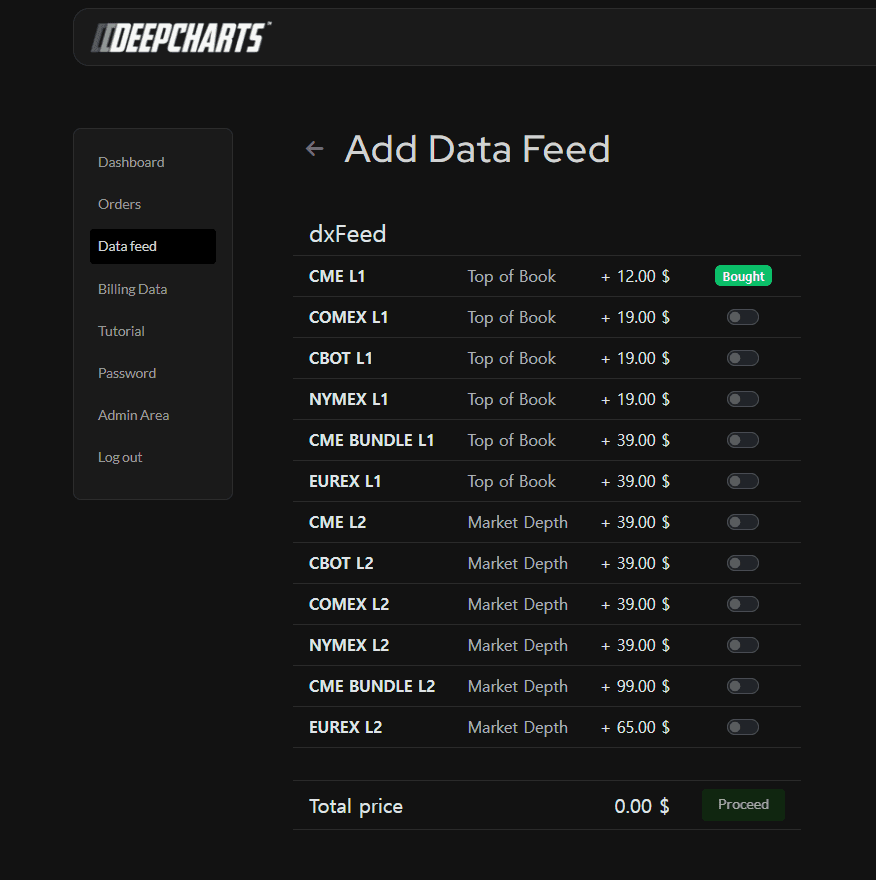
    Then enter your card information and press Pay

    Upon Success you will be directed to here:
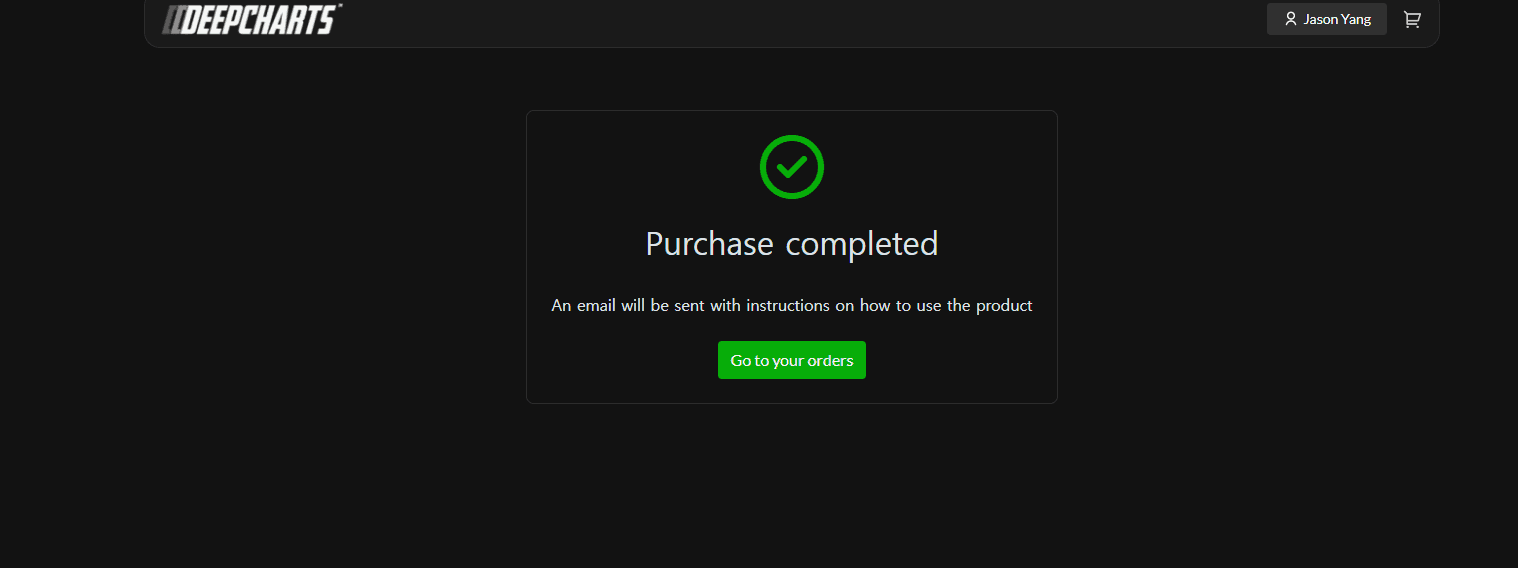
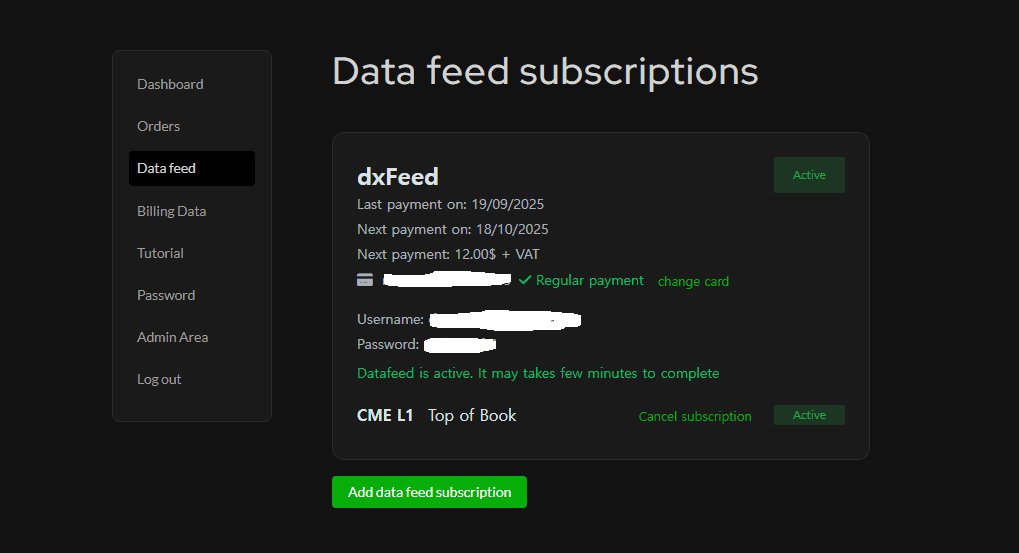
    Go Back to Data Feed and there you will have to sign the contract.

    Choose subscription status (non-professional) and enter your information:
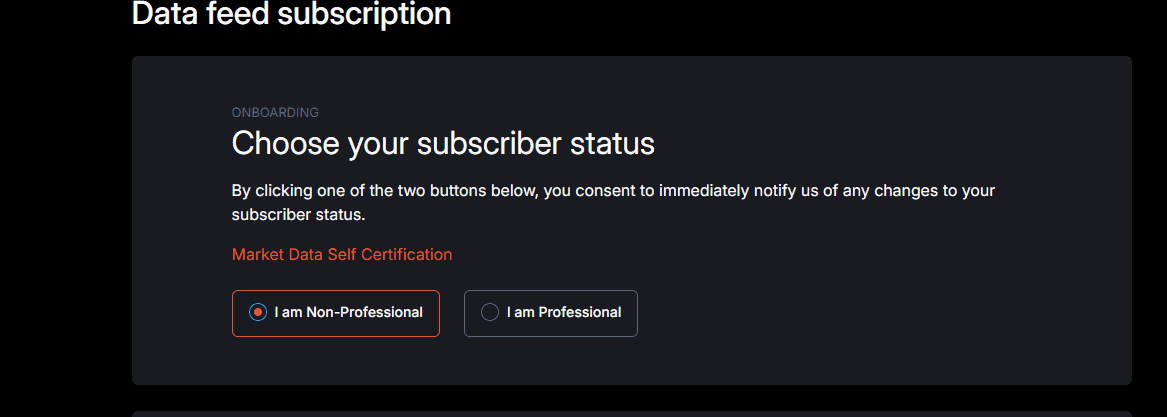
    Once you have signed the contract and proceeded, go back to Data Feed and you will see your username and password (In the image, it is erased)

Tools for futures, currency & options involves substantial risk & is not appropriate for everyone. Only risk capital should be used for trading.

Testimonials appearing on this website may not be representative of other clients or customers and is not a guarantee of future performance or success.

Tools for futures, currency & options involves substantial risk & is not appropriate for everyone. Only risk capital should be used for trading. Testimonials appearing on this website may not be representative of other clients or customers and is not a guarantee of future performance or success.

Deepcharts © 2026 All right reserved

Tools for futures, currency & options involves substantial risk & is not appropriate for everyone. Only risk capital should be used for trading. Testimonials appearing on this website may not be representative of other clients or customers and is not a guarantee of future performance or success.

Deepcharts © 2026 All right reserved