Updated:
Overview
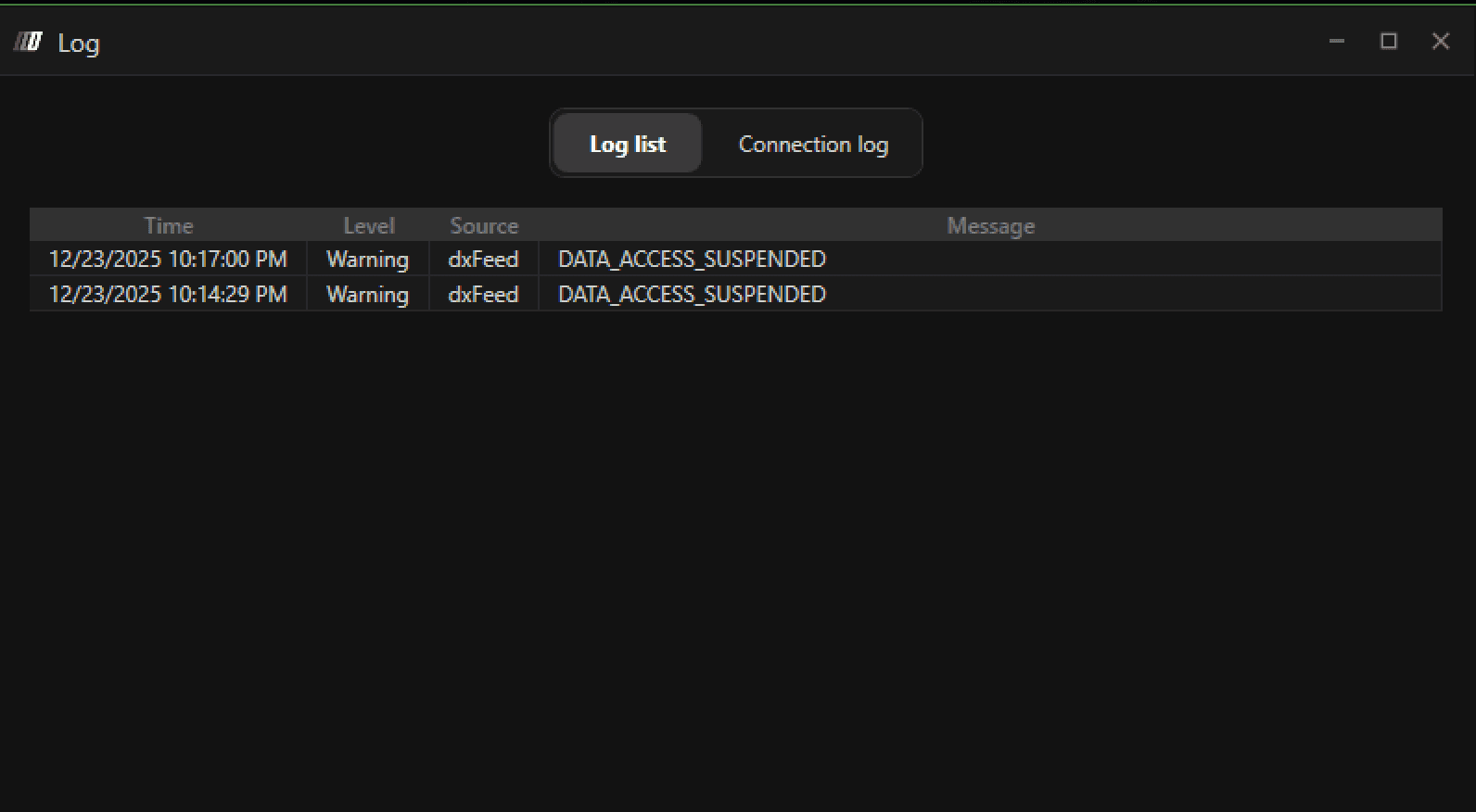
The DATA_ACCESS_SUSPENDED error appears when DXFeed suspends market data access due to a mismatch in your Non-Professional status.
Although the user may have signed the Market Data Agreement as a Non-Professional, DXFeed may determine—based on the information provided in the agreement—that the user does not qualify as Non-Professional.

Cause
This error occurs when:
You signed the market data agreement as Non-Professional
DXFeed’s compliance review determines that your submitted information does not meet Non-Professional criteria
As a result, market data access is suspended
This decision is made by DXFeed, not by DeepChart.
Solution: Verify Non-Professional Status With DXFeed
Step 1: Contact DeepChart Support
Reach out to DeepChart Support and report the following error:
DATA_ACCESS_SUSPENDED
Step 2: Request the Non-Professional Verification Form
DeepChart Support will provide you with a verification form that confirms your Non-Professional status.
Step 3: Complete and Submit the Form
Fill out the form accurately
Ensure all information clearly confirms that you are a Non-Professional trader
Submit the completed form back to DeepChart Support
Step 4: DXFeed Review
DeepChart Support will forward the form to DXFeed
DXFeed will review the documentation as proof of your Non-Professional status
Step 5: Data Access Restored
Once approved by DXFeed:
Market data access will be re-enabled
Restart DeepChart and reconnect the data feed
Important Notes
This is a compliance-related issue, not a software bug
Approval time depends on DXFeed’s review process
Providing accurate and truthful information is essential
Prevention Tips
Carefully complete all Market Data Agreement fields
Ensure your details match Non-Professional eligibility requirements
Avoid inconsistencies in employment or trading activity information
