Updated:
Overview
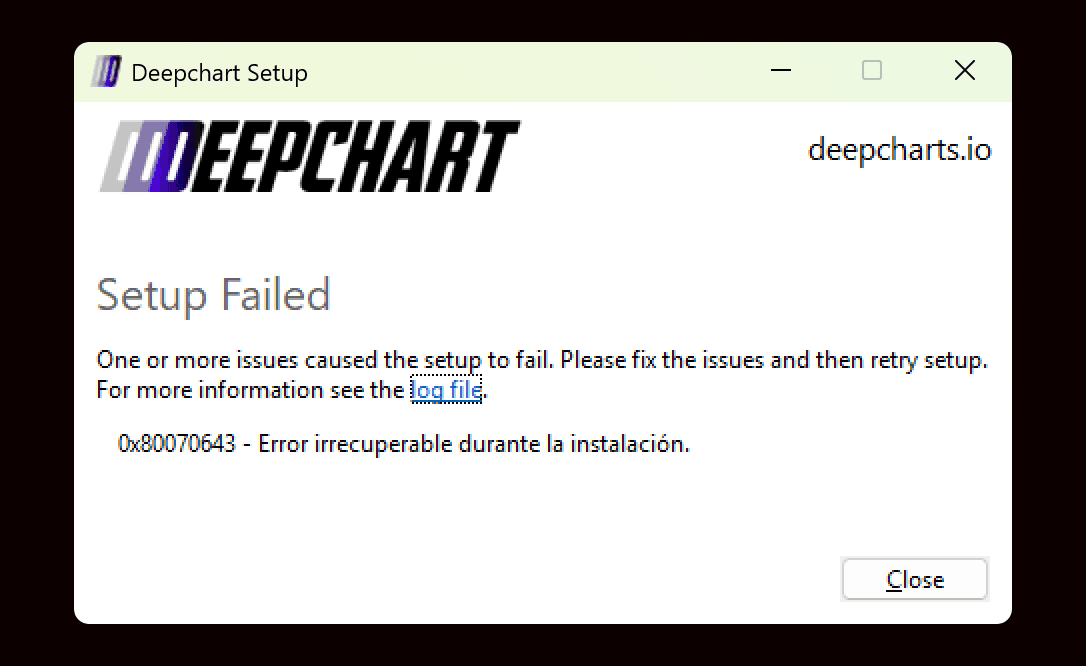
Some users may encounter an “Installation Setup Failed” error while installing DeepChart on Windows. This usually happens because required system components are missing or incompatible.
When this error appears, you can click Log File in the installer to view detailed information about why the setup failed.

How to Diagnose the Issue
Step 1: Review the Installer Logs
In the installation error window, click Log File
Review the log to identify the reason for the failure
If the log details are unclear or difficult to understand, you can submit the log file to DeepChart Support for further investigation.
Common Causes and Solutions
Cause 1: System Language Is Not English
Description
DeepChart installation and some of its dependencies require Windows system language to be set to English.
If your PC language is set to another language, the installer may fail unexpectedly.
Solution
Change your Windows display and system language to English
Restart your PC
Run the DeepChart installer again
✅ This resolves installation failures for many users.
Cause 2: Missing or Outdated Microsoft Visual C++ Redistributable
Description
DeepChart requires the latest Microsoft Visual C++ Redistributable to install and run correctly. If it is missing or outdated, the installer may fail.
Solution: Install Latest Visual C++ Redistributable
If you are not sure about your system architecture, install both X86 and X64 versions.
Architecture | Download Link | Notes |
|---|---|---|
ARM64 | Latest supported ARM64 version | |
X86 (32-bit) | Required even on some 64-bit systems | |
X64 (64-bit) | Includes both ARM64 and X64 binaries |
Steps
Download the required Visual C++ package(s)
Install the package(s)
Restart your PC
Run the DeepChart installer again
Cause 3: SlimDX (Graphics Rendering) Issue
Description
DeepChart uses SlimDX for graphical rendering. In rare cases, system-level graphics or DirectX issues can prevent the installer from completing successfully.
Solution Options
Option 1: Install DeepChart on Another PC
If available, try installing DeepChart on a different Windows machine.
Option 2: Fresh Windows Installation
If you do not have access to another PC:
Perform a fresh Windows installation
Install system updates and required components
Reinstall DeepChart
This resolves the issue in most SlimDX-related cases.
When to Contact Support
If the issue persists after following the steps above:
Collect the installer log file
Contact DeepChart Support
Attach the log file so the team can investigate further
Final Notes
Always restart your PC after installing system dependencies
Avoid running multiple installers simultaneously
Keep Windows and graphics drivers up to date
