Updated:
Overview
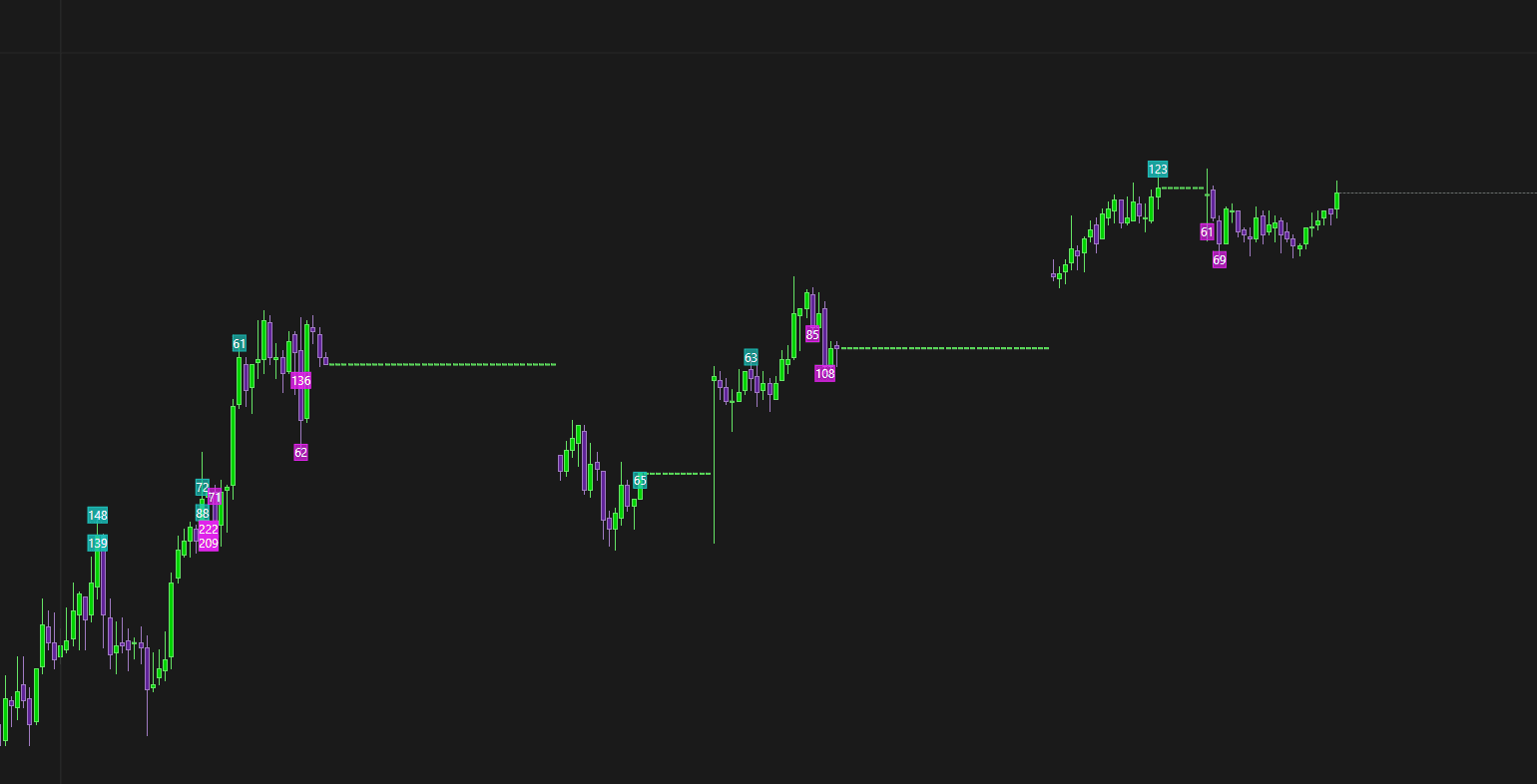
If you notice gaps in price on your charts, this can be caused by either corrupted local data or valid market-related reasons. This article explains the most common causes and how to resolve them.

Possible Causes
The most common reasons for price gaps are:
Corrupted data in the local database
Actual price gaps in the market
Invalid or incorrect contract expiry selected
Each cause and its solution is explained below.
Cause 1: Corrupted Local Data
Description
Sometimes the historical data stored in DeepChart’s local database becomes corrupted, which can result in visible gaps on the chart.
Solution: Delete and Reload Symbol Data
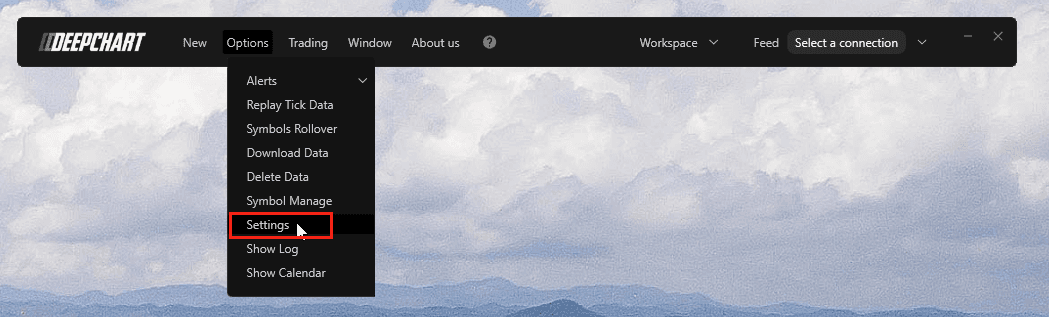
Step 1: Open Database Settings
In DeepChart, go to:
Step 2: Locate Database Folder Path
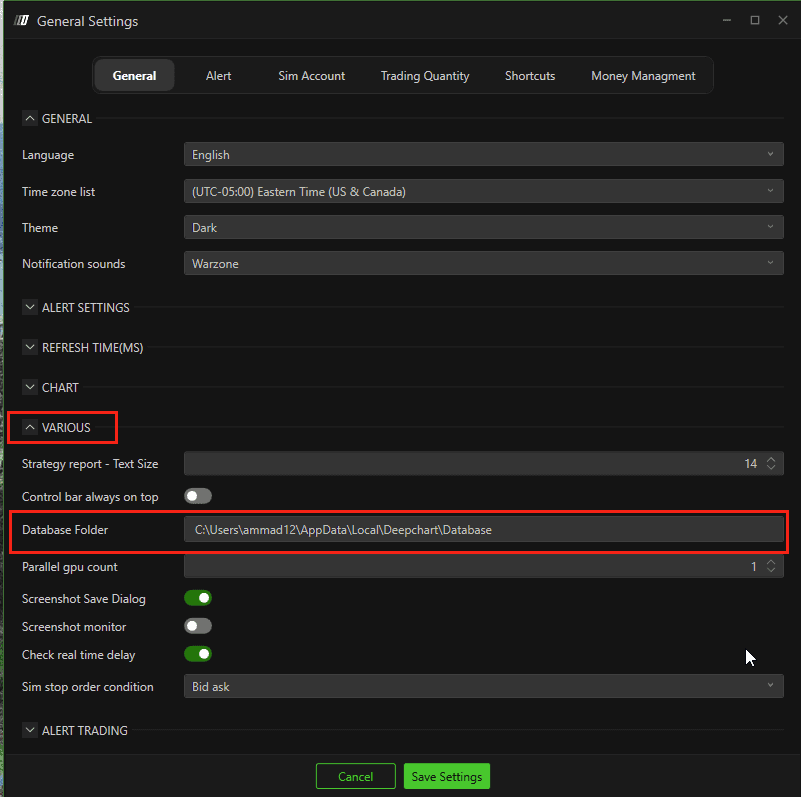
Open General Settings
Under the Various section, copy the Database Folder Path
Step 3: Open Database Folder
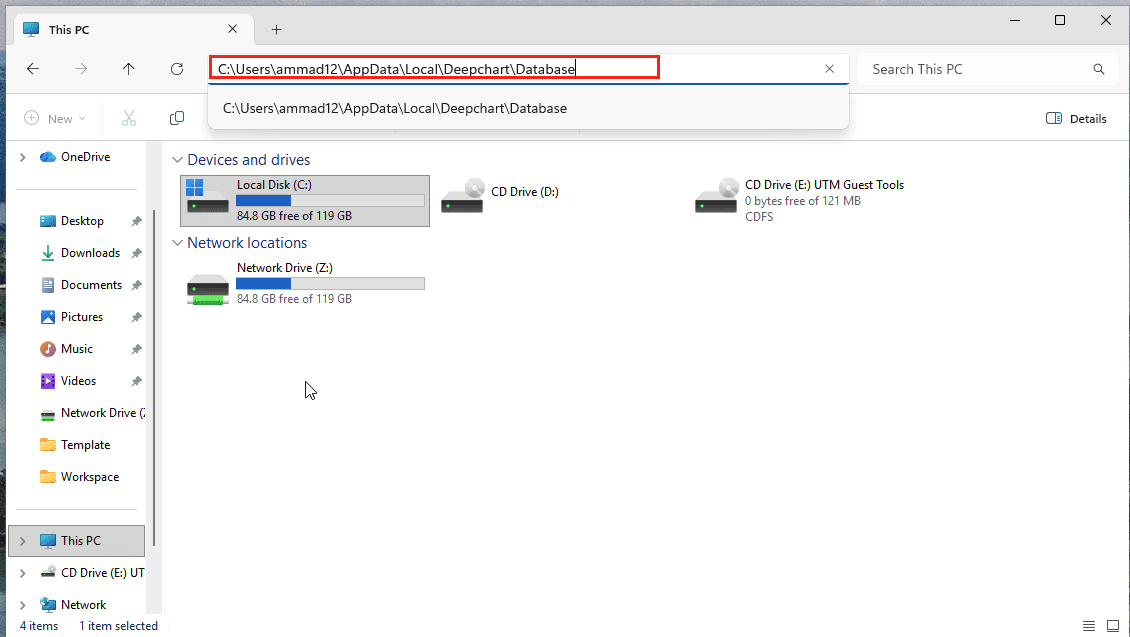
Paste the copied path into File Explorer
Press Enter
Step 4: Delete Corrupted Symbol Data
Inside the database folder, you will see folders for each symbol
Delete only the folder of the symbol whose chart shows gaps or corrupted prices
(Do not delete the entire database unless necessary)
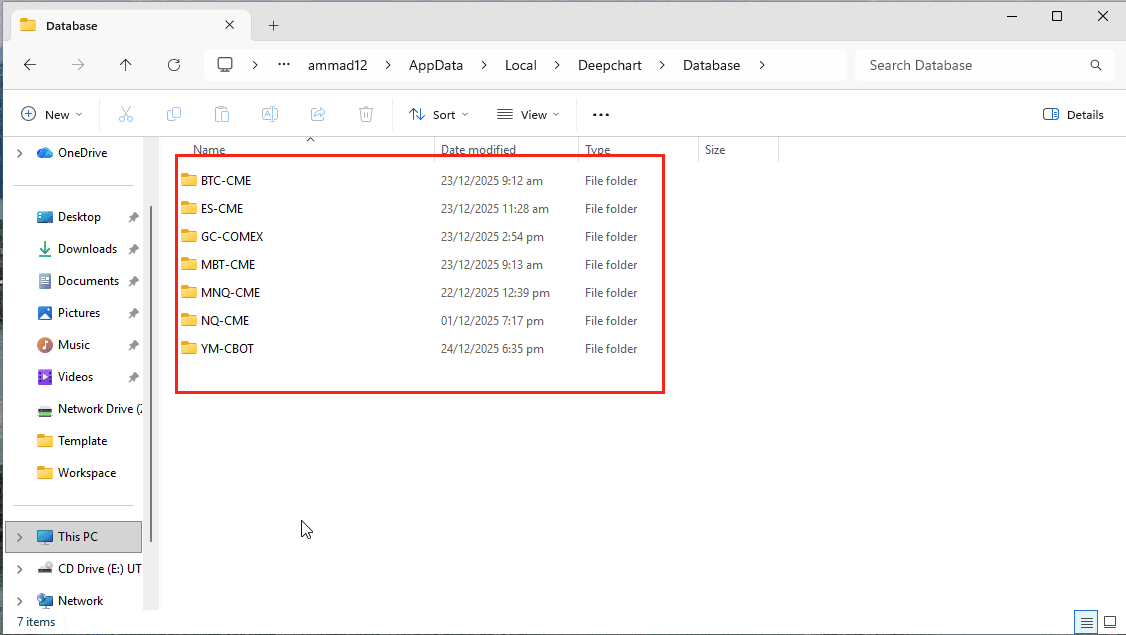
Step 5: Reload Chart
Restart DeepChart
Open the affected chart again
DeepChart will automatically download fresh data for that symbol.
✅ In most cases, this resolves the issue.
Cause 2: Actual Market Price Gaps
Description
If the issue persists after reloading the data, the gaps may represent real price gaps from the market, such as:
Session breaks
Weekend gaps
Low-liquidity periods
These gaps are normal market behavior and not a data error.
Cause 3: Invalid Contract Expiry
Description
If you are trading futures, an incorrect or expired contract month can cause missing or inconsistent data on the chart.
Solution
Verify that the correct and active contract expiry month is selected
Switch to the current front-month contract if needed
Reload the chart after correcting the expiry
Final Notes
Always delete only the affected symbol’s folder, not the entire database
Real market gaps cannot be “fixed” because they reflect actual trading activity
Ensure your contract expiry is valid before assuming data corruption
