Updated:
Overview
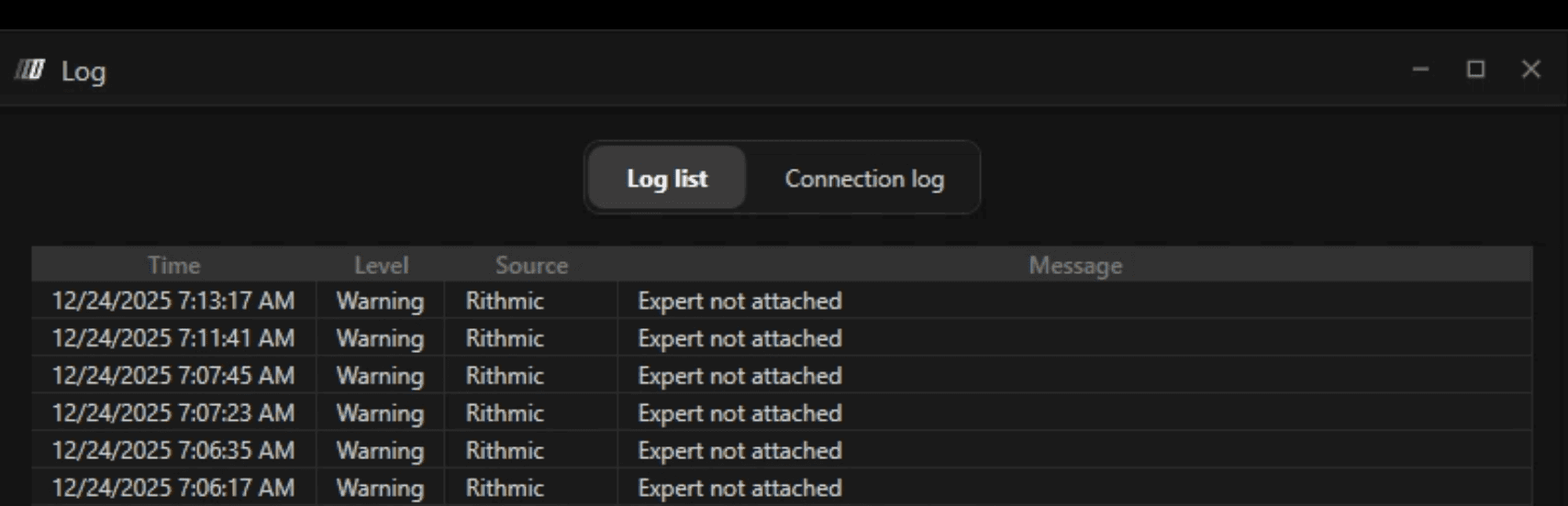
If you see the error “Rithmic: Expert not attached” or notice that the Rithmic data feed connection remains Yellow and does not turn Green, it means DeepChart is waiting for an external Rithmic component that is not running.
This typically happens when “Use R|Trader” is enabled in the feed settings.

Cause
The option Use R|Trader is enabled in the Rithmic feed settings.
When this option is turned on, DeepChart expects R|Trader Pro to be running in the background with the required plugins enabled. If R|Trader is not running (or plugins are not enabled), the connection will remain Yellow.
Solutions
Solution 1 (Recommended): Disable “Use R|Trader”
This is the simplest and recommended solution for most users.
Steps
Open DeepChart
Go to Feed Settings
Locate the Use R|Trader option
Uncheck / disable this option
Click Save
Restart DeepChart
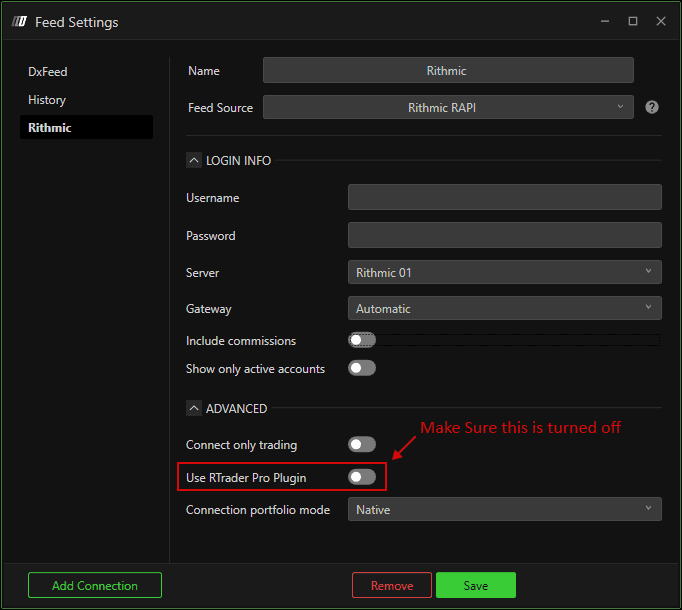
✅ After restarting, the Rithmic connection should turn Green.
Solution 2 (Alternative): Use R|Trader With Plugins Enabled
This approach is only needed if you intentionally want to use R|Trader.
Steps
Open R|Trader Pro
Log in using the same Rithmic username and password
Go to:
Enable the required plugins
Keep R|Trader running in the background
Launch DeepChart
⚠️ In most cases, this method is not required. If you are unsure, use Solution 1.
Final Recommendation
For the majority of users, simply disabling “Use R|Trader” in DeepChart feed settings will immediately resolve the issue.
Notes
Yellow connection status indicates waiting or partial connection
Green status confirms successful data feed connection
Only enable Use R|Trader if you specifically need it
