Updated:
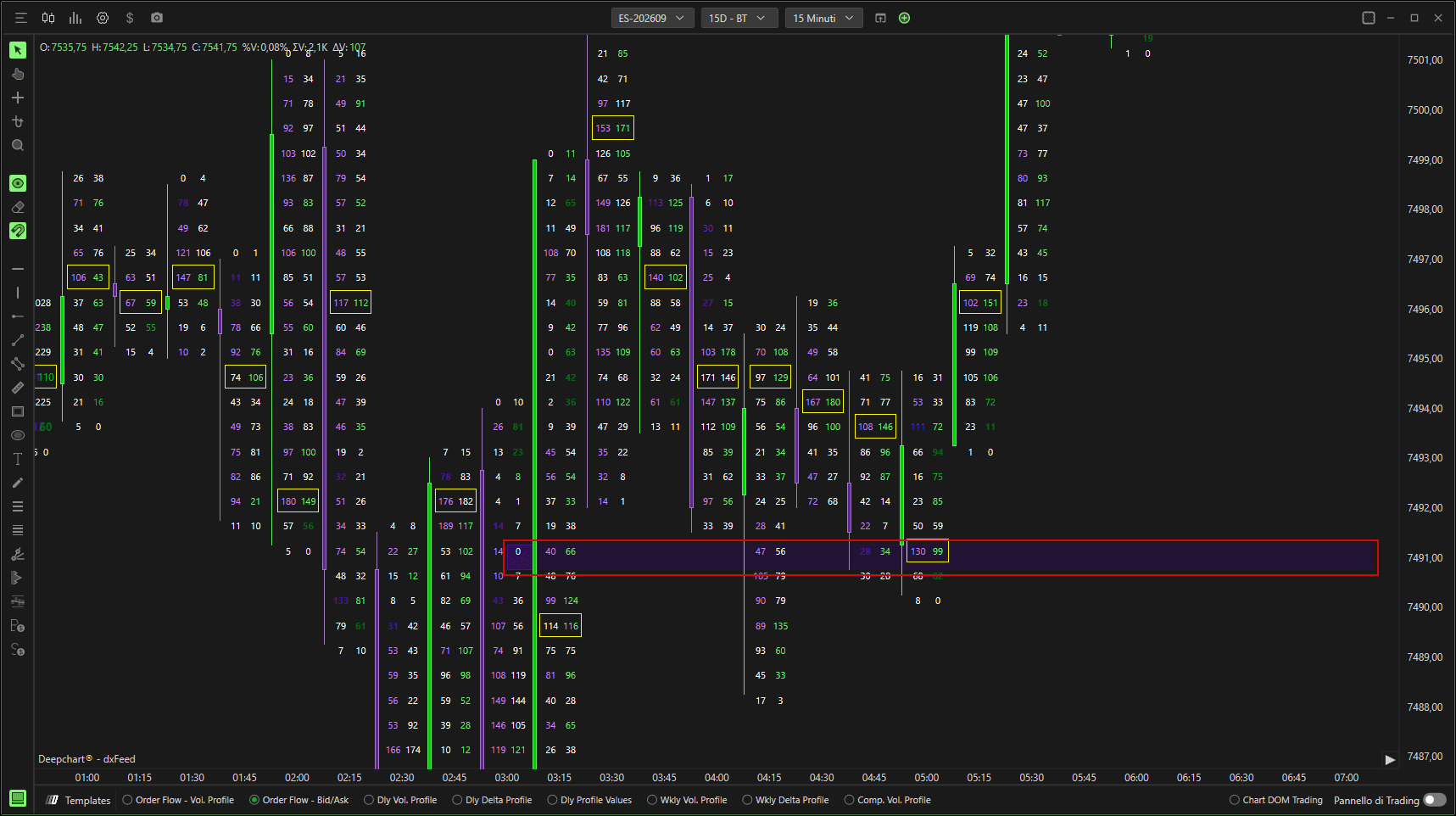
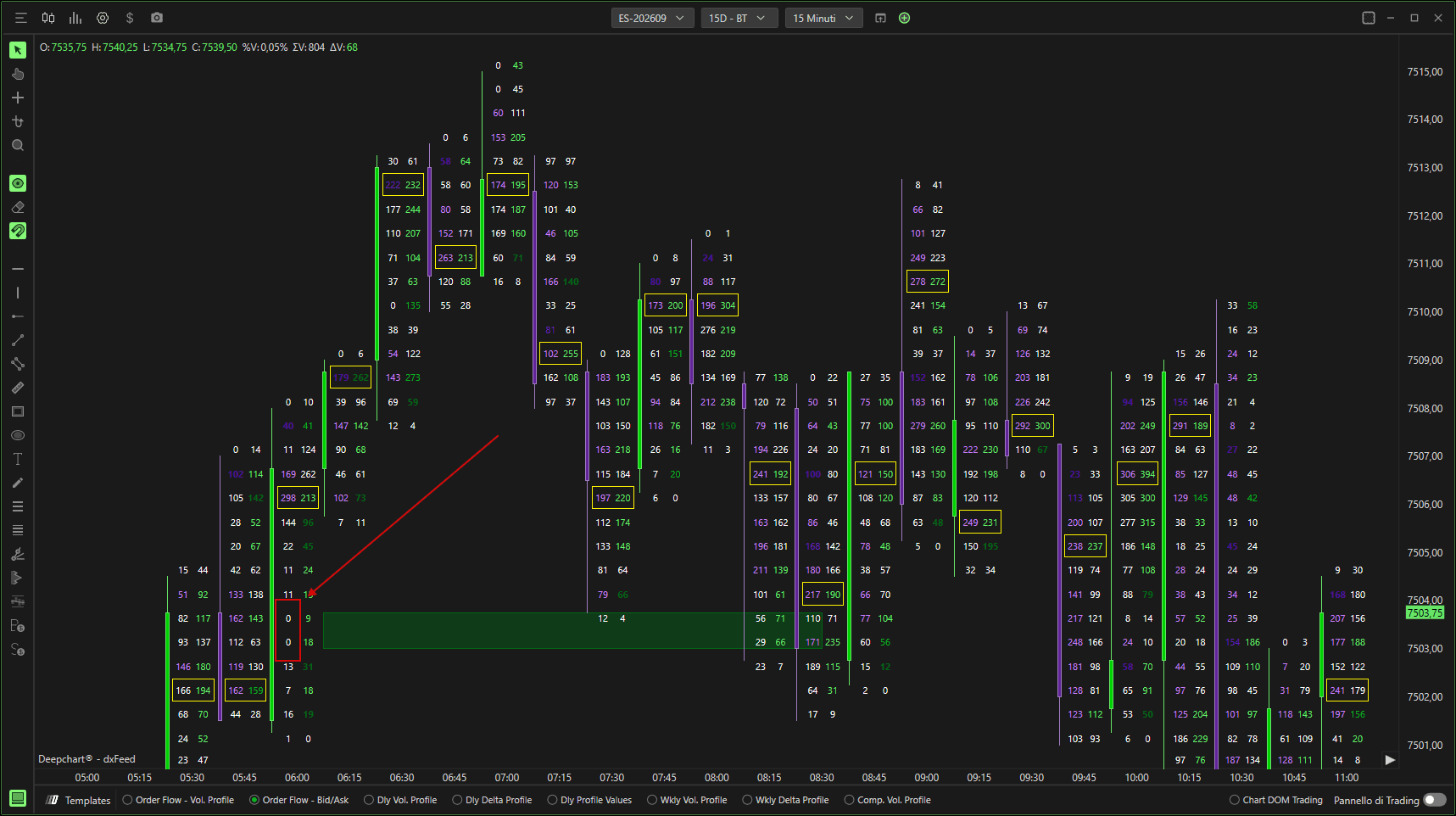
L'indicatore Auction Gap Tracker aiuta i trader a identificare gap nel processo d'asta — aree del grafico in cui c'è una mancanza di partecipazione da parte di acquirenti o venditori aggressivi.
Nell'immagine qui sotto, puoi vedere una situazione in cui non c'erano venditori aggressivi su quattro livelli di prezzo consecutivi, mentre gli acquirenti aggressivi erano attivi.
L'indicatore evidenzia questa zona di squilibrio con un rettangolo verde.
Impostazioni Unfinished
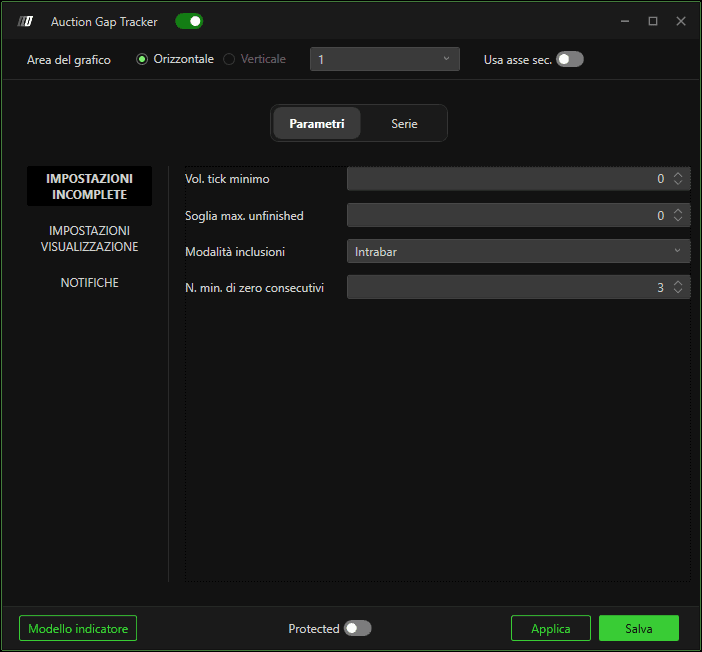
Volume tick minimo
Definisce il volume minimo che deve avere il tick in cui si verifica lo 0.
Soglia max. unfinished
Definisce la soglia massima che l'Unfinished deve avere; nello specifico, se lasci 0, traccia solo i Zero Prints, se la aumenti a 1 traccia anche tutti quei tick di prezzo in cui è stato scambiato solo 1 contratto in Ask o Bid e così via.
Modalità di inclusione
1. Intrabar
Traccia solo gli Unfinished che si verificano all'interno della barra, escludendo quindi quelli che si verificano sui massimi o sui minimi;
2. Tutti
Traccia tutti gli Unfinished che rientrano nei parametri impostati dall'utente;
Num. min. di zeri consecutivi
il numero minimo di zeri consecutivi necessario per attivare un'evidenziazione.
Ad esempio, se imposti questo valore su 5, l'indicatore evidenzierà solo i livelli in cui ci sono cinque o più livelli di prezzo consecutivi con zero acquirenti o venditori aggressivi.
Impostazioni del grafico
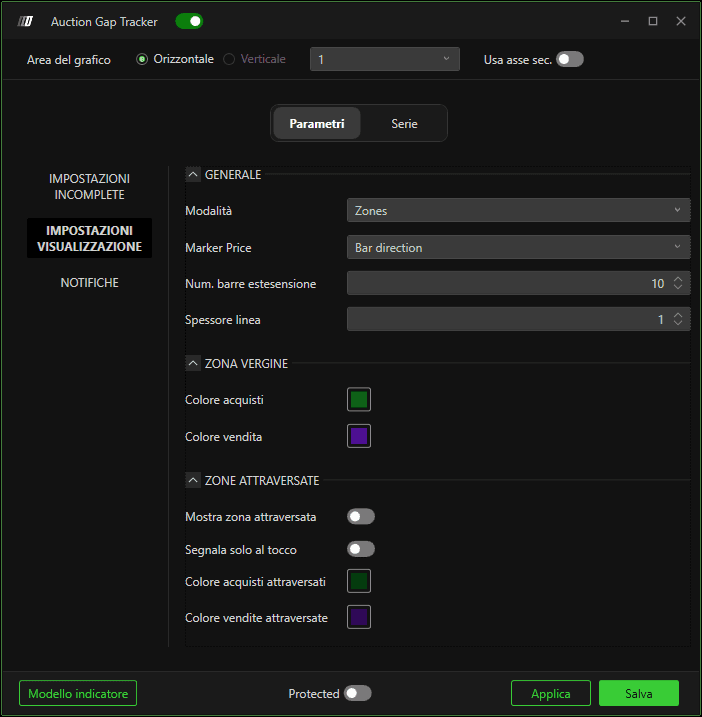
Num. barre estese
Definisce il numero di barre su cui estendere le linee fornite dall'indicatore.
Spessore linea
Definisce lo spessore delle linee fornite dall'indicatore.
Colore Buy
Seleziona il colore del gap sul lato Buy.
Colore Sell
Seleziona il colore del gap sul lato Sell.
Abilita zona attivata
Se abilitato, verranno tracciati anche i gap già ritestati.
Attiva solo al tocco
Se abilitato, verranno tracciati solo i gap ritestati almeno una volta
Colore trigger Buy/Sell
Definisce il colore delle zone Unfinished attraversate.
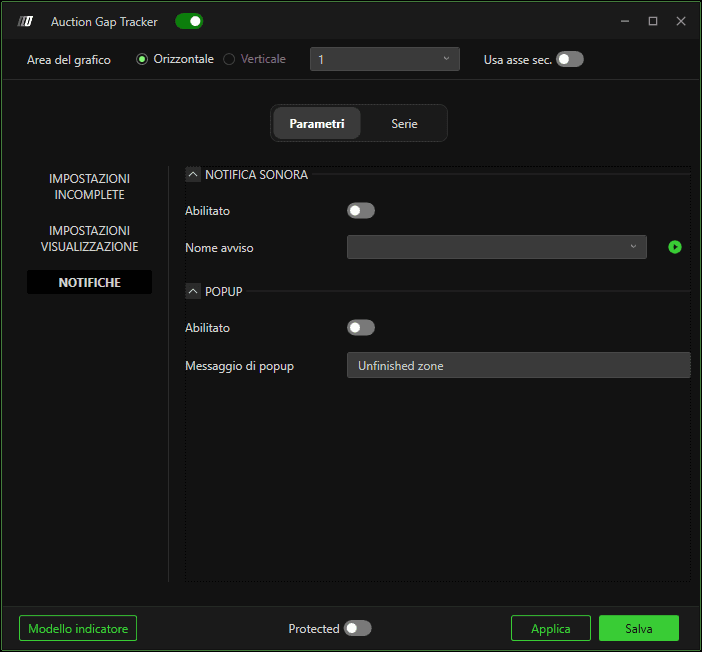
Notifiche
L'utente può inoltre abilitare gli avvisi sonori per i segnali generati dall'indicatore.
Quando un livello viene attivato, l'opacità dell'evidenziazione (ad esempio, il rettangolo verde) diminuisce, indicando che il livello è stato attraversato dal prezzo.