Updated:
DeepCharts includes a built-in database maintenance utility that helps keep your platform running at its best. Regularly running this utility is recommended for optimal performance, especially if you have been using the platform for a long time or are running it through a virtualization environment.

Migrate / Compress Utility
The Migrate / Compress utility reduces your database size and improves overall platform performance.
Location: Options >> Database >> Settings >> Migrate / Compress
Before you begin:
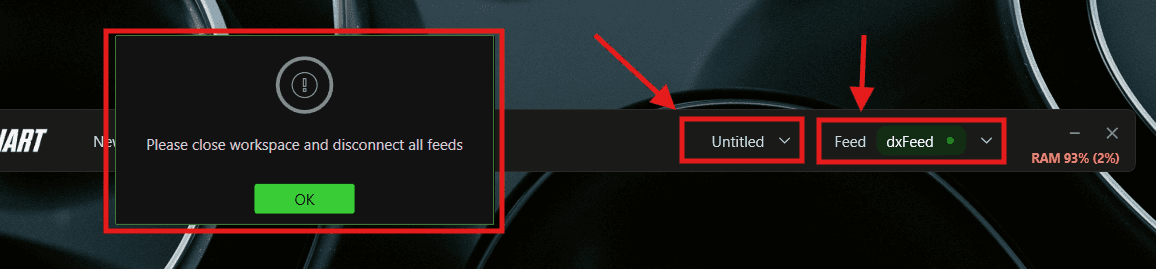
Close your workspace from the Untitled dropdown at the top
Disconnect all feeds from the Feed dropdown at the top
Steps:
Close your workspace and disconnect all feeds
Go to Options >> Database >> Settings
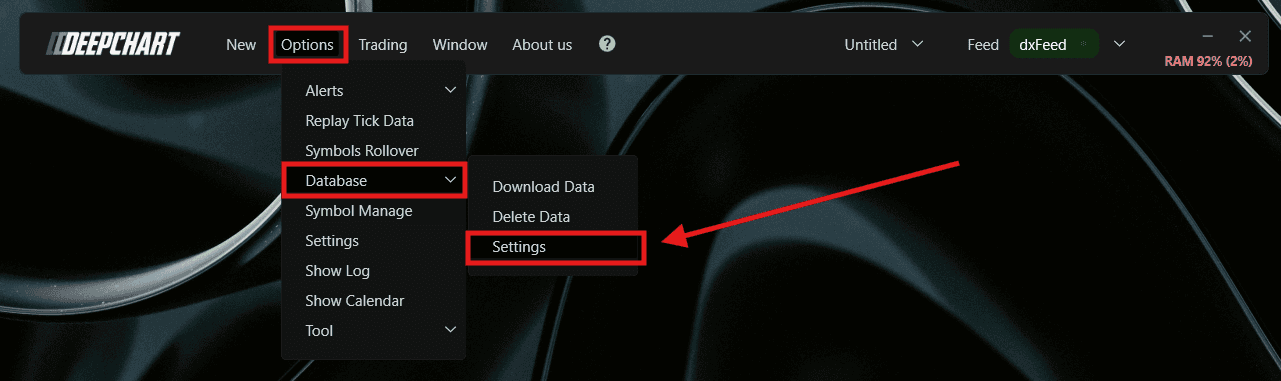
Select Migrate / Compress
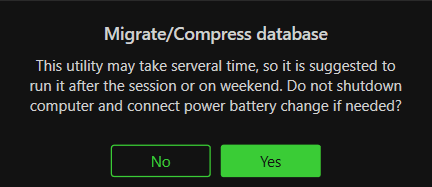
Click Yes
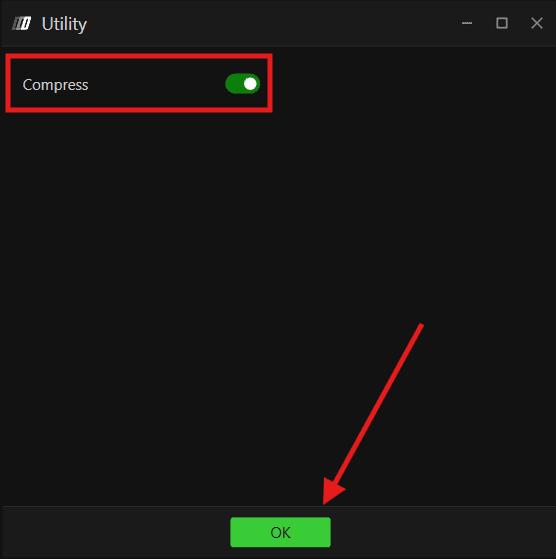
Click OK
Wait for completion
This utility may take several minutes to complete. It is recommended to run it after your trading session or on weekends. Do not shut down your computer during the process — connect to a power source if needed.
Benefits:
Database size reduction of up to 90%
Faster startup times
Reduced storage usage
Improved platform performance
Better performance on virtual machines
This is particularly beneficial for users running DeepCharts through virtualization environments such as Parallels on Mac. We recommend periodically running the compression utility for optimal performance.
Still Having Trouble?
Our support team is available 24/7 and ready to help you with any issue you encounter.
When reaching out, please include:
A screenshot of the issue
A brief description of what you were trying to do
Support Ticket (Fastest Response)
Visit www.deepcharts.com and create a support ticket directly on our website.
Email Support
Reach us at support@deepcharts.com — please note that email responses may take a little longer than a support ticket.
