Updated:
L' Delta % Highlight indicatore evidenzia con marker le candele verticali che hanno registrato una Percentuale Delta pari o superiore a una certa soglia definita dall'utente. Ciò consente ai trader di identificare rapidamente le candele in cui la percentuale di delta (pressione di acquisto vs pressione di vendita) soddisfa criteri specifici, rendendo facile individuare forti squilibri di mercato.
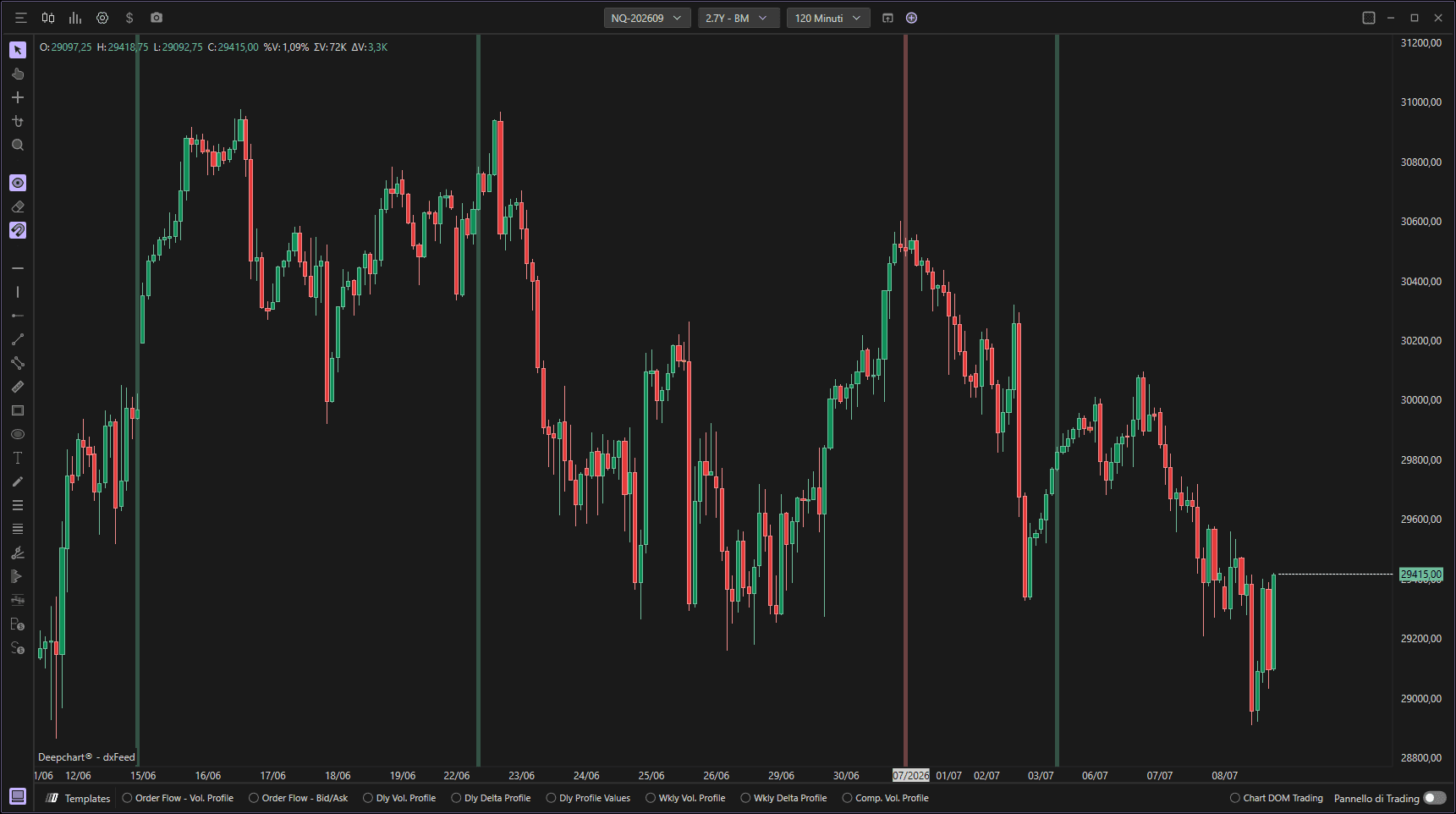
Utilizzo delle impostazioni
Cliccando sull'icona delle impostazioni dell'indicatore si aprirà la finestra di configurazione, all'interno della quale potrai effettuare diverse scelte relative alla funzionalità dell'indicatore stesso.

Impostazioni
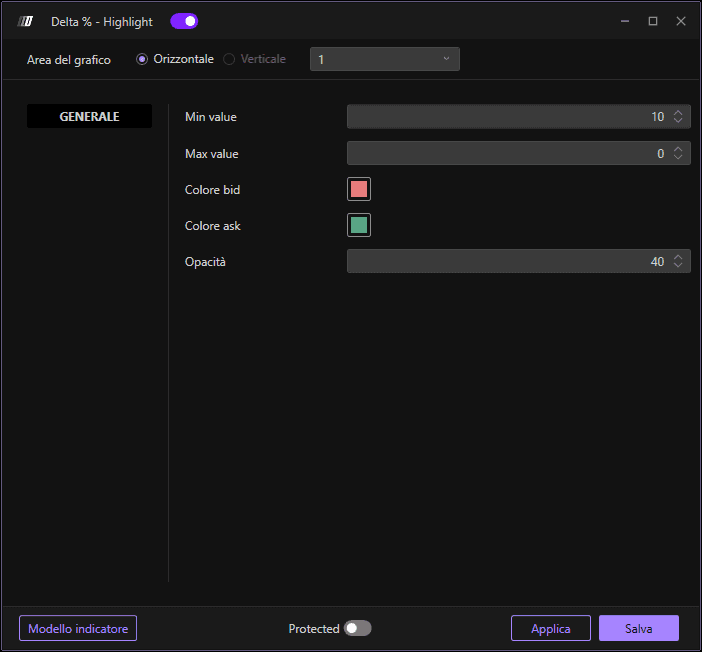
Min Value: Definisce il valore minimo, in termini percentuali (%), del Delta che desideri visualizzare. Solo le candele con una percentuale di delta pari o superiore a questa soglia verranno contrassegnate.
Max Value: Definisce il valore massimo, in termini percentuali (%), del Delta che desideri visualizzare. Se lo lasci a un valore 0, non verrà applicato alcun filtro massimo, consentendo di contrassegnare tutte le candele al di sopra del minimo.
Bid Color: Definisce il colore del marker per delta percentuale negativo (dominanza della pressione di vendita).
Ask Color: Definisce il colore del marker per delta percentuale positivo (dominanza della pressione di acquisto).
Opacity: Definisce il livello di opacità (trasparenza) del marker. Valori più bassi rendono i marker più trasparenti, mentre valori più alti li rendono più opachi e visibili.
