
Updated:
Apri il software Deepchart
Apri le impostazioni del feed (Seleziona connessione > Impostazioni feed)
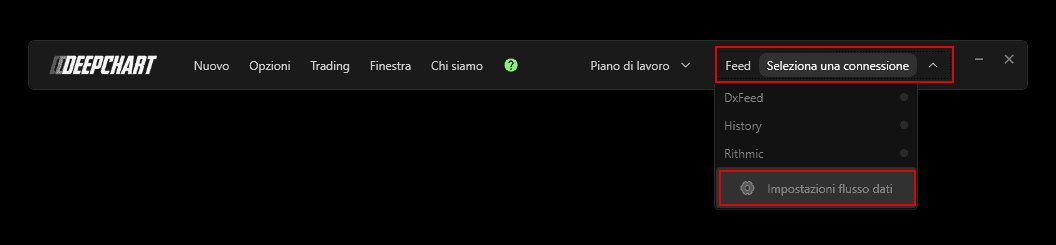
Fai clic su Aggiungi connessione
Assegna un nome al profilo del feed dati (puoi chiamarlo come preferisci) e seleziona Origine feed : Storico.
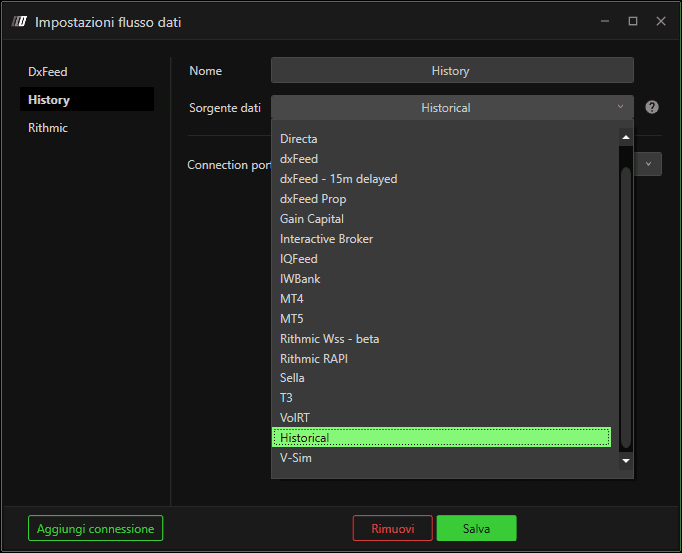
Fai clic su Salva una volta terminato e chiudi le Impostazioni feed.
Apri Gestione simboli (Opzioni > Gestione simboli)

Assicurati di impostare il tuo exchange sulla Feed Source. Per farlo, puoi fare clic con il tasto destro sulla colonna Data Feed del tuo exchange preferito e impostare il feed dati sul profilo di feed dati appena creato. Puoi anche aggiungere un exchange e impostare il feed dati.
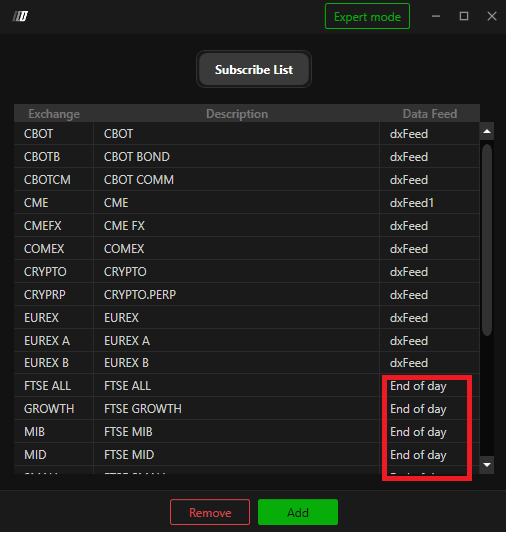
Puoi aprire un nuovo grafico per vedere i dati storici!
