Updated:
Impostazioni d'uso
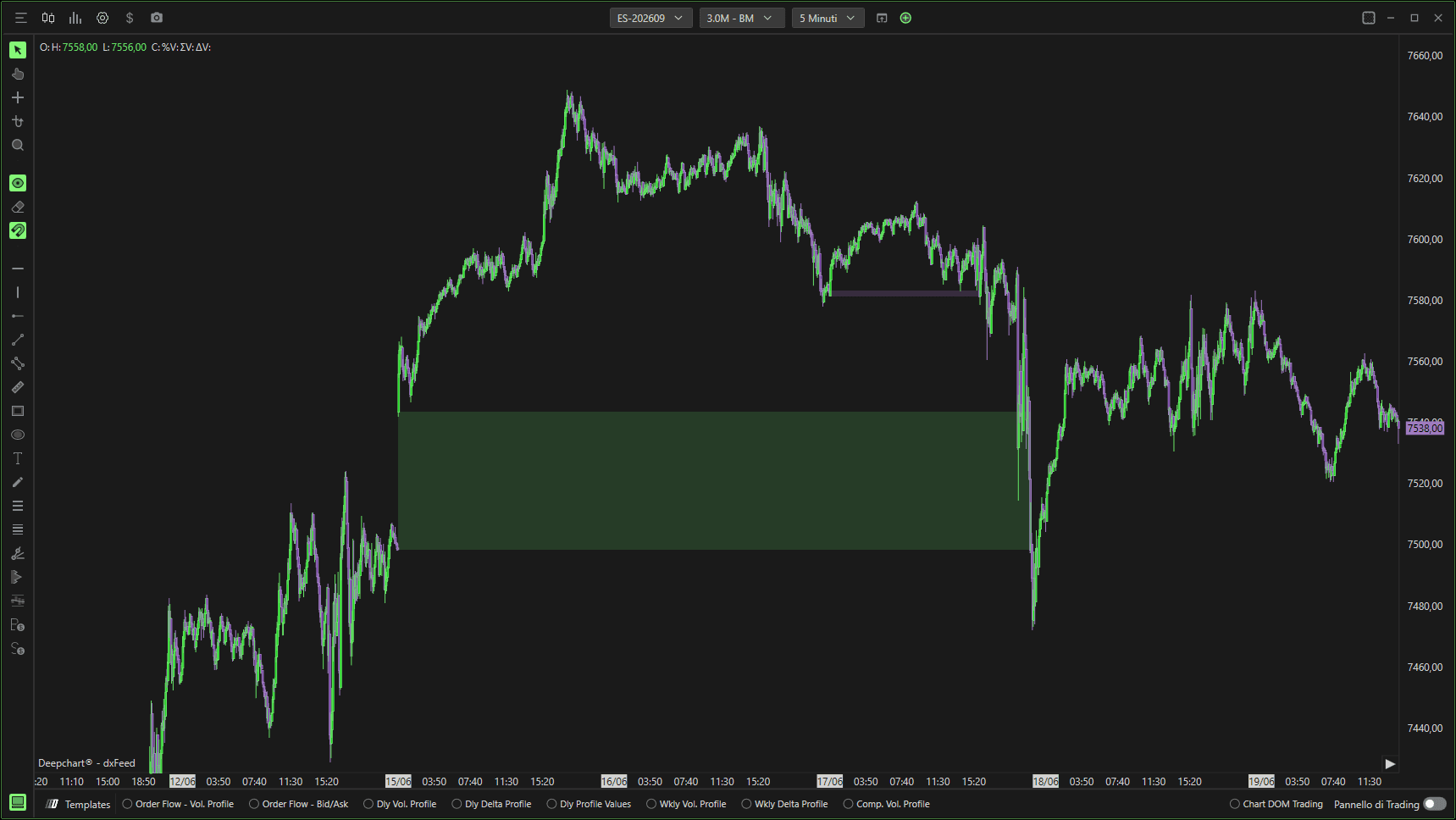
Facendo clic sull'icona delle impostazioni dell'indicatore si aprirà la sua finestra di configurazione, all'interno della quale potrai effettuare diverse scelte relative al funzionamento dell'indicatore stesso.
Generale
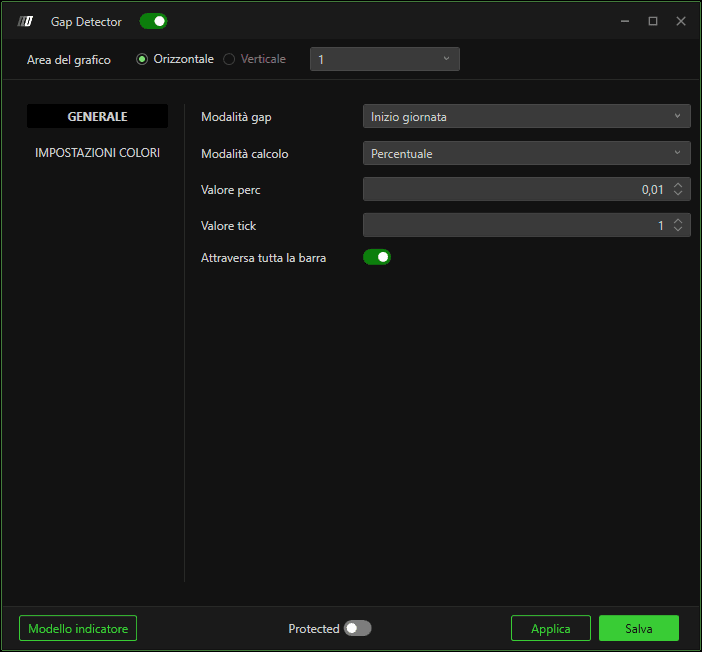
Modalità gap
Definisce come vengono calcolati i gap, in particolare:
Modalità di calcolo
Percentuale
Calcola i gap in base a un valore percentuale.
Tick
Calcola i gap in base a un valore tick.
Valore percentuale
Definisce il valore percentuale minimo per il calcolo del gap.
Valore tick
Definisce il numero minimo di tick per il calcolo del gap.
Trigger barra completa
Se abilitato, eliminerà solo i gap che sono stati chiusi completamente.

Impostazioni colori
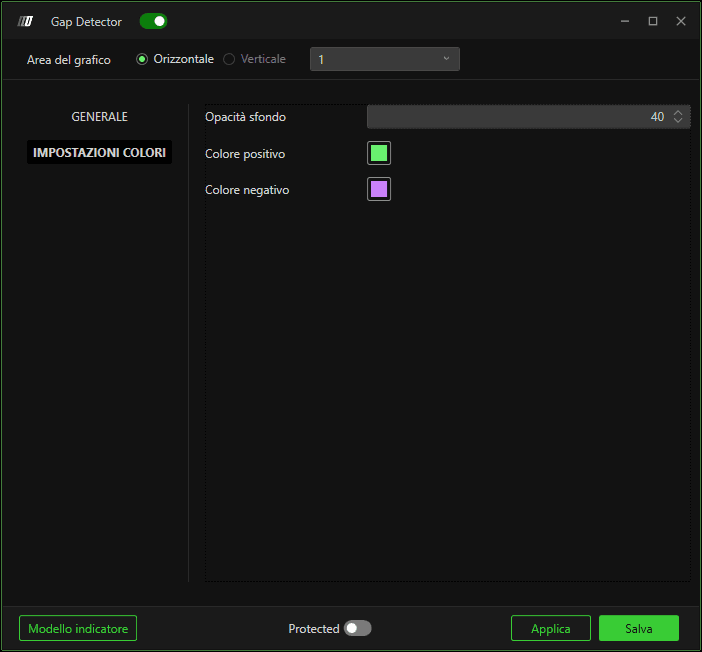
Ti permette di definire l'opacità e i colori che distinguono tra gap rialzisti e ribassisti.
