Updated:
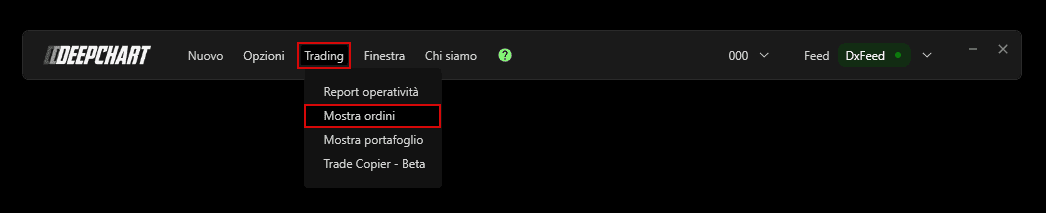
Per aprire la finestra Ordini:
Fai clic sul menu Trading in DeepChart.
Seleziona Mostra ordini.

Panoramica
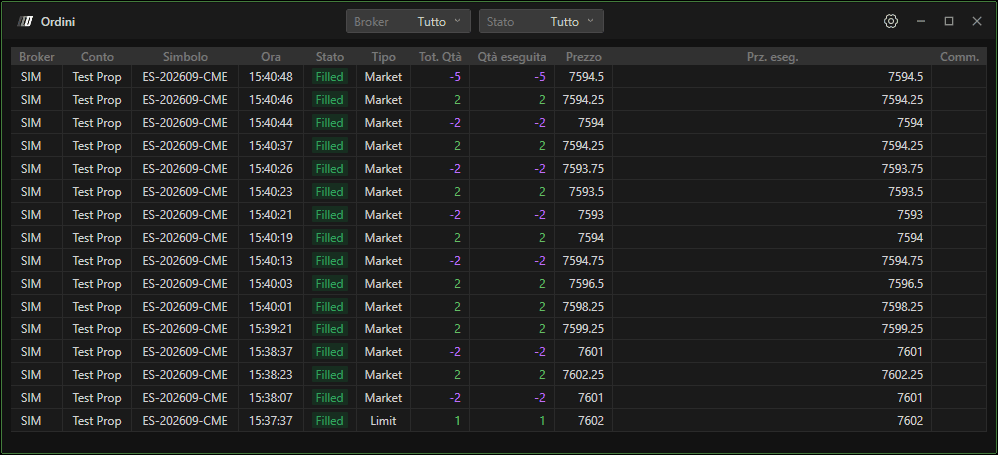
Nella finestra Ordini, puoi:
Scegliere il Broker
Filtrare gli ordini per tipo: Inseriti, Eseguiti o Annullati
Seleziona Tutti per visualizzare ogni ordine
Suggerimento aggiuntivo
Per assicurarti di non avere ordini pendenti al termine della tua sessione di trading:
Nella sezione Stato, seleziona Inviati
Questo mostrerà eventuali ordini ancora attivi e non ancora eseguiti o annullati
Questa sezione ti aiuta a monitorare tutti i tuoi ordini ed evitare di lasciare ordini aperti non intenzionali.