Indicatori avanzati
Updated:
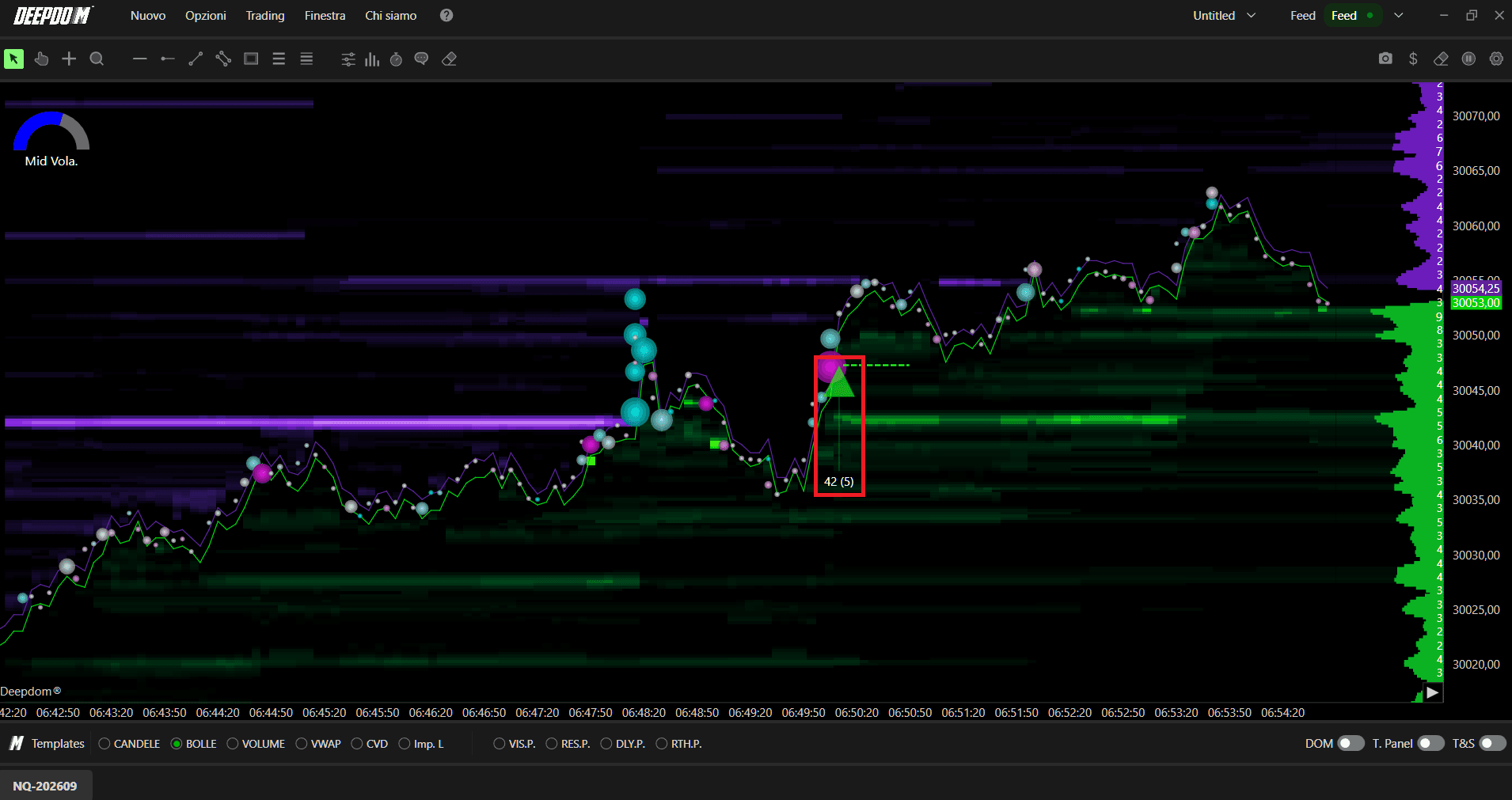
L'indicatore Deep Iceberg evidenzia la liquidità istituzionale nascosta rilevando gli ordini iceberg – grandi ordini limit di cui solo una piccola parte è visibile nel DOM in qualsiasi momento, mentre il resto rimane nascosto.
1. Cos'è un Ordine Iceberg?
Sui mercati dei futures come il CME, un ordine iceberg è un ordine limit che specifica una dimensione totale e una dimensione visibile più piccola (chiamata anche picco o quantità visualizzata).
Solo la parte visibile appare nell'order book come un normale ordine limit.
Quando quella frazione visibile viene eseguita, l'algoritmo Iceberg la ripristina automaticamente attingendo dalla quantità nascosta, mantenendo lo stesso ID ordine ma con una priorità in coda aggiornata.
Questo processo si ripete fino a quando l'intera dimensione totale non viene eseguita o la quantità nascosta rimanente viene cancellata.
L'effetto nel DOM è che un piccolo ordine in attesa sembra ricaricarsi continuamente esattamente allo stesso prezzo, anche se in quella zona vengono scambiati molti più contratti di quanti la dimensione visualizzata suggerirebbe in una candela Footprint.

2. Come Deep Iceberg Rileva le Dimensioni Nascoste
Deep Iceberg utilizza i dati MBO (Market By Order) per tracciare il continuo ripristino di ordini in attesa allo stesso prezzo e identificare dove è stato scambiato molto più volume rispetto a quello visibile nel book.
Monitora l'ID dell'ordine: tutti quei piccoli ordini passivi che continuano a riapparire hanno una cosa identica, ovvero l'ID passivo, e Deep Iceberg traccia quell'ID.
Mostra il totale dei contratti e il Highest Visible Limit Order (ordine limit visibile più alto) che era visibile sul book durante la durata dell'Iceberg.
Ciò consente di vedere dove un grande partecipante sta accumulando o distribuendo volumi significativi, mantenendo la maggior parte delle proprie intenzioni nascosta dalla normale visualizzazione del DOM.
3. Visualizzazione sul Grafico
Ogni iceberg rilevato viene tracciato come un marker al prezzo in cui è stata scambiata la liquidità nascosta. L'etichetta accanto al marker mostra due valori:
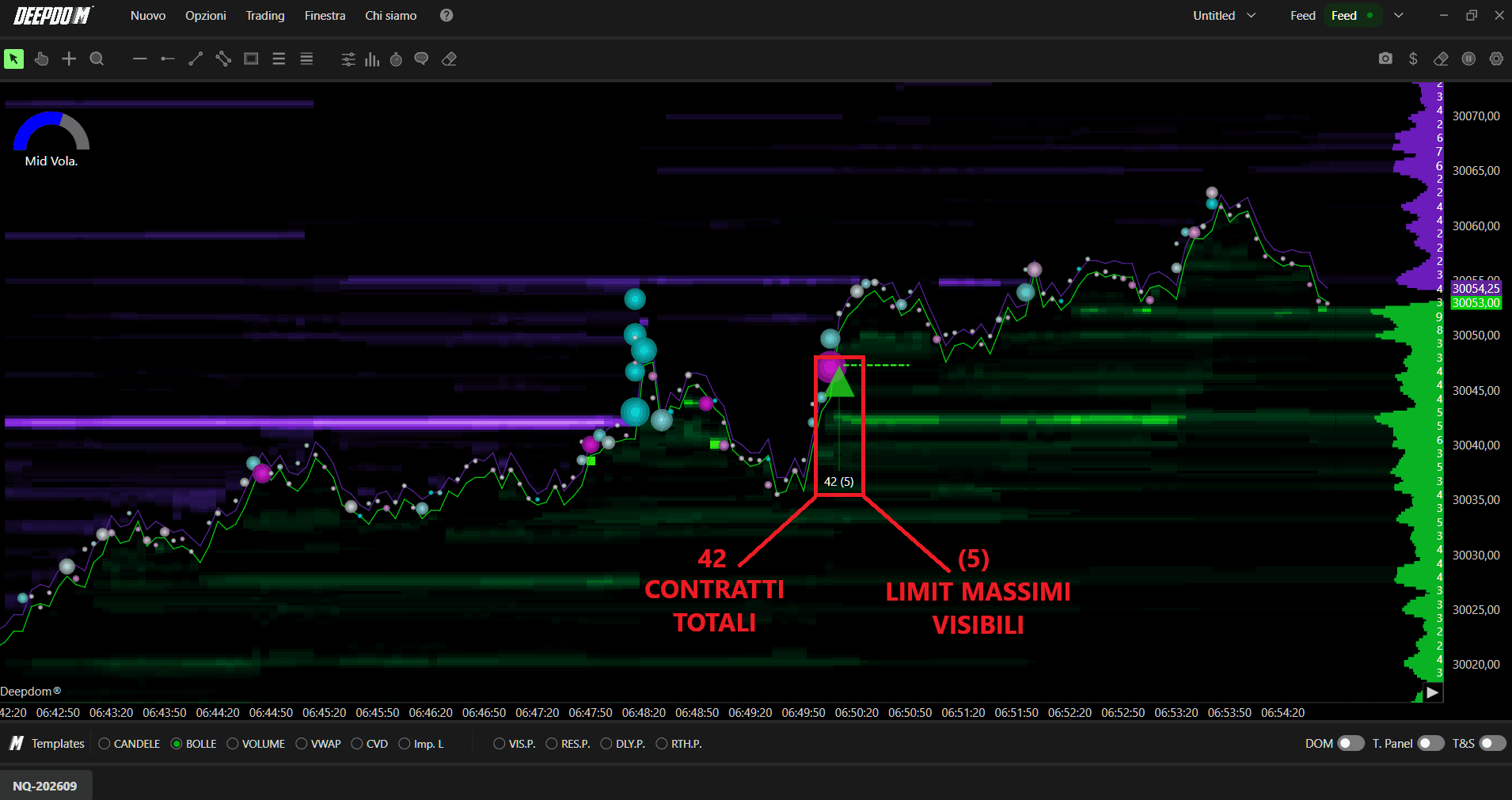
Volume totale dell'iceberg eseguito – Il totale dei contratti scambiati come parte dell'iceberg a quel prezzo (ad esempio, 1.000 contratti).
Dimensione massima visibile – la frazione visualizzata più grande che sia mai stata visibile nel book durante il ciclo di vita di quell'iceberg (ad esempio, 10 contratti).
Quando si attivano le linee iceberg attive, viene tracciata una linea orizzontale passante per il marker finché l'iceberg è ancora presente sul book e non è stato completamente eseguito o cancellato. Questo crea una fascia visiva di "supporto" o "resistenza" che mostra dove è ancora presente un grande operatore.
4. Impostazioni Dati (Data Settings)
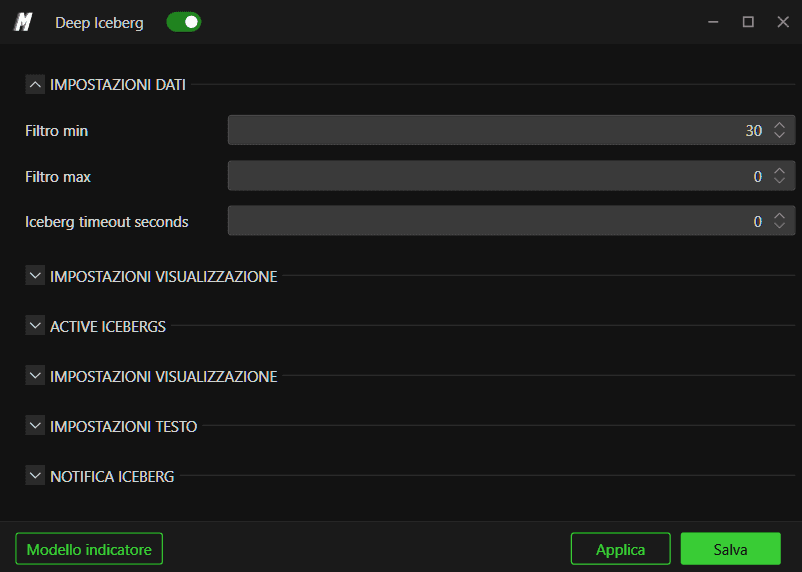
Il gruppo Data Settings consente di controllare quali eventi iceberg visualizzare e il livello di sensibilità del rilevatore:
Filter min / Filter max – filtri minimo e massimo sulla dimensione dell'iceberg rilevato. Usali per ignorare iceberg molto piccoli o per concentrarti solo su eventi eccezionalmente grandi.
Iceberg timeout seconds – per quanto tempo Deep Iceberg continua a considerare l'attività in corso allo stesso prezzo come parte dello stesso iceberg. Se non si verifica alcun nuovo ripristino entro questo periodo, l'iceberg viene considerato terminato.
5. Impostazioni del Grafico (Plot Settings)
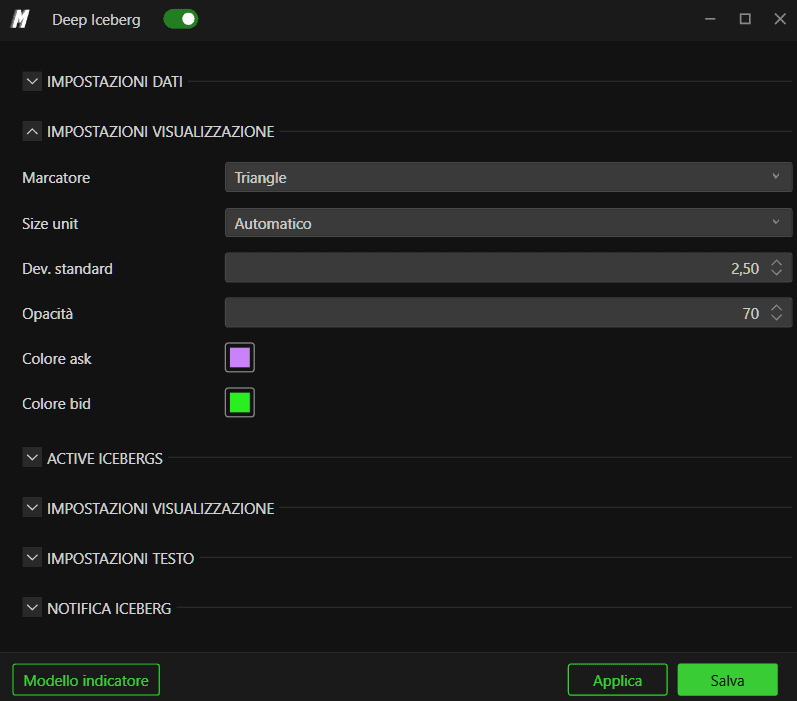
La sezione Plot Settings controlla il modo in cui i marker dell'iceberg appaiono sul grafico:
Marker – consente di scegliere la forma da utilizzare per ogni iceberg rilevato: Circle (Cerchio), Square (Quadrato), Diamond (Rombo), Triangle (Triangolo) o Text (Testo).
Size unit –
Automatic – la dimensione del marker viene ridimensionata automaticamente in base al volume dell'iceberg.
Tick – la dimensione del marker è definita in tick di prezzo in modo che rimanga coerente rispetto alla scala dei prezzi.
Standard Dev. – controlla quanto un iceberg deve discostarsi dalla dimensione media per essere evidenziato in modo più marcato. Valori più alti rendono il grafico più selettivo.
Opacity – trasparenza dei marker iceberg.
Ask color / Bid color – colori utilizzati per gli iceberg lato vendita (lettera) e lato acquisto (denaro).
6. Iceberg Attivi (Active Icebergs)
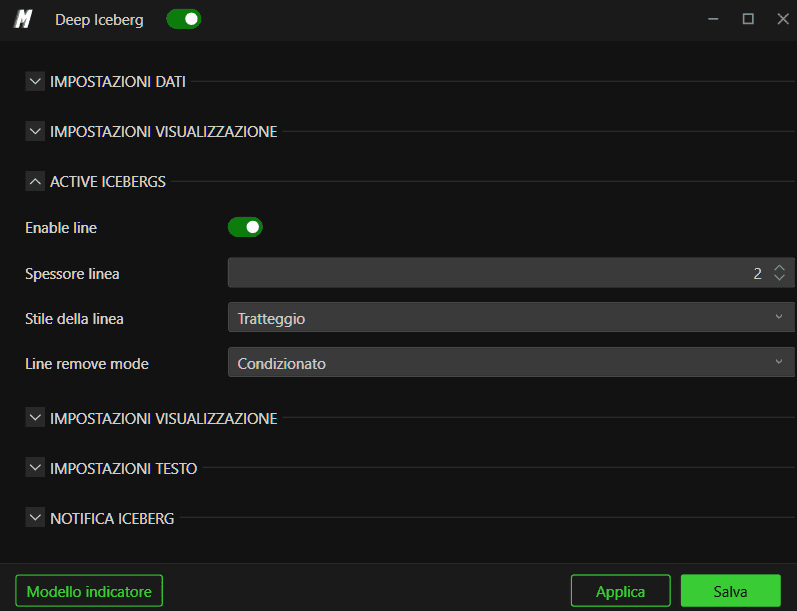
La sezione Active Icebergs gestisce le linee orizzontali per gli iceberg che sono ancora presenti sul book:
Enable line – attiva o disattiva il tracciamento della linea dell'iceberg attivo.
Line width – spessore della linea orizzontale.
Line style – permette di scegliere tra gli stili Solid (Continua), Dash (Tratteggiata), Dot (Puntinata), Dash dot (Tratto-punto) o Dash dot dot (Tratto-punto-punto).
Line remove mode – determina cosa succede quando l'iceberg non è più attivo:
Stop – la linea smette di estendersi ma rimane sul grafico nella sua ultima posizione.
Disappear – la linea viene rimossa una volta che l'iceberg è stato interamente eseguito o cancellato.
Una linea continua indica che il grande operatore sta ancora inserendo proposte a quel prezzo. Una volta che la linea si ferma o scompare, significa che quella liquidità è stata interamente scambiata o ritirata.
7. Impostazioni del Grafico (Plot Settings)
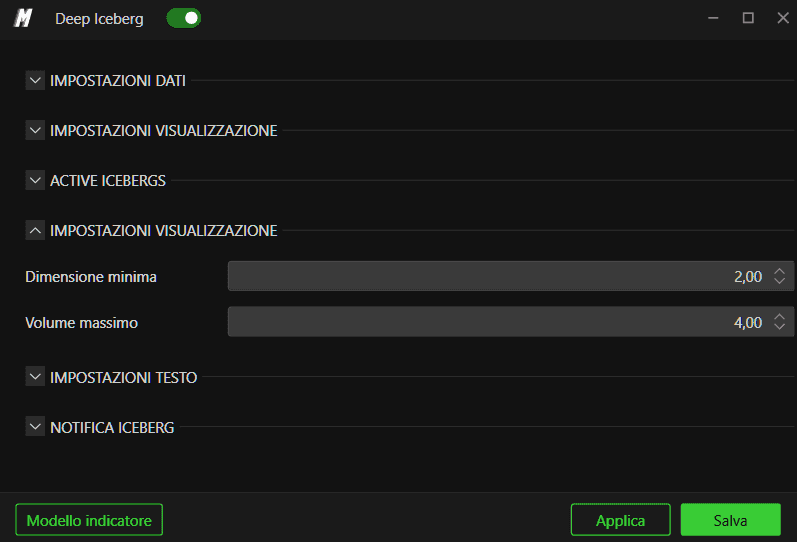
Minimum size / Maximum size – consente di impostare la dimensione minima e massima del marker che Deep Iceberg utilizzerà per tracciare gli eventi iceberg. Usa un intervallo ristretto se preferisci un aspetto più uniforme, o un intervallo più ampio affinché gli iceberg di dimensioni eccezionali risaltino con marker più grandi.
8. Impostazioni del Testo (Text Settings)
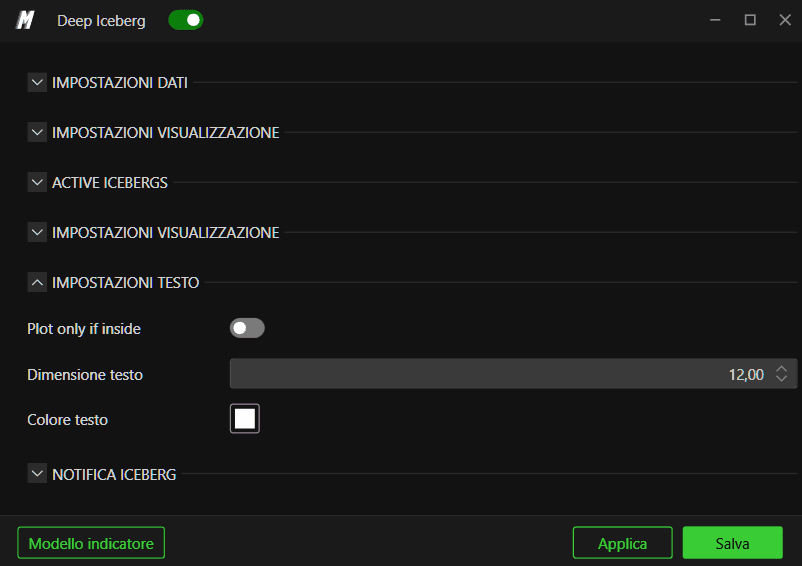
Usa il gruppo Text Settings per controllare le etichette collegate ai marker dell'iceberg:
Plot only if inside – quando abilitato, le etichette di testo vengono tracciate solo quando rientrano nella visualizzazione corrente del grafico, contribuendo a evitare sovrapposizioni.
Text size – dimensione del carattere delle etichette dell'iceberg.
Text color – colore utilizzato per il testo, indipendente dal colore del marker.
Il formato dell'etichetta è progettato per rendere la struttura dell'iceberg facile da leggere a colpo d'occhio, mostrando solitamente la dimensione totale eseguita e la frazione visibile massima.
9. Allarme Iceberg (Alert Iceberg)
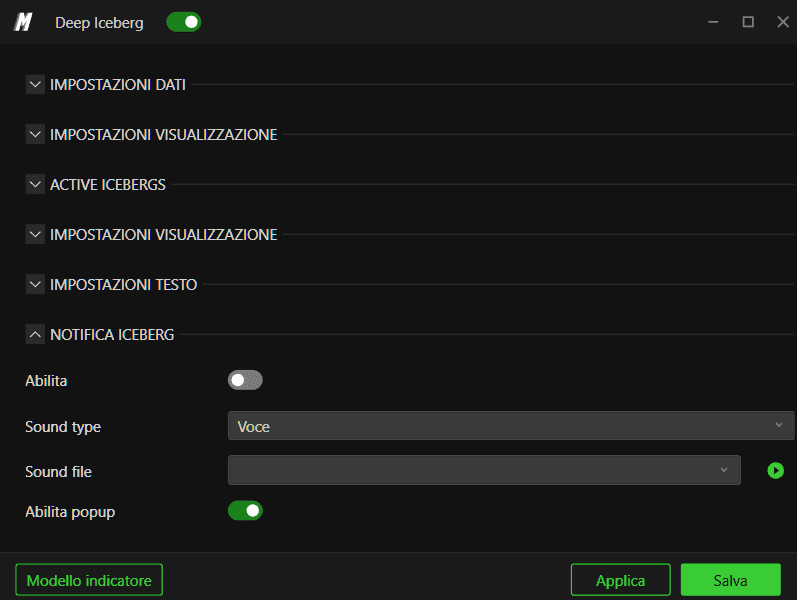
La sezione Alert Iceberg consente di attivare avvisi quando vengono rilevati iceberg di dimensioni particolarmente grandi:
Abilita – attiva o disattiva gli avvisi iceberg.
Threshold – volume minimo dell'iceberg rilevato richiesto per attivare un avviso. Imposta questo valore alto per ricevere notifiche solo sugli ordini nascosti più significativi nel mercato.
Gli avvisi possono essere combinati con i marker visivi per non perdere eventi chiave di liquidità nascosta, anche quando sei concentrato su un'altra parte del grafico.
10. Casi d'Uso Pratici
Deep Iceberg è particolarmente utile per individuare dove un grande operatore sta assorbendo ordini a mercato o alimentando il mercato con un'offerta nascosta.
Il feed di dati MBO è richiesto per utilizzare gli Iceberg nel DeepDom
Iceberg ripetuti lato acquisto (bid) vicino ai minimi spesso segnalano accumulazione furtiva e una base potenziale.
Iceberg lato vendita (ask) accumulati sopra il prezzo possono indicare distribuzione o un venditore nascosto che difende un livello.
Quando un'importante linea iceberg finalmente scompare e il prezzo vi passa attraverso, spesso ciò segna un cambiamento significativo nel controllo del mercato.
Hai ancora problemi?
Il nostro team di supporto è disponibile 24 ore su 24, 7 giorni su 7, ed è pronto ad aiutarti per qualsiasi problema riscontrato.
Quando ci contatti, includi:
Uno screenshot del problema
Una breve descrizione di ciò che stavi cercando di fare
Ticket di supporto (risposta più rapida) Visita www.deepcharts.com e crea un ticket di supporto direttamente sul nostro sito web.
Supporto via Email Contattaci all'indirizzo support@deepcharts.com — tieni presente che le risposte via email potrebbero richiedere un po' più di tempo rispetto a un ticket di supporto.
