Cómo hacer

Updated:

Compra de feed de datos / Obtención de credencial

Compra de feed de datos / Obtención de credencial

Instrucciones para añadir una nueva suscripción a una fuente de datos en su cuenta.

Instrucciones para añadir una nueva suscripción a una fuente de datos en su cuenta.

No headings found on page

Vaya a my.deepcharts.com

  • Vaya a Data Feed a la izquierda.

  • Haga clic en Añadir suscripción de Data Feed
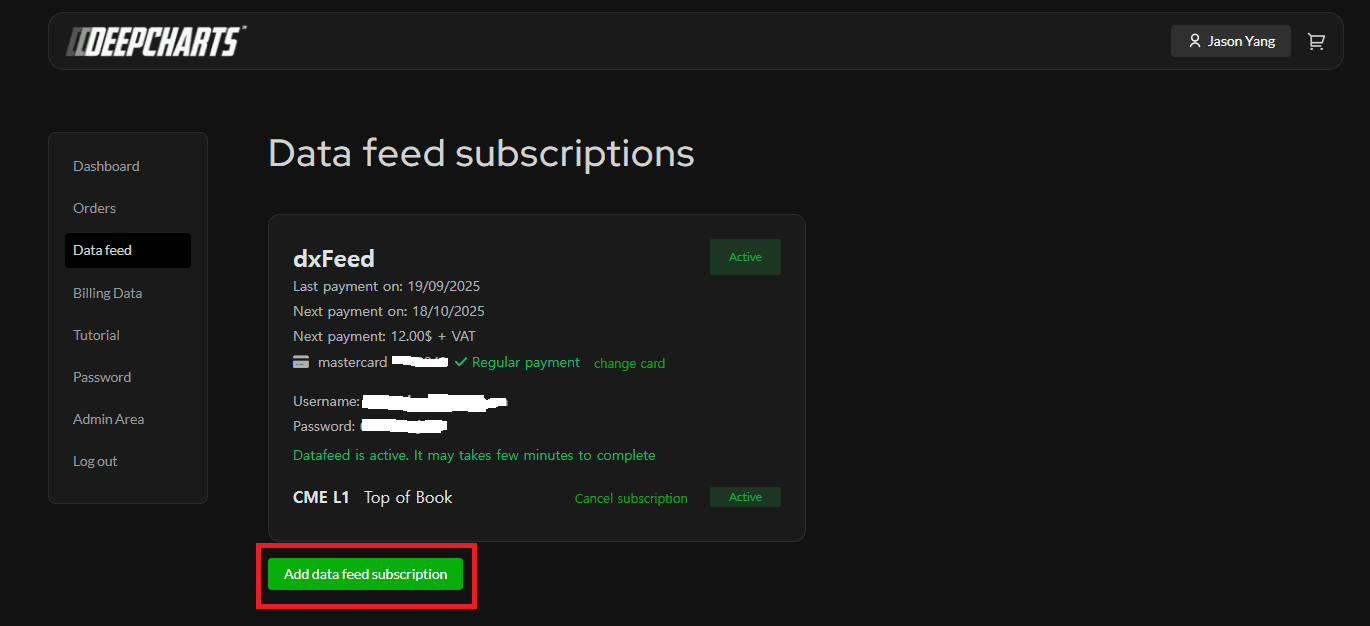
     Haga clic en el Data Feed deseado y continúe con el pedido
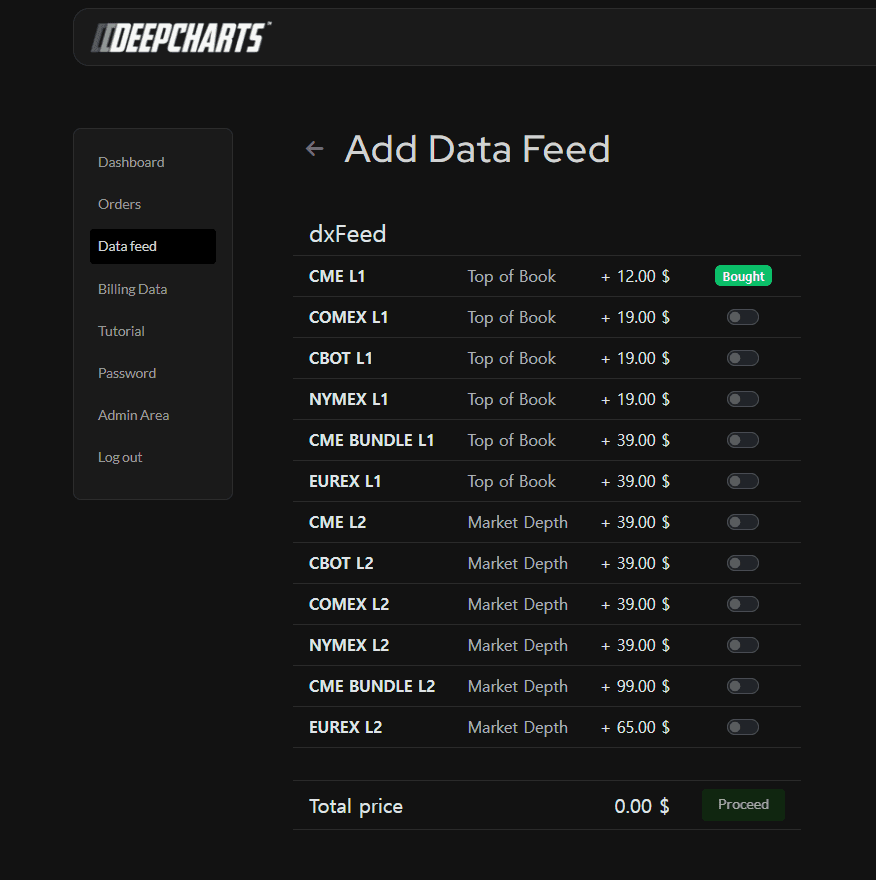
    Luego introduzca la información de su tarjeta y pulse Pagar

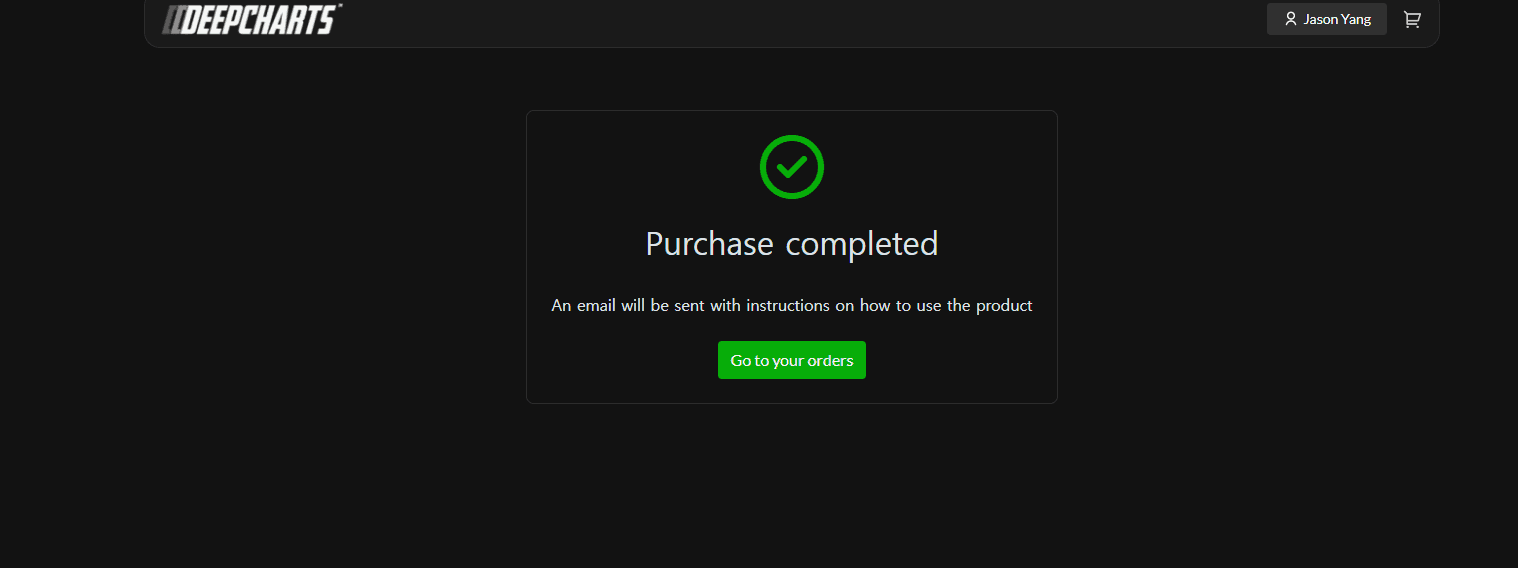
    Una vez realizado con éxito, será dirigido aquí:
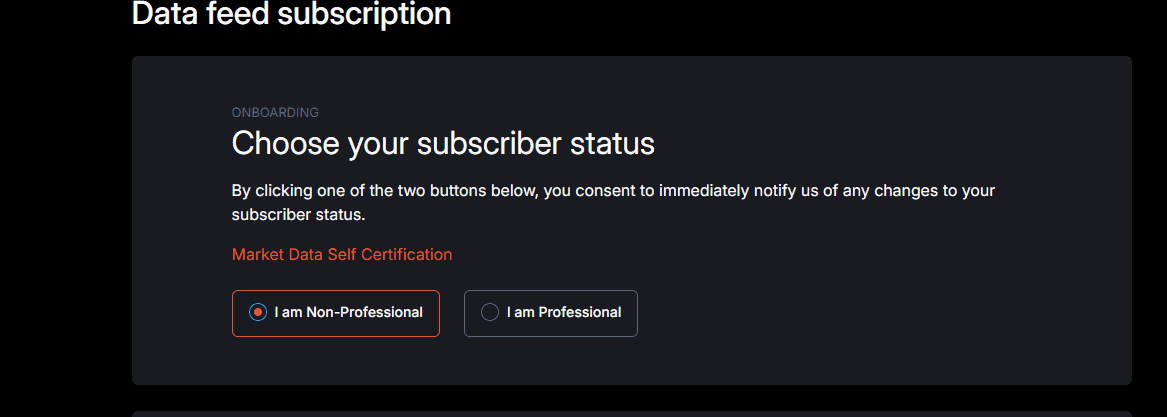
    Vuelva a Data Feed y allí tendrá que firmar el contrato.

    Elija el estado de la suscripción (no profesional) e introduzca su información:
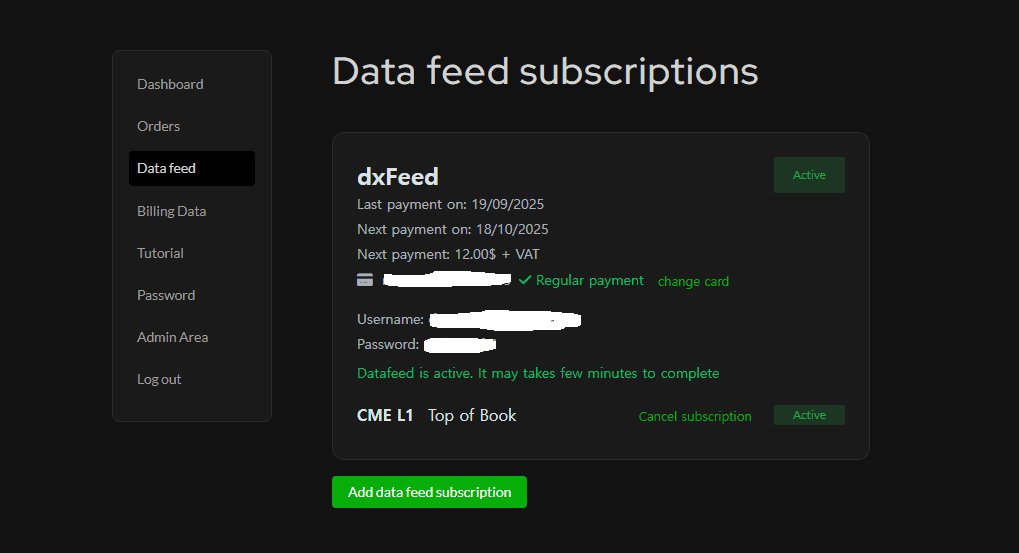
    Una vez que haya firmado el contrato y haya continuado, vuelva a Data Feed y verá su nombre de usuario y contraseña (en la imagen, está borrado)

Tools for futures, currency & options involves substantial risk & is not appropriate for everyone. Only risk capital should be used for trading.

Testimonials appearing on this website may not be representative of other clients or customers and is not a guarantee of future performance or success.

Tools for futures, currency & options involves substantial risk & is not appropriate for everyone. Only risk capital should be used for trading. Testimonials appearing on this website may not be representative of other clients or customers and is not a guarantee of future performance or success.

Deepcharts © 2026 All right reserved

Tools for futures, currency & options involves substantial risk & is not appropriate for everyone. Only risk capital should be used for trading. Testimonials appearing on this website may not be representative of other clients or customers and is not a guarantee of future performance or success.

Deepcharts © 2026 All right reserved