Updated:
Overview
Smart App Control is a Windows Security feature that blocks applications Microsoft seems unknown. While this provides protection, it can interfere with legitimate trading applications like Deepcharts and your data feed connections (such as Rithmic or the Dxfeed).
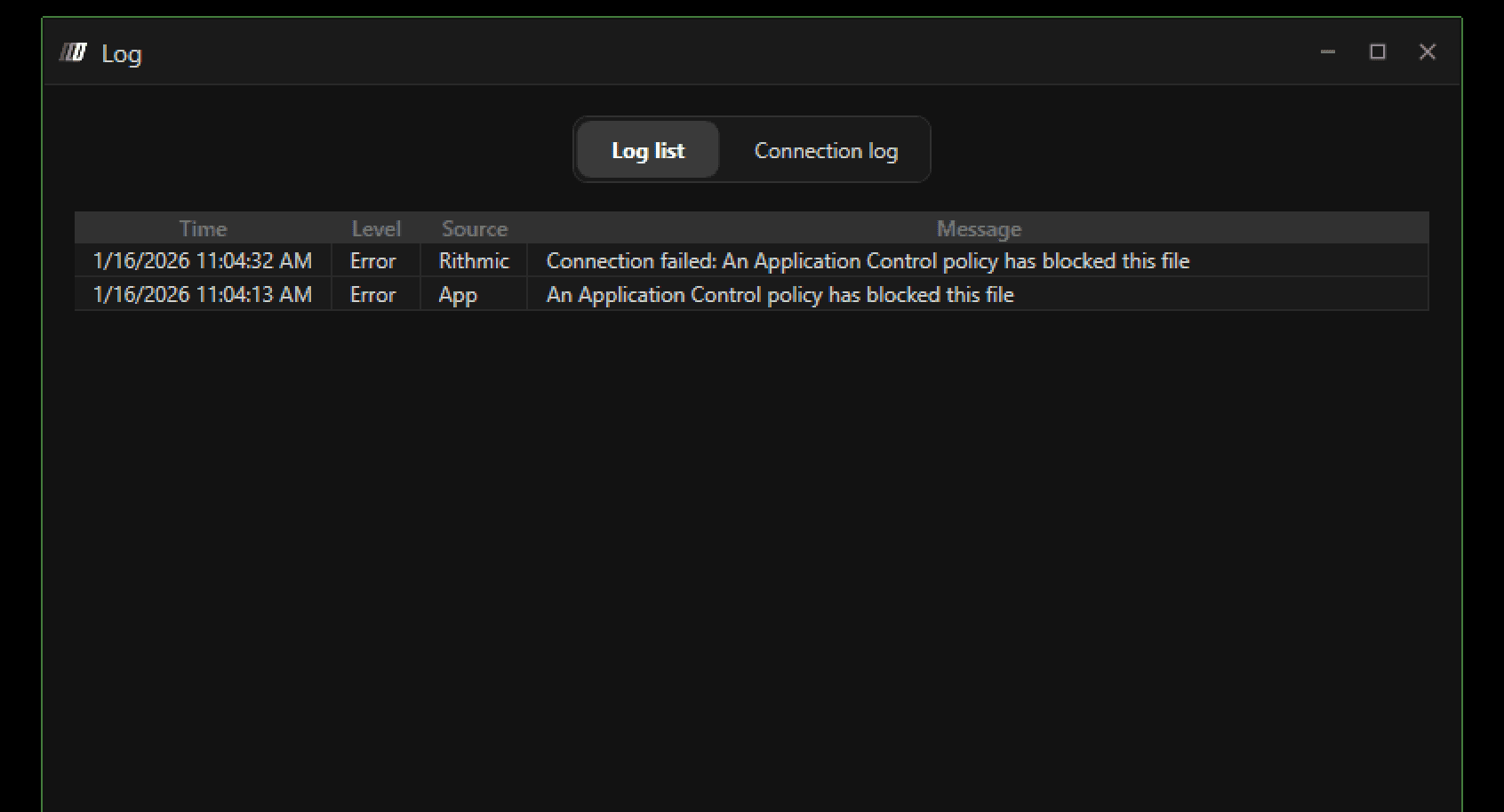
Step 1: Search Smart App Control
Click the Windows search bar at the bottom of your screen and type "Smart App Control". Press Enter or click on the search result.

Step 2: Open Smart App Control (App and Browser control) Page
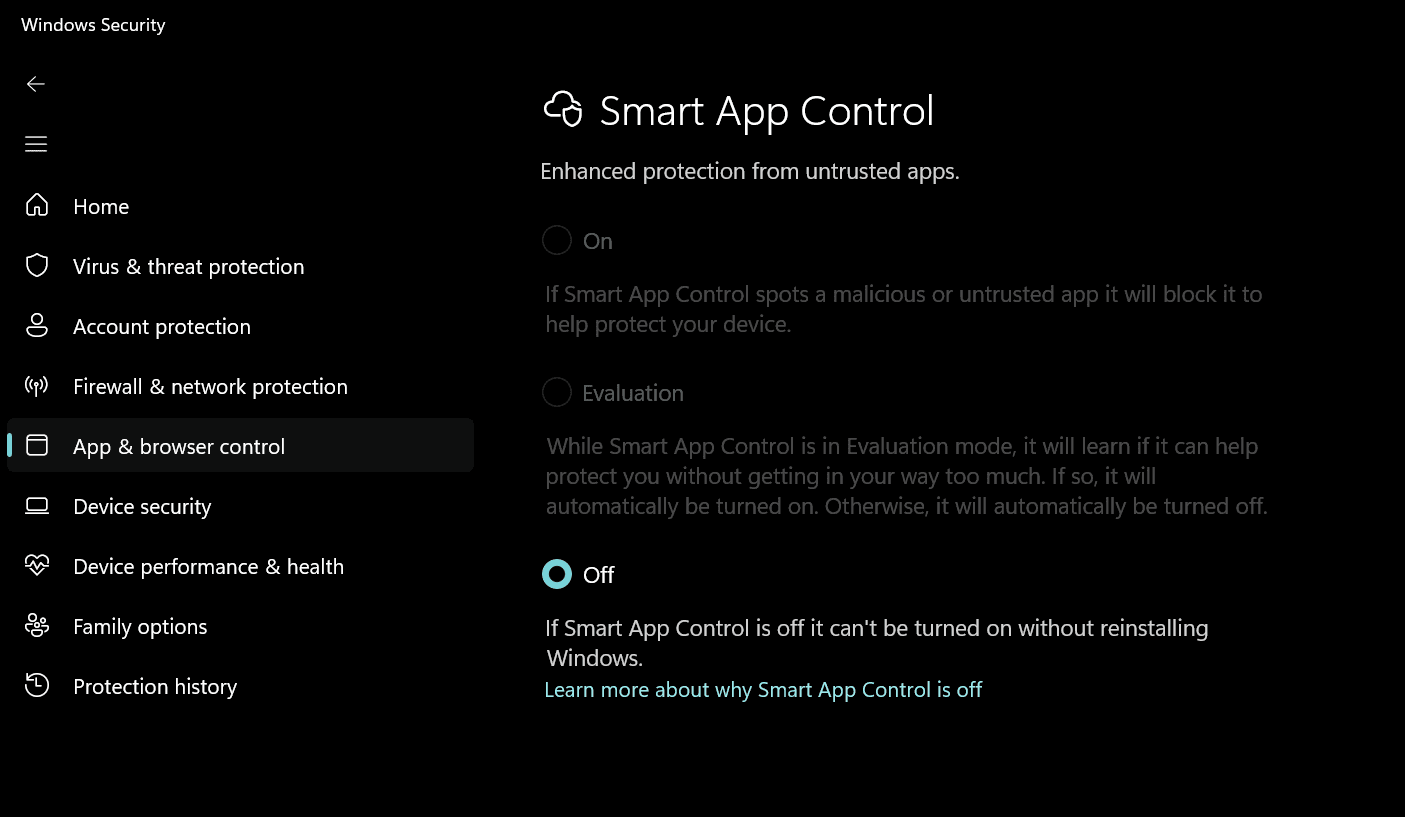
The Smart App Control settings page will open. You will see the current status of the feature (either "On", "Evaluation", or "Off").
Step 3: Disable Smart App Control
Look for the radio button options and click the "Off" option to disable Smart App Control. A confirmation dialog may appear asking to confirm the change. Click "Yes" or "Continue" to proceed.
Step 4: Restart Deepcharts
Close Deepcharts completely if it's running. Wait a few seconds, then launch Deepcharts again. The application will now be able to establish connections without interference.
