Updated:
Overview
If the Rectangle drawing tool is not working in DeepCharts, this issue is usually caused by a corrupted configuration file related to drawing tools. Removing this file allows DeepCharts to regenerate it automatically.

Solution: Reset the Drawing Tool Configuration
Step 1: Close DeepCharts
Fully close the DeepCharts application before proceeding.
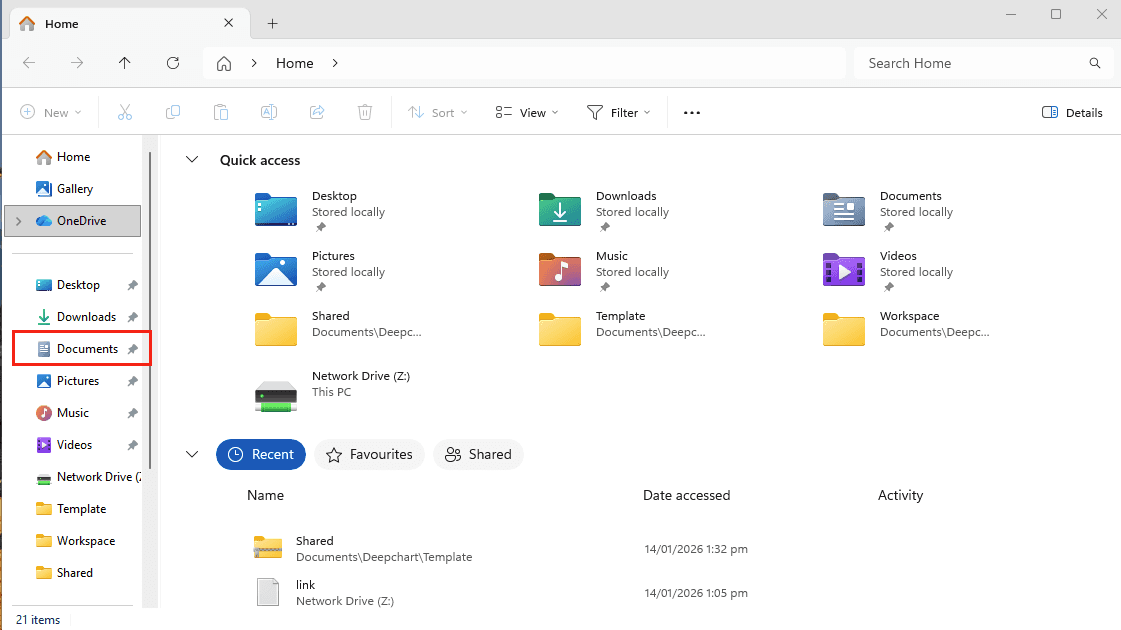
Step 2: Open the Documents Folder
Open File Explorer
Go to your Documents folder
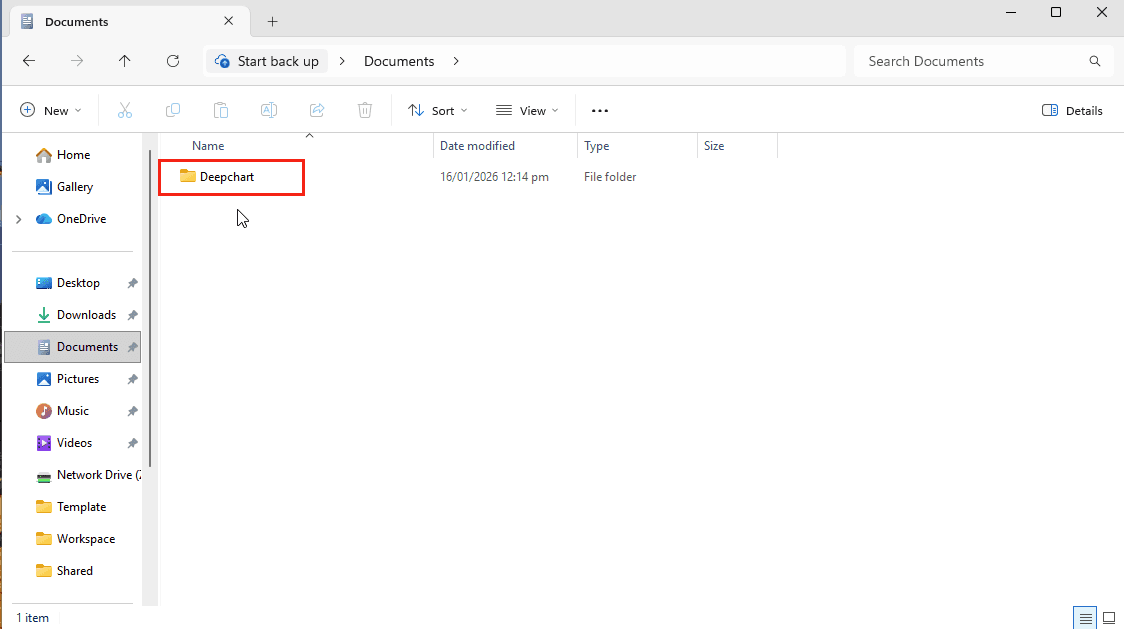
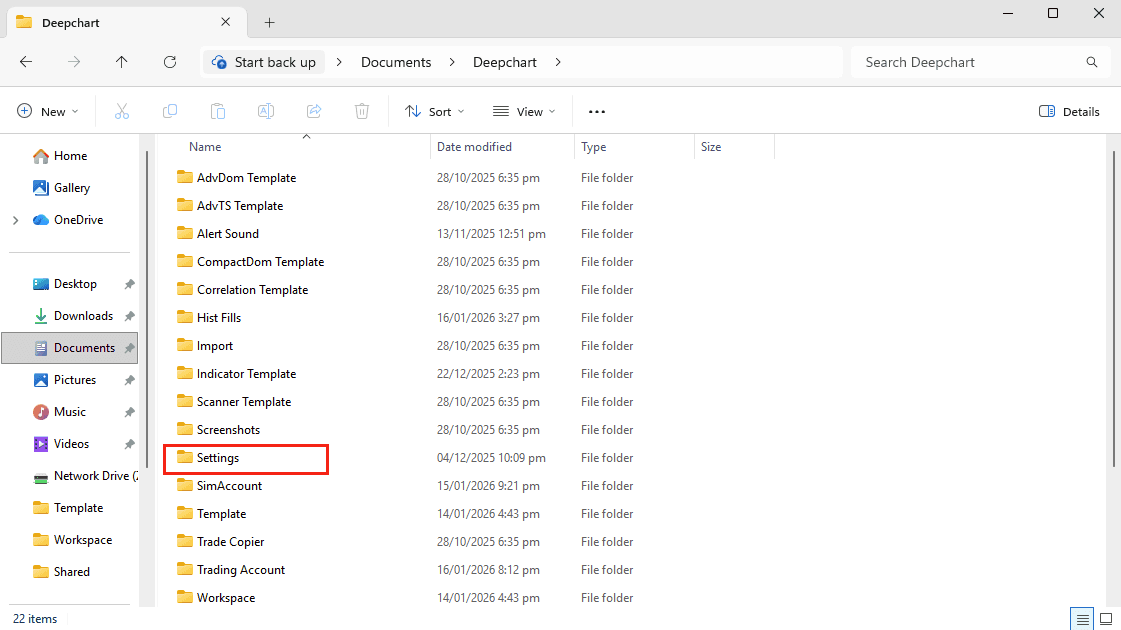
Step 3: Navigate to the DeepCharts Settings Folder
Follow this path:
Step 4: Delete the Tool Configuration File
Locate the file named:
Delete this file
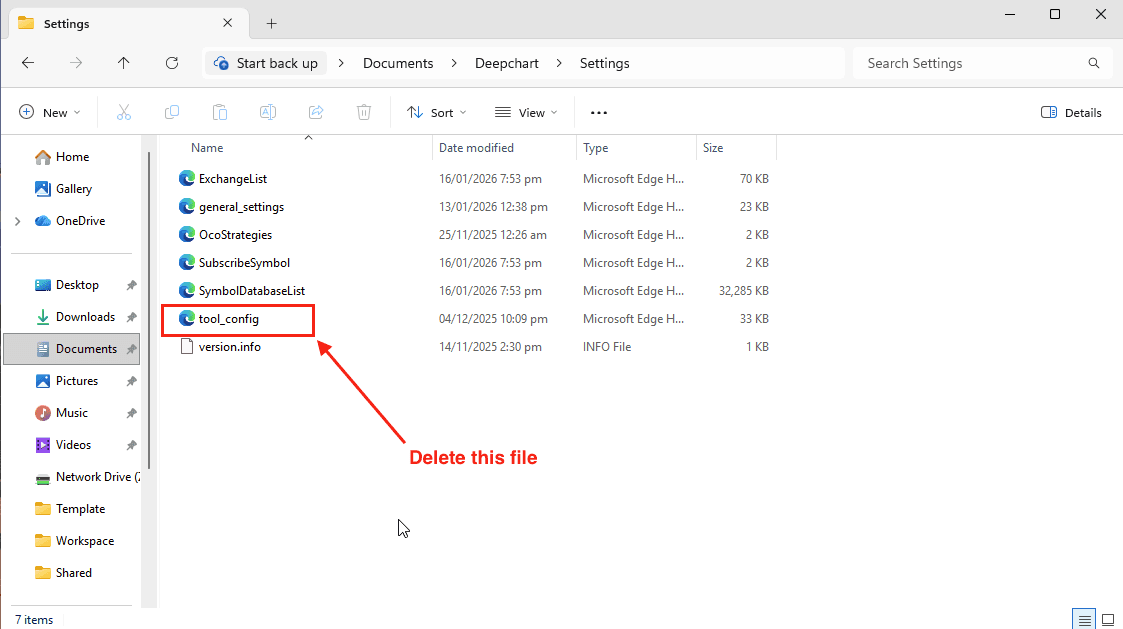
⚠️ This file stores drawing tool settings and may become corrupted.
Step 5: Restart DeepCharts
Launch DeepCharts again
The application will automatically generate a new
tool_configfileTest the Rectangle drawing tool
✅ The drawing tool should now work correctly.
Additional Notes
This fix does not affect your data, charts, or account settings
The issue may also affect other drawing tools and resetting the configuration resolves them as well
