Updated:
Overview
If chart zooming is not working in DeepChart, the issue is usually related to keyboard shortcuts, mouse wheel behavior, or Windows system settings. DeepChart supports multiple ways to zoom the chart’s X-axis and Y-axis.

How to Zoom Charts in DeepChart
1. Keyboard Shortcuts (X-Axis Zoom)
Zoom In (X-axis):
Ctrl + +Zoom Out (X-axis):
Ctrl + -
These shortcuts adjust the horizontal (time) axis of the chart.
2. Mouse Wheel Zoom (Recommended)
Using an external mouse with a scroll wheel provides the best experience.
Scroll mouse wheel anywhere on the chart:
→ Zooms X-axis (time scale)Hold
Alt+ scroll mouse wheel:
→ Zooms Y-axis (price scale)
Mouse Wheel Zoom Not Working?
Follow the steps below.
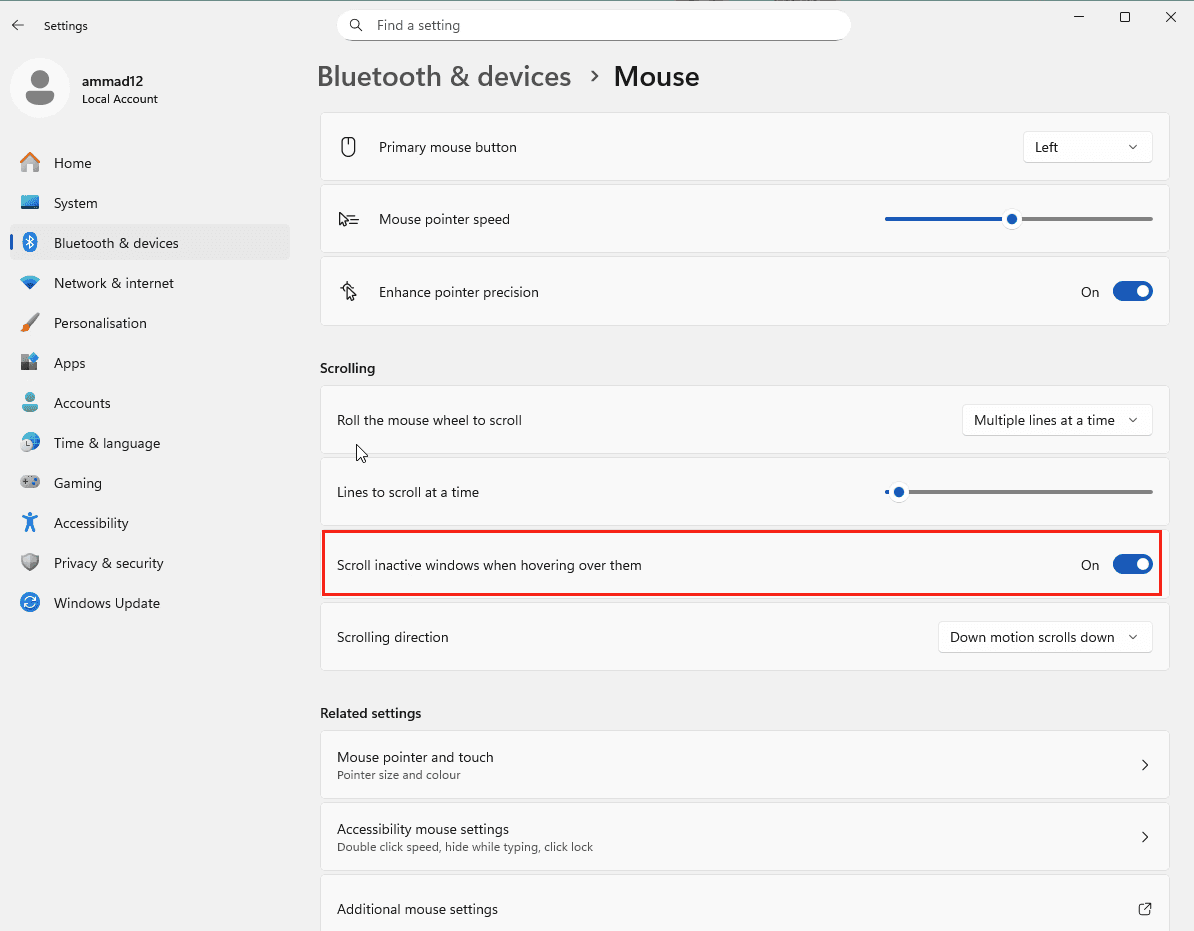
Solution 1: Enable “Scroll Inactive Windows” in Windows
DeepChart requires this Windows feature to detect mouse wheel scrolling correctly.
Steps:
Open Windows Settings
Go to Bluetooth & devices → Mouse
Enable the option:
“Scroll inactive windows when hovering over them”
📌 Make sure this toggle is ON, as shown in the reference image.
After enabling:
Restart DeepChart
Try zooming again using the mouse wheel
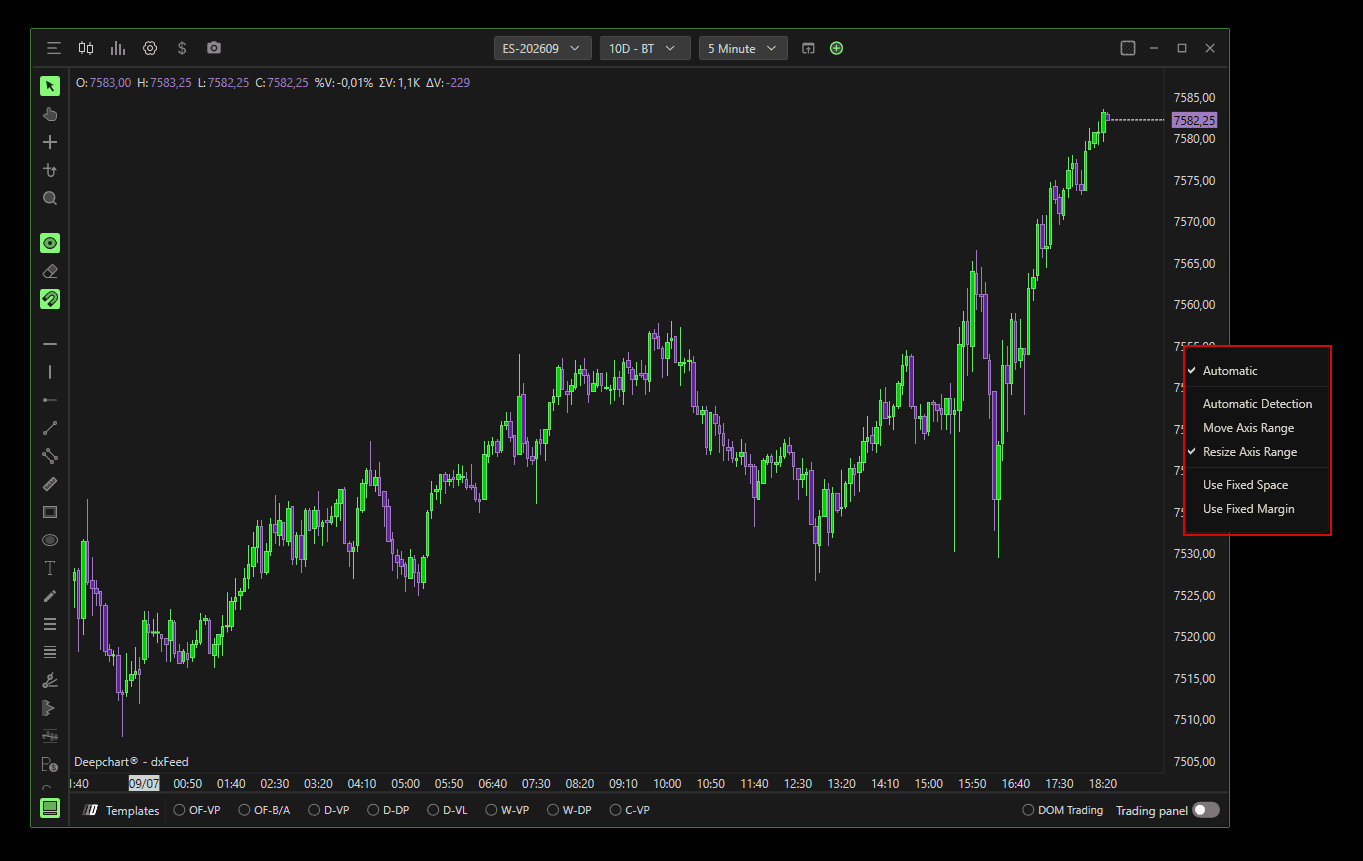
Solution 2: Check Y-Axis Scale Settings
Incorrect Y-axis settings can prevent vertical zooming.
Steps:
Right-click on the Y-axis (price scale) of the chart
Make sure the scale options are set correctly, as shown in the reference image:
Apply changes and retry zooming
Best Practices for Smooth Zooming
Use an external mouse instead of a trackpad
Avoid running DeepChart inside remote desktop sessions
Keep Windows mouse settings at default values
Make sure no third-party mouse software is overriding scroll behavior
Summary
Action | Result |
|---|---|
Ctrl + / Ctrl - | Zoom X-axis |
Mouse wheel scroll | Zoom X-axis |
Alt + mouse wheel | Zoom Y-axis |
Enable inactive window scrolling | Fix mouse zoom issues |
Check Y-axis scale options | Restore vertical zoom |
