Updated:
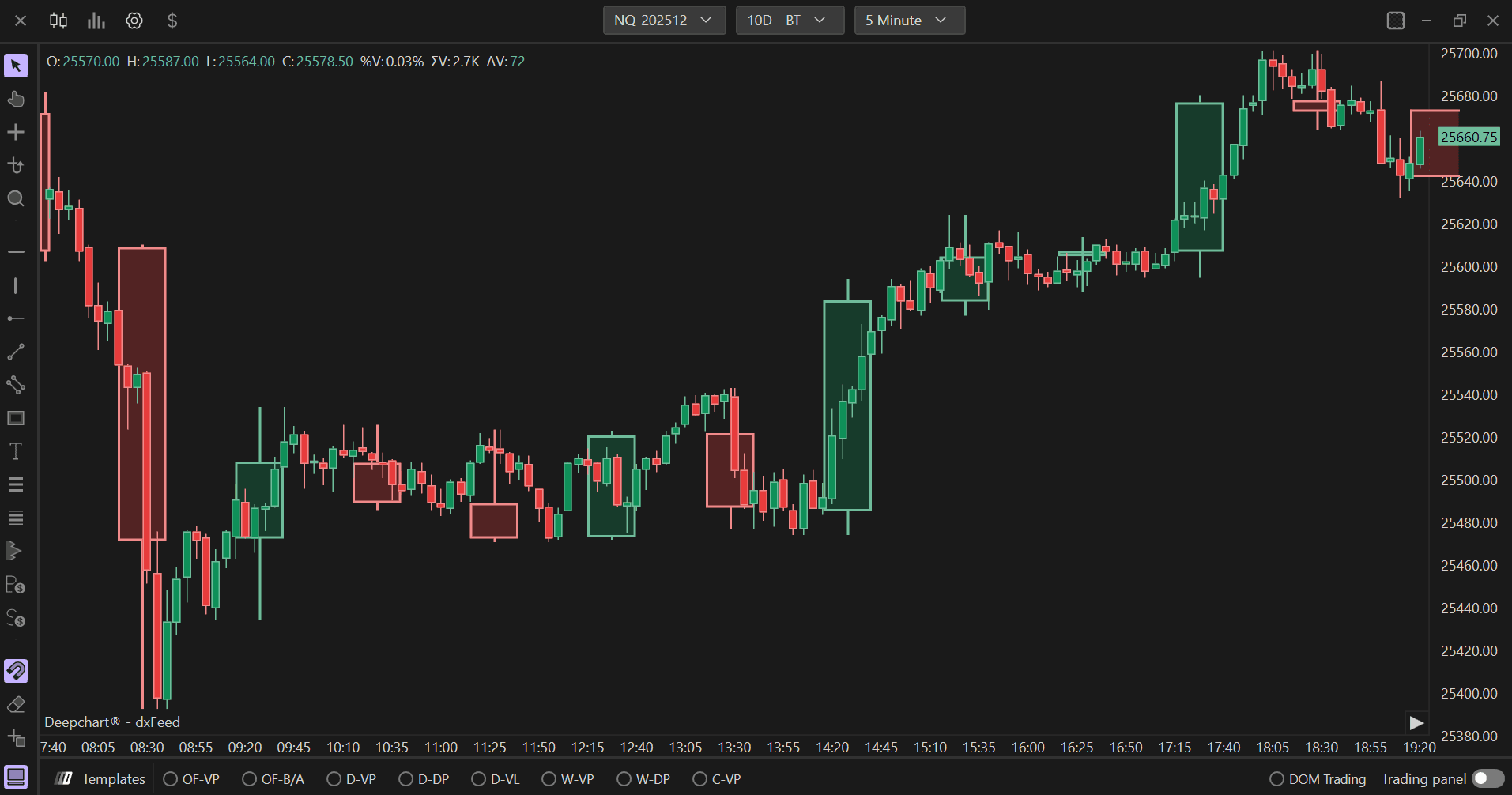
The Candlestick Bar indicator from Deepcharts allows you to overlay Japanese candles on top of the main chart. This powerful tool enables traders to analyze price action with customizable candlestick patterns and settings.
Using Settings
Clicking on the indicator settings icon will open its configuration window, within which you can make several choices regarding the functionality of the indicator itself.
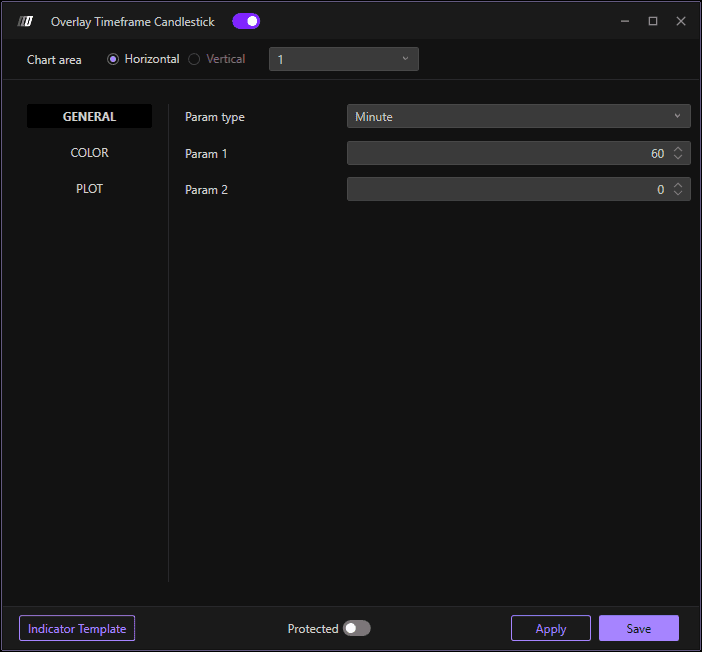
General
Parameter Type: Defines the parameter type of candles. You can choose from Minutes, Vol Bars, or Range
Parameter 1: Defines the parameter of Minute and Range candles, as well as the Target of Vol Bars candles
Parameter 2: Defines the Reverse of the Vol Bars candles

Color
Positive Bar: Defines the color of bullish candles (up candles)
Negative Bar: Defines the color of bearish candles (down candles)
Show Filled Bar: If enabled, it shows the background of the candle body
Plot
Candle Width: Defines the thickness of the candles
Border Width: Defines the thickness of the candles edge
Opacity: Defines the opacity of the background of the candle body
Show Vertical Line on Close: If enabled, it draws a vertical line on closing candles
