How To

Updated:

Feb 11, 2026

How to Customize Language, Theme and Notification Sounds

How to Customize Language, Theme and Notification Sounds

No headings found on page

1. How to Access Settings

  1. Click on Options

  2. Select Settings

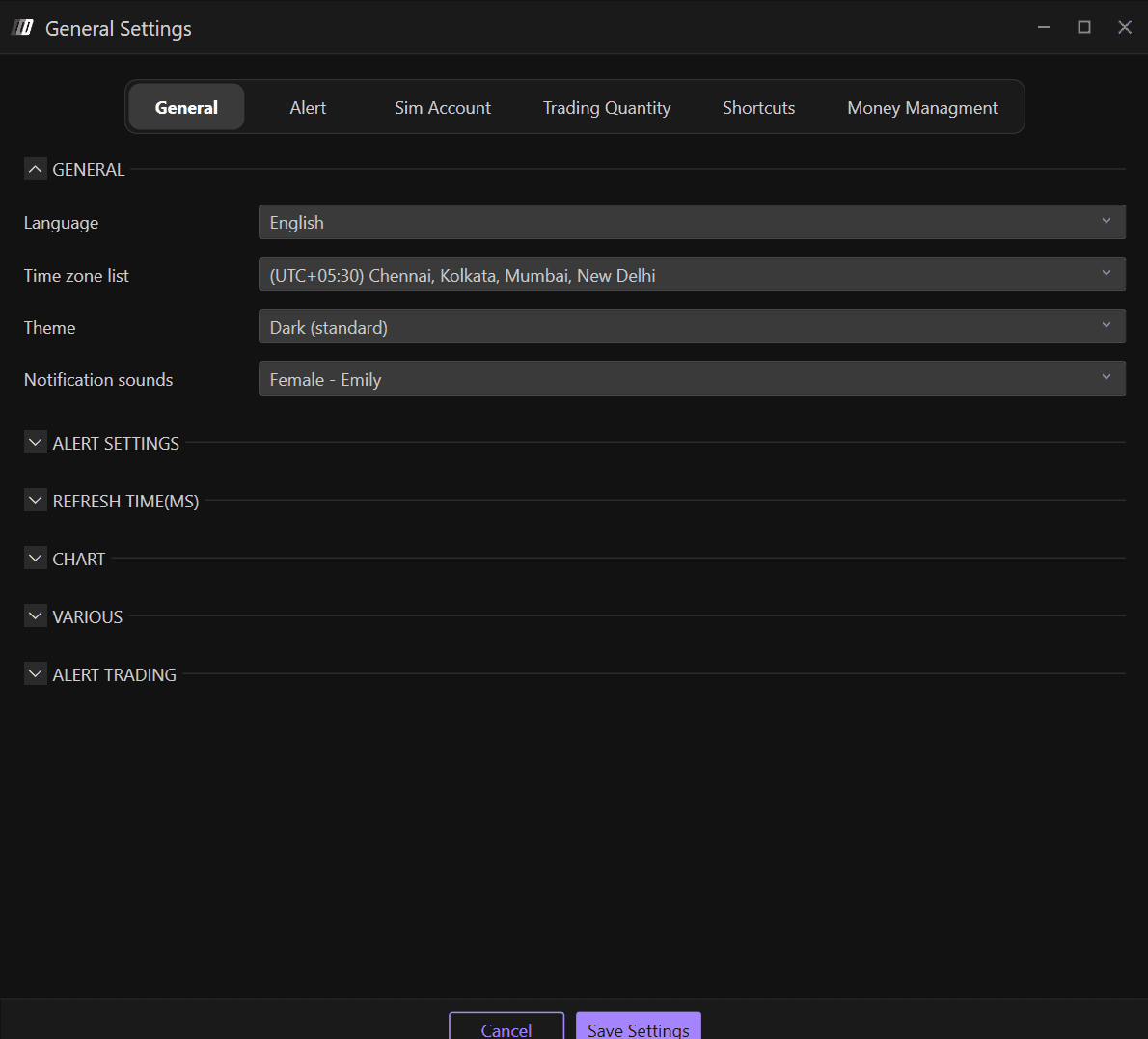
  3. Navigate to the General section

In the General section, you will find Deepcharts generic settings, where you can change:

  • Language

  • Time Zone

  • Theme: Platform Appearance

  • Notification Sounds

2. Language

The available languages are:

  • English

  • Italian

  • Spanish

  • German

  • Chinese

3. Theme: Platform Appearance

Themes available on Deepcharts are:

  • Dark

  • Dark (Standard)

  • Blue

  • Light 

  • Light (Standard)

  • Purple

4. Notification Sounds

Customize your alert notification sounds in the General section. The available notification sound options include:

  • Female - Emily

  • Female - Daniela

  • Male

  • Warzone

Tools for futures, currency & options involves substantial risk & is not appropriate for everyone. Only risk capital should be used for trading.

Testimonials appearing on this website may not be representative of other clients or customers and is not a guarantee of future performance or success.

Tools for futures, currency & options involves substantial risk & is not appropriate for everyone. Only risk capital should be used for trading. Testimonials appearing on this website may not be representative of other clients or customers and is not a guarantee of future performance or success.

Deepcharts © 2026 All right reserved

Tools for futures, currency & options involves substantial risk & is not appropriate for everyone. Only risk capital should be used for trading. Testimonials appearing on this website may not be representative of other clients or customers and is not a guarantee of future performance or success.

Deepcharts © 2026 All right reserved