Updated:
The On Candle Stats indicator displays detailed statistics directly on each candle via text boxes. It shows the total volumes, delta, trade counts, and other market microstructure data for each candle, providing traders with comprehensive orderflow information at a glance.
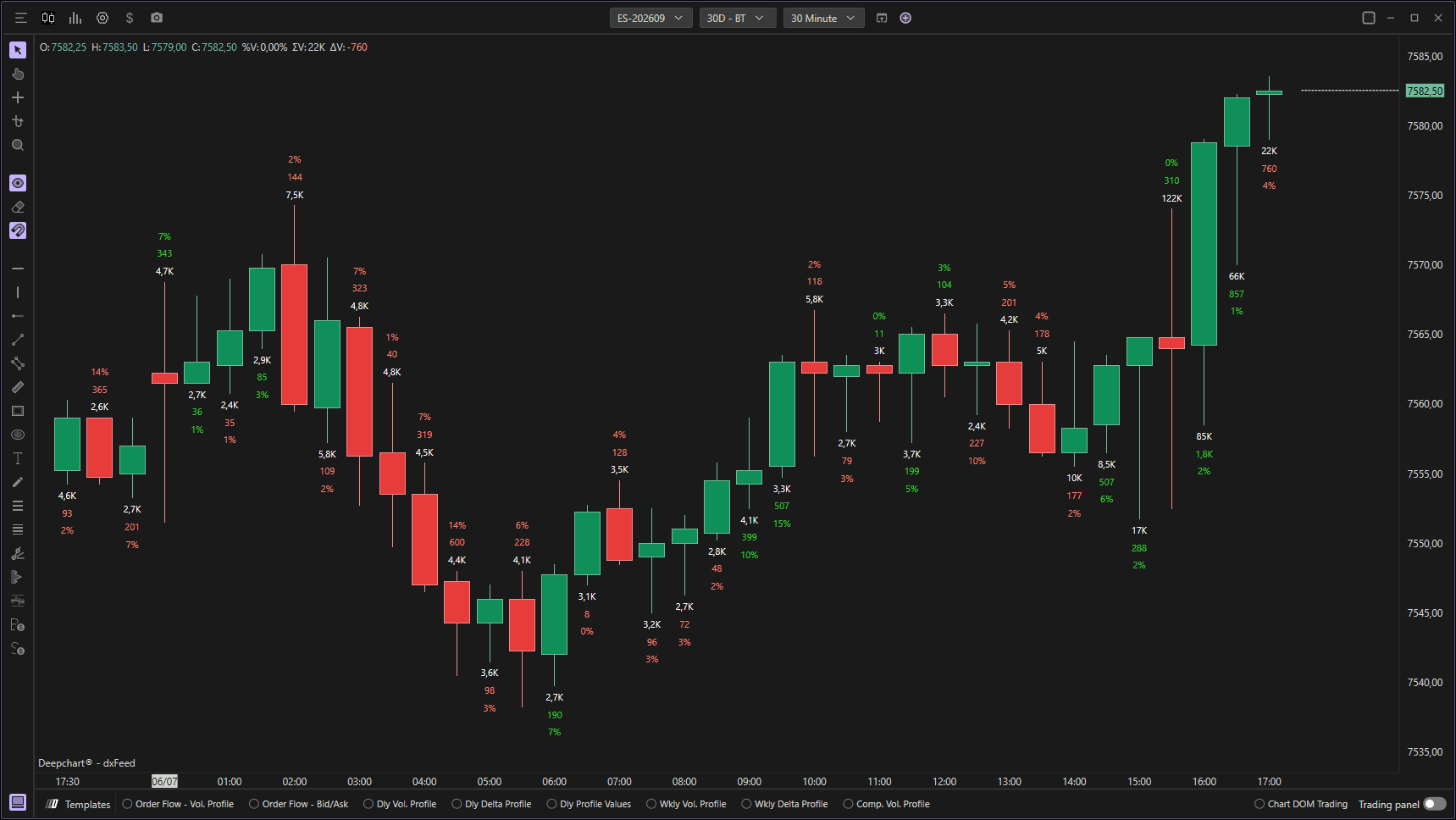
Using Settings
Clicking on the indicator's settings icon will open its configuration window, within which you can make several choices regarding the functionality of the indicator itself.

Data Settings

Input Data
Defines which database to use to calculate the indicator. You can choose from:
Volume: Represents the total volume traded at each price level. This database is useful for understanding the intensity of trading and identifying the price levels at which most market activity occurred.
Order: Indicates the number of transactions executed at each price level. This database is useful for understanding the frequency of orders and determining levels of interest in the market.
Aggregate Volume: Shows aggregate order volume by combining orders made on the price level. This option provides a more accurate view of trading activity levels by grouping orders executed on the same price level.
Filter Min
Allows you to apply a minimum filter to the chosen database. Only data above this threshold will be displayed.
Filter Max
Allows you to apply a maximum filter to the chosen database. If the value 0 is left, the indicator applies no maximum filter.
Text Settings
Font Size
Lets you change the size of the text displayed on the candles.
Smaller Font Size
Defines the minimum text size. This ensures text remains readable even at smaller scales.
Auto Text Format
If enabled, it allows text to be displayed in auto format, grouping numbers when they exceed thousands (e.g., 1,234 instead of 1234).
Absolute Sign
If enabled, it allows the text to be displayed in absolute format (without +/- signs).
Coloring Settings
Opacity Based on Ratio
Enables opacity adjustment based on specific ratios.
Max Ratio
Defines the maximum ratio of opacity. This controls how visible the text boxes are.
Color Text Based on Delta
If enabled, it allows text coloring based on delta. Positive delta can be displayed in one color (typically green) and negative delta in another (typically red).
Price Settings
Tick Offset
Defines in tick terms the distance to plot the text box from the candle. This helps prevent text from overlapping with price action.
Price Plot
Defines where to plot the text box with respect to price. You can choose from:
High: Place the text box on the candle's maximum (high) price
Low: Place the text box on the candle's minimum (low) price
Center: Place the text box in the center of the candle
Price Slope: Place the text box on the highs in bearish candles and the lows in bullish candles
Delta Sign: Place the text box on the highs in candles with negative delta and on the lows in candles with positive delta
Subgraphs
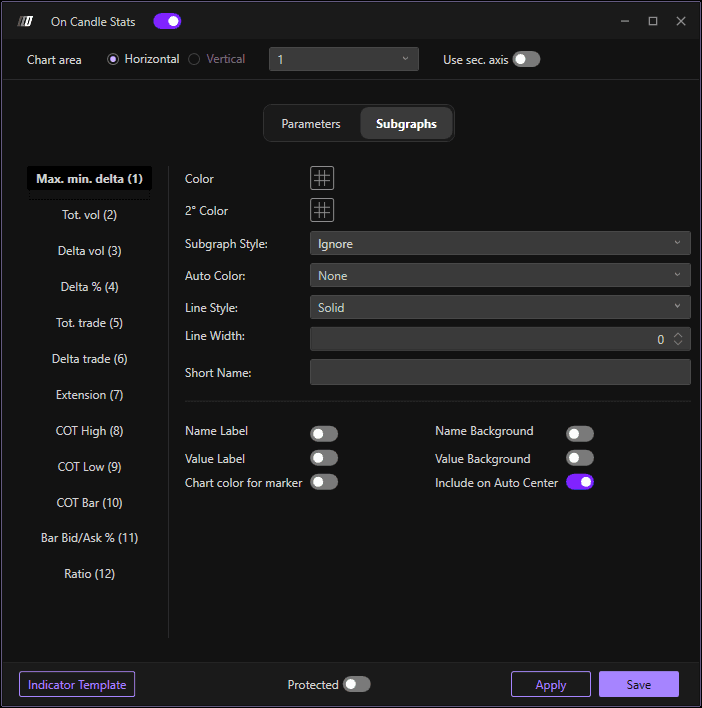
In this section you can enable or hide the main indicator series and change their background and text colors. To enable a series, click on Series Style and select Text; to hide, select Ignore.
Max./Min. Delta: Shows on the left the minimum delta and on the right the maximum delta reached by the candle.
Tot. Vol: Shows total volumes traded in the bar.
Delta Vol: Shows the bar delta, i.e., the differential between volumes traded in Ask and volumes traded in Bid.
Tot. Trade: Shows total trades made in the bar.
Delta Trade: Shows the delta trade of the bar, i.e., the differential between the trades made in Ask and the trades made in Bid.
Extension: Shows the tick extension (range) of the candle.
COT High: Close Of Trade High—shows the cumulative delta from the last time the current bar made a low until its Close. Under normal conditions, COT H on bearish bars will tend to be negative; when this does not happen, it signals potential absorption by buyers.
COT Low: Close Of Trade Low—shows the cumulative delta from the last time the current bar made a high until its Close. Under normal conditions, COT L on bullish bars will tend to be positive; when this does not happen, it signals potential absorption by sellers.
COT Bar: Shows COT High in bullish bars or COT Low in bearish bars.
Bid-Ask/Vol: Shows the percentage delta of each bar.
Ratio: Shows Ratio High in bearish bars and Ratio Low in bullish bars, indicating potential exhaustion patterns.
Still Having Trouble?
Our support team is available 24/7 and ready to help you with any issue you encounter.
When reaching out, please include:
A screenshot of the issue
A brief description of what you were trying to do
Support Ticket (Fastest Response)
Visit www.deepcharts.com and create a support ticket directly on our website.
Email Support
Reach us at support@deepcharts.com - please note that email responses may take a little longer than a support ticket.
