Updated:
The Stop Spotter indicator identifies potential stop-loss hunting events by detecting specific market conditions where price movements may be targeting clusters of stop orders. It analyzes delta, volume, price action, body size, imbalances, and other criteria to spot situations where institutional traders or market makers might be triggering retail stop losses. The indicator marks these events on the chart with visual signals and can provide alerts through various notification methods.
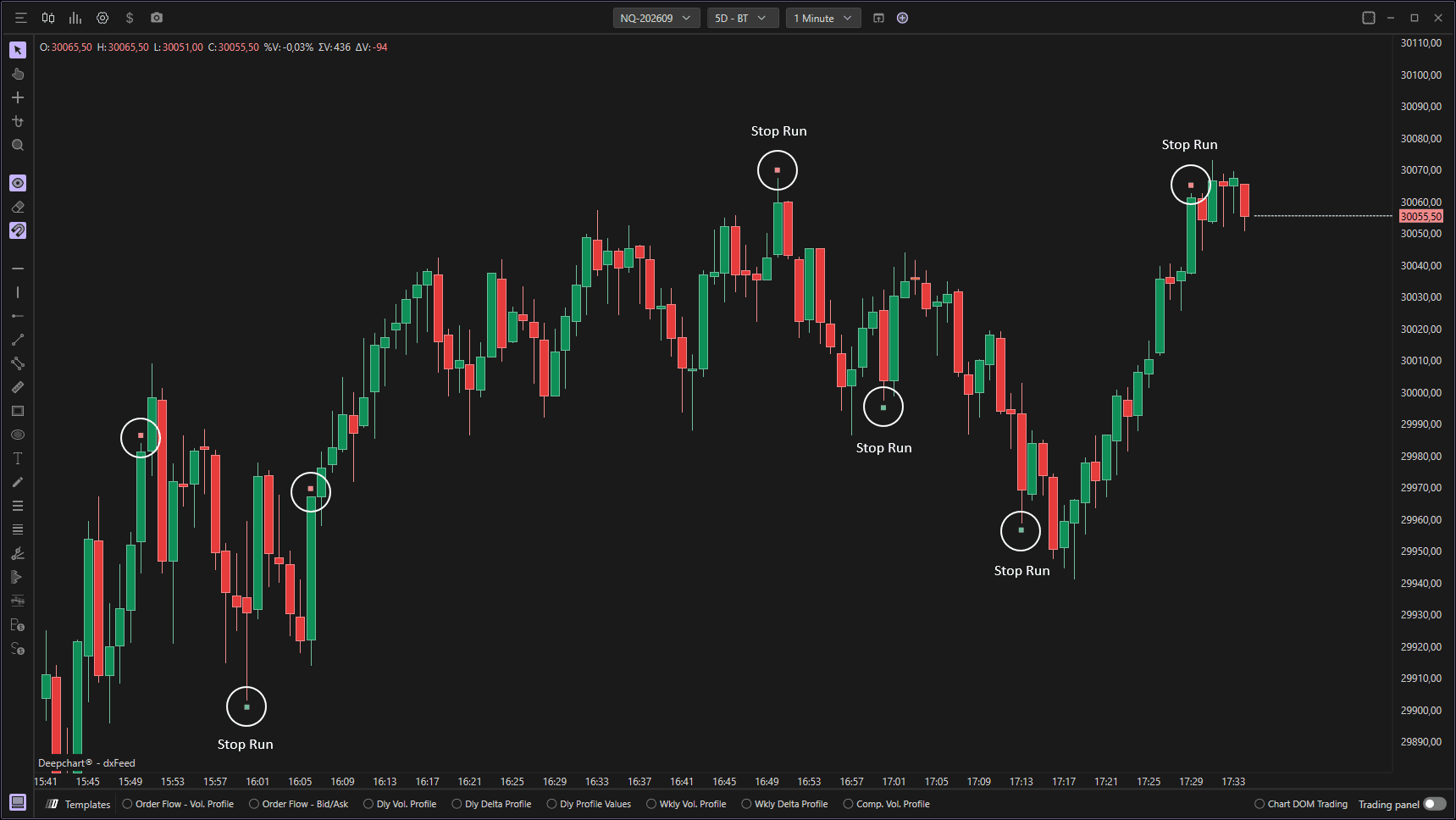
Settings of Use
Clicking on the indicator's settings icon will open its configuration window, within which it will be possible to make several choices regarding the functionality of the indicator itself.

Parameters
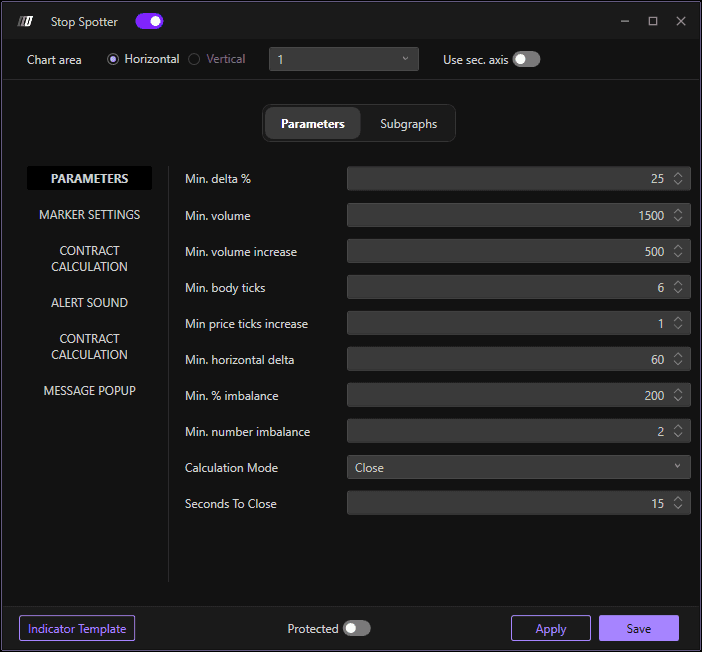
Min. delta %
Sets the minimum delta percentage threshold for identifying stop-hunting events. The default value is 25. Delta represents the difference between buying and selling volume. A higher delta percentage indicates stronger directional pressure, which can signal aggressive order flow typical of stop-hunting activity.
Min. volume
Defines the minimum volume threshold required for a bar to be considered for stop-hunting detection. The default value is 1500. This ensures the indicator only flags events that occur with sufficient trading activity, filtering out low-volume periods that are less likely to represent genuine stop-hunting behavior.
Min. volume increase
Sets the minimum volume increase required compared to recent bars to trigger a stop-hunting signal. The default value is 500. This parameter helps identify sudden spikes in volume, which often accompany stop-loss cascades as multiple orders are triggered simultaneously.
Min. body ticks
Specifies the minimum candle body size in ticks for a bar to qualify as a potential stop-hunting event. The default value is 6 ticks. Larger candle bodies indicate strong directional movement, which is characteristic of price action that breaks through stop-loss levels.
Min price ticks increase
Defines the minimum price movement in ticks required to identify a stop-hunting event. The default value is 1. This ensures the price has moved sufficiently to potentially reach and trigger stop-loss orders. Higher values focus on more substantial price movements that are more likely to sweep multiple stop levels.
Min. horizontal delta
Sets the minimum horizontal delta threshold for stop-hunting detection. The default value is 60. Horizontal delta measures the difference between bid and ask volume at specific price levels, helping identify areas where aggressive buying or selling is taking place.
Min. % imbalance
Defines the minimum percentage imbalance between bid and ask volume required to trigger a stop-hunting signal. The default value is 200%. A significant imbalance indicates one-sided order flow, which is typical when stop orders are being triggered and absorbed by institutional traders.
Min. number imbalance
Sets the minimum number of consecutive imbalances that must occur to confirm a stop-hunting event. The default value is 2. Multiple consecutive imbalances provide stronger confirmation that genuine stop-hunting is occurring rather than a single anomalous trade. Increase this for more conservative signals with fewer false positives.
Calculation Mode
Determines which price level is used for calculations and signal placement. The default option is "Close". This setting controls whether the indicator analyzes conditions at the bar's closing price or another reference point, affecting where stop-hunting events are identified and marked on the chart.
Seconds To Close
Specifies the number of seconds before bar close when the indicator should perform its calculations. The default value is 15 seconds. This allows the indicator to evaluate nearly-complete bars rather than waiting for the absolute close, providing slightly earlier signals while still capturing most of the bar's final activity. Lower values provide earlier signals but may be less reliable.
Contract Calculation
Enable
Activates or disables the contract calculation display on the chart.
Max loss
Defines the maximum loss allowed per trade, used to calculate position size.
Tick value divider
Modifies the tick value to match different instruments or custom contract sizing.
Font Size
Adjusts the text size of the contract information shown on the chart.
Back Color
Sets the background color of the contract calculation label for visibility.
Text Color
Sets the text color for Contract calculation
Text Color
Sets the secondary text color for contract calculation.
Alert Sound
This section controls audible alert settings that play when stop-hunting conditions are detected. Audio alerts allow traders to monitor multiple charts or step away from the screen while still being notified of significant stop-hunting events.
Message Popup
This section controls on-screen popup message settings that appear when stop-hunting events are detected.
Subgraphs
Color
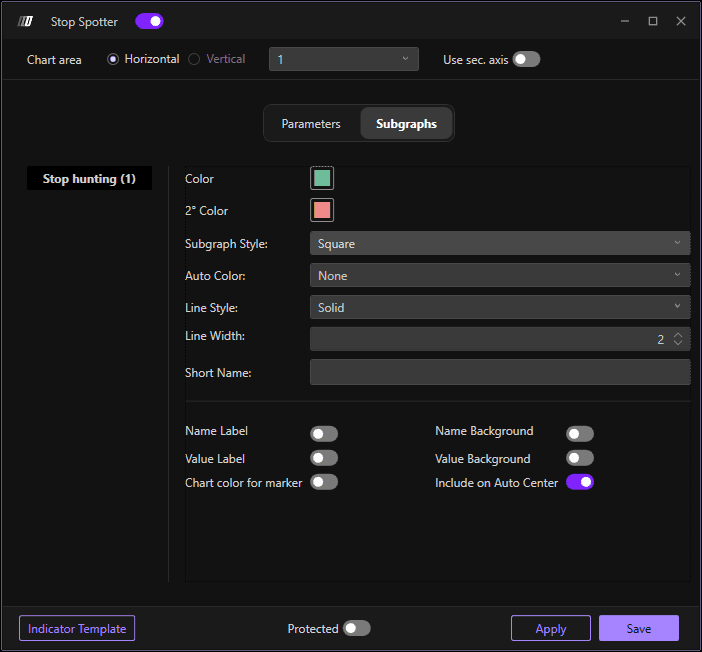
Sets the primary color for the stop-hunting markers or signals when using a single-color display mode. This color is used for the visual indicators that mark detected stop-hunting events on the chart. Choose a color that stands out clearly against your chart theme.
2° Color
Sets the secondary color for stop-hunting markers, typically used for downward stop run
Subgraph Style
Defines how the stop-hunting signals are displayed on the chart. The default is "Square" which shows the markers as square shapes positioned at the relevant bars. Other options include circle, diamond, cross and triangle
Auto Color
Determines the automatic coloring logic for the stop-hunting markers.
Line Style
Sets the style of any lines or borders used in the marker display.
Line Width
Adjusts the thickness of marker borders or lines.
Short Name
Allows you to set a custom short name or label for the indicator that will appear on the chart legend.
