Updated:
OCO (Order-Cancel-Order) Strategies
The OCO Strategies allow you to attach two exit orders to a main order:
Limit order for a potential profit exit
Stop order for a potential loss exit
Once one of the exit orders is executed, the other order is automatically canceled.

Enable OCO Strategy
To enable OCO Strategies:
Open the Trading Panel.
Enable the OCO Strategies checkbox.
Select the mode you want to use.
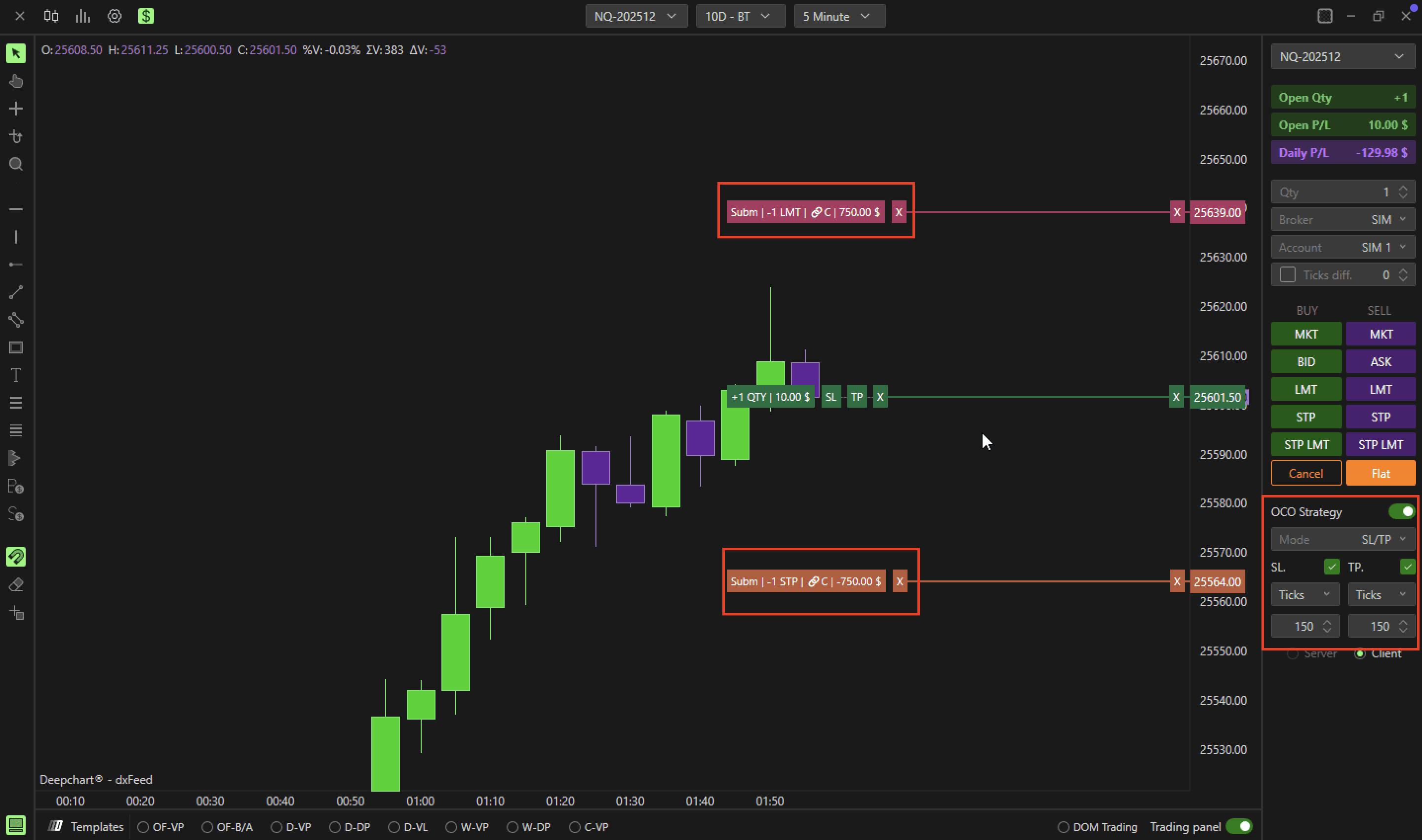
Mode SL/TP
The SL/TP mode allows you to quickly place individual Stop Loss and Target Price OCO orders:
Set Ticks/Money in SL Ticks/Money and TP Ticks/Money.
Enable the ticks to activate the orders.
This mode is ideal for simple, single-contract exit strategies.
Mode Multi
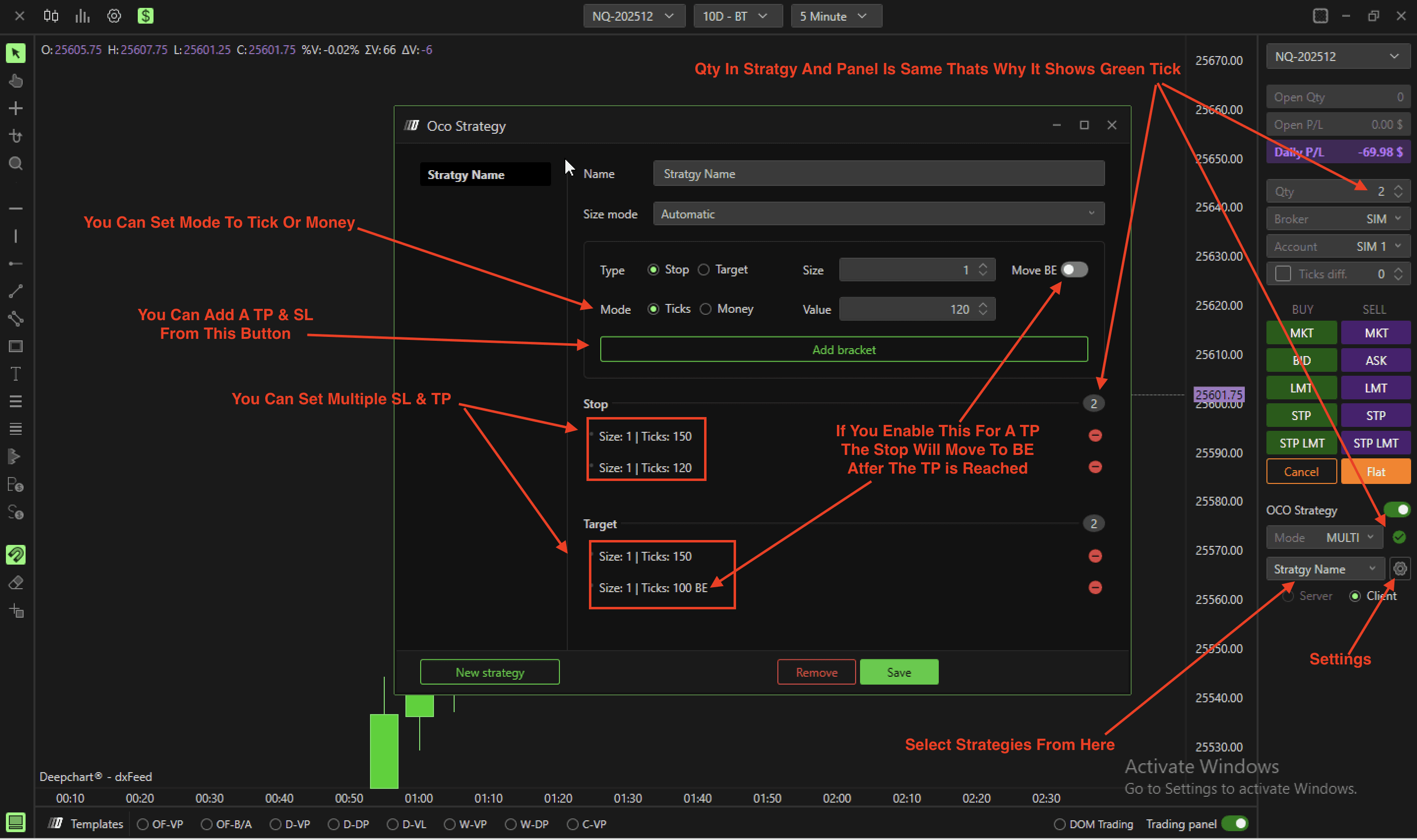
The Multi mode allows more complex OCO strategies, such as:
Multi-contract exits
Moving the stop to breakeven
Creating a Multi OCO Strategy:
Click the Setting Icon → New Strategy.
Add multiple Stop and Target orders:
Select Stop, define quantity and ticks, then click Add bracket
Repeat for Target orders
To move a stop to breakeven after reaching a target, enable Move BE
Name the strategy and click Save
Selecting the Strategy:
Use the drop-down menu in the panel
If the entered quantity matches the OCO strategy, a green tick appears; otherwise, a red warning is shown
Example:
3-contract strategy
1 Stop exit at 12 ticks
3 Target exits at 8, 12, and 20 ticks
Stop moves to breakeven after Target 2
Server / Client
Determine whether the OCO strategy is managed server-side or client-side.
Server
Orders are managed and stored on the broker’s server
Remains active even if the trader’s computer goes down
Currently supported by Rithmic and DXFeed
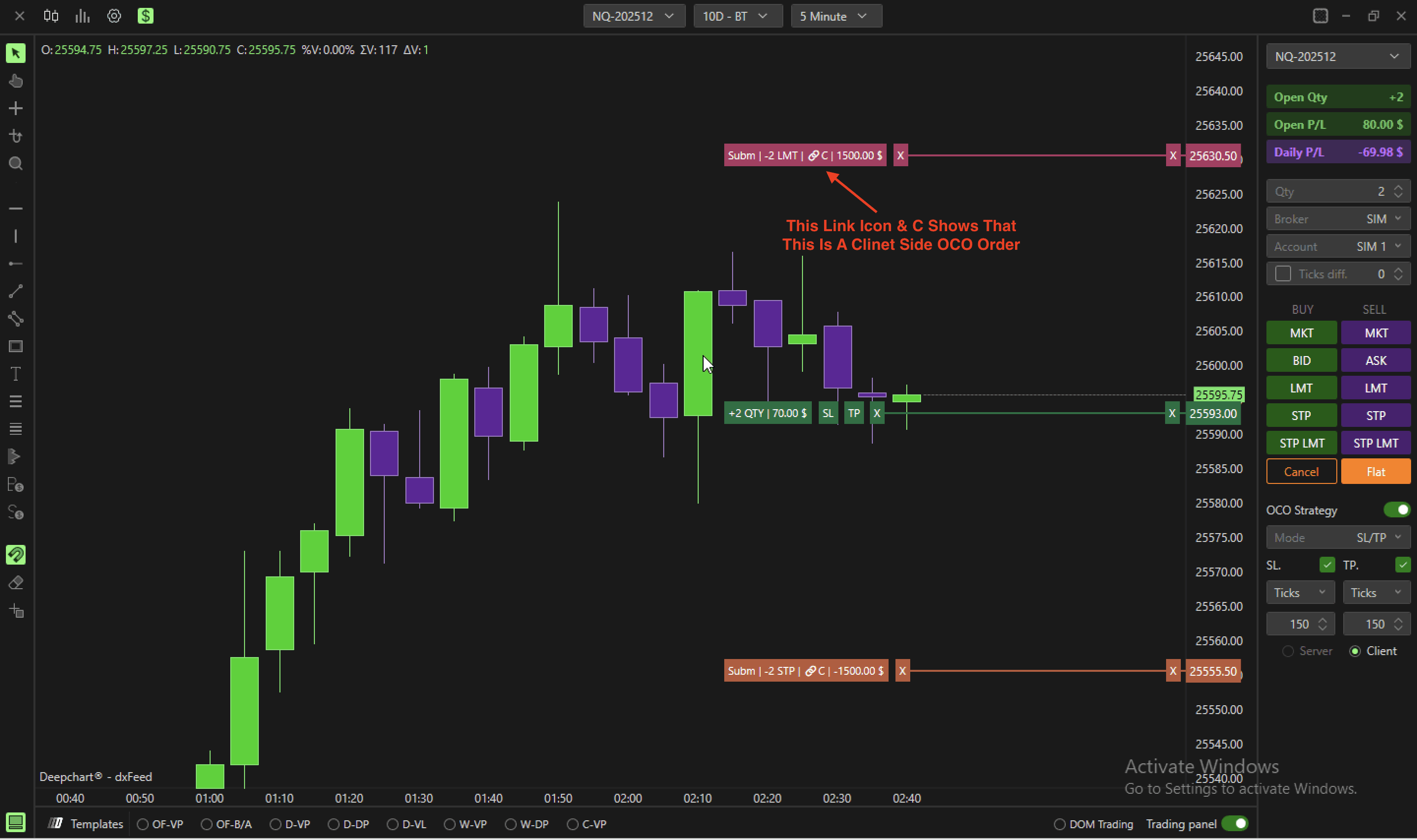
You can link two OCO strategies so that executing one cancels the other:
After entering orders, click Link pending orders
Client
Orders are managed locally on the trader’s computer
Requires the platform and internet connection to be active
Quick OCO Creation from Open Positions
Even without enabling OCO strategies:
Each open market position has Stop Loss (SL) and Target Price (TP) squares
Left-click on SL or TP to quickly create exit orders
You can link them together to form an OCO strategy
