Trading

Updated:

Feb 26, 2026

Portfolio (Wallet)

Portfolio (Wallet)

Monitor your assets and track real-time balance updates across different sub-accounts within the Portfolio Wallet interface

Monitor your assets and track real-time balance updates across different sub-accounts within the Portfolio Wallet interface

No headings found on page

Portfolio

To open the Portfolio:

  1. Click on the Trading menu in DeepCharts.

  2. Select Show Portfolio.

Overview

The Portfolio displays:

  • Connected Brokers and their accounts

  • Sales

  • Daily P/L (Profit & Loss)

  • Open P/L (current positions)

This section allows you to monitor your accounts and trading performance at a glance.
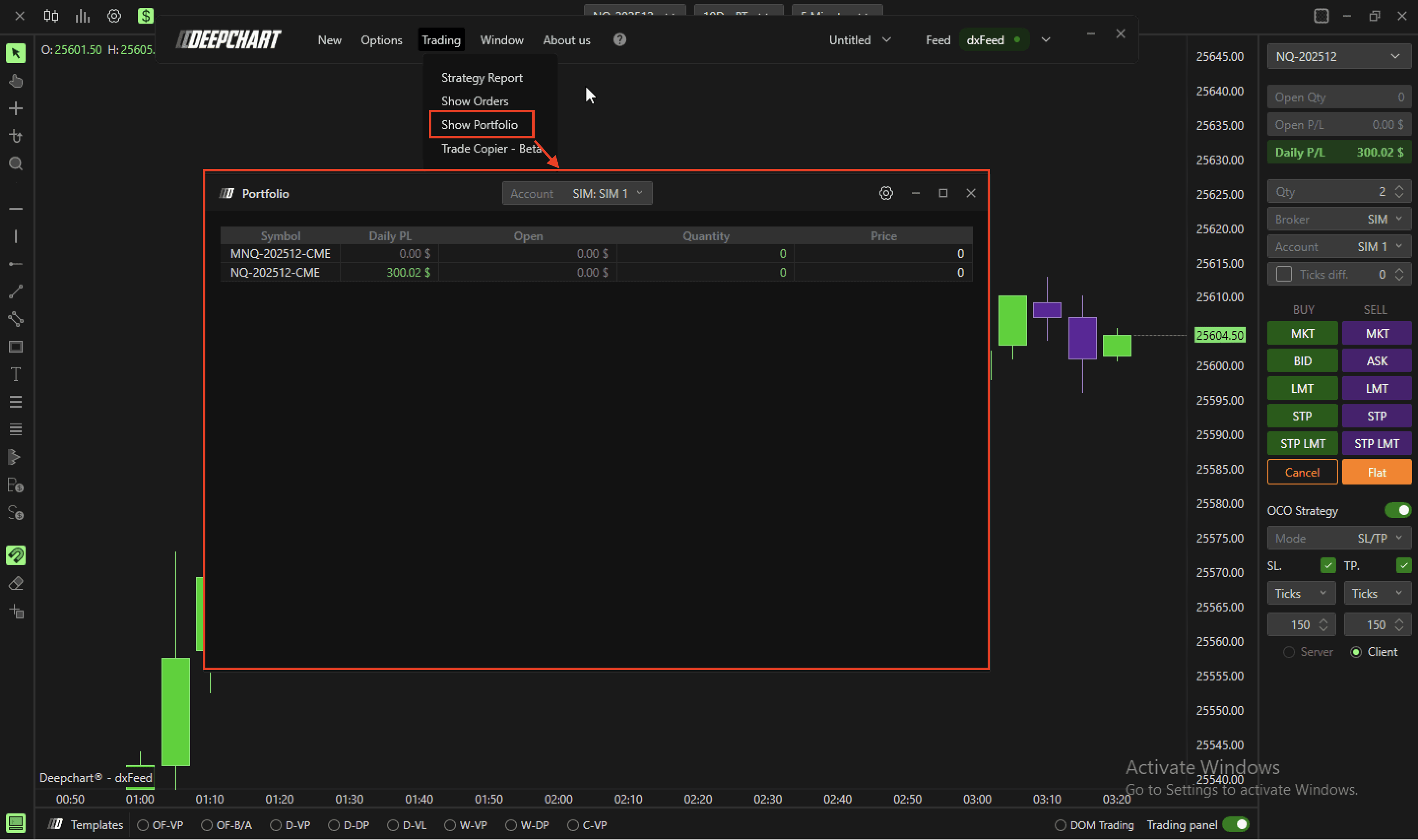
Table of Contents

No headings found on page

Tools for futures, currency & options involves substantial risk & is not appropriate for everyone. Only risk capital should be used for trading.

Testimonials appearing on this website may not be representative of other clients or customers and is not a guarantee of future performance or success.

Tools for futures, currency & options involves substantial risk & is not appropriate for everyone. Only risk capital should be used for trading. Testimonials appearing on this website may not be representative of other clients or customers and is not a guarantee of future performance or success.

Deepcharts © 2026 All right reserved

Tools for futures, currency & options involves substantial risk & is not appropriate for everyone. Only risk capital should be used for trading. Testimonials appearing on this website may not be representative of other clients or customers and is not a guarantee of future performance or success.

Deepcharts © 2026 All right reserved

