Updated:
L’indicatore Ratio Highlight evidenzia tramite marker sulle barre verticali quelle che presentano un Ratio High e un Ratio Low che soddisfano determinati parametri definiti dall’utente. Questo indicatore aiuta i trader a individuare potenziali assorbimenti degli acquirenti e dei venditori analizzando il rapporto dell’attività di trading tra tick consecutivi.
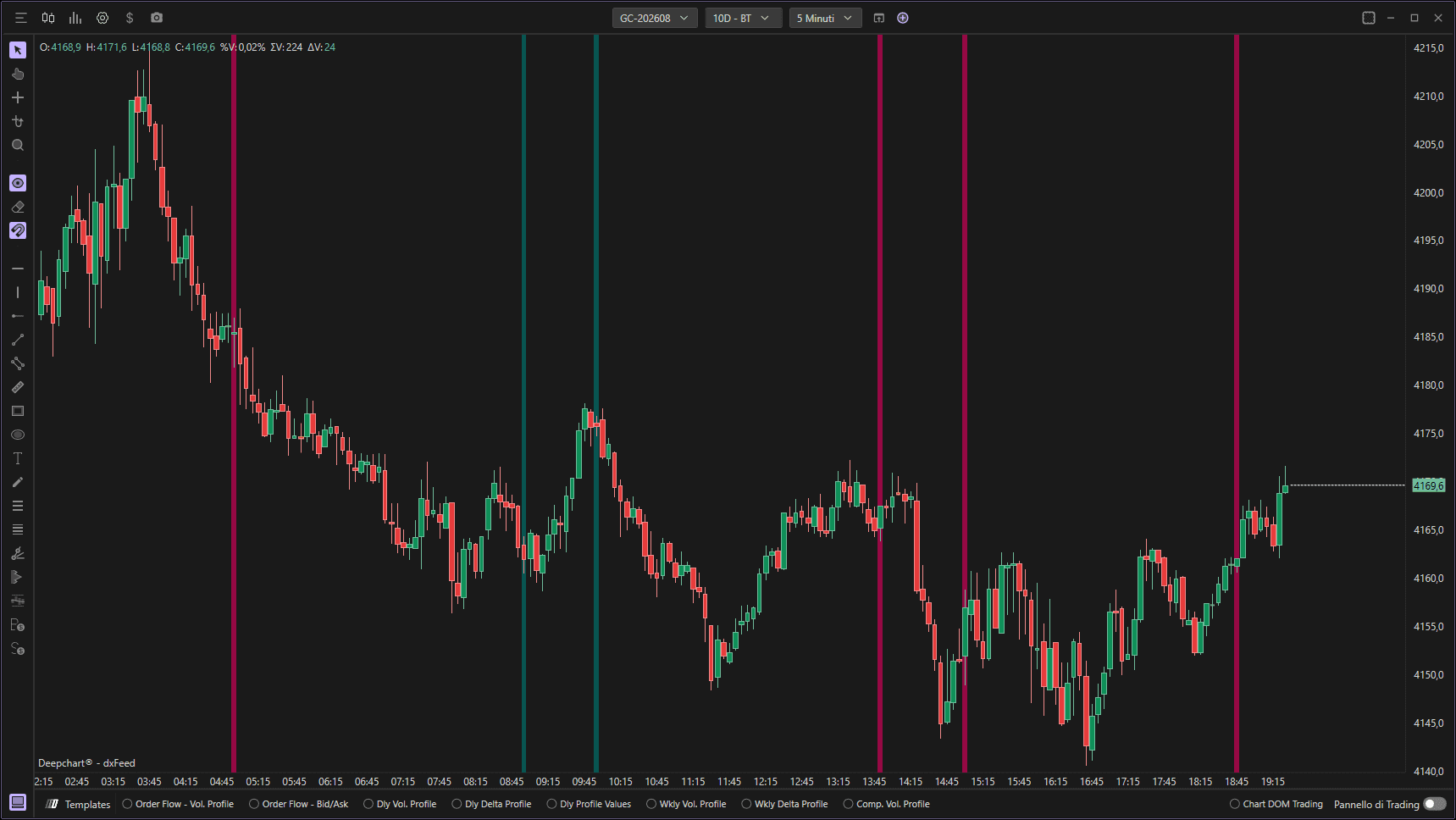
Utilizzo delle impostazioni
Facendo clic sull'icona delle impostazioni dell'indicatore si aprirà la finestra di configurazione, all'interno della quale potrai effettuare diverse scelte riguardanti la funzionalità dell'indicatore stesso.

Impostazioni del Ratio Highlight
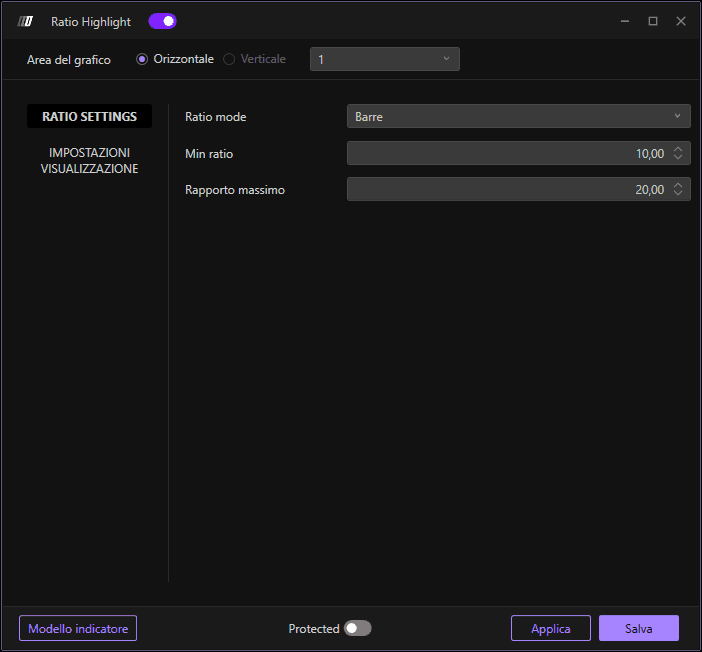
Consente di definire quale ratio evidenziare sulle barre:
Barre: Evidenzia Ratio High sulle barre ribassiste e Ratio Low sulle barre rialziste. Questa modalità predefinita mostra sia i segnali di esaurimento degli acquirenti sia quelli dei venditori.
Ratio minimo
Definisce il valore minimo della soglia del Ratio. Verranno evidenziate solo le barre con valori del ratio pari o superiori a questo minimo.
Ratio massimo
Definisce il valore massimo della soglia del Ratio. Verranno evidenziate solo le barre con valori del ratio pari o inferiori a questo massimo.
Impostazioni del grafico
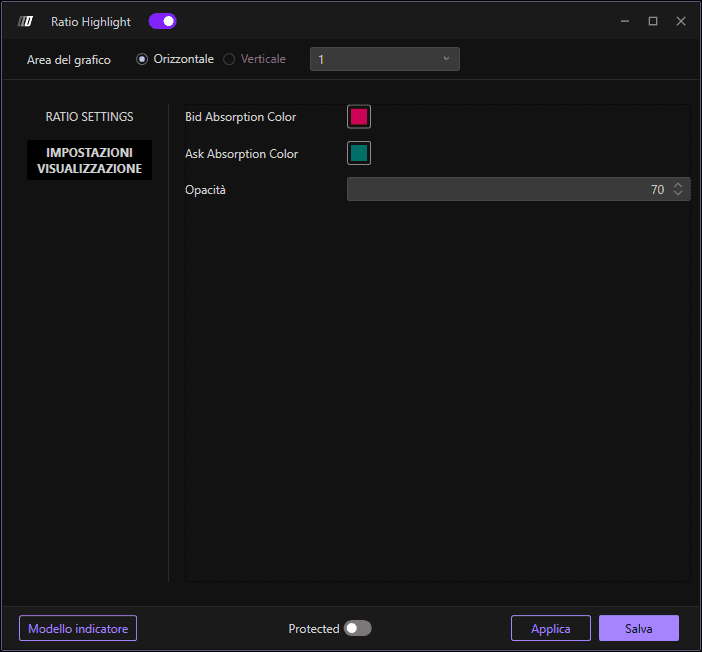
Colore assorbimento bid
Definisce il colore del marker per Ratio Low (esaurimento dei venditori). Questo colore verrà visualizzato sulle barre che mostrano una significativa debolezza sul lato vendite.
Colore assorbimento ask
Definisce il colore del marker per Ratio High (esaurimento degli acquirenti). Questo colore verrà visualizzato sulle barre che mostrano una significativa debolezza sul lato acquisti.
Opacità
Definisce l'opacità (trasparenza) dei marker. Valori più bassi rendono i marker più trasparenti, mentre valori più alti li rendono più opachi e visibili sul grafico.
