Updated:
L'indicatore Deepcharts Session Imbalance consente di evidenziare il massimo (Initial Balance High), il minimo (Initial Balance Low) e il punto medio (Initial Balance Mid Point) della prima ora di trading o di qualsiasi altro periodo definito dall'utente. Consente inoltre di tracciare nel grafico le estensioni del 50% e del 100% dell'intervallo di sbilanciamento, sia verso l'alto sia verso il basso.
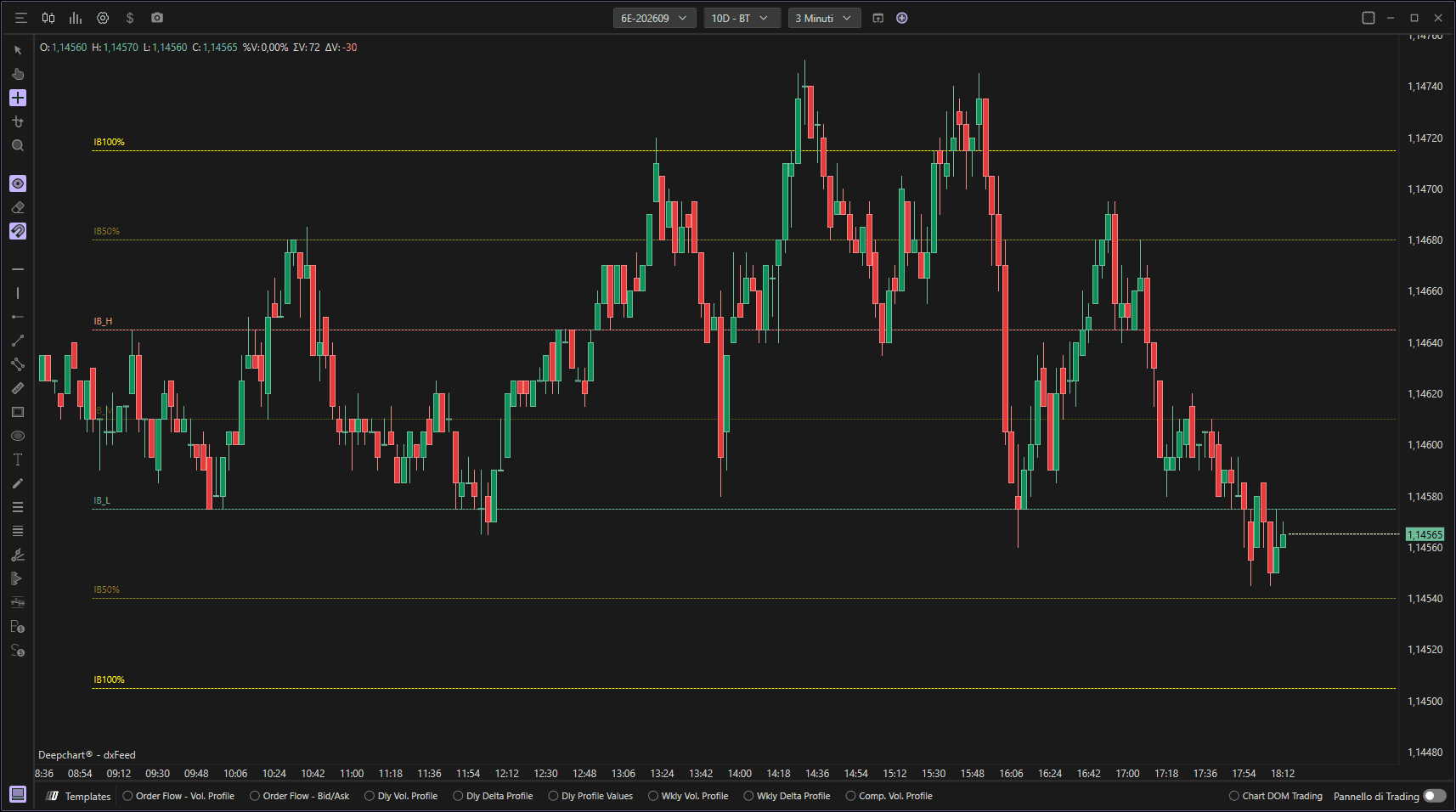
Utilizzo delle impostazioni
Cliccando sull'icona delle impostazioni dell'indicatore si apre la finestra di configurazione, nella quale è possibile effettuare diverse scelte relative alla funzionalità dell'indicatore.

Generale
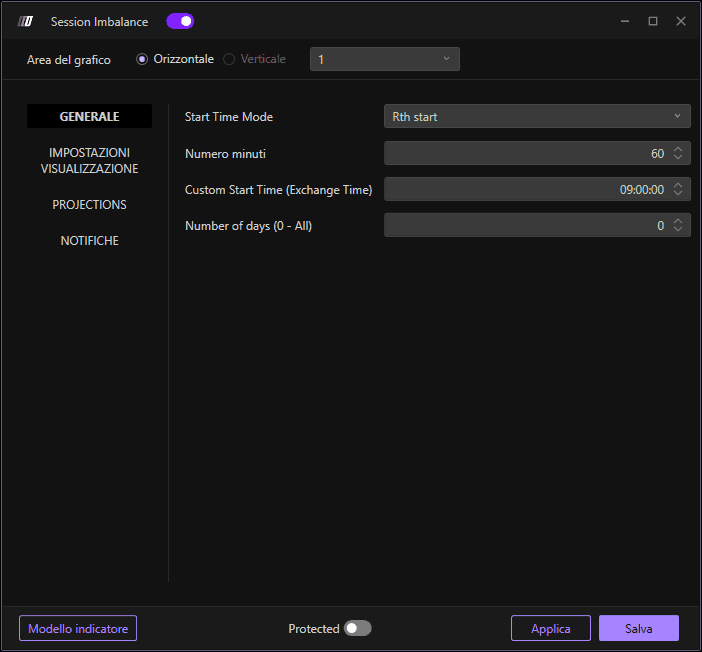
Configura i parametri di base per il calcolo dello sbilanciamento di sessione:
Numero di minuti
Definisce il numero di minuti dello sbilanciamento di sessione (predefinito: 60 minuti).
Orario di inizio personalizzato
Se attivato, consente di personalizzare l'orario di inizio; altrimenti il calcolo parte dall'inizio della sessione, che ad esempio per i futures americani è alle 00:00 ora italiana.
Numero di giorni (0 - Tutti)
Indica il numero di sessioni da tracciare nel grafico. Se si lascia il valore 0, verranno tracciate tutte le sessioni.
Impostazioni del grafico
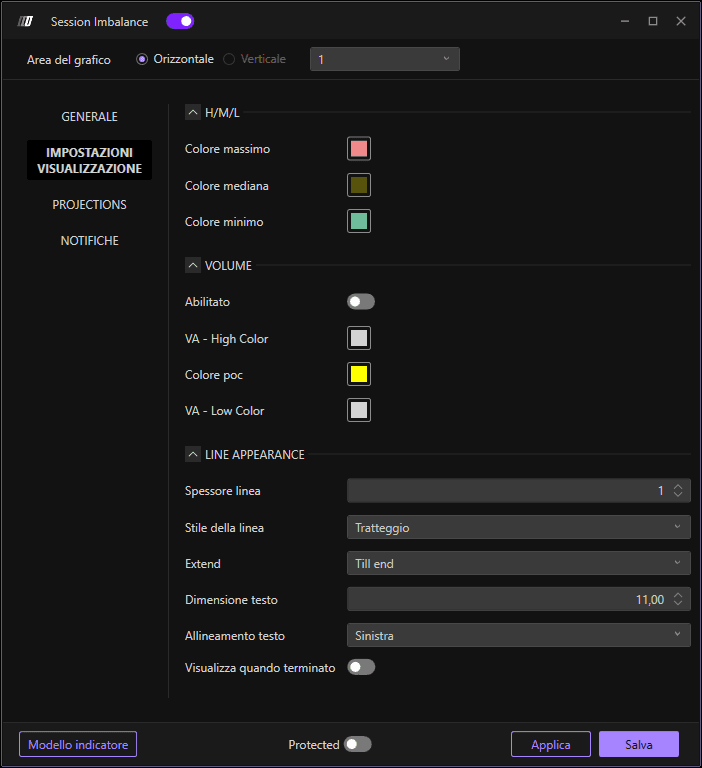
Consente di definire l'aspetto visivo delle linee dell'indicatore:
Colore massimo: Imposta il colore della linea Initial Balance High
Colore minimo: Imposta il colore della linea Initial Balance Low
Colore medio: Imposta il colore della linea Initial Balance Mid Point
Spessore linea: Definisce lo spessore delle linee
Stile linea: Scegli lo stile della linea (continua, tratteggiata, puntinata, ecc.)
Dimensione testo: Imposta la dimensione del font per le etichette
Allineamento testo: Definisce l'allineamento del testo sul grafico
Estensioni del livello 50%
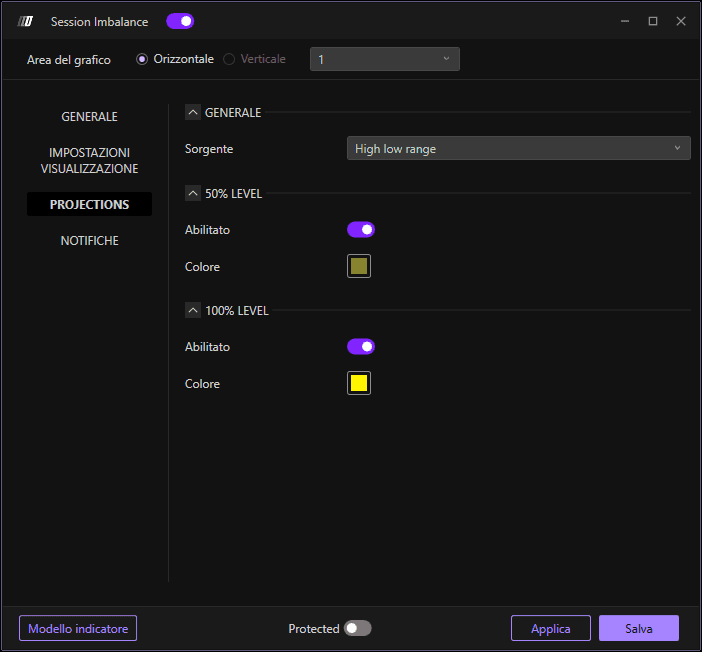
Configura i livelli di estensione al 50%:
Abilita estensioni 50%: Attiva o disattiva le estensioni al 50%
Colore estensione 50%: Imposta il colore delle linee di estensione al 50%
Estensioni del livello 100%
Configura i livelli di estensione al 100%:
Abilita estensioni 100%: Attiva o disattiva le estensioni al 100%
Colore estensione 100%: Imposta il colore delle linee di estensione al 100%
Avvisi
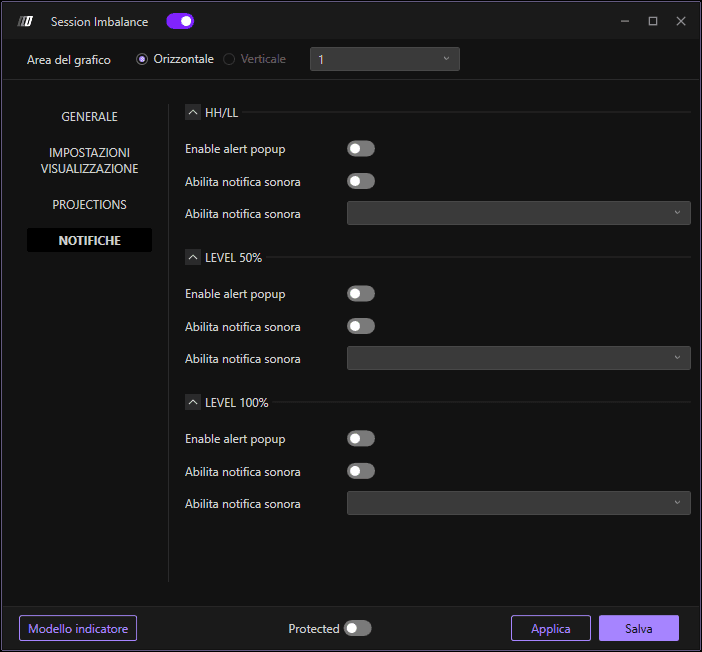
Configura gli avvisi per tutti i livelli dell'indicatore:
Avvisi HH/LL
Imposta gli avvisi per i livelli Initial Balance High e Low:
Abilita popup di avviso: Ricevi notifiche popup quando il prezzo raggiunge i livelli HH/LL
Abilita suono di avviso: Ricevi avvisi audio quando il prezzo raggiunge i livelli HH/LL
Selezione suono avviso: Scegli il tipo di suono per l'avviso HH/LL
Avvisi livello 50%
Configura gli avvisi per i livelli di estensione al 50%:
Abilita popup di avviso: Ricevi notifiche popup quando il prezzo raggiunge il livello 50%
Abilita suono di avviso: Ricevi avvisi audio quando il prezzo raggiunge il livello 50%
Selezione suono avviso: Scegli il tipo di suono per l'avviso del livello 50%
Avvisi livello 100%
Configura gli avvisi per i livelli di estensione al 100%:
Abilita popup di avviso: Ricevi notifiche popup quando il prezzo raggiunge il livello 100%
Abilita suono di avviso: Ricevi avvisi audio quando il prezzo raggiunge il livello 100%
Selezione suono avviso: Scegli il tipo di suono per l'avviso del livello 100%
