Updated:
Overview
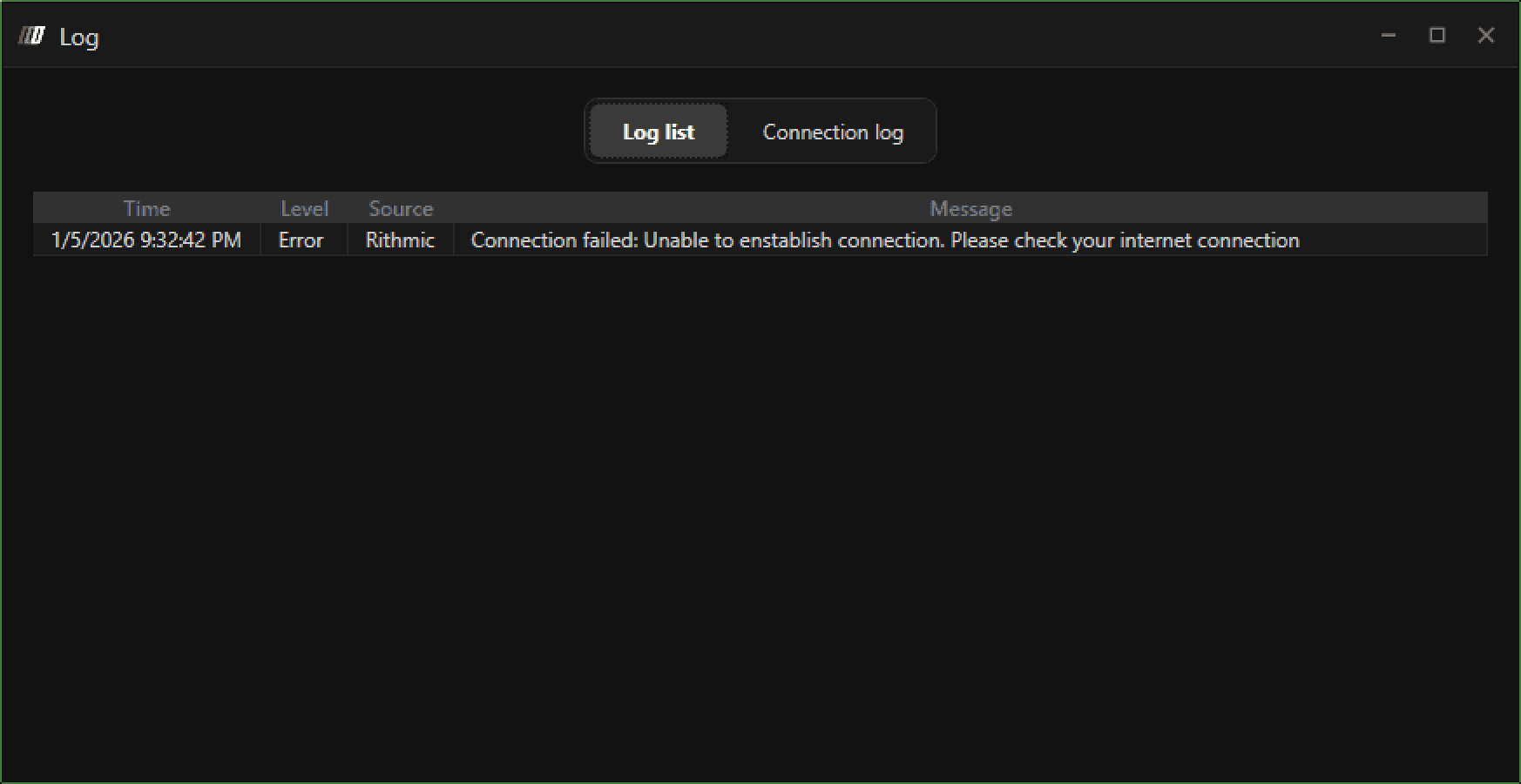
This error indicates that DeepChart is unable to establish a stable connection to the data feed. The issue can occur due to network restrictions, missing system components, or Windows language/region incompatibility.

Possible Causes
Cause 1: Internet Connectivity or VPN Usage
Slow or unstable internet connection
VPN or proxy services blocking or rerouting data feed traffic
Cause 2: Missing or Outdated Visual C++ Redistributables
DeepChart requires the latest supported Microsoft Visual C++ Redistributable
Missing or outdated versions can prevent the application from connecting properly
Cause 3: Windows Language or Region Not Set to English
Non-English system language or regional formats can cause connection and parsing issues
This is a known cause of feed initialization failures
Solution 1: Check Internet Connection and Disable VPN
Verify that your internet connection is stable and fast
If you are using a VPN, disconnect it
Close DeepChart
Reopen DeepChart and attempt to connect again
If the issue persists, continue to Solution 2.
Solution 2: Install Latest Microsoft Visual C++ Redistributable
Download and install the latest supported Visual C++ Redistributables based on your system architecture.
If you are unsure which processor your system uses, install both X86 and X64 versions.
Architecture | Download Link | Notes |
|---|---|---|
ARM64 | Latest supported ARM64 version | |
X86 (32-bit) | Required even on some 64-bit systems | |
X64 (64-bit) | Standard for most modern PCs |
After installation:
Restart your computer
Launch DeepChart
Try connecting again
Solution 3: Change Windows Language and Region Settings
Step 1: Set Windows Language to English
Go to Windows Settings → Time & Language → Language
Set Windows display language to English
Step 2: Set Region to United States (or English-based Region)
Go to Windows Settings → Time & Language → Region
Set Country or region to United States (or another English-supported region)
Step 3: Restart Your PC
Restart your computer
Open DeepChart
Connect the data feed
Open a chart
Official Microsoft Guide
For detailed instructions, refer to Microsoft’s official documentation:
Important Notes
VPN usage is a common cause of this error
Visual C++ Redistributables are mandatory system dependencies
Windows language and regional formatting must be English-compatible
Always restart your PC after making system changes
Prevention Tips
Avoid using VPNs while running DeepChart
Keep Visual C++ Redistributables up to date
Use English (US) system language and region
Maintain a stable internet connection
