How To

Updated:

Feb 26, 2026

Connecting to Data Feed / Data Feed Setting

Connecting to Data Feed / Data Feed Setting

Instructions for activating the live data connection in the software.

Instructions for activating the live data connection in the software.

No headings found on page
  • Go to my.deepcharts.com

  • Click on Select a Connection & Feed Settings


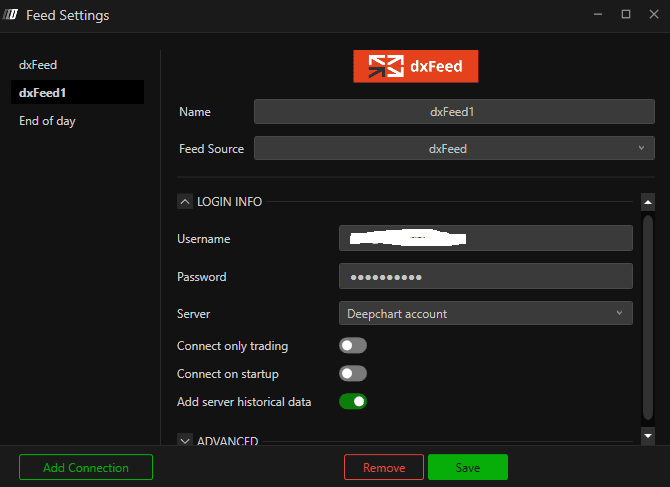
  • Data Feed Settings

    1. Enter the name of Data Feed Profile (You can name this anything)

    2. Select the Feed Source you purchased

    3. Enter the username and the password you have received in the Data Feed in my.deepcharts.com

    4. For Server select Deepchart account

    5. For rest follow the image and click Save and close
  1. Click on the Feed Select Connection again and look for your data feed profile you have created and connect to it. Make sure the circle turns to green. 

  2. Then, click it again to disconnect. 

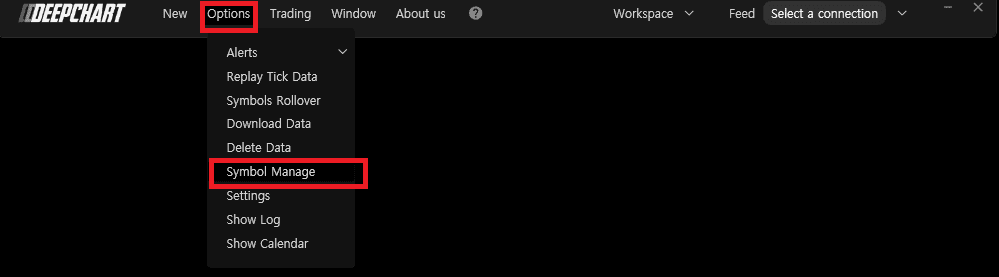
  3. Go to Option > Symbol Manage


  4. Make sure that your Exchange is set to your data feed profile. 

    1. In the list if you already see your preferred exchange, make sure to right click on the row of your exchange and the Data Feed Column. Then you can change the data feed source and press set.
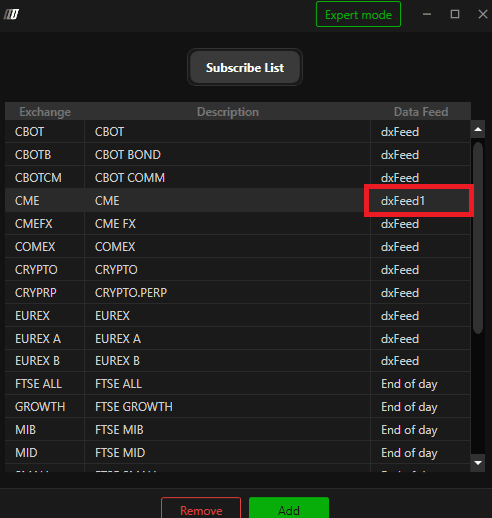
    2. If you do not see the preferred exchange, you can select Add and search for your exchange and set the Data feed Source above
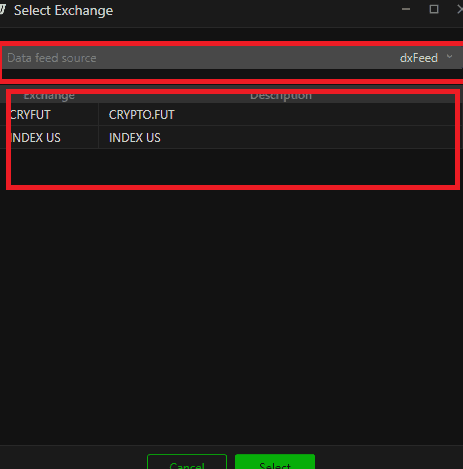

    3. After doing this, close out of the Symbol Manager

  5. Connect to your Data Feed Again.

  6. Open the chart and see your Data!

Tools for futures, currency & options involves substantial risk & is not appropriate for everyone. Only risk capital should be used for trading.

Testimonials appearing on this website may not be representative of other clients or customers and is not a guarantee of future performance or success.

Tools for futures, currency & options involves substantial risk & is not appropriate for everyone. Only risk capital should be used for trading. Testimonials appearing on this website may not be representative of other clients or customers and is not a guarantee of future performance or success.

Deepcharts © 2026 All right reserved

Tools for futures, currency & options involves substantial risk & is not appropriate for everyone. Only risk capital should be used for trading. Testimonials appearing on this website may not be representative of other clients or customers and is not a guarantee of future performance or success.

Deepcharts © 2026 All right reserved