Updated:
Overview
Deep-M Effort (NQ) is a proprietary indicator designed by the DeepChart team specifically for Nasdaq futures (NQ).
The indicator is:
Pre-optimized
Pre-configured
Ready to use
Users do not need to adjust core settings.
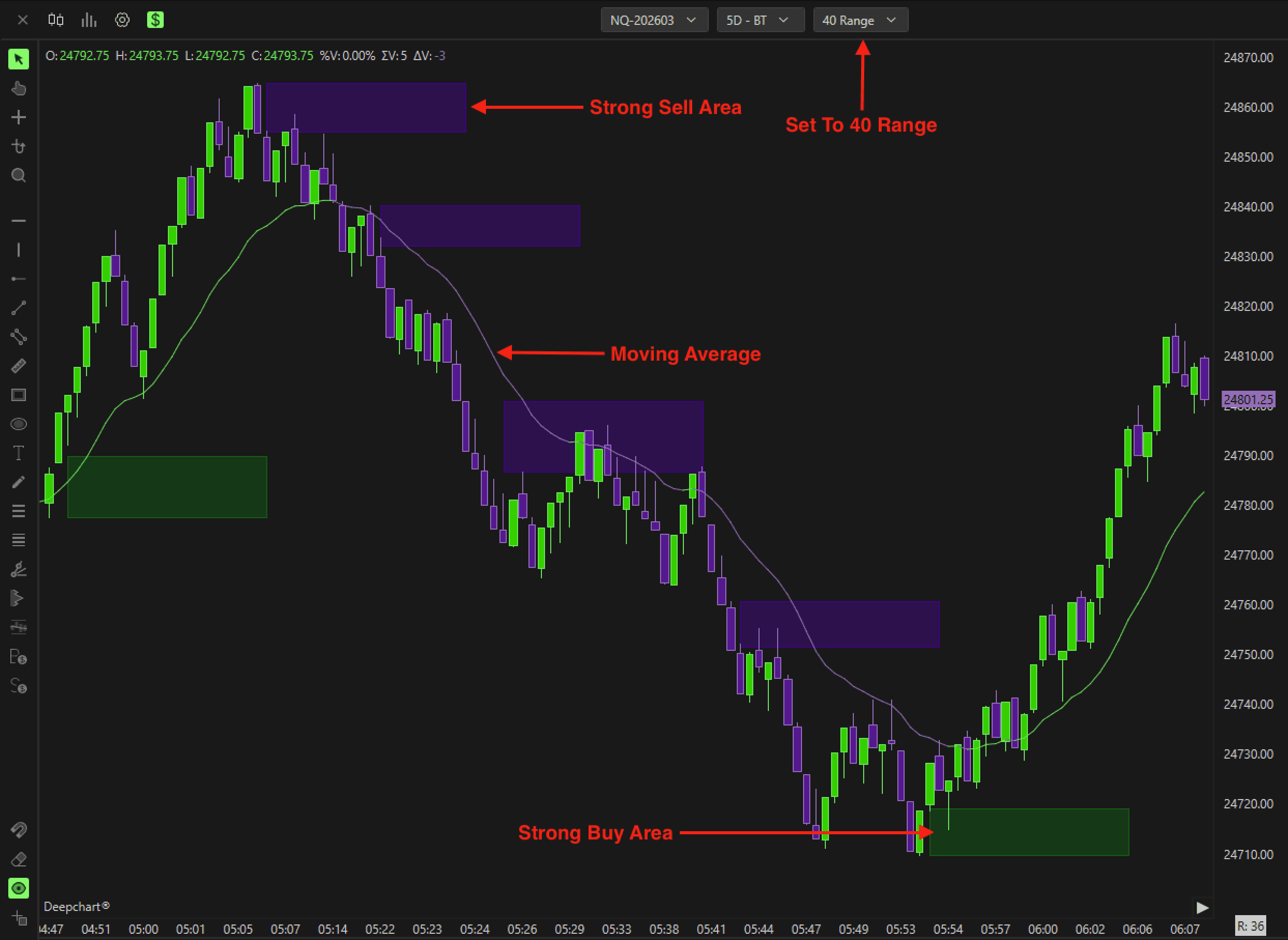
It is specifically designed to work on a 40 Range chart and highlights the path of least resistance in the order book.

Recommended Chart Setup
Before applying the indicator:
Set your chart to 40 Range
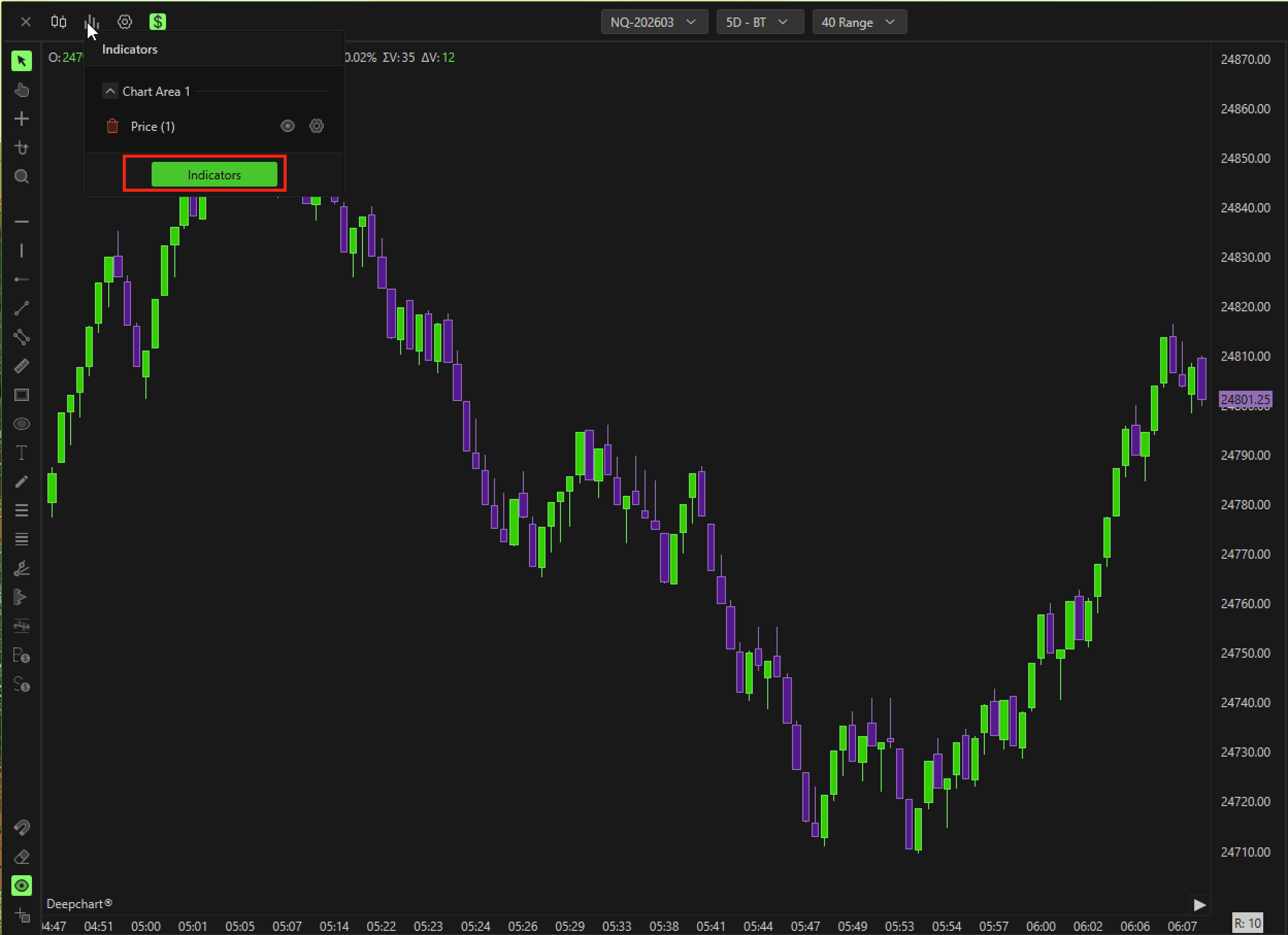
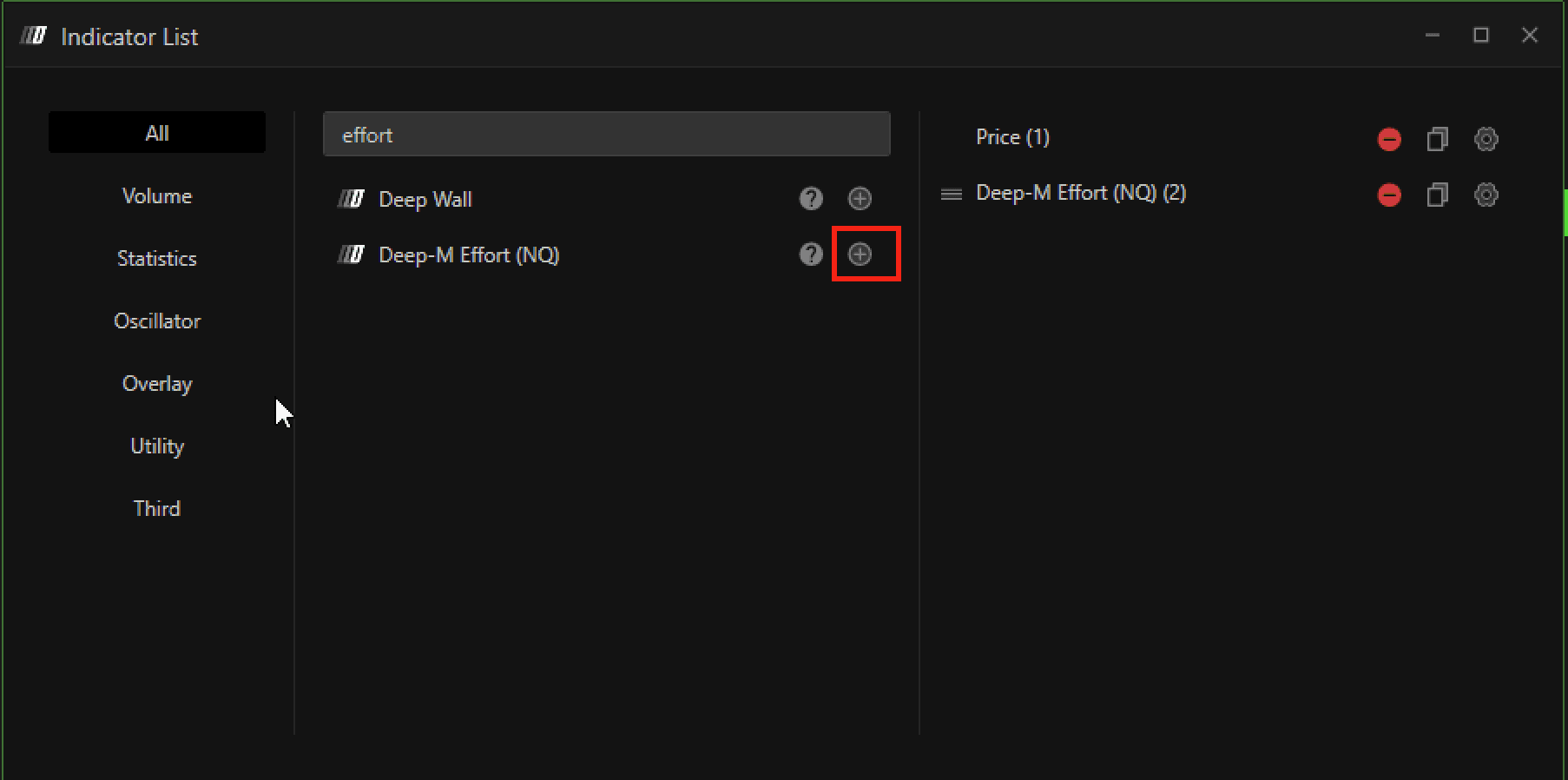
Open Indicators
Add Deep-M Effort (NQ) to the chart
The indicator is optimized exclusively for this chart type.
How the Indicator Works
Zone Colors
🟣 Purple Zones
Indicate areas where the path of least resistance is to the downside (bearish pressure).🟢 Green Zones
Highlight areas where the path of least resistance is to the upside (bullish pressure).
These zones help identify directional bias and potential continuation areas.
Built-in Moving Average
The indicator includes a moving average optimized for the 40 Range chart.
This moving average:
Adds confluence to the zones
Helps confirm directional bias
Adjusts dynamically based on price action
Settings
Although the indicator is pre-optimized, users can customize visual elements.
General Settings
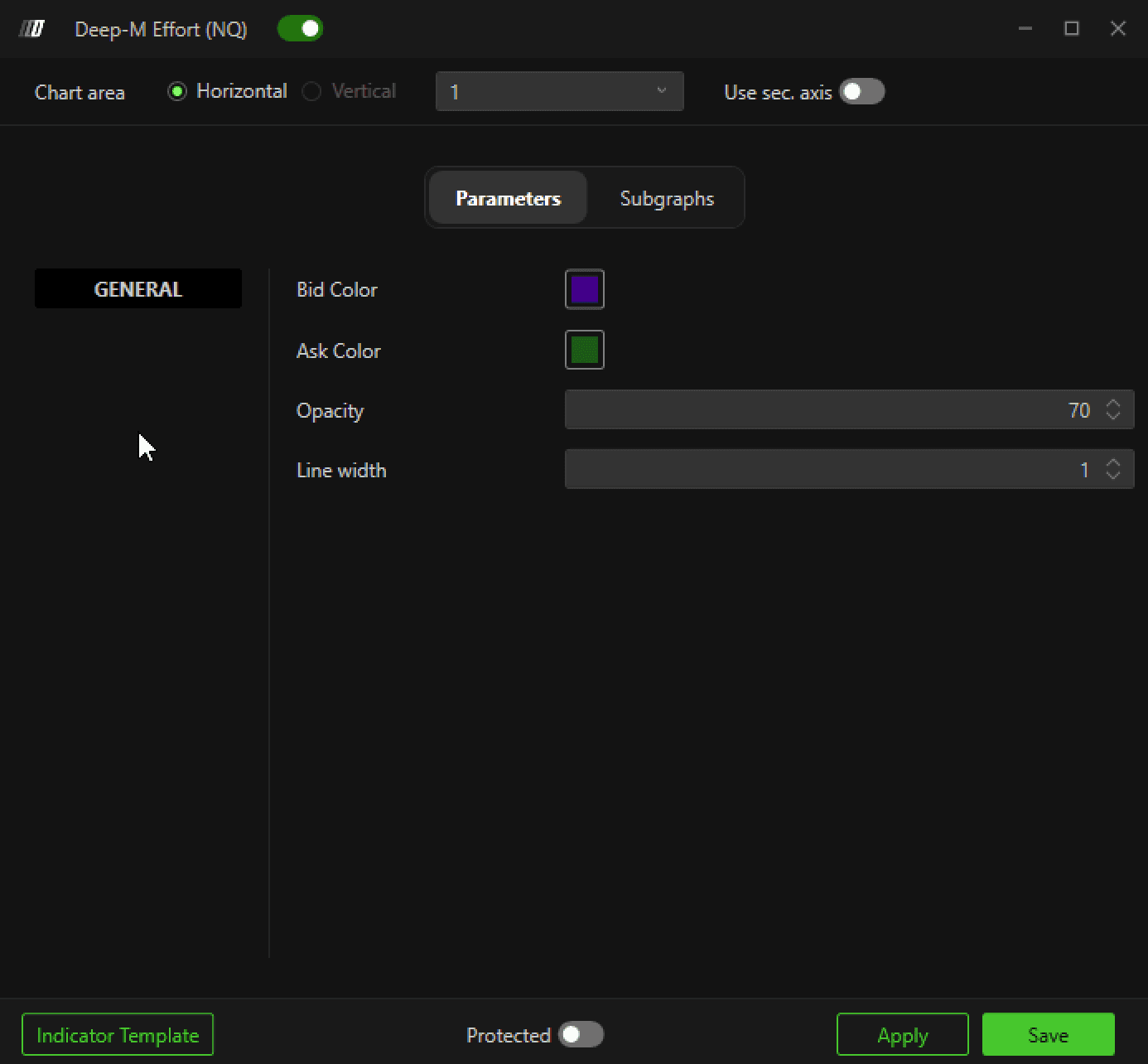
Bid Color
Defines the color of bearish (downside) zones.
Ask Color
Defines the color of bullish (upside) zones.
Opacity
Controls the transparency of the zones.
Line Width
Adjusts the border thickness of the zone areas.
Subgraph Settings (Moving Average Customization)
You can customize the appearance of the built-in moving average.
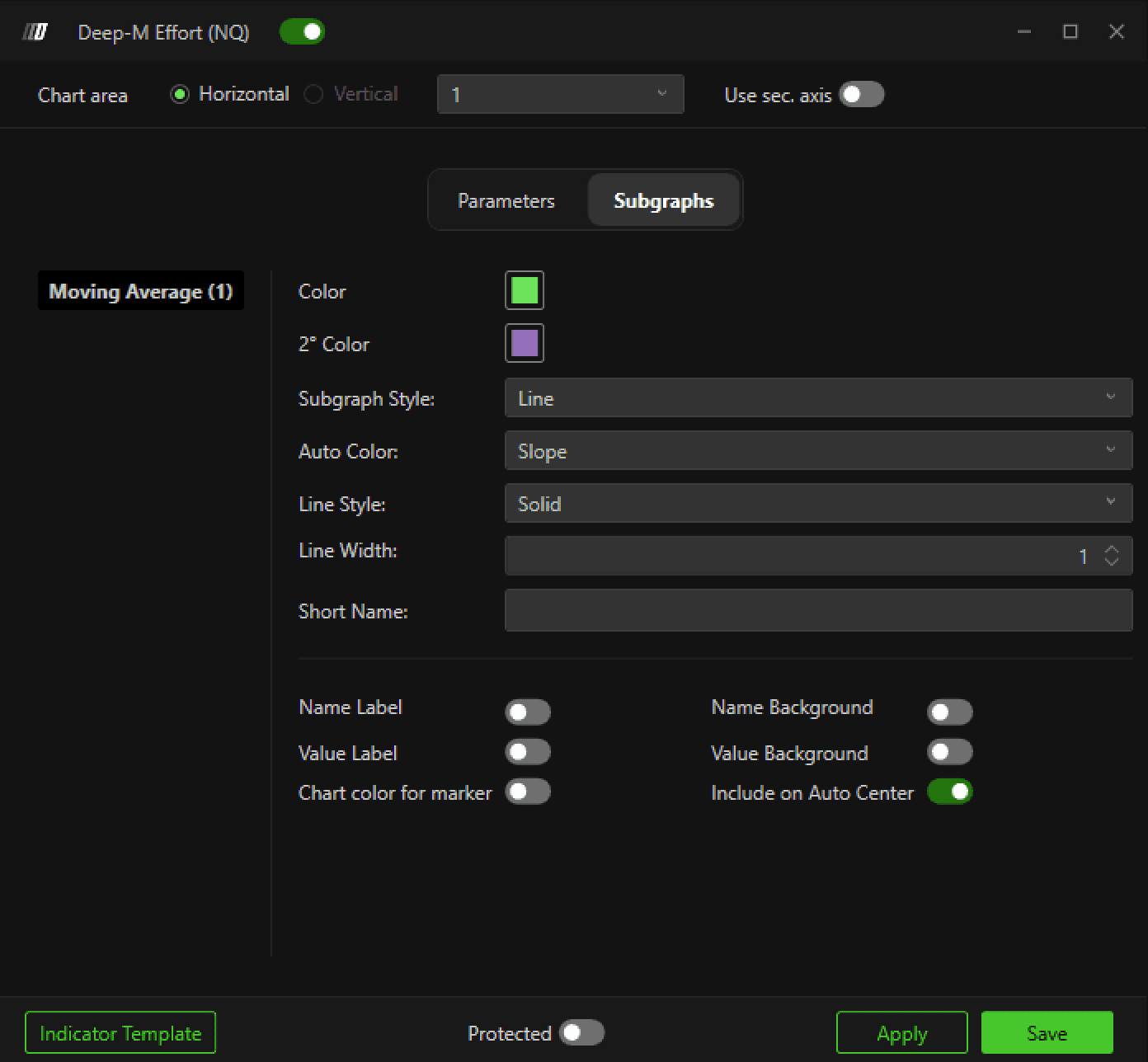
Color
Color of the moving average when price is above the line.
2 Color
Color of the moving average when price is below the line.
Auto Color
None → Single color only
Slope → Line color changes automatically depending on whether price is above or below the moving average
Line Style
Choose between:
Solid
Dashed
Line Width
Controls thickness of the moving average line.
Short Name
Allows you to assign a custom display name to the moving average.
Label Settings
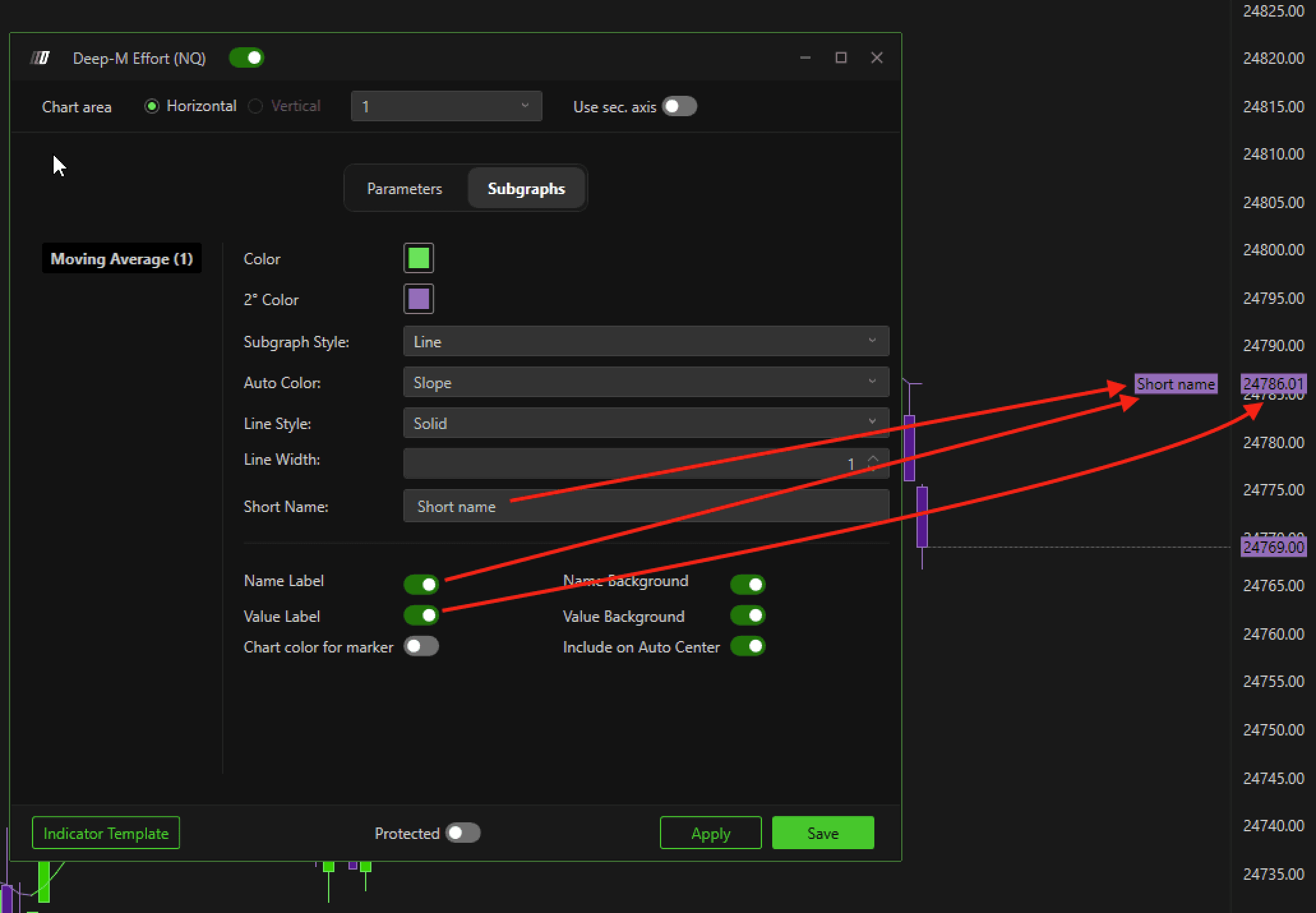
Name Label
Displays the short name at the current price level.
Value Label
Shows the current moving average value on the price scale.
Name Background
Enables background for the short name label.
Value Background
Enables background for the value label.
Chart Color for Marker
Makes the label font and background color static instead of dynamically changing with the moving average color.
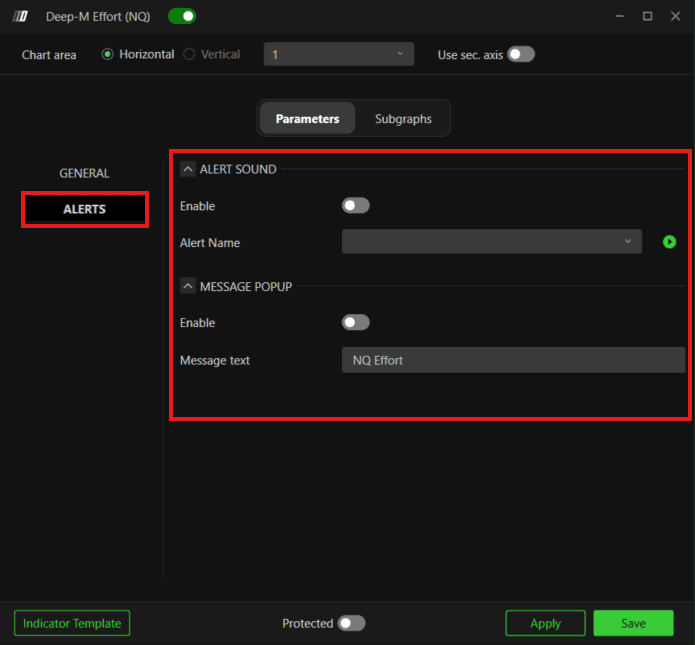
Alert Settings
Alert functionality has been added to the Deep-M Effort (NQ) indicator. You can now receive notifications when the indicator detects a change in directional bias.
Enable Alert Sound
Turns on audio alerts when a zone condition is detected.
Alert Sound
Select the alert sound to play when an alert is triggered. You can preview the sound directly from the settings before applying it.
Enable Message
Enables a popup notification when an alert is generated.
Alert Message
Allows you to enter a custom message that will be displayed along with the alert.
Important Notes
Designed specifically for NQ
Optimized for 40 Range charts
Core logic settings should not be modified
Only visual customization is possible
Still Having Trouble?
Our support team is available 24/7 and ready to help you with any issue you encounter.
When reaching out, please include:
A screenshot of the issue
A brief description of what you were trying to do
Support Ticket (Fastest Response)
Visit www.deepcharts.com and create a support ticket directly on our website.
Email Support
Reach us at support@deepcharts.com - please note that email responses may take a little longer than a support ticket.
