Option Market Maker Sentiment shows the market maker regime, direction and volatility on your chart. It is calculated by DeepChart from options data, so you can read the gamma regime and directional bias without opening a separate panel.
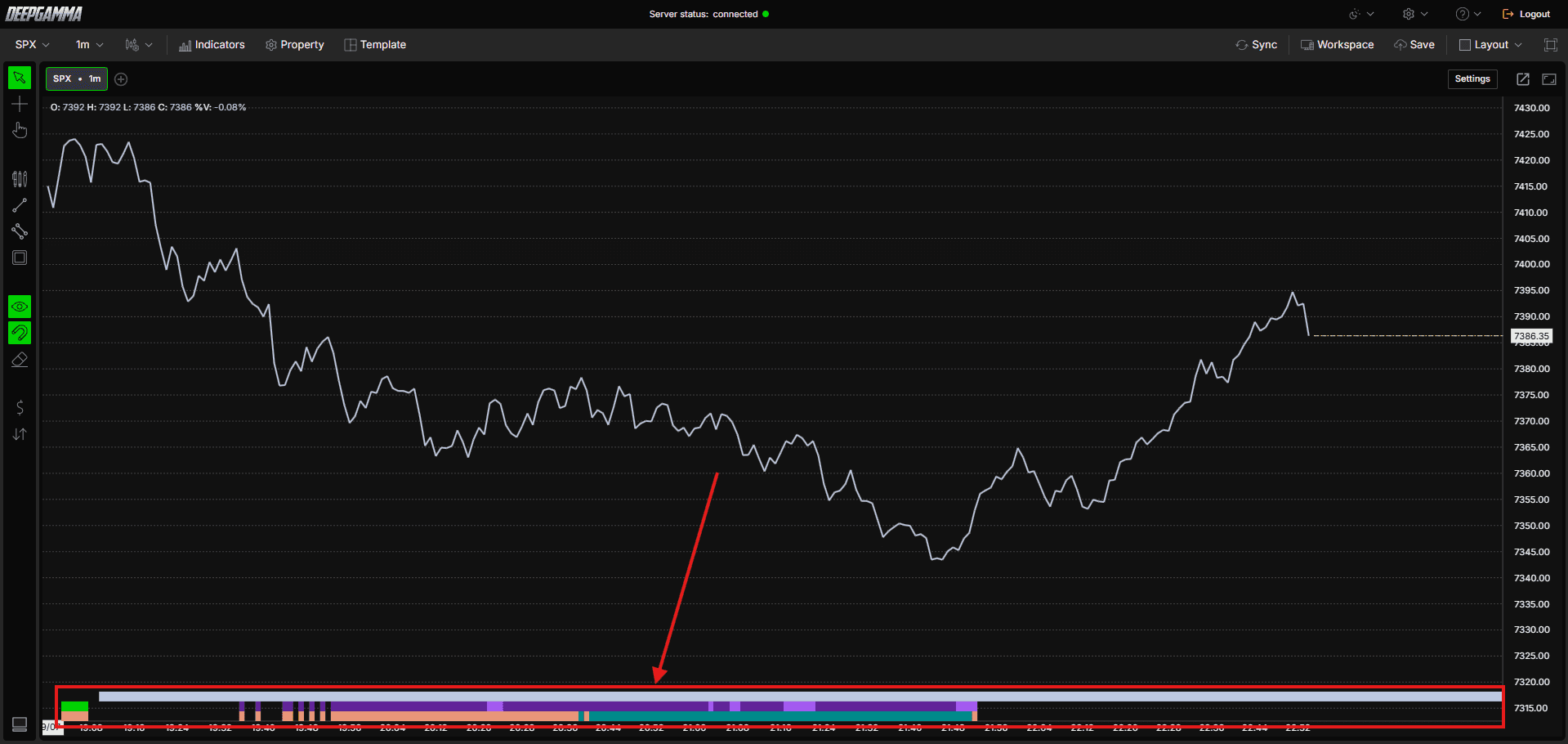
Note: Option Market Maker Sentiment uses CBOE data and shows values on SPX charts only.

How to Add Option Market Maker Sentiment
Open an SPX chart in DeepGamma Web
Click Indicators in the Menu Bar
Click the green Add indicator button at the bottom of the panel
Open the Options (Cboe) tab and search for Option Market Maker Sentiment
The indicator is added to your chart and appears in the Indicators panel
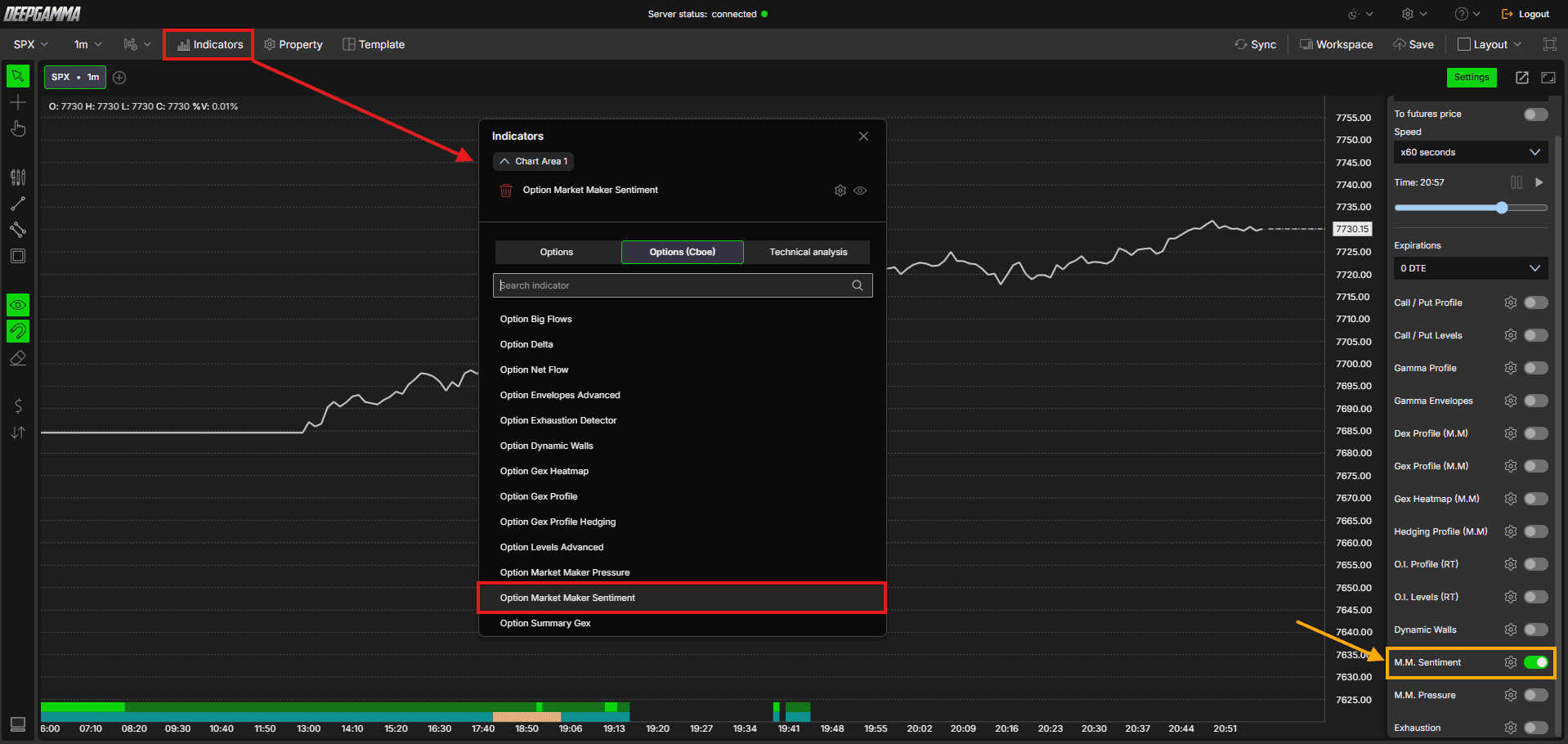
You can also turn it on or off from M.M. Sentiment in the Settings quick bar.
Understanding the Indicator
The indicator has three parts, and you can set up each one on its own.
Regime - Shows whether the market is in a positive or negative gamma regime, similar to what you see in Option Summary. Positive is teal and negative is salmon by default
Direction - Shows a directional bias alongside the regime. There are four states: Up, Up strong, Down and Down strong. For example, a negative regime with a Down direction means the market is more likely to move down than up
Volatility strip - A bar that appears only under certain conditions. When it appears, a higher than usual range between the high and low of the day may be expected. It does not appear every day, and on some days it shows only for part of the session
Regime is always calculated, but DeepChart only marks it when it matters. That is why the display can be blank at times, with no regime and no direction shown. Regime and Direction can each be turned off with Disabled, so you can show only the parts you want.
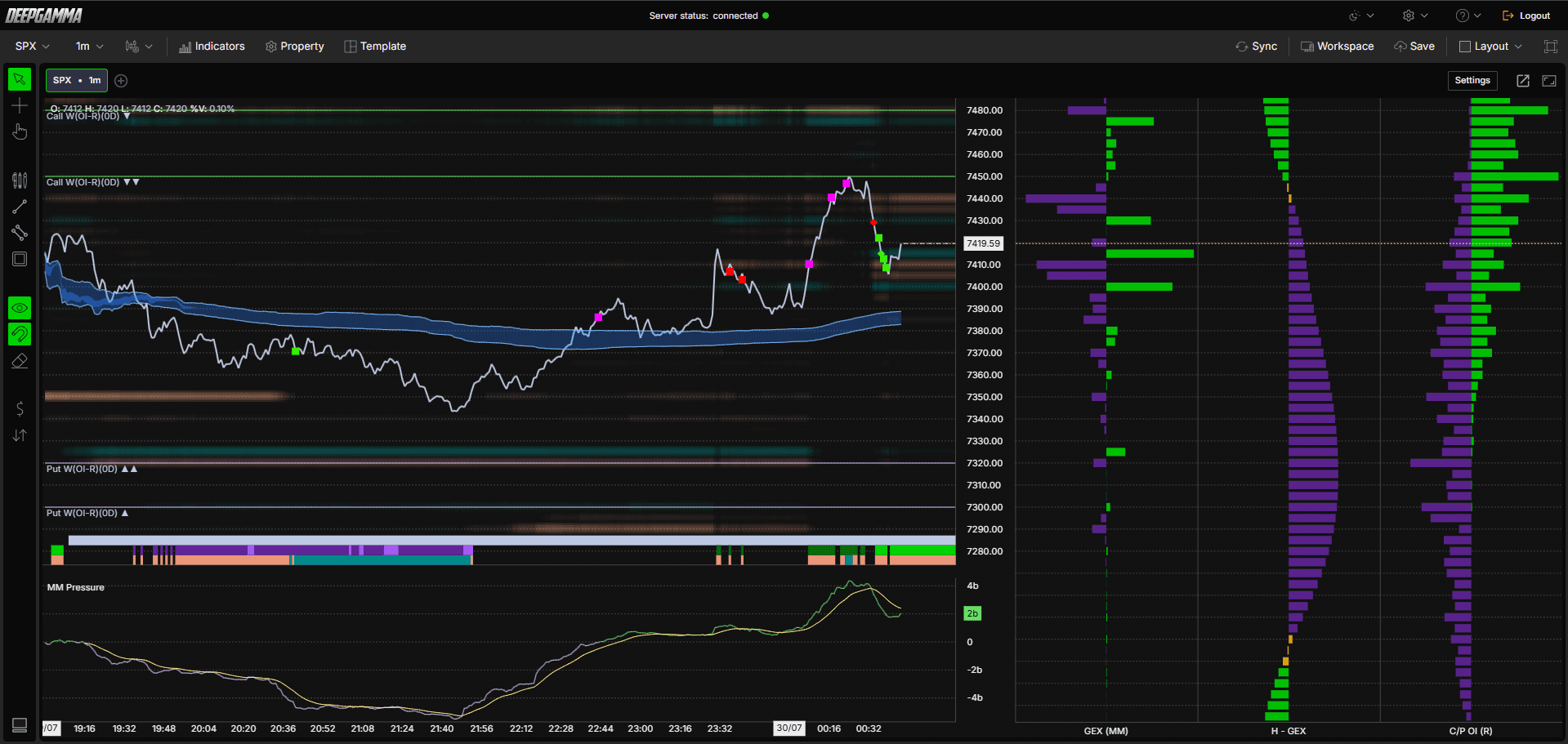
When Regime and Direction are set to Strip, the strips appear at the bottom of the chart in this order:
Volatility strip - the first line
Direction strip - the second line
Regime strip - the third line
Settings
Regime
Mode - Choose how the regime is displayed. Options available:
Disabled - Hides the regime
Strip (default) - Shows the regime as a strip on the chart
Background - Colors the chart background with the same positive and negative colors, so the whole chart is tinted by the current regime
Positive color - Set the color for a positive regime. Default is teal
Negative color - Set the color for a negative regime. Default is salmon
Direction
Mode - Choose how the direction is displayed. Options available:
Disabled - Hides the direction
Strip (default) - Shows the direction as a strip on the chart
Background - Colors the chart background with the same up and down colors, so the whole chart is tinted by the current direction
Up - Set the color for an upward direction. Default is green
Up strong - Set the color for a strong upward direction. Default is dark green
Down - Set the color for a downward direction. Default is purple
Down strong - Set the color for a strong downward direction. Default is dark purple
Color price bars - When enabled, the price bars on your chart take the direction color. Default is disabled
Volatility strip
Enabled - Show or hide the volatility bar. Default is enabled
Color - Set the color of the volatility bar. Default is light gray-blue
Plot Settings
Strip height (px) - Set the height of the strips in pixels. Default is 12
Extend to far right - When enabled, the strips extend to the far right of the chart. Default is enabled
Background opacity - Set how transparent the background tint is when Regime or Direction is in Background mode. Default is 10

Example - How to Use Option Market Maker Sentiment
Check the regime and direction at the start of your session for context on how the session may behave
Watch the strips during the session. When a color changes, the market conditions may have changed
Read regime and direction side by side, since each one shows a different part of the conditions
When the volatility bar appears, allow for a wider range than usual in your planning
Turn on Color price bars in the Direction settings if you want to see the direction color on your price bars
Set Regime or Direction to Background if you prefer the whole chart tinted instead of a strip
Use it as context alongside other tools such as Option Levels Advanced or Option Gex Profile, and confirm what the market is doing with order flow. It is a reading of conditions and does not guarantee where price will go
Any Questions?
Our support team is available 24/7 and ready to help you with any question.
When reaching out, please include:
Screenshot (if any)
Briefly describe the assistance or support you require
DeepCharts Live Support - Chat with our agents directly using the live chat box on www.deepcharts.com, or click here for 24/7 Live Chat for immediate access.
Email Support - Reach us at support@deepcharts.com - please note that email responses may take a little longer than a live support chat.
