Updated:
Panoramica
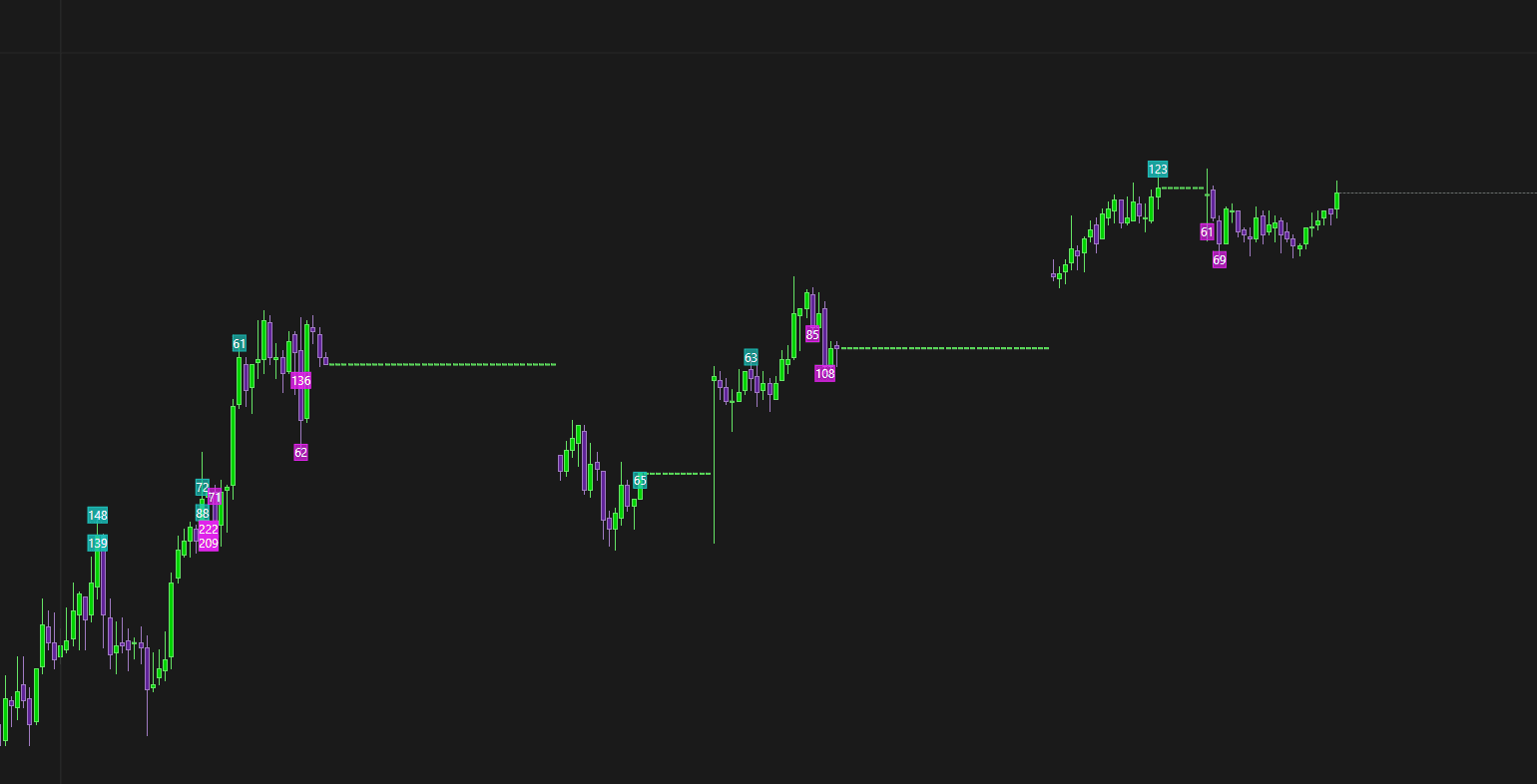
Se noti gap di prezzo sui tuoi grafici, la causa può essere dati locali danneggiati oppure motivi validi legati al mercato. Questo articolo spiega le cause più comuni e come risolverle.

Possibili cause
Le cause più comuni dei gap di prezzo sono:
Dati danneggiati nel database locale
Gap di prezzo effettivi nel mercato
Scadenza del contratto selezionata non valida o errata
Ogni causa e la relativa soluzione sono spiegate di seguito.
Causa 1: Dati locali danneggiati
Descrizione
A volte i dati storici memorizzati nel database locale di DeepChart si danneggiano, con conseguenti gap visibili sul grafico.
Soluzione: elimina e ricarica i dati dello strumento
Passo 1: Apri le impostazioni del database
In DeepChart, vai a:
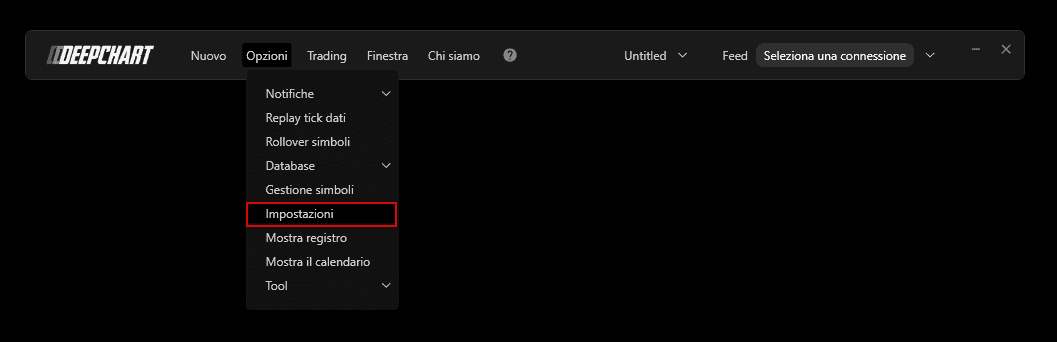
Passo 2: Individua il percorso della cartella del database
Apri Impostazioni generali
Nella sezione Varie, copia il Percorso della cartella del database
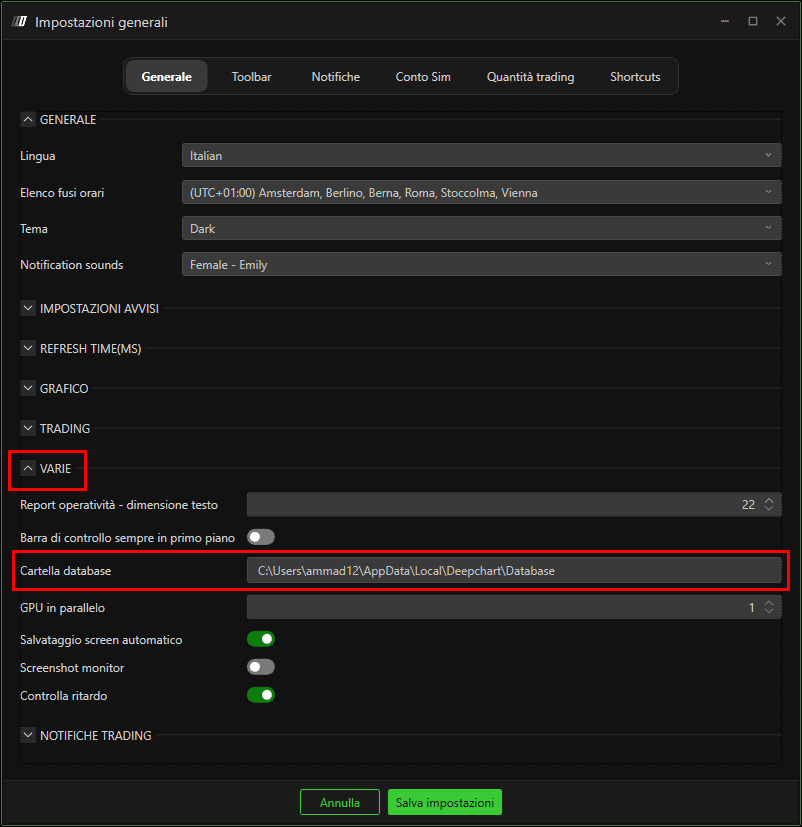
Passo 3: Apri la cartella del database
Incolla il percorso copiato in Esplora file
Premi Invio
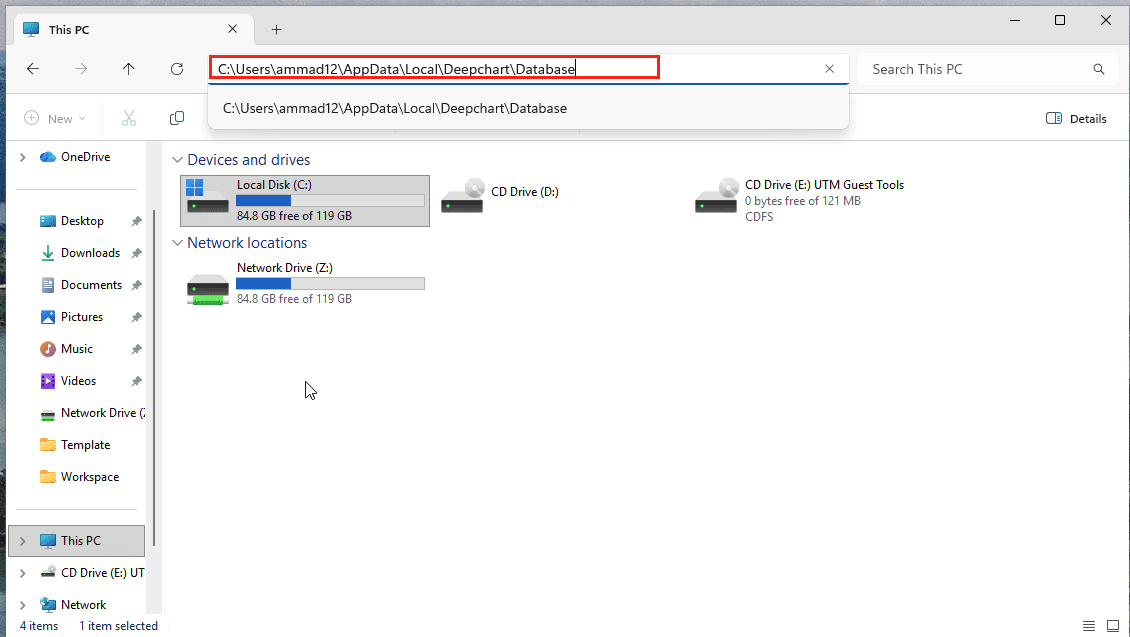
Passo 4: Elimina i dati danneggiati dello strumento
All'interno della cartella del database, vedrai cartelle per ciascuno strumento
Elimina solo la cartella dello strumento il cui grafico mostra gap o prezzi danneggiati
(Non eliminare l'intero database a meno che non sia necessario)
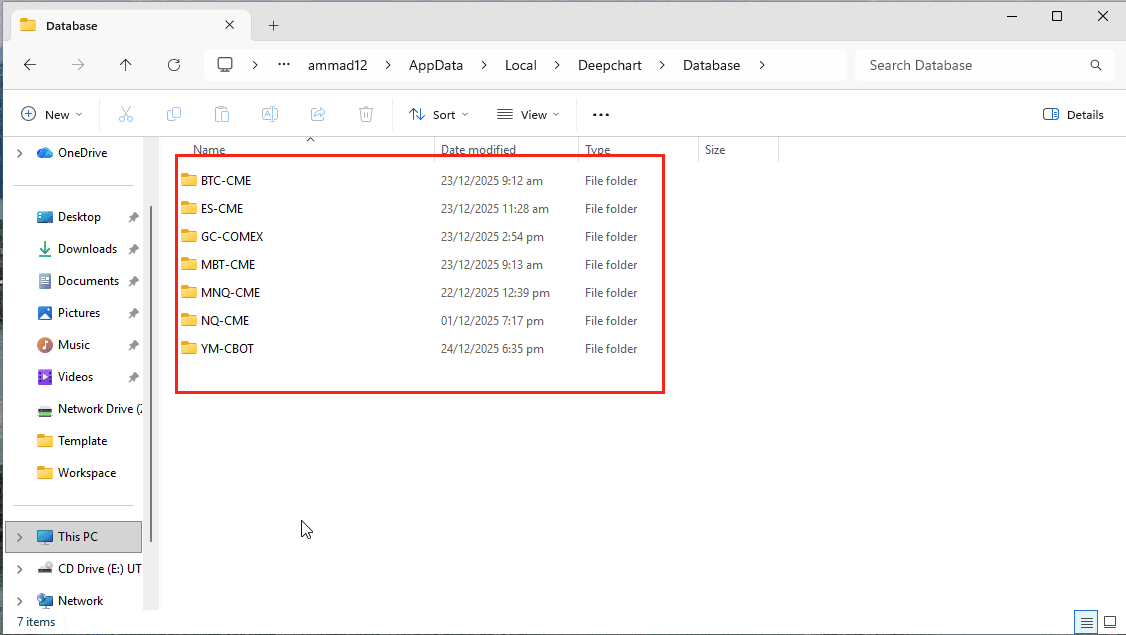
Passo 5: Ricarica il grafico
Riavvia DeepChart
Apri di nuovo il grafico interessato
DeepChart scaricherà automaticamente nuovi dati per quello strumento.
✅ Nella maggior parte dei casi, questo risolve il problema.
Causa 2: Gap di prezzo effettivi del mercato
Descrizione
Se il problema persiste dopo aver ricaricato i dati, i gap potrebbero rappresentare gap di prezzo reali del mercato, ad esempio:
Interruzioni di sessione
Gap del weekend
Periodi di bassa liquidità
Questi gap sono un normale comportamento del mercato e non un errore dei dati.
Causa 3: Scadenza del contratto non valida
Descrizione
Se operi sui futures, un mese di scadenza del contratto errato o scaduto può causare dati mancanti o incoerenti sul grafico.
Soluzione
Verifica che sia selezionato il mese di scadenza del contratto corretto e attivo
Passa all'attuale contratto front month se necessario
Ricarica il grafico dopo aver corretto la scadenza
Note finali
Elimina sempre solo la cartella dello strumento interessato, non l'intero database
I gap reali di mercato non possono essere “corretti” perché riflettono l'effettiva attività di trading
Verifica che la scadenza del contratto sia valida prima di presumere un danneggiamento dei dati
