Updated:
Panoramica
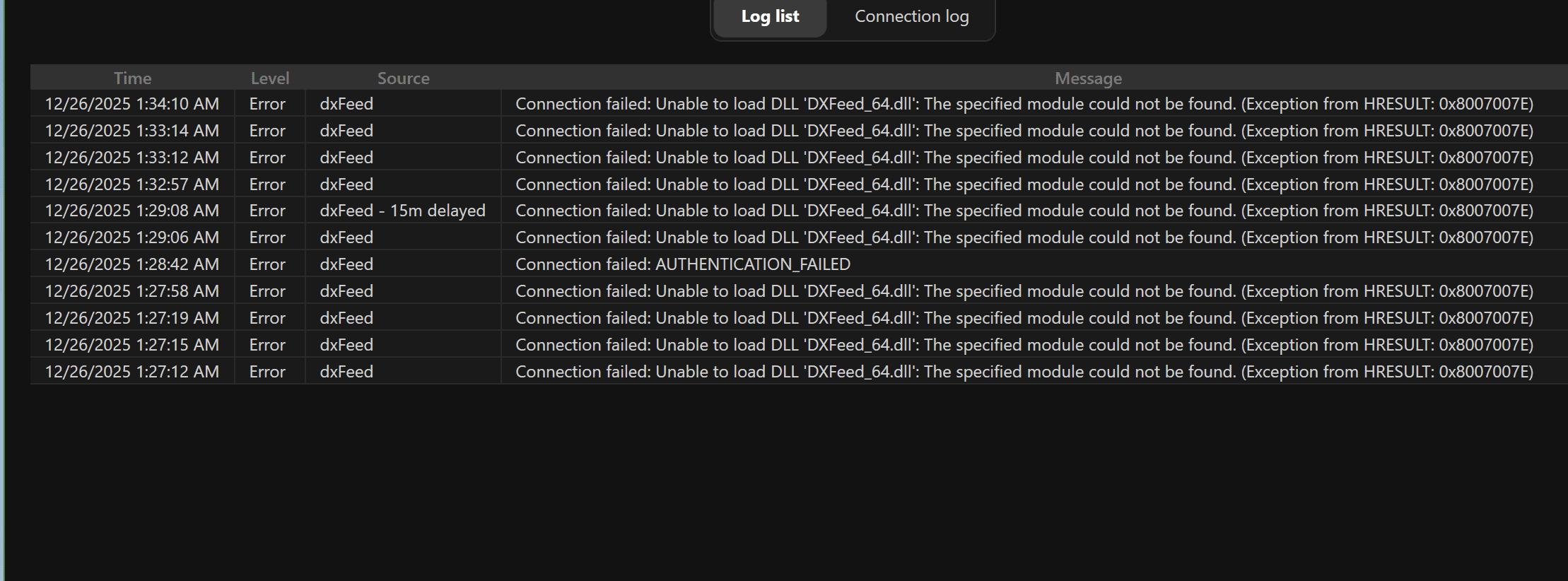
Questo errore si verifica quando DeepChart non riesce a caricare il file DLL di DXFeed, necessario affinché il feed dati funzioni correttamente.
La causa più comune è che Microsoft Visual C++ Redistributable manca o è obsoleto sul sistema Windows. DXFeed richiede l'ultima versione supportata del runtime Visual C++ per funzionare correttamente.

Causa
I pacchetti Visual C++ Redistributable richiesti non sono installati
La versione di Visual C++ installata è obsoleta o danneggiata
DXFeed non può caricare
DXFeed_64.dllsenza le librerie runtime corrette
Si tratta di un problema di dipendenze di sistema, non di un bug del software DeepChart.
Soluzione: installare l'ultima versione di Microsoft Visual C++ Redistributable
Passaggio 1: chiudi DeepChart
Assicurati che DeepChart sia completamente chiuso prima di procedere.
Passaggio 2: scarica Visual C++ Redistributable
Scarica e installa l'ultima versione supportata di Visual C++ Redistributable in base all'architettura del tuo sistema.
Se non sei sicuro del processore che hai, installa entrambe le versioni X86 e X64.
Architettura | Link per il download | Note |
|---|---|---|
ARM64 | Ultima versione ARM64 supportata | |
X86 (32 bit) | Richiesto anche su alcuni sistemi a 64 bit | |
X64 (64 bit) | Include i binari sia X64 che ARM64 |
Passaggio 3: installa i pacchetti
Esegui il/i programma/i di installazione scaricati
Completa l'installazione
Riavvia il computer (consigliato)
Passaggio 4: riavvia DeepChart
Apri DeepChart
Riconnettiti al feed dati
✅ L'errore dovrebbe ora essere risolto e la connessione dovrebbe andare a buon fine.
Note importanti
Installare sia la versione X86 sia la X64 è sicuro ed è consigliato se non sei sicuro
I pacchetti Visual C++ Redistributable sono richiesti da molte piattaforme di trading
Questo problema non richiede la reinstallazione di DeepChart
Suggerimenti per prevenire il problema
Mantieni aggiornati Windows e le librerie di sistema
Evita di disinstallare manualmente i pacchetti Visual C++
Dopo una nuova installazione di Windows, installa sempre i runtime richiesti prima di usare software di trading
