
Updated:
Conto simulato
Per creare o gestire un conto simulato
Nella piattaforma Deepchart, apri Impostazioni generali andando su Opzioni > Impostazioni
Apri Conto Sim
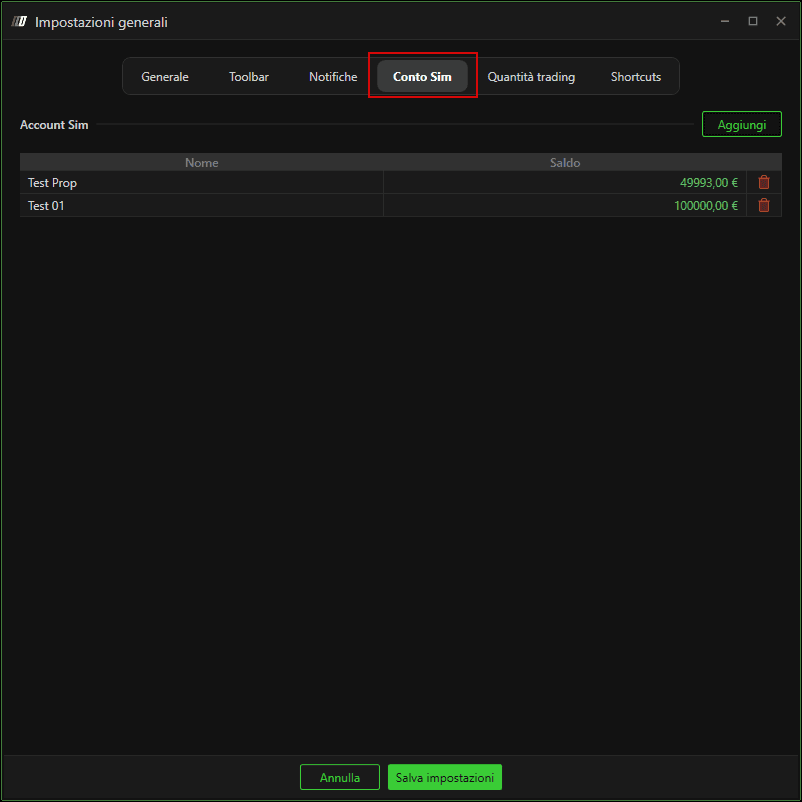
Per creare un nuovo Conto simulato, fai clic su Aggiungi
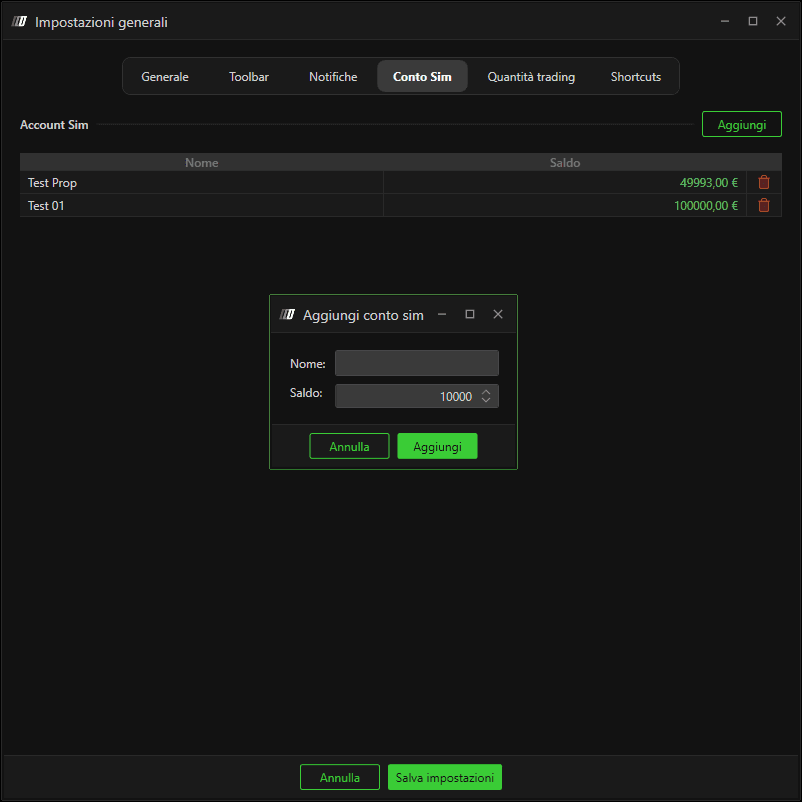
Puoi impostare Nome con qualsiasi nome preferisci.
Puoi impostare Saldo con qualsiasi saldo preferisci
Per eliminare un Conto simulato esistente, puoi semplicemente fare clic sull' icona del cestino sulla stessa riga del conto simulato che desideri rimuovere.
Dopo aver eseguito le azioni desiderate, premi Salva impostazioni
Per usare il Conto simulato nel trading
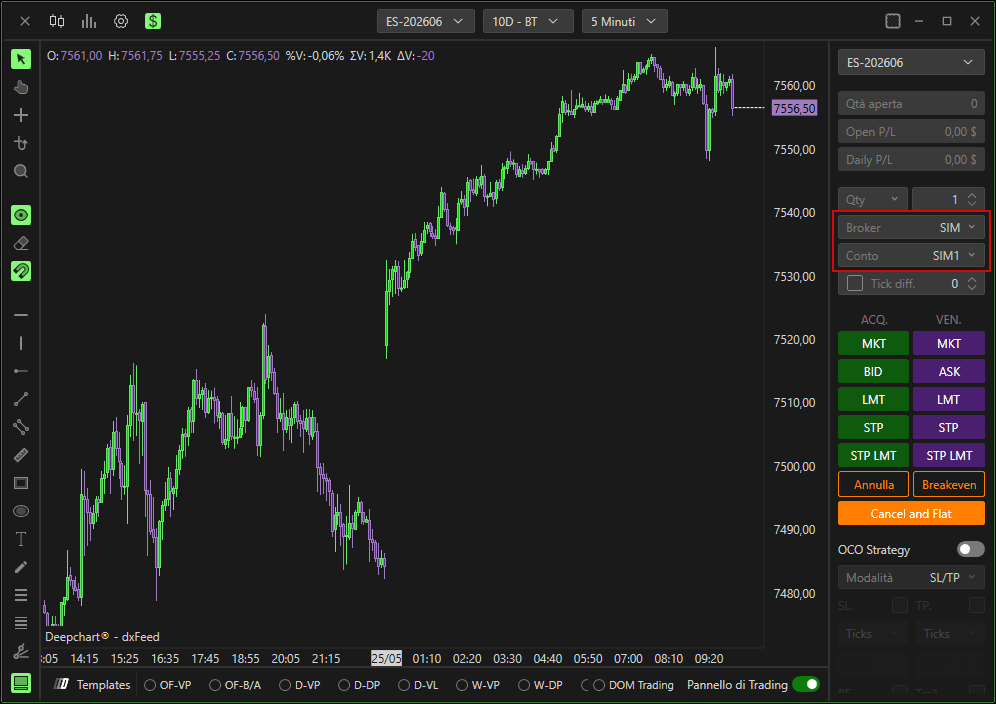
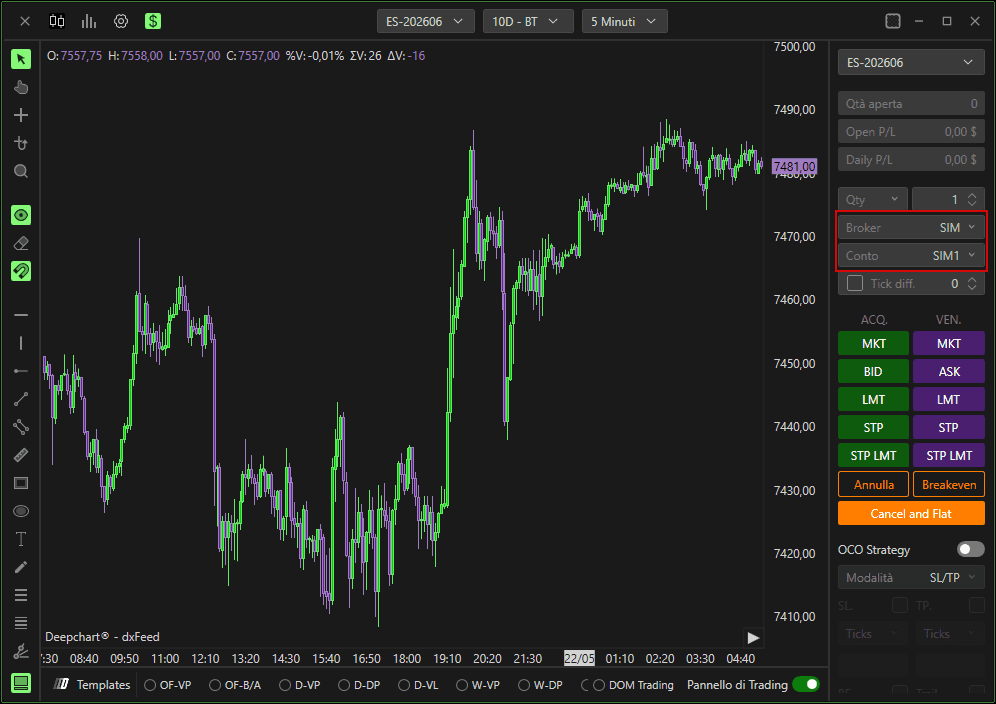
Quando ti trovi nel Pannello di trading,
Imposta Broker su SIM
Seleziona il tuo Account sul conto simulato che desideri usare

Connessione a un conto broker
Verifica di aver acquistato il feed dati che forniamo (es. DxFeed, Rithmic). Recupera lo username e la password che ti sono stati forniti dal broker.
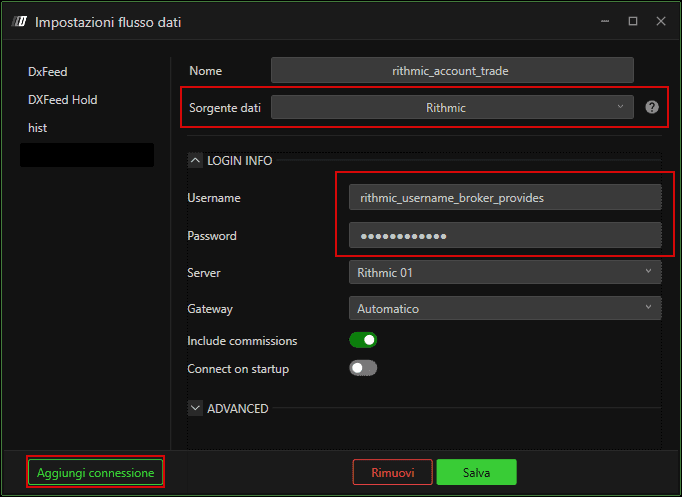
Crea un nuovo profilo del feed dati.
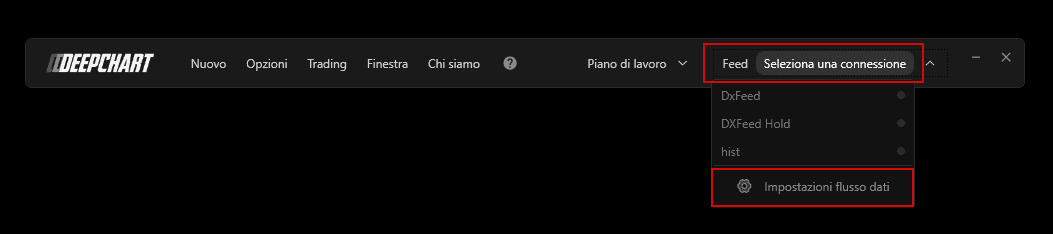
Crea una nuova connessione, assegna al profilo del feed dati il nome che preferisci, seleziona la sorgente del feed con il feed dati acquistato, inserisci lo username e la password che ti sono stati forniti dal broker e salva
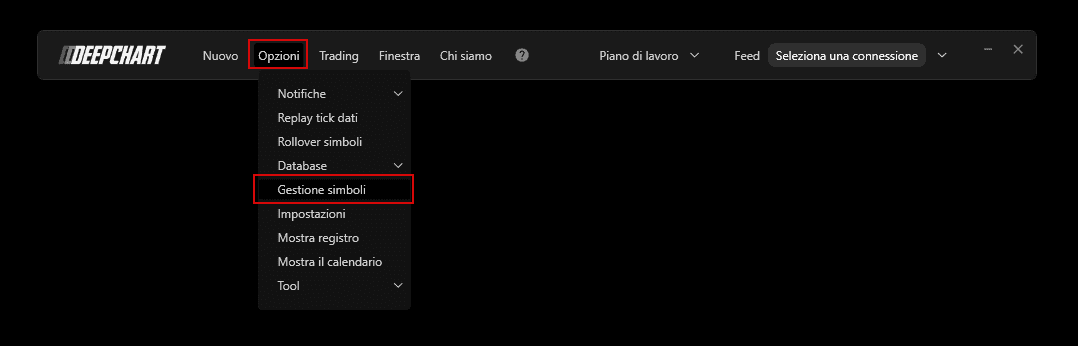
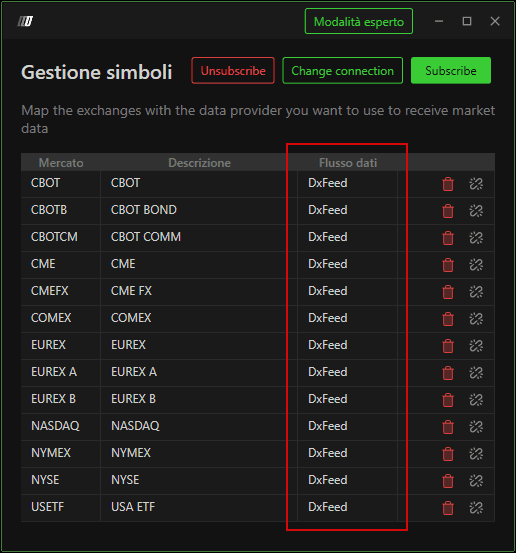
Assicurati che in Symbol Manage sia impostato il feed dati corretto per l'exchange su cui desideri fare trading.
Connettiti al profilo del feed dati che hai creato.
Apri un nuovo grafico e apri il Pannello di trading.
Seleziona il Broker e il tuo Account
Creazione di un account demo.
