Updated:
The Deepcharts Session Imbalance indicator allows you to highlight the high (Initial Balance High), the low (Initial Balance Low) and the midpoint (Initial Balance Mid Point) of the first hour of trading or any other user-defined period. It also allows the 50% and 100% extensions of the imbalance range at the top and bottom to be plotted in the graph.
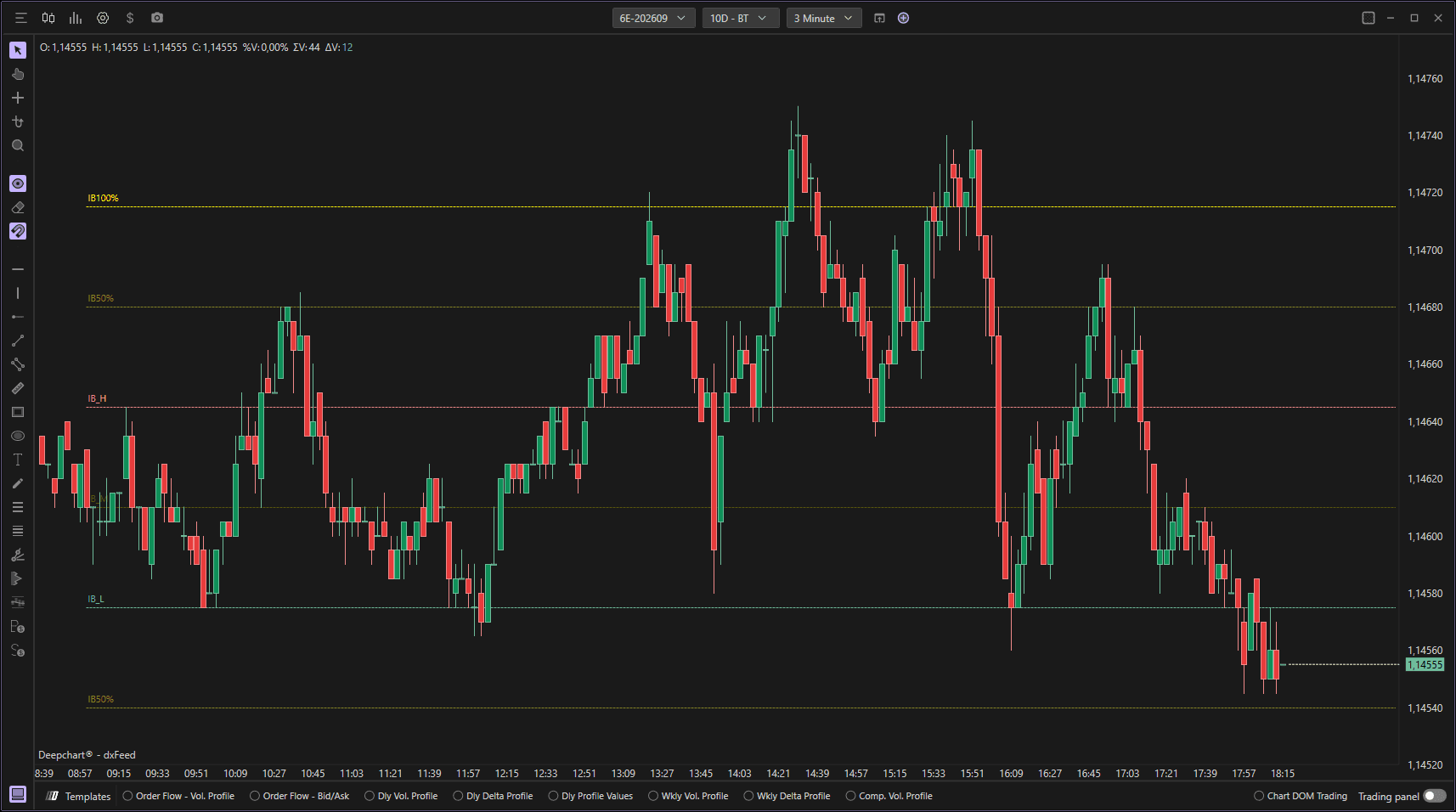
Using Settings
Clicking on the indicator's settings icon will open its configuration window, within which you can make several choices regarding the indicator's functionality.

General
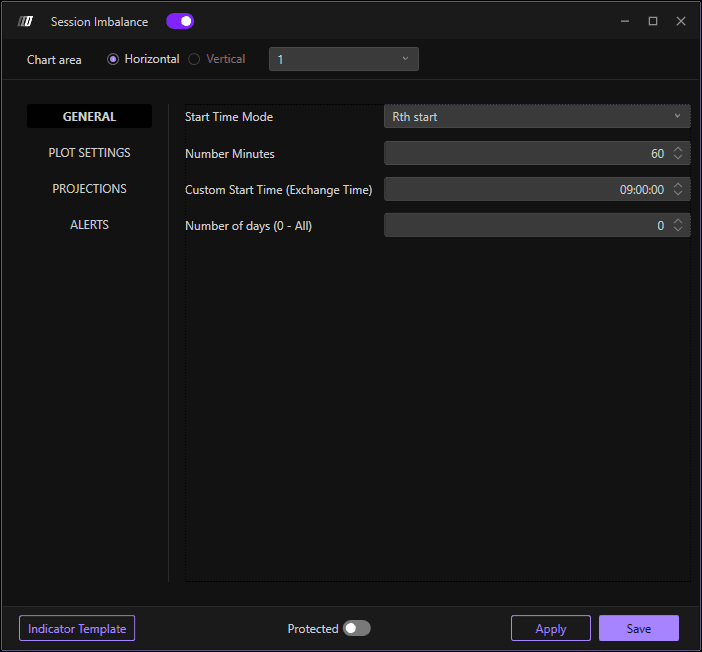
Configure the basic parameters for the session imbalance calculation:
Number of Minutes
Defines the number of minutes of the session imbalance (default: 60 minutes).
Custom Start Time
If enabled it allows you to customize the start time, otherwise its calculation starts from the beginning of the session, which for example in American futures is 00:00 Italian time.
Number of Days (0 - All)
Indicates the number of sessions to be plotted in the graph. If the value 0 is left, it will plot all sessions.
Plot Settings
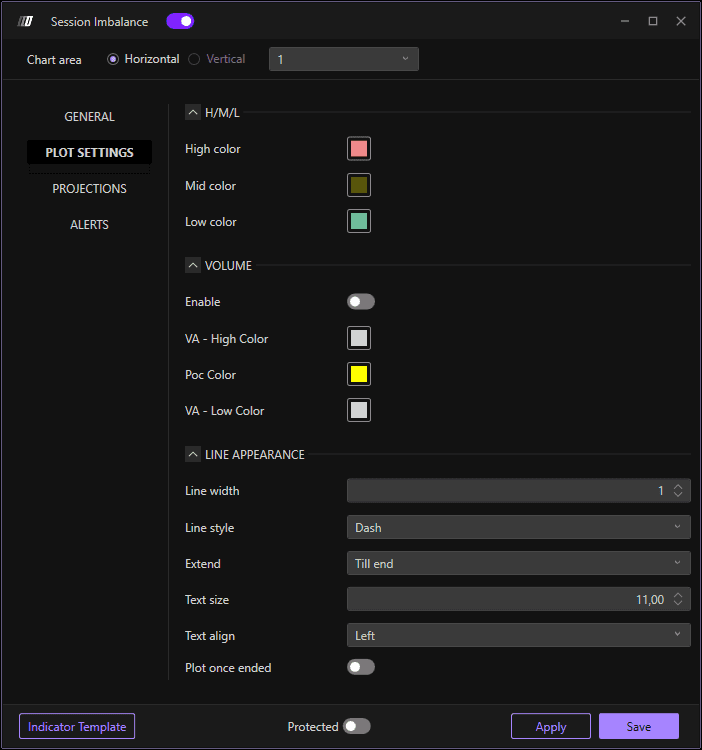
Lets you define the visual appearance of the indicator lines:
High Color: Set the color of the Initial Balance High line
Low Color: Set the color of the Initial Balance Low line
Mid Color: Set the color of the Initial Balance Mid Point line
Line Width: Define the width of the lines
Line Style: Choose the line style (Solid, Dashed, Dotted, etc.)
Text Size: Set the font size for labels
Text Alignment: Define the text alignment on the chart
50% Level Extensions
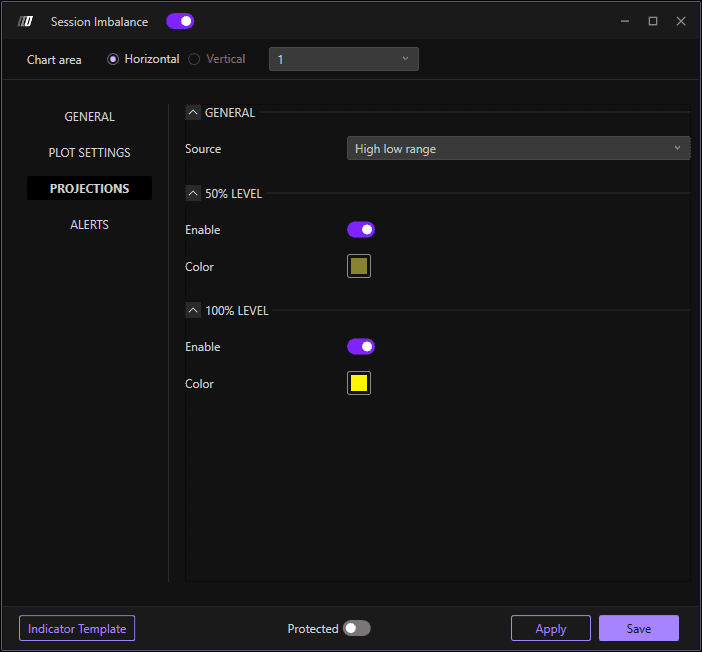
Configure the 50% extension levels:
Enable 50% Extensions: Toggle 50% extensions on or off
50% Extension Color: Set the color for the 50% extension lines
100% Level Extensions
Configure the 100% extension levels:
Enable 100% Extensions: Toggle 100% extensions on or off
100% Extension Color: Set the color for the 100% extension lines
Alerts
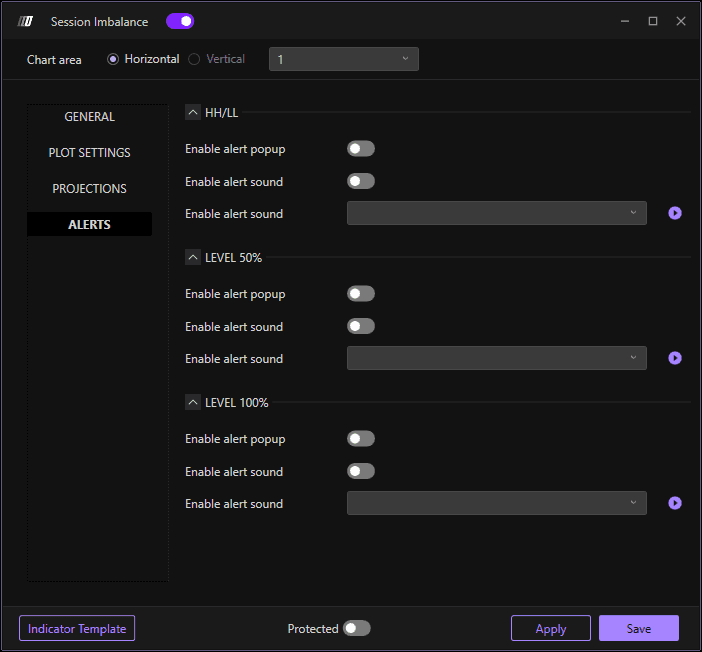
Configure alerts for all indicator levels:
HH/LL Alerts
Set up alerts for Initial Balance High and Low levels:
Enable Alert Popup: Receive popup notifications when price reaches HH/LL levels
Enable Alert Sound: Receive audio alerts when price reaches HH/LL levels
Alert Sound Selection: Choose the sound type for the HH/LL alert
50% Level Alerts
Configure alerts for the 50% extension levels:
Enable Alert Popup: Receive popup notifications when price reaches 50% level
Enable Alert Sound: Receive audio alerts when price reaches 50% level
Alert Sound Selection: Choose the sound type for the 50% level alert
100% Level Alerts
Configure alerts for the 100% extension levels:
Enable Alert Popup: Receive popup notifications when price reaches 100% level
Enable Alert Sound: Receive audio alerts when price reaches 100% level
Alert Sound Selection: Choose the sound type for the 100% level alert
