Updated:
The Session Marker indicator shows the different market sessions (Asian, European and USA ) and also marks their highs and lows. This tool helps traders identify different trading sessions and their characteristics at a glance.
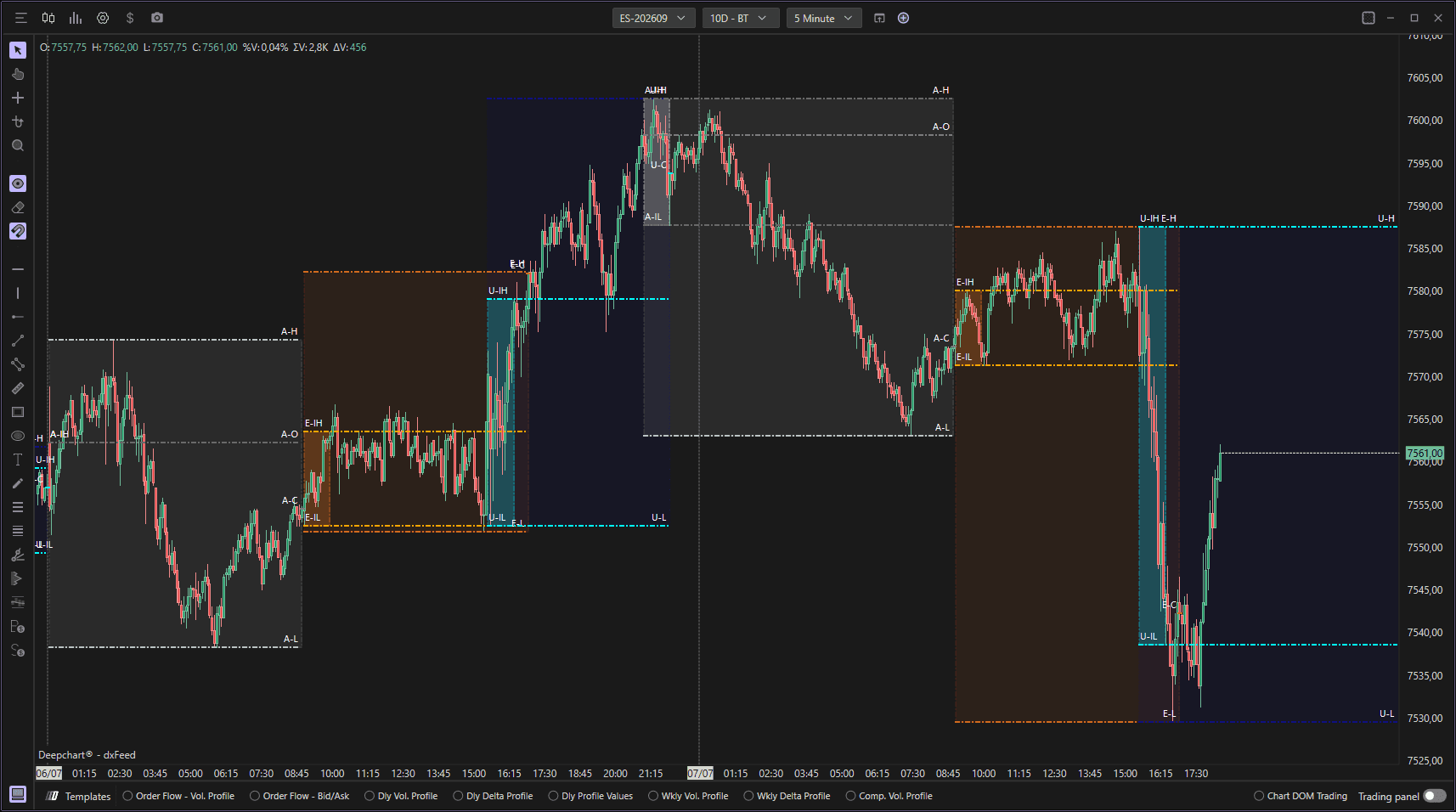
Using Settings
Clicking on the indicator settings icon will open its configuration window, within which you will be able to make several choices regarding the functionality of the indicator itself.

General
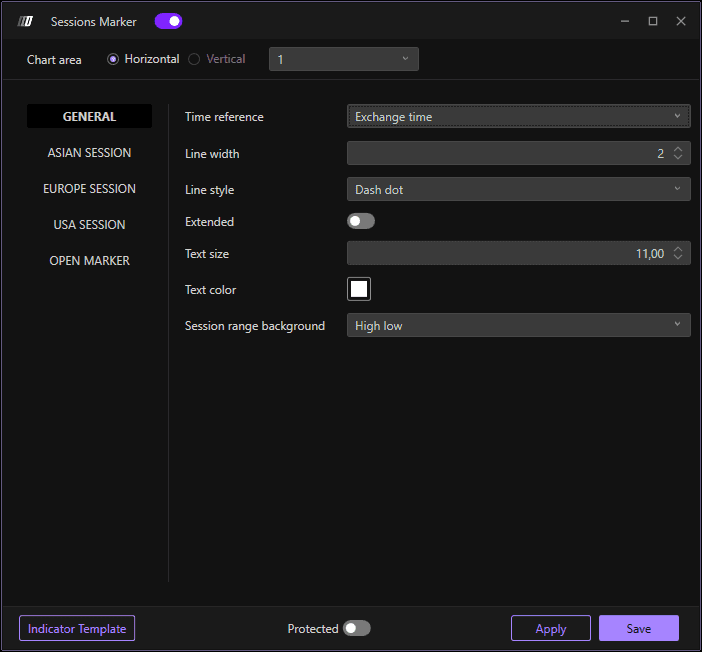
Configure the basic appearance and timing of the session marker:
Imbalance Minutes: Duration of the session imbalance in minutes (default: 60 minutes)
Line Width: Define the width of the session marker lines (default: 20)
Line Style: Choose the line style
Extended: Enable extended session marking beyond standard hours
Text Size: Set the font size for session labels (default: 11.00)
Text Color: Set the color of the session text labels
Asian Session

Customize the appearance and parameters of the Asian trading session:
Enable: Toggle the Asian session marker on or off
Start Session: Define the start time of the Asian session
Session High Color: Color for the session high line
Session Low Color: Color for the session low line
Imbalance High Color: Color for the imbalance high level
Imbalance Low Color: Color for the imbalance low level
Open Color: Color for the session opening level
Close Color: Color for the session closing level
Session Range Background: Background color for the session range
Imbalance Range Background: Background color for the imbalance range
European Session
Customize the appearance and parameters of the European trading session:
Enable: Toggle the European session marker on or off
Start Session: Define the start time of the European session
Session High Color: Color for the session high line
Session Low Color: Color for the session low line
Imbalance High Color: Color for the imbalance high level
Imbalance Low Color: Color for the imbalance low level
Open Color: Color for the session opening level
Close Color: Color for the session closing level
Session Range Background: Background color for the session range
Imbalance Range Background: Background color for the imbalance range
USA Session
Customize the appearance and parameters of the American trading session:
Enable: Toggle the American session marker on or off
Start Session: Define the start time of the American session (default: 15:30:00)
Session High Color: Color for the session high line
Session Low Color: Color for the session low line
Imbalance High Color: Color for the imbalance high level
Imbalance Low Color: Color for the imbalance low level
Open Color: Color for the session opening level
Close Color: Color for the session closing level
Session Range Background: Background color for the session range
Imbalance Range Background: Background color for the imbalance range
Open Marker
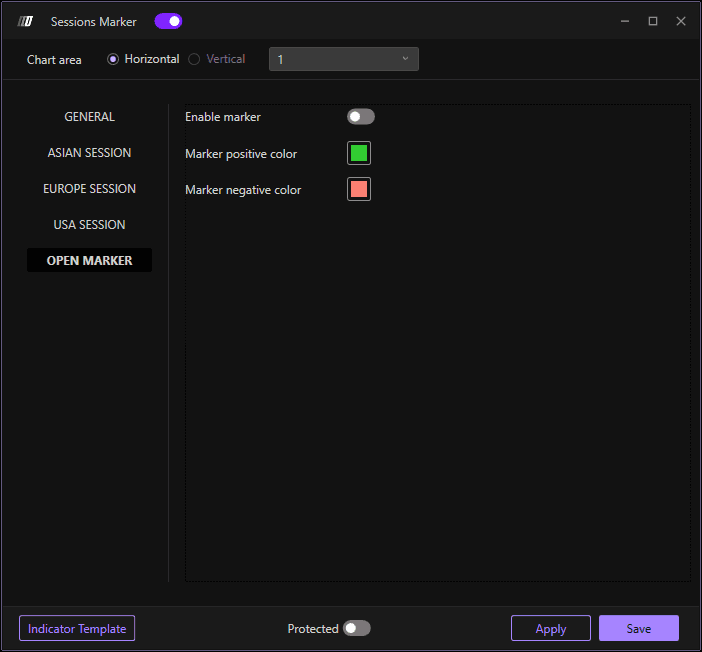
Configure the session opening marker settings:
Enable Marker: Toggle the opening marker on or off
Positive Marker Color: Color for positive/bullish opening markers
Negative Marker Color: Color for negative/bearish opening markers
