Updated:
The Text on Chart indicator allows traders to display custom text messages directly on the chart. This simple but powerful tool is useful for adding notes, reminders, trading ideas, market observations, or any custom information that you want to keep visible on your chart for quick reference during analysis and trading.

Settings of Use
Clicking on the indicator's settings icon will open its configuration window, within which it will be possible to make several choices regarding the functionality of the indicator itself.

Text Settings
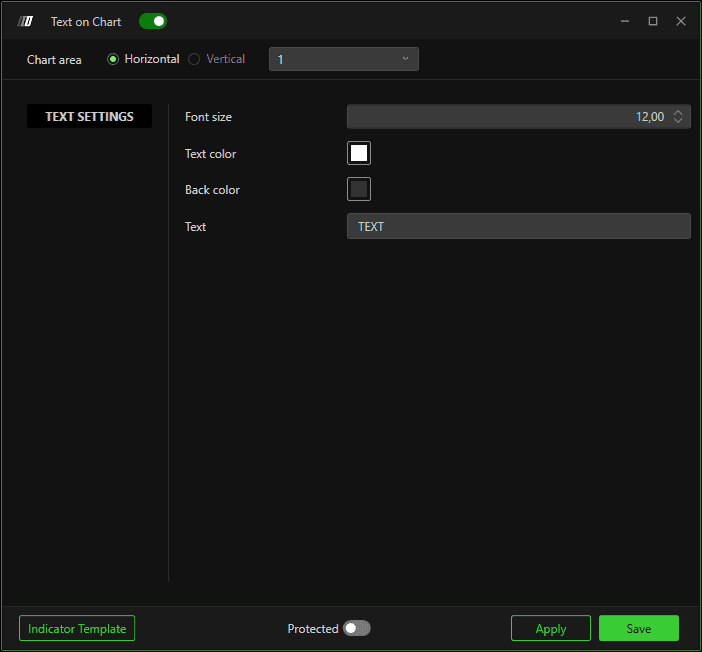
Font Size
Adjusts the size of the displayed text on the chart. Larger font sizes make the text more prominent and easier to read from a distance or on larger monitors, while smaller sizes create more subtle annotations that take up less chart space.
Text Color
Sets the color of the text displayed on the chart. You can choose any color that provides good contrast against your chart background and makes the text clearly visible.
Back Color
Sets the background color behind the text. Adding a background color can significantly improve text readability by creating contrast between the text and the chart elements behind it
Text
This is the main text input field where you can type your custom message, note, or information that will be displayed on the chart.
