Updated:
Panoramica
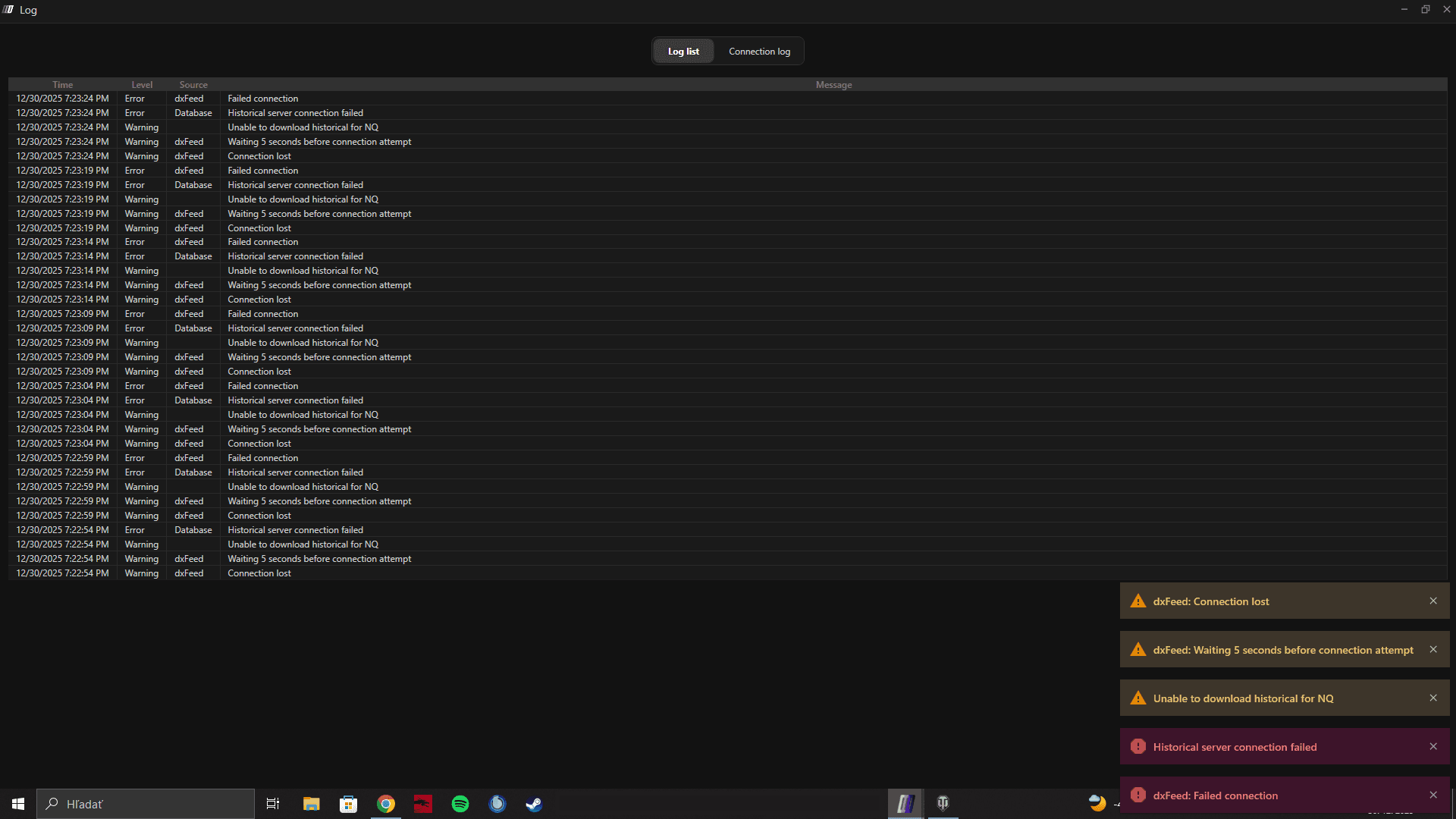
In questo caso, il feed dati si connette correttamente, ma non appena apri un grafico, la connessione cade e la piattaforma mostra più avvisi o messaggi di errore.
Questo comportamento è solitamente causato da instabilità della rete o dalle impostazioni regionali/lingua di Windows.

Cause Comuni
Causa 1: Connessione Internet Instabile o Interrotta
Anche brevi interruzioni di rete possono causare la disconnessione del feed quando i dati del grafico iniziano a caricarsi.
Causa 2: Lingua o area geografica di Windows non impostata su English (US)
Alcuni feed dati e componenti di charting richiedono:
Lingua di visualizzazione di Windows: English
Formato area: Stati Uniti o un'area basata sull'inglese
Impostazioni regionali non corrette (formati di data, numero o decimali) possono causare errori di parsing durante il caricamento dei dati del grafico, con conseguente disconnessione.
Soluzione 1: Aggiorna la tua connessione Internet
Disconnettiti dalla rete attuale
Riconnettiti a Internet (oppure passa a una connessione cablata stabile, se possibile)
Riavvia DeepChart
Prova ad aprire di nuovo il grafico
Se il problema persiste, passa alla Soluzione 2.
Soluzione 2: Modifica le impostazioni di lingua e area di Windows
Passo 1: Imposta la lingua di Windows su English
Vai su Impostazioni di Windows → Ora e lingua → Lingua
Imposta Lingua di visualizzazione di Windows su English
Passo 2: Imposta l'area su Stati Uniti (o un'area in inglese)
Vai su Impostazioni di Windows → Ora e lingua → Area
Imposta Paese o area geografica su Stati Uniti (o su un'altra area supportata in inglese)
Passo 3: Riavvia il PC
Dopo aver modificato le impostazioni di lingua o area geografica:
Riavvia il computer
Avvia DeepChart
Connetti il feed dati
Apri di nuovo il grafico
Guida ufficiale Microsoft
Puoi seguire qui le istruzioni ufficiali di Microsoft:
Note importanti
Questo problema si verifica dopo la connessione, in particolare quando i dati del grafico iniziano a caricarsi
È comunemente مرتبط a formattazione regionale di numeri/date
Il riavvio del PC dopo le modifiche è obbligatorio
Suggerimenti per la prevenzione
Mantieni la lingua di Windows impostata su English
Usa formati regionali statunitensi o basati sull'inglese
Assicurati di avere una connessione Internet stabile prima di aprire i grafici
